
Home › VST Plugins › Baby Audio IHNY-2
Baby Audio IHNY-2 1.5.0 (Mac)
Updated
The catalogue note
Version 1.5.0 is a maintenance fix. Nothing flashy, but it keeps the compressor stable on the current macOS builds.
Where IHNY-2 sits in a session
- On a single track. Insert IHNY-2 on a vocal, snare or kick. The internal parallel chain adds aggression without you setting up a separate return bus. Dial the mix to taste.
- On a bus. Drop it on a drum bus or a group of synths. The plug-and-play parallel path handles the routing; you adjust the wet/dry blend and the character knob.
- On the master bus. A light setting glues the mix with the signature New York-style punch. Keep the mix low if you only want the transient snap.
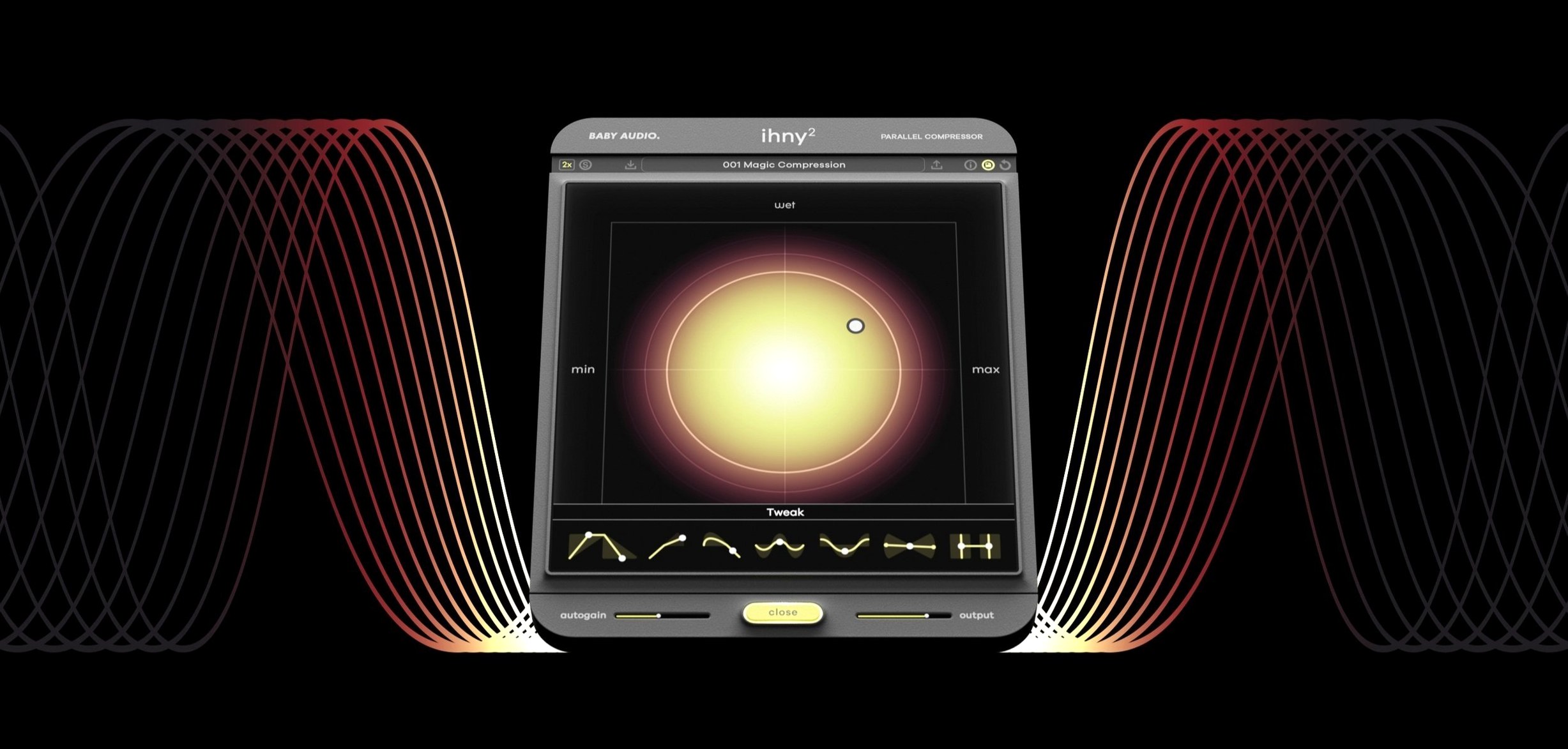
The plugin follows Baby Audio's I Heart NY philosophy: a modern, aggressive compression sound that sits parallel internally. No extra sends, no latency from a duplicate track. Version 1.5.0 cleans up a few edge cases in Logic and Ableton Live.
A typical workflow: adding punch to a drum bus
Start with a drum bus that already has a solid mix of kick, snare and overheads. Insert IHNY-2 as the first plugin on the bus. Adjust the threshold until the compressor grabs the snare hits and kick transients — you will hear the sustain of the drums fatten without the attack disappearing. The original dry signal remains intact, and the parallel layer adds weight underneath. If the low end gets cloudy, back off the character knob slightly. That is the core move; from there you can automate the mix for a lift into the chorus.
Works in any DAW that supports VST, AU or AAX
Do I need a specific DAW to use IHNY-2?
No. The plugin works in any host that supports VST, VST3, AU or AAX. Logic, Ableton Live, Cubase, Pro Tools, Reaper, FL Studio — they all work. Version 1.5.0 fixes a few compatibility quirks reported in older builds of Logic and Live, but the formats themselves are standard.
Will it run on an Intel Mac or only Apple Silicon?
Both. The installer includes ARM and x86 (64-bit) binaries. macOS 10.11 or later is the only system requirement.
Is this just a preset pack for the old I Heart NY?
No. IHNY-2 is a complete rewrite with new internal routing, additional controls and the parallel chain built differently. It replaces the original plugin, not just adds to it.
Can I use it on a master bus without ruining the mix?
Yes, with care. The character knob at its minimum setting helps retain the original transient shape.
Start blend low and don't ignore the character knob
- Full wet gives you only the compressed layer, which sounds thin and unnatural on its own. Start low, blend up.
- Ignoring the character knob. This control shapes how aggressively the parallel chain responds. Leaving it at default and expecting a different result is common. Turn it to hear the difference between a soft glue and a smashed, distorted effect.
- Using it on everything. The plugin adds energy, but that energy can fatigue a mix if applied to every track. Reserve it for elements that need punch — drums, bass, vocals — and leave pads and acoustic instruments clean.
- Not checking phase. Parallel processing can introduce phase cancellation, especially on stereo sources. If the mix sounds hollow or thin, toggle the polarity switch if your DAW offers one, or nudge the plugin timing slightly.
Check your plugin folder if IHNY-2 doesn't appear in your DAW
The plugin does not appear in my DAW after installation.
Check that the installer placed the files in the correct format folder. On macOS, AU plugins go to /Library/Audio/Plug-Ins/Components, VST3 to /Library/Audio/Plug-Ins/VST3, VST2 to /Library/Audio/Plug-Ins/VST, and AAX to /Library/Application Support/Avid/Audio/Plug-Ins. Rescan plugins in your DAW's preferences. If it still does not show, reboot the computer — the audio unit cache sometimes needs a refresh.
The compressor sounds too distorted on the master bus.
Lower the mix and reduce the character knob. The internal parallel chain adds harmonic saturation, and on a full mix that saturation stacks quickly.
Latency changes when I adjust the mix.
IHNY-2 does not introduce variable latency on its own, but if your DAW compensates for plugin latency, the compensation can shift when the internal routing changes. Freeze the track or bounce in place once you settle on the setting. Version 1.5.0 addresses some of these compensation hiccups in Logic.
The plugin loads but shows no GUI.
This can happen if the graphics driver is outdated or if the DAW sandboxes plugin windows. Update macOS to at least 10.11 and ensure your DAW is up to date. If the GUI remains blank, switch to the generic UI mode in your DAW's plugin wrapper (most DAWs offer this as a right-click option).
Changes in this build
- Version 1.5.0 — a fix addressing a specific stability issue.
Before it goes on the Mac
- macOS 10.11 or later
- Intel or Apple Silicon (both supported)
- Interface language: English
Questions from the room
Does IHNY-2 require additional DAW routing for parallel compression?
No, the plugin uses an internal parallel signal chain, so you get the effect without setting up extra sends or buses.
Installing it on the Mac
- Download the installer from the package.
- Run the installer and follow the on-screen prompts.
- Activate the plugin using the instructions included inside the package.
Notes from the control room
Sign in or open a catalogue account to leave a note.
No notes from the room yet. If you have used this build for a week, a short note helps the next person.
Also filed under VST Plugins
The whole VST Plugins rack Arturia Rotary CLS-2221.2.0 VST Plugins 359 MB
 Arturia Modular V3.13.3 VST Plugins 707 MB
 Arturia Mellotron V1.9.3 VST Plugins 2.1 GB
 Arturia Emulator II V1.6.2 VST Plugins 700 MB
 Arturia Dist TUBE-CULTURE1.2.0 VST Plugins 370 MB
 Arturia CMI V1.13.2 VST Plugins 638 MB
 Arturia Buchla Easel V1.13.2 VST Plugins 406 MB
 Arturia Analog Lab V5.12.6 VST Plugins 2 GB Updated