
Home › VST Plugins › Arturia Mellotron V

Arturia Mellotron V 1.9.3 (Mac)
Updated
The catalogue note
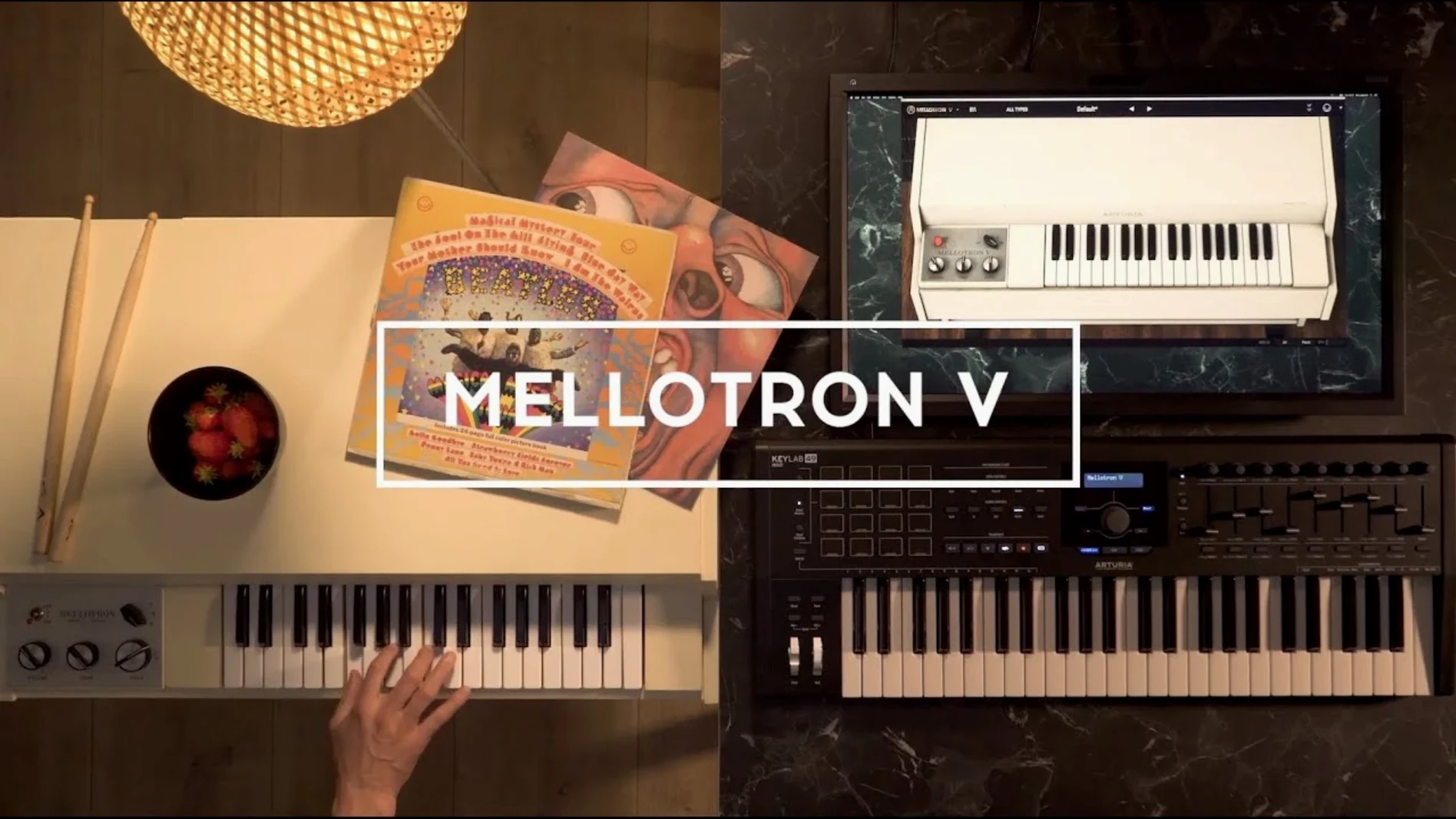
Arturia Mellotron V is a virtual instrument that recreates the sound of the original Mellotron, a keyboard that played back tape loops of real instruments. On a Mac, it works as a plugin inside your DAW, and the current version, 1.9.3 (5306), tightens up the preset workflow.
65 tape banks mapped to 96 chromatic semitones each
The heart of Mellotron V is the tape bank selector. You get 65 original tape banks, each divided into 96 chromatic semitones, just like the physical tape frames. That means every note has its own little slice of tape, with the same slight pitch wander and mechanical noise that made the original so characterful. The ADSR envelope lets you shape how those tape attacks behave — shorter envelopes give you a percussive stab, longer ones let the tape ring out. For a mix, this is where you decide whether the Mellotron sits in the background or cuts through.
Beyond the tape
Built-in effects handle the rest. You can push the signal through a bit of saturation or tape echo without leaving the plugin, which keeps the session tidy. The plug-in also loads user samples, so you can feed it your own loops and treat them like a Mellotron. The 1.9.3 update improves preset naming and playlist editing, so organising your favourite tape sounds is less of a fiddle — naming a preset no longer crashes, and playlists appear properly after recalling a project.
Drops into any major DAW or runs standalone
Mellotron V works as a 64-bit Audio Unit, VST or AAX plugin, so it drops into Logic, Cubase, Pro Tools or Ableton without extra wrappers. It also runs standalone, which is useful when you want to browse tape banks or tweak a sound without launching a full DAW. The plugin loads WAV, AIFF and FLAC files for user samples, meaning you can pull in material from any audio editor or sample library you already keep on your Mac.
On the macOS side, Mellotron V runs on both Intel and Apple Silicon machines, and it supports macOS 11 and later. That covers everything from Big Sur to the current release, so it should slot into a studio that has not updated every machine at once. The 64-bit-only requirement is standard for modern plugins — no Rosetta 2 issues on an ARM Mac, just the native version or the Intel one depending on your host.
Playlist and preset fixes that speed up project switching
Version 1.9.3 (5306) focused on playlist and preset management — the kind of fixes that save time when you are switching between projects. The changelog lists:
- Playlist edition improvements — editing a playlist no longer feels like an afterthought
- Preset playlist naming improvements — naming a playlist is now more reliable
- Favorite preset management improvements — marking a preset as a favourite and sorting it works correctly, even with shuffle enabled
- Preset naming improvements — naming a preset no longer crashes the plugin
- Preset search improvements — finding a specific tape bank or user preset is faster
- Bug fixes — general stability, plus FAQ links are now available inside the plugin
Two specific bugs that annoyed users in earlier builds are gone: preset browsing no longer crashes, and playlists are visible after removing and reinstalling the instrument. If you have ever lost a carefully organised playlist after a plugin reinstall, this fix alone justifies the update.
User samples map across the full 96-semitone keyboard range
Each track row is divided into 96 chromatic semitones, which matches the original Mellotron's tape frame layout. That means you can map user samples across the full keyboard range, not just a few octaves. The plugin supports up to 2 factory samples and 8 user samples per track, or a combination of 2 factory and 6 user samples — enough to layer a tape string sound with your own vocal or field recording without leaving the plugin.
The mechanical, noise and tape controls are separate, so you can dial in tape hiss without adding motor rumble, or keep the mechanical clatter low for a cleaner mix. For studio work, this granularity means you can match the amount of tape character to the arrangement rather than taking whatever the original hardware gave you.
Playlists are visible after calling up a project, which sounds obvious but was not reliable in earlier versions. The 1.9.3 update makes sure that when you reopen a session, your playlist structure is there without extra clicking. For anyone who builds track presets around specific Mellotron sounds — say, a vintage strings playlist for one project and a choir playlist for another — this is the difference between a smooth recall and a hunt through the file system.
Changes in this build
- Playlist edition improvements.
- Preset playlist naming improvements.
- Favorite preset management improvements.
- Preset naming improvements.
- Preset search improvements.
- Bug fixes.
Before it goes on the Mac
- macOS 11 or later
- 64-bit only
- Intel or Apple Silicon
Questions from the room
Can I load my own samples into Arturia Mellotron V?
Yes, the plugin supports loading user samples, so you can create your own tape banks and play them like a Mellotron.
What does the 1.9.3 update fix?
Version 1.9.3 (5306) improves preset naming, playlist editing and favourite preset management, and fixes a crash that happened when naming a preset.
Installing it on the Mac
- Open the package and install the plugin.
- Follow the activation instructions included in the package.
Notes from the control room
Sign in or open a catalogue account to leave a note.
No notes from the room yet. If you have used this build for a week, a short note helps the next person.
Also filed under VST Plugins
The whole VST Plugins rack Arturia Emulator II V1.6.2 VST Plugins 700 MB
 Arturia Modular V3.13.3 VST Plugins 707 MB
 Arturia Dist TUBE-CULTURE1.2.0 VST Plugins 370 MB
 Arturia Rotary CLS-2221.2.0 VST Plugins 359 MB
 Arturia CMI V1.13.2 VST Plugins 638 MB
 Arturia Buchla Easel V1.13.2 VST Plugins 406 MB
 Arturia Analog Lab V5.12.6 VST Plugins 2 GB Updated
 Baby Audio IHNY-21.5.0 VST Plugins 28 MB