
Home › VST Plugins › Arturia Dist TUBE-CULTURE
Arturia Dist TUBE-CULTURE 1.2.0 (Mac)
Updated
The catalogue note
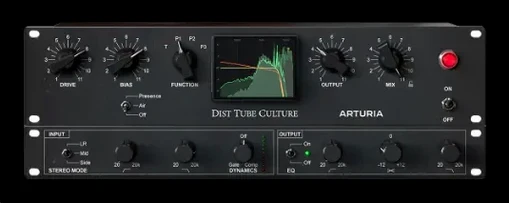
Valve distortion in a DAW usually means hunting through amp sims or firmware updates. Dist TUBE-CULTURE puts four tube flavours in one plugin, ready for the insert slot. It is built for studio work: adding harmonic character, saturation, or outright crunch without leaving your session.
Adds valve-powered warmth to tracks, buses, or full mixes
- Adding valve-powered warmth to tracks, buses, or full mixes.
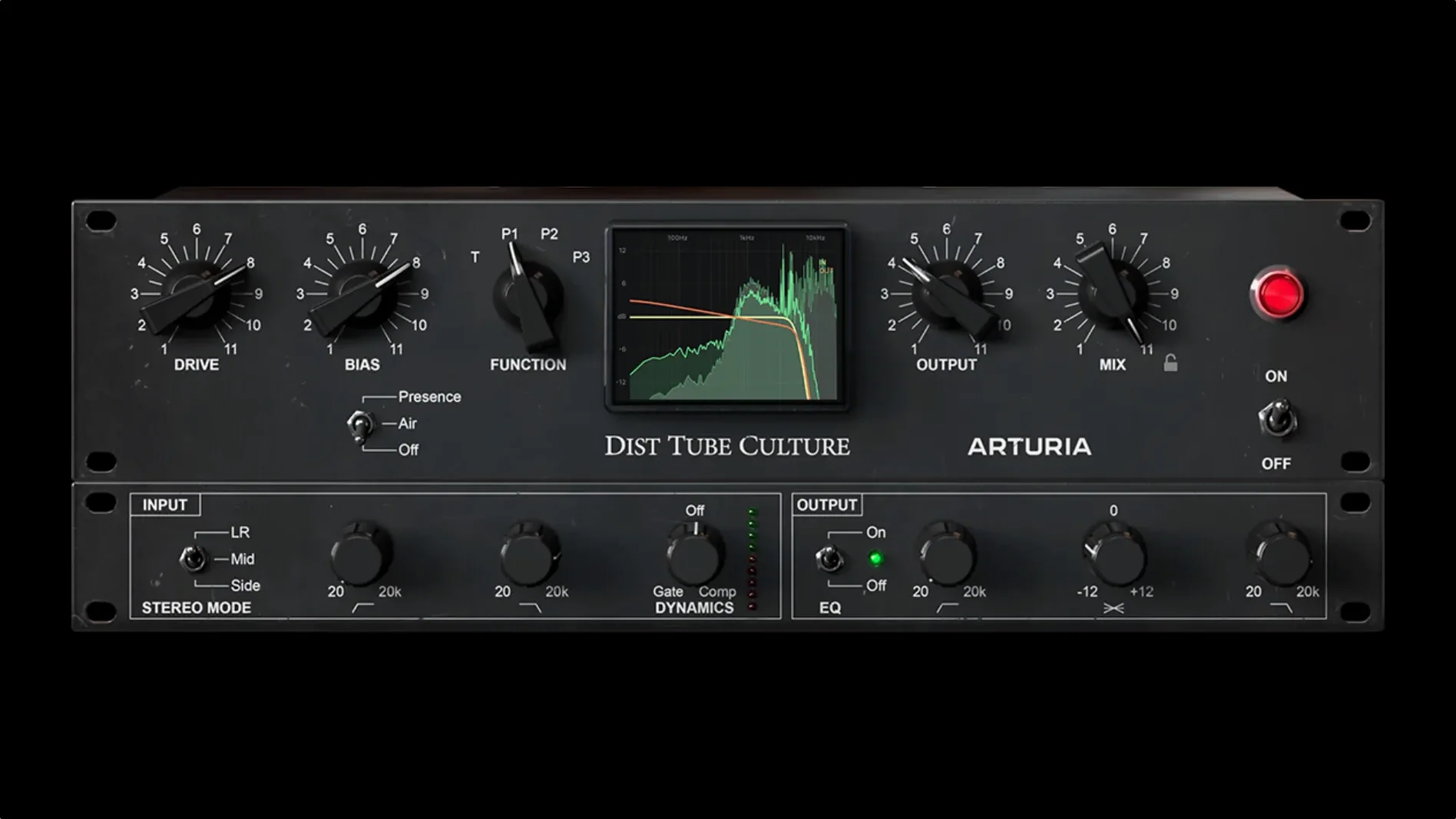
- Dialling in saturation with four modes: Triode, Pentode 1, Pentode 2, and Pentode 3.
- Getting studio-grade crunch for drums, bass, or synths.
Requires macOS 10.13 or later and English interface only
- Works on macOS 10.13 or later, on both Intel and Apple Silicon (including M1 series).
- Windows is also supported, so the same session works across machines.
- Interface language is English only.
Before installing, a few things tend to come up. The plugin requires macOS 10.13 or later and runs natively on both Intel and Apple Silicon — no Rosetta workarounds needed. It is a 64‑bit plugin only, so older 32‑bit hosts will not see it. Activation is handled through Arturia’s Software Center, and the installer is straightforward: you run the package, authorise through the centre, then scan in your DAW. No iLok or physical dongle is required.
People often ask whether Dist TUBE-CULTURE can sit on a master bus. Yes, it can, though the four Pentode modes are aggressive enough that you will want to keep the Drive low unless you are after obvious distortion. The Triode mode is gentler and works well for subtle mix glue. Another common question is whether the plugin adds latency. It does not report any lookahead or processing delay — it works in real time, which makes it usable for tracking as well as mixing.
Start by switching through four modes with Drive low
When you open the plugin for the first time, the default mode is Triode and the Drive is at a moderate setting. For most sources, start by switching through the four modes with the Drive low — each Pentode stage adds progressively more harmonic complexity and gain structure. Pentode 1 is still relatively controlled; Pentode 3 is saturated and compressed. The Bias control is worth adjusting early: it shifts the operating point of the virtual valve and changes the harmonic balance. A higher Bias value thickens the low end, while a lower one emphasises upper harmonics and can make the sound more aggressive.
The plugin responds to input level, so hitting it harder from the track fader changes the character noticeably.
Brings rounded bottom end and presence to live rock stems
A mixing engineer receives a set of rock stems recorded in a live room — the bass DI is clean, the snare top mic is a little thin, and the room mics feel flat. The bottom end gains a rounded weight without turning into fuzz. For the snare, Triode mode with a touch more Drive adds a transient bite that helps the snare cut through the electric guitars. On the room mics, Pentode 3 at a low Drive setting pushes the cymbals into a gritty, compressed sheen that sits behind the kit naturally. The engineer leaves the plugin on the group bus for the drum room, adjusting Bias to keep the low end from getting too loose. No additional saturation plugins are needed on those channels.
Version 1.2.0 tightened native Apple Silicon performance and preset management
- The current build (1.2.0, number 5460) brought compatibility updates for Apple Silicon — earlier versions already supported M1, but this release tightened native performance across M1 Pro, Max, and Ultra chips.
- Preset management was refined, making it faster to recall custom settings across sessions. This matters when you have a handful of go-to settings for different sources.
- No new modes or controls were added in this version — the four tube types remain the same. The focus was on stability and host integration.
If you are downloading Arturia Dist TUBE-CULTURE for macOS, the current version is the one to get. The installation and activation instructions are included with the download, and the plugin is available in Audio Units, AAX, VST2, and VST3 formats, so it works across Logic Pro, Pro Tools, Cubase, and most other DAWs.
Before it goes on the Mac
- macOS 10.13 or later
- Intel or Apple Silicon (including M1, M1 Pro, M1 Max, M1 Ultra)
- Windows or macOS
Questions from the room
Which macOS versions does Arturia Dist TUBE-CULTURE support?
It runs on macOS 10.13 or later, and it is compatible with Apple Silicon processors including M1, M1 Pro, M1 Max, and M1 Ultra.
What distortion modes are included in Dist TUBE-CULTURE?
The plugin offers four modes: Triode, Pentode 1, Pentode 2, and Pentode 3, giving different valve characteristics for saturation and crunch.
Installing it on the Mac
- Run the installer and follow the on-screen prompts.
- Activate the plugin using the included licence or activation instructions.
- Restart your DAW and load Dist TUBE-CULTURE from the effects list.
Notes from the control room
Sign in or open a catalogue account to leave a note.
No notes from the room yet. If you have used this build for a week, a short note helps the next person.
Also filed under VST Plugins
The whole VST Plugins rack Arturia CMI V1.13.2 VST Plugins 638 MB
 Arturia Buchla Easel V1.13.2 VST Plugins 406 MB
 Arturia Emulator II V1.6.2 VST Plugins 700 MB
 Arturia Mellotron V1.9.3 VST Plugins 2.1 GB
 Arturia Analog Lab V5.12.6 VST Plugins 2 GB Updated
 Arturia Modular V3.13.3 VST Plugins 707 MB
 Arturia Rotary CLS-2221.2.0 VST Plugins 359 MB
 Ample Guitar M4.1.0 VST Plugins 5.2 GB