
Home › VST Plugins › Arturia CMI V

Arturia CMI V 1.13.2 (Mac)
Updated
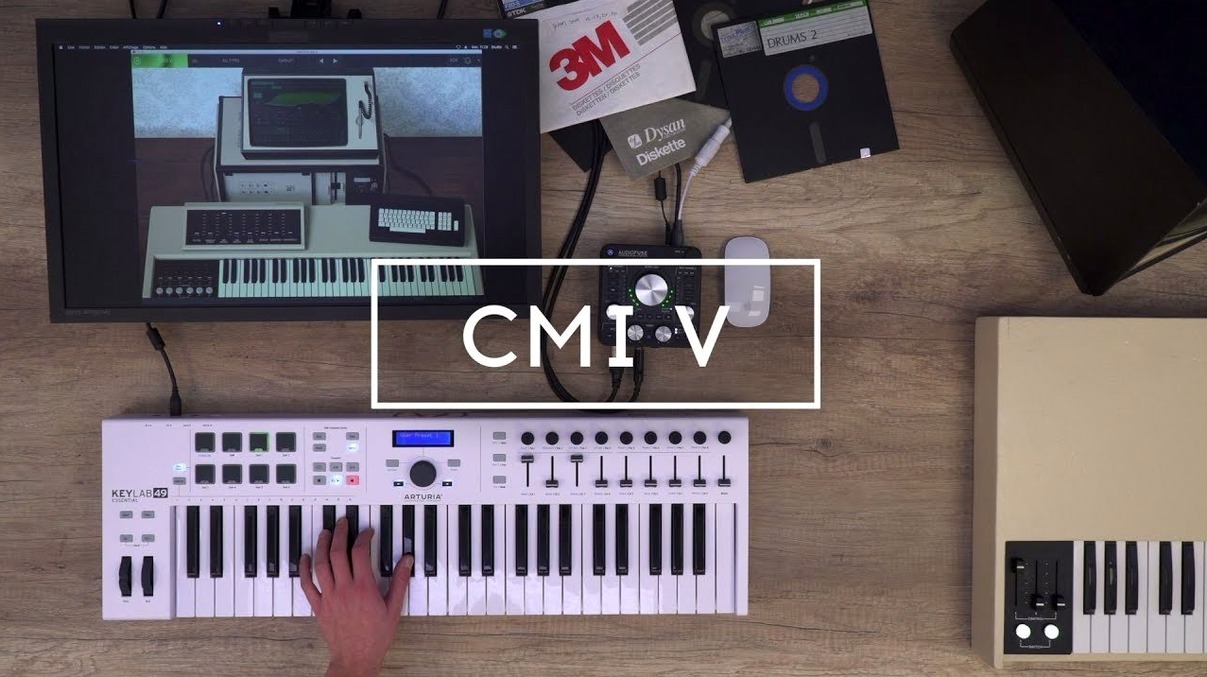
The catalogue note
You know the CMI as the sampler that defined an era — the one behind countless 80s hits. Arturia CMI V takes that Series IIx hardware and gives you its sound as a plugin. It runs on the studio Mac without a hardware rack in sight.
Layer up to 10 instrument slots per preset
- Layering up to 10 instrument slots per preset, mixing the original 600 samples with additive or Spectral synthesis layers.
- Dialling in the built-in output effects to place the sound in a mix without extra processing.
- Browsing 360 presets crafted by Arturia sound designers when you need a starting point fast.
Runs on macOS 11 and later with Intel or Apple Silicon
- The interface language is English only.
- It runs on macOS 11 and later, both Intel and Apple Silicon.
- Version 1.13.2 (5305) includes the additive engine and Spectral synthesis mode alongside the classic sample playback.
A typical session: building a layered pad from scratch
I start CMI V in standalone mode, with the default preset loaded. The first thing I do is clear the instrument slots — the default usually has one or two sounds, but I want a clean canvas. I click the first slot, select an original CMI sample from the 600 on offer — a breathy vocal sustain from the Fairlight library — and set its pitch tracking to follow the keyboard. That gives me the core.
Next, I add a second slot and choose a Spectral synthesis patch: a slowly morphing harmonic texture that shifts over eight seconds. I set the volume envelope to fade in gradually, so it doesn't clash with the vocal's attack. The third slot gets an additive layer built from a single sawtooth wave, detuned slightly and routed through a low-pass filter with moderate resonance. I adjust the filter cutoff to sit just below the vocal's fundamental.
Now the sequencer. I enable the 32-step page-R style sequencer and program a simple arpeggio pattern across 16 steps, using the vocal sample as the source. The step length is set to a quarter note, and I assign velocity per step to create a subtle dynamic rhythm. The sequencer runs while I play a chord with my left hand — the arpeggio picks out the notes chromatically, layering over the sustained pad.
For modulation, I assign a slow LFO to the Spectral synthesis's morph rate and a faster LFO to the filter cutoff on the additive layer. That gives movement without needing automation in the DAW. I tweak the mod source amounts until the pad breathes evenly. Finally, I add the output effects: a short plate reverb and a gentle chorus, both at moderate mix levels. The whole preset now uses four of the ten available slots, with polyphony set to 16 voices — enough for the chords and the arpeggio.
I save the preset under a new name and switch to the DAW. The plugin loads as a VST3 instance on a MIDI track. I record a simple progression of four chords, then let the sequencer play the arpeggio over it. The result sits in the mix without extra EQ or compression.
Start with the 600 original CMI samples to understand the character
- Start with the original samples. The 600 from the CMI library are the fastest way to understand the instrument's character. Browse them by category — vocal, string, brass, percussion — and listen to how they behave with pitch shifting. The low sample rate and bit depth are part of the sound, not a limitation to fix.
- Use the sequencer as a creative tool, not a step editor. Program a simple pattern, then change the step length or swing. The page-R style rewards experimentation — a 13-step loop over a 4/4 chord progression can generate unexpected rhythms that work well in a mix.
- Layer carefully. With ten slots available, it is tempting to stack many sounds. But the CMI V's strength is in contrast: a thin sample paired with a rich additive layer sounds more interesting than five dense layers competing for space. Keep the polyphony at 24 or below unless the arrangement demands it.
- Explore the output effects early. The built-in reverb, delay and chorus are modelled on the hardware's sound. They add character quickly. Try them at extreme settings on a single slot before dialling them back — you might discover a texture worth keeping.
- Save presets as you go. The preset browser is fast, but the 360 factory presets can be overwhelming. Save your own combinations under a naming scheme that includes the sample source and the number of slots used. It saves time when you revisit a session days later.
Before it goes on the Mac
- macOS 11 or later
- Intel or Apple Silicon
- Interface language: English
Questions from the room
Does Arturia CMI V include the original CMI samples?
Yes, it includes 600 samples from the original CMI library.
How many preset sounds does Arturia CMI V have?
It includes 360 preset sounds made by Arturia sound designers.
What synthesis methods does Arturia CMI V support?
It uses sample playback, an alternative additive synthesis engine, and a Spectral synthesis mode.
Installing it on the Mac
- Follow the included installation and activation instructions.
Notes from the control room
Sign in or open a catalogue account to leave a note.
No notes from the room yet. If you have used this build for a week, a short note helps the next person.
Also filed under VST Plugins
The whole VST Plugins rack Arturia Buchla Easel V1.13.2 VST Plugins 406 MB
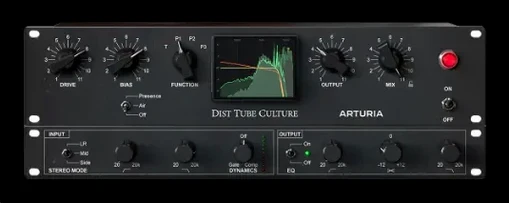 Arturia Dist TUBE-CULTURE1.2.0 VST Plugins 370 MB
 Arturia Emulator II V1.6.2 VST Plugins 700 MB
 Arturia Analog Lab V5.12.6 VST Plugins 2 GB Updated
 Arturia Mellotron V1.9.3 VST Plugins 2.1 GB
 Arturia Modular V3.13.3 VST Plugins 707 MB
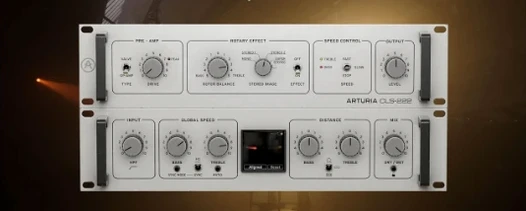 Arturia Rotary CLS-2221.2.0 VST Plugins 359 MB
 Ample Guitar M4.1.0 VST Plugins 5.2 GB