
Home › VST Plugins › Arturia Rotary CLS-222
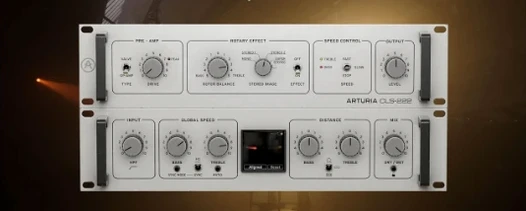
Arturia Rotary CLS-222 1.2.0 (Mac)
Updated
The catalogue note
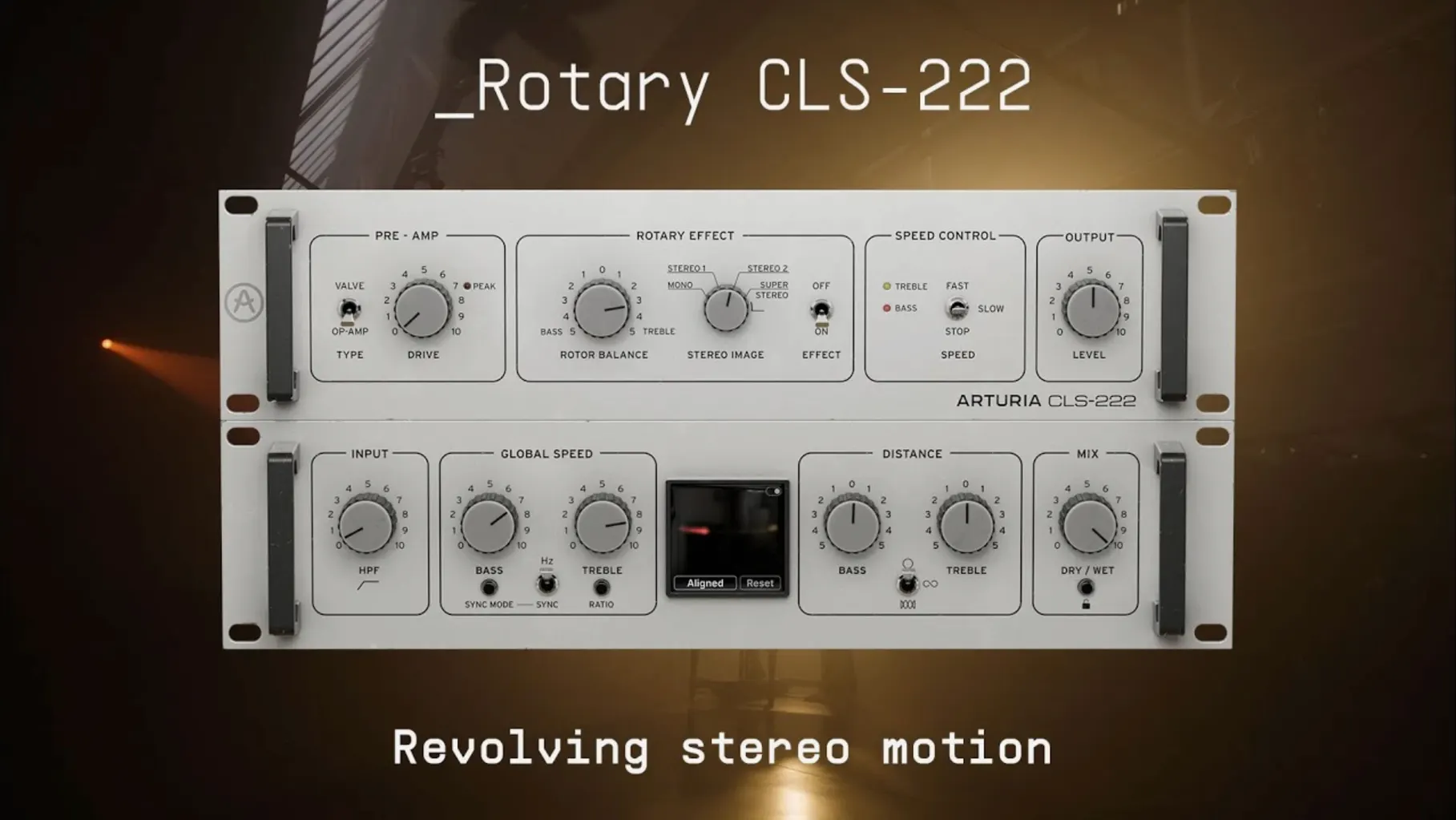
A rotary speaker plugin that gives you the familiar Doppler swirl, but with a few extra controls that matter in a mix. The problem it solves: making static stereo sources move without losing clarity or phase coherence.
Independent speed control for low and high rotors
Bass/Treble rotor separation — independent speed control for low and high rotors, which means you can set the lows to a slow throb while the highs spin fast. Useful for avoiding mud.
Stereo width control — goes from mono to 120% stereo. Narrow it for a centre-panned organ part, widen it for a spacious pad.
Sync — pattern synchronisation to your DAW tempo. No guessing when the rotor changes speed.
Formats — VST, AAX, Audio Unit, NKS. Runs on macOS 11.0 or later, both Intel and Apple Silicon, in 64-bit DAWs only.
Works in 64-bit DAWs on macOS 11.0 or later
Will it work in my DAW? If your DAW runs 64-bit plugins on macOS 11.0 or later, the answer is yes. The plugin ships as VST, AAX, Audio Unit and NKS, so Logic, Pro Tools, Cubase, Ableton Live and most others are covered. Both Intel and Apple Silicon Macs are supported — no Rosetta workaround needed for native ARM hosts.
Is this a Leslie emulation? It emulates the Dynacord CLS 222, which is a rotary speaker effect but not a direct Leslie clone. The character is slightly different: less of the cabinet thump, more focus on the stereo motion itself. If you already own a Leslie plugin, this one fills a different space — cleaner, more controllable, better for pads and synths.
Do I need an iLok or online connection to use it? Activation is included in the package, meaning no extra dongle or permanent internet requirement after the initial authorisation. The installer walks you through it.
Can I run multiple instances without killing my CPU? That depends on your system and session density. The plugin is not a heavy convolution reverb, but running a dozen instances with fast rotor speeds will add up. Try it in your own template first.
First days with the plugin
Start with a simple stereo source — a held chord on an organ or a synth pad. Cycle through Fast, Slow and Stop modes to hear how the plugin behaves without any other processing. The Stop mode is worth noting: it parks the rotors, which can be useful as a reset point before automating a speed change.
Try the Bass and Treble rotor speeds at different ratios. A common starting point is slow bass, fast treble — the motion stays clear in the highs while the low end remains stable. If things get phasey, reduce the Stereo Width control. Mono is a valid setting here, not a compromise.
Sync the plugin to your DAW tempo and play with pattern changes. You can automate the mode switch from Slow to Fast on a downbeat and the sync will lock the transition to the grid. No more guessing where the rotor lands.
That way you keep the dry signal intact and blend in the rotary effect per-part. Works especially well for layering.
Build 1.2.0 (5460) handles installer replacement
The current build is 1.2.0 (5460). No specific feature additions or bug fixes are documented in the provided information, but version numbers matter for compatibility. If you are updating from an earlier 1.x build, the installer handles the replacement. The plugin formats, system requirements and interface language remain unchanged — English, macOS 11.0+, both architectures, 64-bit only.
For everyday use, the most relevant detail is that this version is the one to install if you are on a newer macOS release. Older builds may not have the same host compatibility. If your DAW reports the plugin as version 1.2.0 (5460) in its plugin manager, you are current.
Before it goes on the Mac
- macOS 11.0 or later
- Intel or Apple Silicon
- 64-bit DAW only
Questions from the room
Does the Rotary CLS-222 separate Bass and Treble rotor speeds?
Yes. The advanced controls let you set independent speeds for the Bass and Treble rotors.
Can I control the stereo width?
Yes. There is a continuous stereo width control from mono to 120% stereo.
Which plugin formats are supported on macOS?
VST, AAX, Audio Unit, and NKS, all in 64-bit only.
Installing it on the Mac
- Run the installer from the package.
- Follow the on-screen instructions for installation and activation.
Notes from the control room
Sign in or open a catalogue account to leave a note.
No notes from the room yet. If you have used this build for a week, a short note helps the next person.
Also filed under VST Plugins
The whole VST Plugins rack Arturia Modular V3.13.3 VST Plugins 707 MB
 Arturia Mellotron V1.9.3 VST Plugins 2.1 GB
 Arturia Emulator II V1.6.2 VST Plugins 700 MB
 Arturia Dist TUBE-CULTURE1.2.0 VST Plugins 370 MB
 Arturia CMI V1.13.2 VST Plugins 638 MB
 Arturia Buchla Easel V1.13.2 VST Plugins 406 MB
 Arturia Analog Lab V5.12.6 VST Plugins 2 GB Updated
 Baby Audio IHNY-21.5.0 VST Plugins 28 MB