

Updatest 2.4.2 (Mac)
Updated
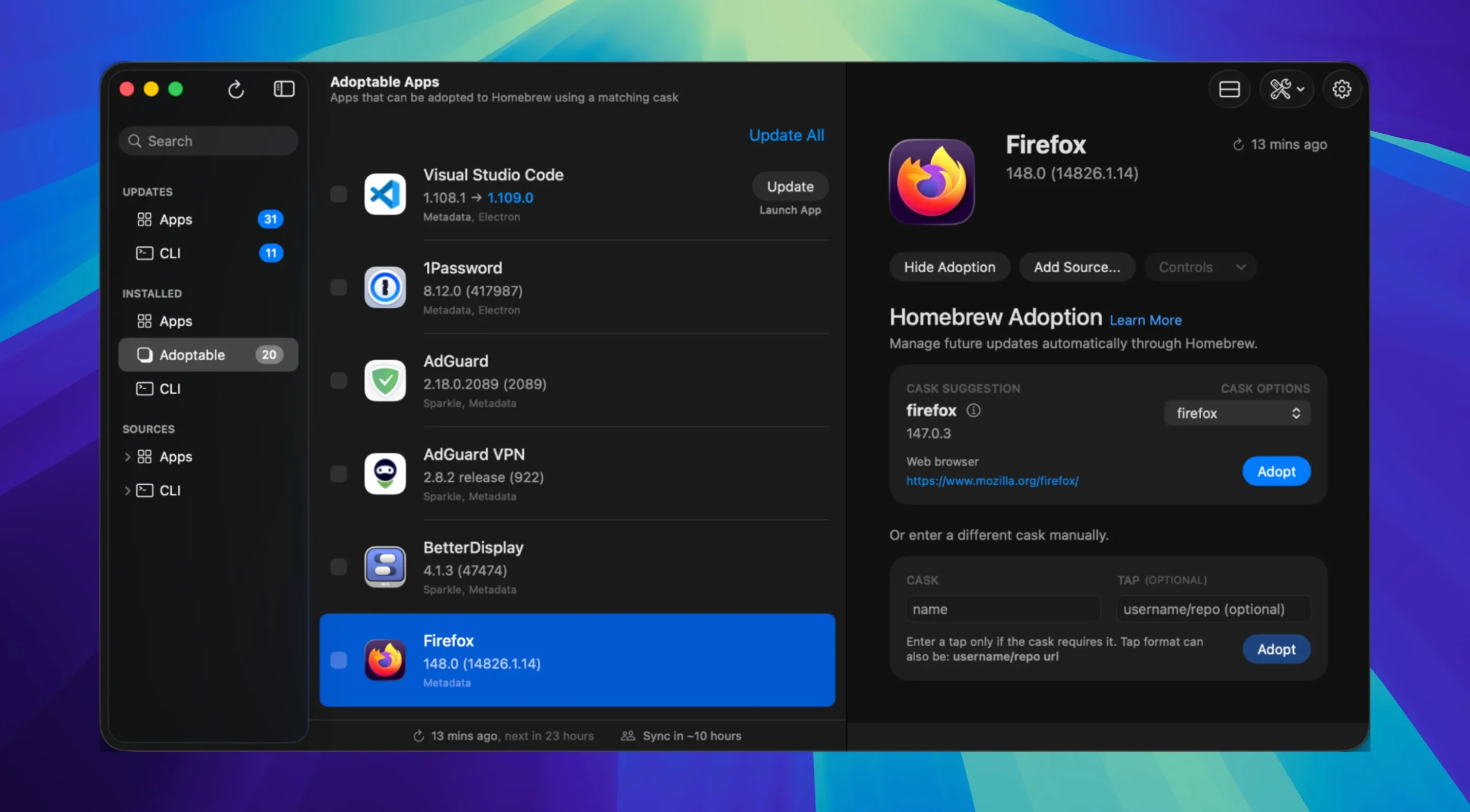
The catalogue note
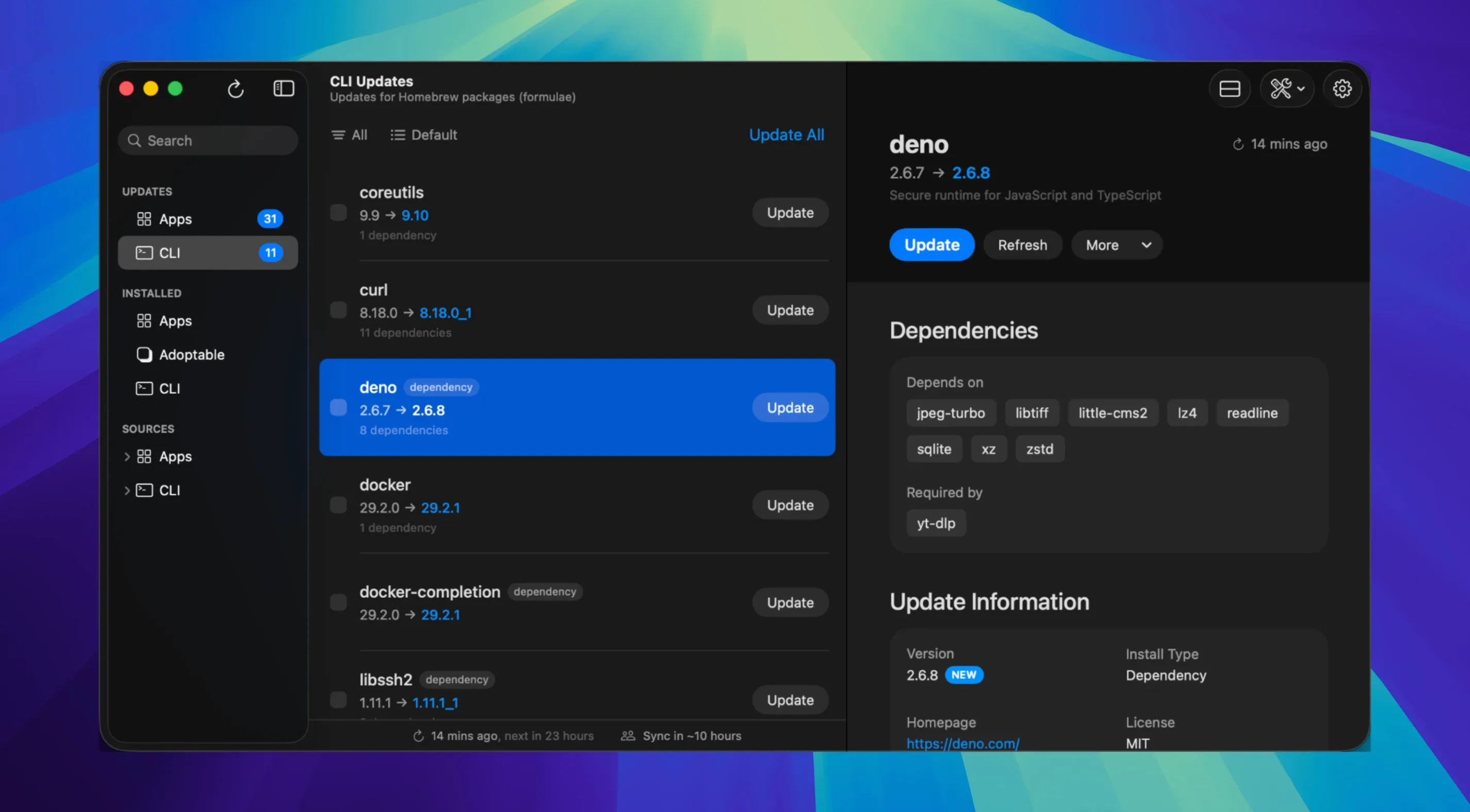
Updatest 2.4.2 refines the update source visuals in app details and adds an Actions menu for Updatest Network updates. The help menu now includes FAQ and How-To links, and the app can fetch release notes for more Sparkle-using applications.
Scans app metadata to reveal update mechanisms
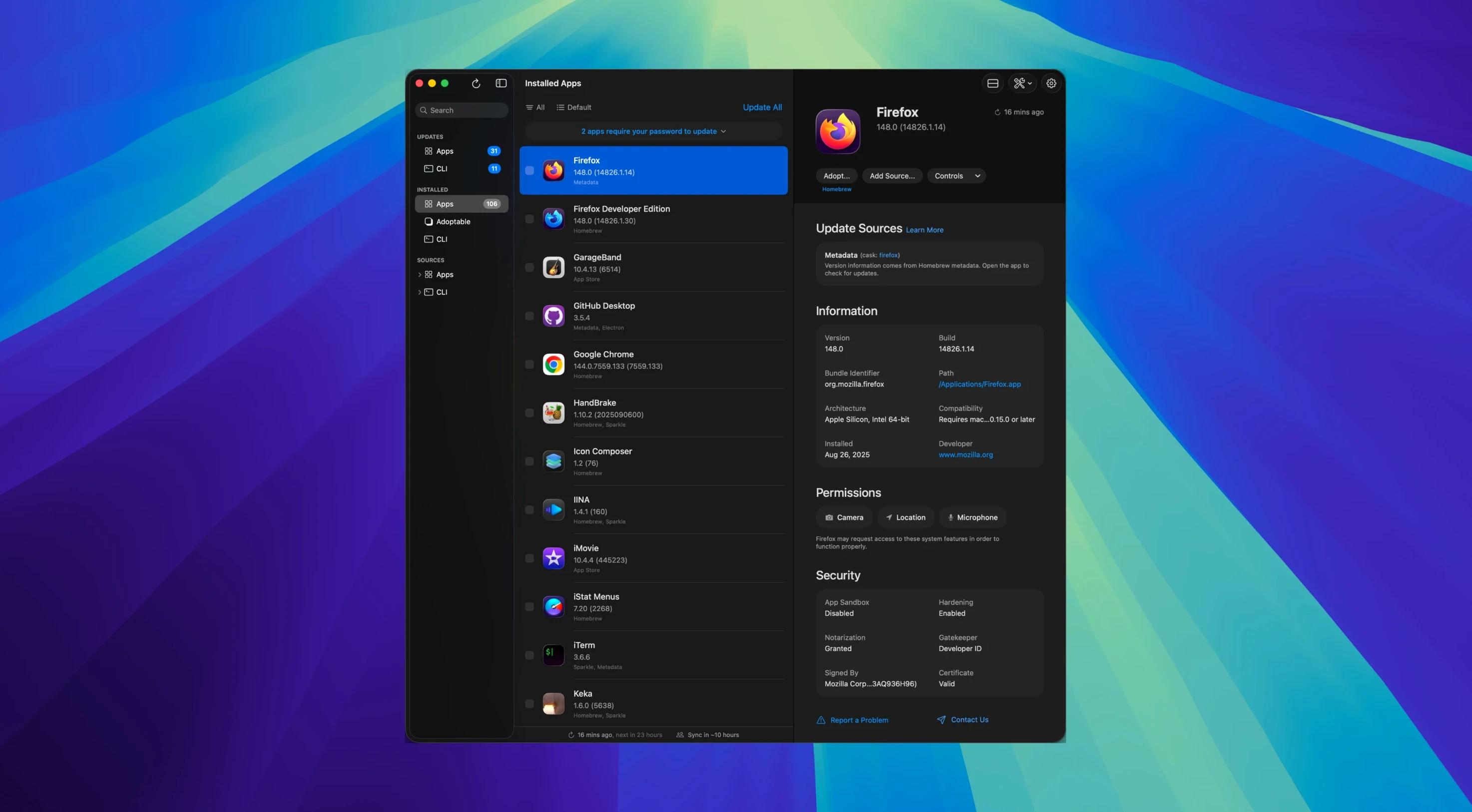
- Scans installed apps and identifies their update mechanism from internal metadata — no guesswork.
- Displays version, bundle size, developer name, code signing status, notarization, and permissions for each app.
- Pulls download links and, where Sparkle is used, release notes directly from the developer.
- The Updatest Network lets you share version data anonymously, helping the community spot stale builds.
Rewrite of Caskly that shows versions and signing status without installing
Updatest is a complete rewrite of the earlier Caskly. You see what version you have, what the developer offers next, and whether the app is signed and notarised. The app does not download or install updates; it gives you the version data and links so you can decide manually.
A typical update session from start to finish
Open Updatest and let it scan. The scan takes a few seconds — it reads app metadata from your /Applications folder and any ~/Applications locations. Once finished, the main list shows every detected app with its current version and the latest available version, if one exists.
Click any app row to see its detail panel. If the app uses Sparkle, release notes often appear in the lower pane — fetch them with a click.
From the detail panel you can open the developer's download page or the app's own update window. The Actions menu now includes options for Updatest Network updates: you can mark an update as tested or flag a broken version, feeding that data back to the community if you opt in. When you are ready, follow the download link, grab the new version and install it the usual way — drag, run the installer, or let Sparkle handle it.
For Homebrew users, Updatest shows the cask name and the version in the Homebrew repository. You still run brew upgrade separately, but you know exactly which casks are behind before you open a terminal.
Saves time for sysadmins managing dozens of apps on macOS 15+
People managing multiple update sources benefit most. System administrators on macOS 15 or later who maintain a fleet of personal machines — or their own machine with dozens of installed utilities — save time by seeing everything at a glance.
Security-conscious users also gain something. The signing and notarisation status per app is visible without digging into the app bundle or the system log. You can spot unsigned or un-notarised updates before installing them, which matters when you manage software for others or keep a tight audit trail.
But anyone who has ever opened five apps one by one to check for new versions will appreciate having a single list.
Shows updates and release notes but leaves downloads and installations to you
Does Updatest download updates for me? No. It shows available versions, links and release notes, but the actual download and installation remain your choice. That design keeps you in control and avoids conflicts with package managers like Homebrew that expect to manage files themselves.
Will it slow down my Mac? The scan runs on demand and uses minimal network access — only the calls needed to check for newer versions from each app's update source. Data stays local by default unless you enable the Updatest Network for anonymous version sharing. The app does not run in the background or monitor your activity after you close it.
What happens if an app uses a custom updater? Updatest detects the update mechanism from internal metadata. Most modern Mac applications use one of these five, so coverage is broad.
Can I use it alongside Caskly? Updatest is a complete rewrite of Caskly, not a companion. Running both would duplicate the same scans. Migrating is straightforward: install Updatest, let it scan, and remove the old Caskly copy once you are satisfied.
Does it work on Intel Macs? Yes. Updatest 2.4.2 runs on both ARM and x86 (64-bit) architectures, provided the system is macOS 15 or later.
Changes in this build
- Support email changed.
- Update source visuals refined in app details.
- Actions menu added for Updatest Network updates in app details.
- FAQ and How-To links added to the Help menu.
- More Sparkle release notes can be fetched.
Before it goes on the Mac
- macOS 15 or later
- Apple Silicon or Intel
- English interface language
Questions from the room
Does Updatest download or install updates?
No. It shows version data, code signing info, and download links so you can decide whether and when to update each app manually.
Installing it on the Mac
- Open the downloaded disk image.
- Drag the app into the Applications folder alias.
- After copying finishes, launch the app from Launchpad.
Notes from the control room
Sign in or open a catalogue account to leave a note.
No notes from the room yet. If you have used this build for a week, a short note helps the next person.
Also filed under Utilities
The whole Utilities rack VideoProc Converter6.6 Utilities 86 MB
 ViWizard Spotify Music Converter2.17.0 Utilities 7 MB
 VMware Fusion Pro26H1 Utilities 479 MB
 Tuxera NTFS2023.1 Utilities 111 MB
 TunesKit iPhone Unlocker2.7.0 Utilities 64 MB
 WALTR PRO4.0.122 Utilities 29 MB
 Transmit5.11.7 Utilities 34 MB
 WidgetWall3.15.2 Utilities 396 MB