
NotchFlow 1.2.2 (Mac)
Updated
The catalogue note
Anyone who works at a Mac all day and finds standard Pomodoro timers too intrusive might appreciate NotchFlow. It lives in the camera notch area, so you get focus timers, break reminders and visual cues without another floating window cluttering the screen.
What it does
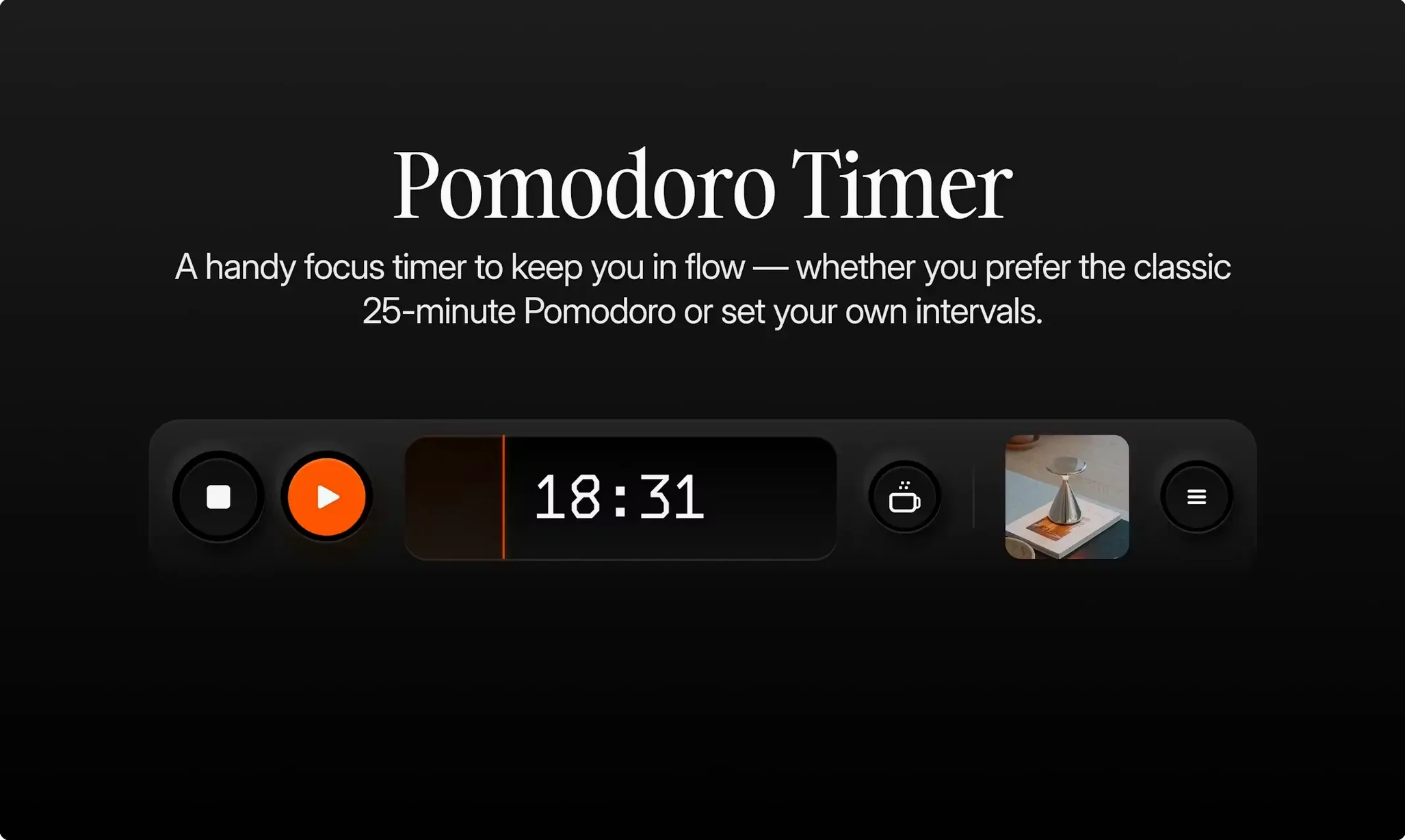
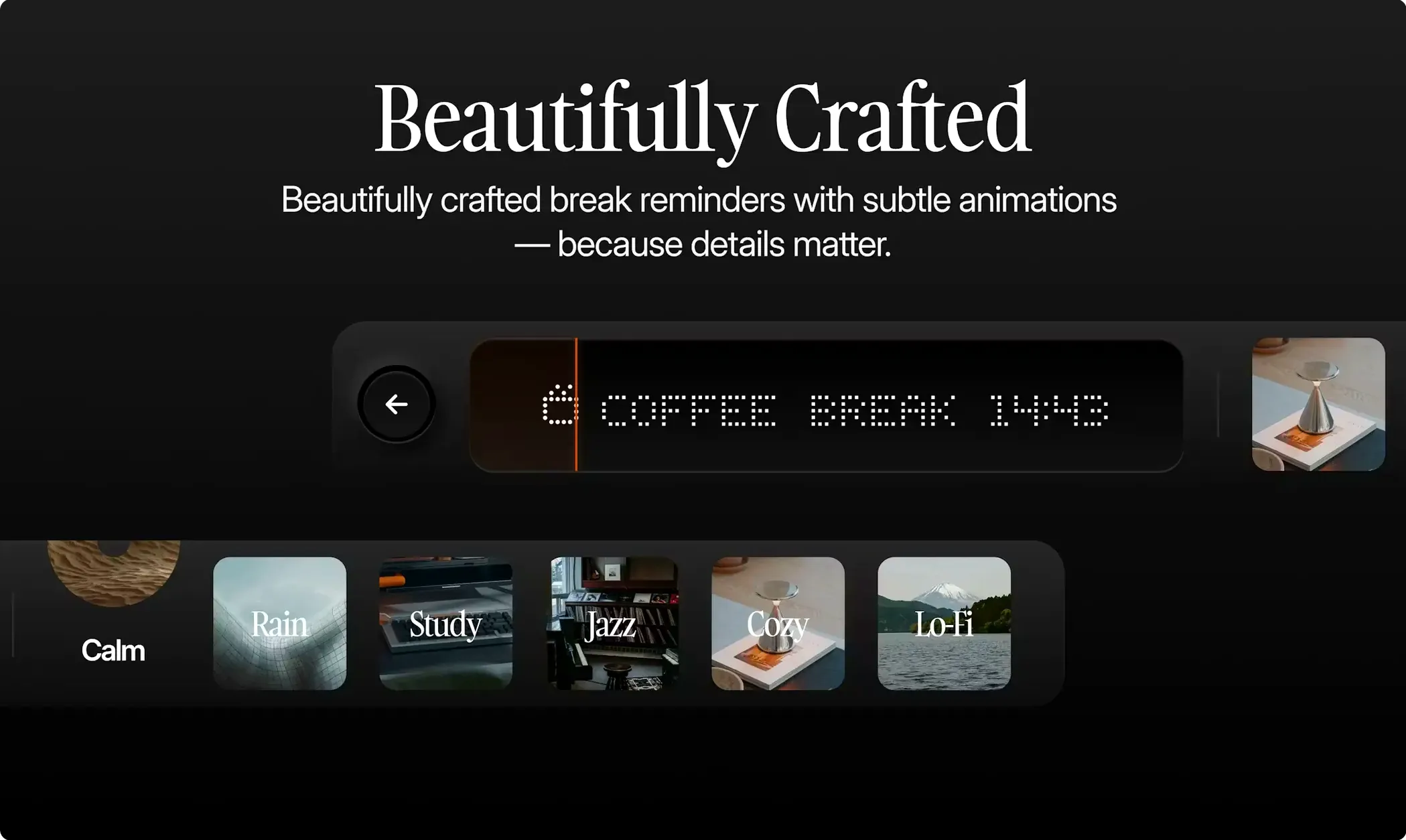
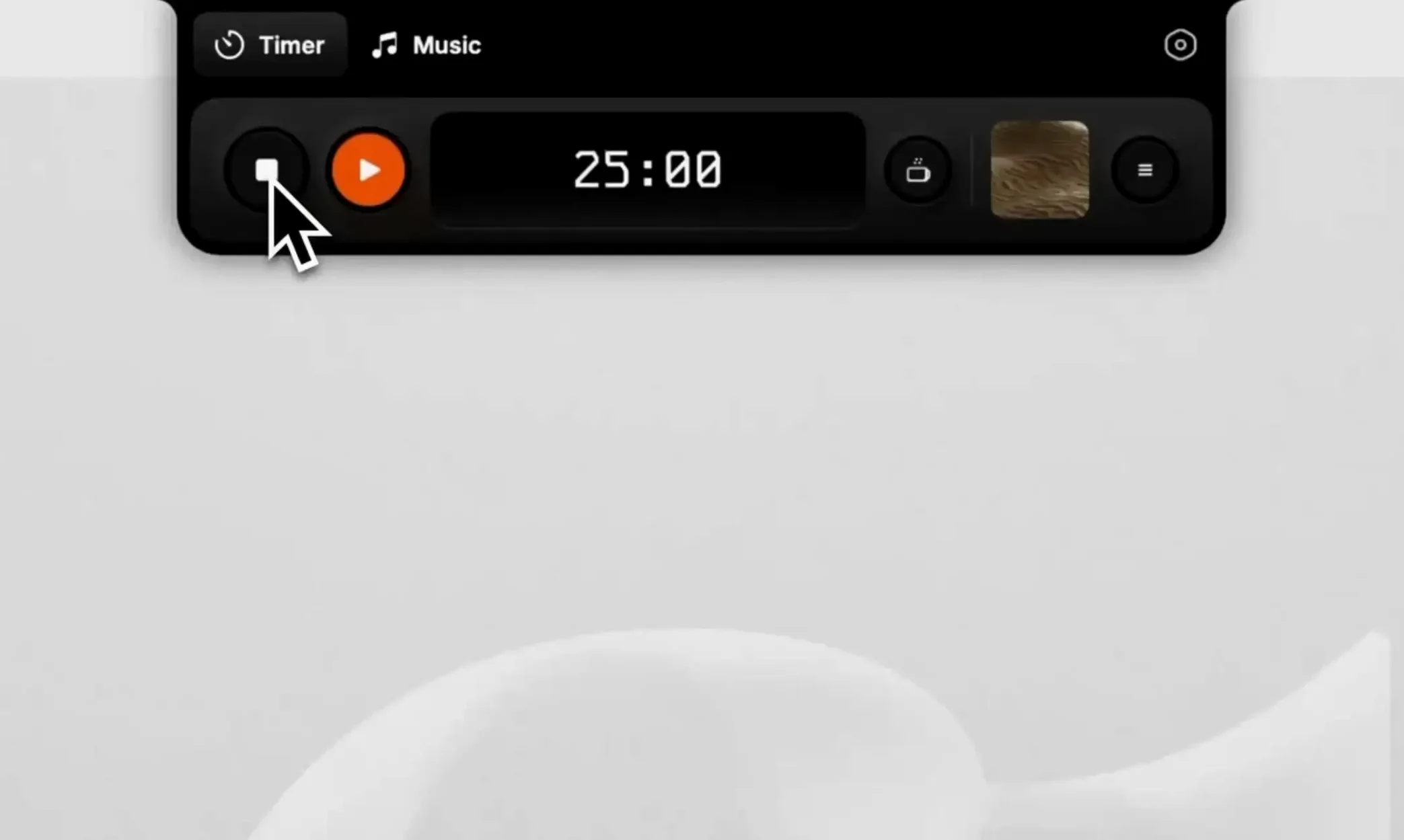
- Pomodoro timer with break reminders, shown as animations in the notch
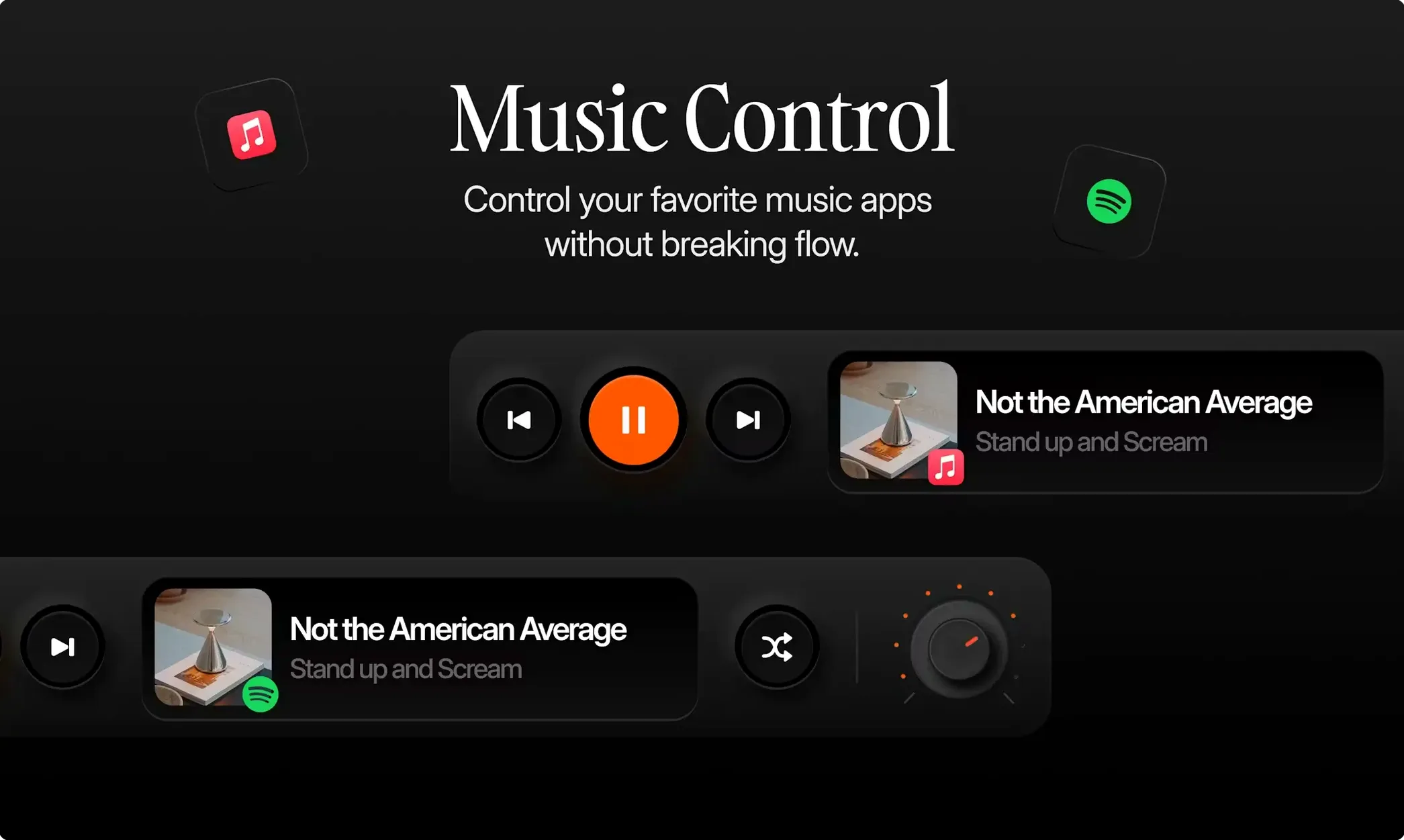
- Playback controls for Apple Music and Spotify, accessible from the notch
- Visual notifications that appear in the notch — no extra banners
- Notch emulation on Macs without a physical notch (e.g. older MacBook Pros or external displays)
For Apple Silicon users who want a notch-based focus tool
NotchFlow suits people who already use the Mac notch as part of their workflow and want a focus tool that doesn’t fight for screen space. It is Apple Silicon-only and requires macOS 14 or later, so it is a native Sonoma app aimed at recent hardware. The developer calls it a Pomodoro timer and focus music app, but the notch-based interaction is what sets it apart from the dozen other timers on the Mac.
A typical focus session from start to finish
Once NotchFlow is running, the notch shows a subtle indicator — a small coloured dot or progress line depending on the current state. To start a focus session, you click the notch area, which expands into a compact control panel. From there, you can begin a standard 25-minute Pomodoro interval. The timer runs silently in the background; the only visual feedback is a gentle animation inside the notch that fills or pulses as time passes.
When the interval ends, NotchFlow signals the break with a soft animation — no pop-ups, no sounds if you prefer it that way. The same notch panel then shows a short break countdown. During the break, you can switch to one of the curated lo-fi playlists or background sounds directly from the notch controls, without opening a separate music app window. When the break ends, the next focus interval begins automatically or with a single click, depending on your preference.
If you need to adjust music while working — skip a track, lower the volume — you do it from the same notch interface. The controls appear only when you click the notch, so they are not visible when you are in deep focus. The whole interaction stays within that small area above the menu bar.
Answers about compatibility and interference before you install
Works on any Apple Silicon Mac, notch or not
Yes. NotchFlow includes a software-emulated notch for Macs that lack the physical cutout. This means it works on any Mac running macOS 14 or later with Apple Silicon, even if you are using an older MacBook Pro or an external display. The emulated notch sits in the same place and behaves identically to the hardware version.
Lives in the notch without cluttering the menu bar
The app lives in the notch area, not the menu bar itself. It does not add an extra icon to the menu bar or fight for space with your existing utilities. The notch controls only appear when you click the notch; otherwise they are invisible. Most users find it coexists without issues alongside other menu bar apps.
Pomodoro timer works with or without Apple Music or Spotify
Yes. The music controls are optional. You can run NotchFlow purely as a Pomodoro timer with break reminders and ignore the music features entirely. The curated focus music and lo-fi playlists are there if you want them, but the timer works independently.
Set your own break interval right after launching
After the initial launch, a few adjustments make the experience more personal. The break reminder interval can be set to match your preferred work rhythm — the default 25-minute focus period works for many, but shorter or longer intervals are available. The visual signals in the notch can be toned down or made more prominent depending on how much you want to see them during a session.
If you use Spotify or Apple Music regularly, linking your preferred service in the settings saves time later. The notch playback controls then default to that service. For users on a Mac without a physical notch, enabling the notch emulation in the settings is the first step before starting any focus session — without it, the interface has nowhere to appear.
Before it goes on the Mac
- macOS 14 (Sonoma) or later
- Apple Silicon (M-series) processor
- Interface language: English
Questions from the room
Does NotchFlow work on Macs without a camera notch?
Yes. The app includes notch emulation, so it can create a virtual notch interface on older Macs or external displays that lack a physical notch.
Which music apps does NotchFlow control from the notch?
It controls playback for both Apple Music and Spotify directly from the notch interface.
Installing it on the Mac
- Open the downloaded disk image.
- Drag the app into the Applications folder.
- Launch NotchFlow from Launchpad after the copy finishes.
Notes from the control room
Sign in or open a catalogue account to leave a note.
No notes from the room yet. If you have used this build for a week, a short note helps the next person.
Also filed under Utilities
The whole Utilities rack NotchNook2.0.8 Utilities 41 MB Updated
 Nook X2026.11.03 Utilities 36 MB Updated
 One Switch1.35.4 Utilities 7 MB
 Mp3tag1.15.0 Utilities 13 MB Updated
 Movavi Video Converter22.5.0 Utilities 79 MB
 Movavi Screen Recorder23.1.1 Utilities 110 MB
 Pacifist4.1.4 Utilities 38 MB
 MouseBoost Pro5.3.0 Utilities 17 MB