Middle 1.15 (Mac)
Updated
The catalogue note
Middle is a small macOS utility that gives you middle-click behaviour on trackpads and Magic Mouse.
Start with a three-finger tap
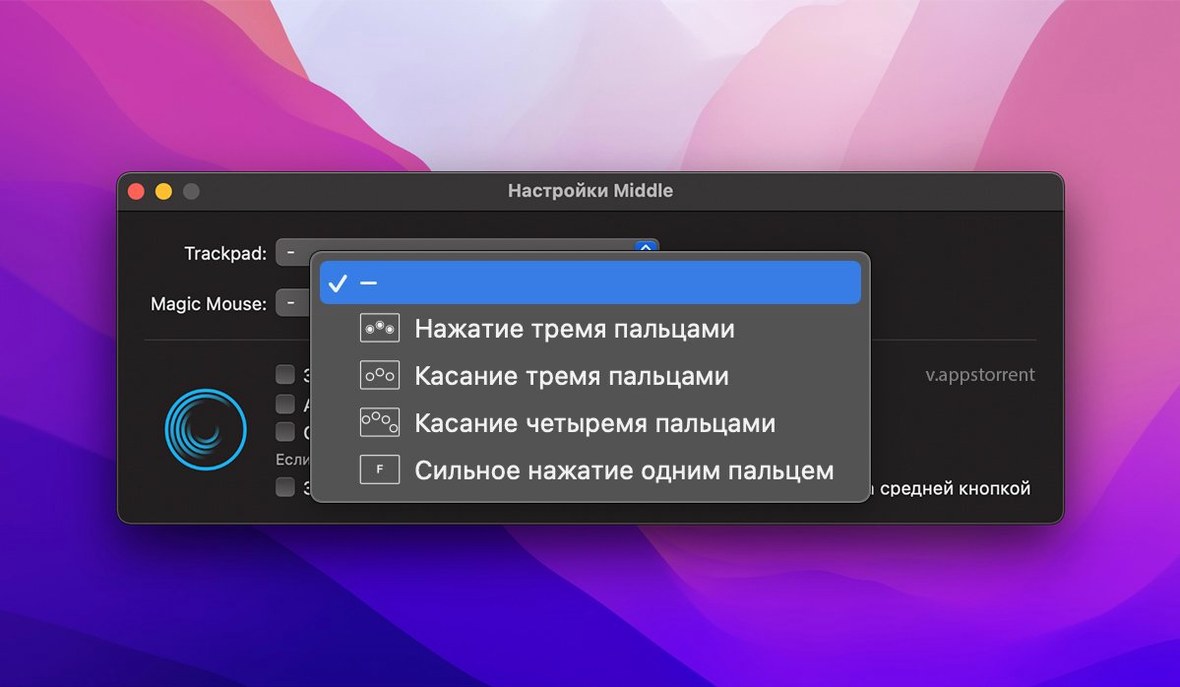
Once installed, the obvious starting point is the three-finger tap. On a trackpad or Magic Mouse, a three-finger tap triggers a middle click wherever you need it — handy for opening links in background tabs or closing browser tabs with a single gesture.
If you have a Force Touch trackpad, try the one-finger force click. It feels more natural than a tap once you get used to the pressure. Magic Mouse users can also just click the centre of the mouse with one finger; Middle recognises that as a middle click.
Getting it set up
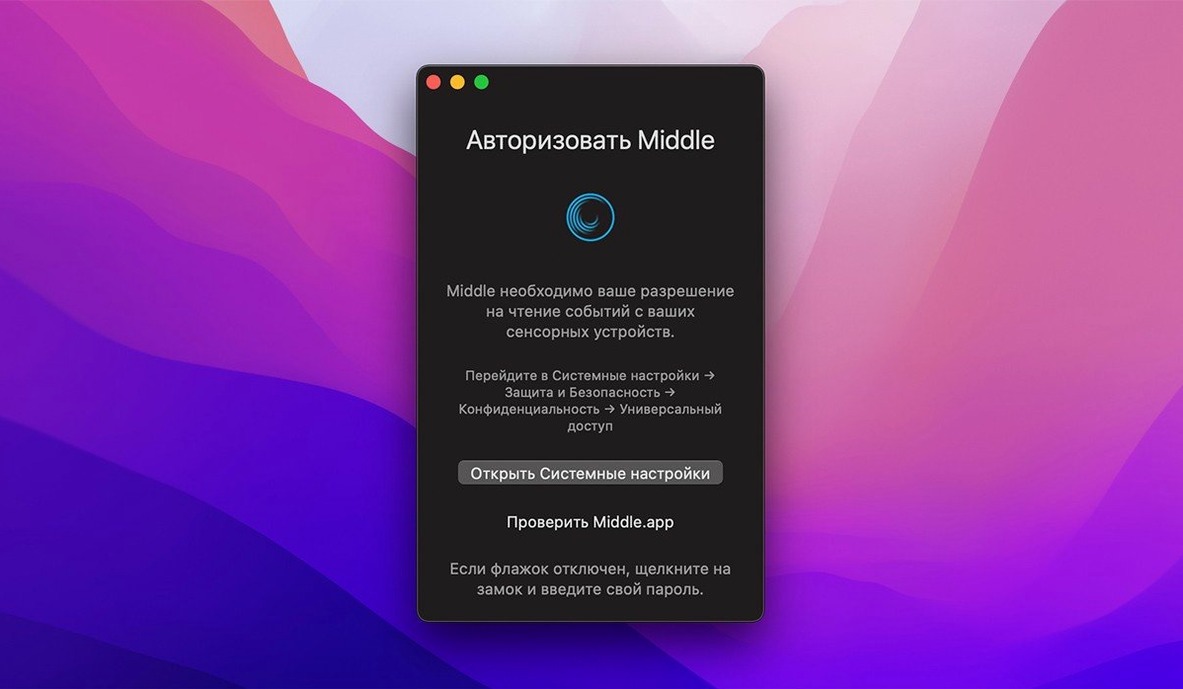
Middle runs on macOS 10.15 or later, on both Intel and Apple Silicon. The interface is available in over twenty languages, including English and Russian. The installation requires disabling System Integrity Protection, which is unusual but clearly documented in the setup steps. Once it's running, the gestures work system-wide, so you can use them in any app.
Runs as a background process with no dock icon
Middle sits as a background process, so it doesn't add a visible dock icon or menu bar clutter. The app is compiled for both Intel 64‑bit and Apple Silicon, and the minimum system requirement is macOS 10.15. The installer comes as a disk image, and you'll need to mount it, then drag the app to Applications. Because of the system‑level gesture interception, the developer notes that Gatekeeper and SIP must be handled first: you can open Gatekeeper friendly from the disk image, or bypass it via Terminal, and SIP must be disabled entirely. That step is worth planning for if you keep SIP enabled for other reasons.
A workflow: closing tabs and opening links
Here is a typical sequence for someone who spends most of the day in a browser. With Middle active, set your trackpad or Magic Mouse to use a three‑finger tap as the middle‑click gesture. In Safari or Chrome, you can now:
- Tap with three fingers on a link — the link opens in a new background tab.
- Tap with three fingers on an open tab's title bar — the tab closes.
- Tap with three fingers on the browser's back button — it opens in a new tab instead of navigating the current one.
If you prefer force click on a Force Touch trackpad, the same actions work with a single harder press. The result is the same system‑wide behaviour: Middle maps whatever gesture you choose to a virtual middle button, so any app that supports middle‑click actions — terminal windows for pasting selection, Finder for opening folders in new tabs, or apps like Xcode for closing editor panes — will respond accordingly. No per‑app configuration is needed beyond the initial gesture choice.
Interface now supports 16 languages
Version 1.14.0 is the current release. The most noticeable change for day‑to‑day use is broader language support: the interface now includes Russian, English, German, Bosnian, Hungarian, Greek, Georgian, Hebrew, Indonesian, Spanish, Italian, Traditional Chinese, Simplified Chinese, Korean, Dutch, Polish, Portuguese, Romanian, Serbian, Turkish, Filipino, Finnish, French, Croatian, Czech, Swedish, and Japanese. That means the preferences window and any on‑screen prompts will appear in your system language if it is among those listed. For users who previously had to work with an English‑only interface, this makes setup and gesture customisation more straightforward. The underlying middle‑click behaviour itself remains unchanged — the app still provides the missing middle click for Apple trackpads and Magic Mouse, and the same three‑finger tap, force click, and centre‑click gestures are available. If you already had Middle installed, the update is a drop‑in replacement: the same disk image, the same SIP requirements, and the same system‑wide gesture response. If you are looking for middle click mac free or middle click mac, this version is the one to grab. For those searching for middle mac free download, the middle torrent magnet or the middle torrent are also options, though the direct disk image from the developer is the straightforward route.
Before it goes on the Mac
- macOS 14 or later
- Apple Silicon or Intel 64-bit
Questions from the room
Does Middle work with a Force Touch trackpad?
Yes, Middle supports a one-finger force click on Force Touch trackpads.
Can I use Middle with a Magic Mouse?
Yes, Middle supports a three-finger tap on a Magic Mouse and a one-finger click in the centre of the mouse.
Installing it on the Mac
A tidy 7 MB download, Middle 1.15 lands on macOS 14 and above with support for both Apple Silicon and Intel 64-bit machines.
- Mount the disk image and launch the Open Gatekeeper friendly tool.
- When the Terminal window appears, press Enter to bypass Gatekeeper.
- Drag the Middle application into your Applications folder.
Notes from the control room
Sign in or open a catalogue account to leave a note.
No notes from the room yet. If you have used this build for a week, a short note helps the next person.