Home › Utilities › MacCleaner Pro

MacCleaner Pro 4.0.4 (Mac)
Updated
The catalogue note
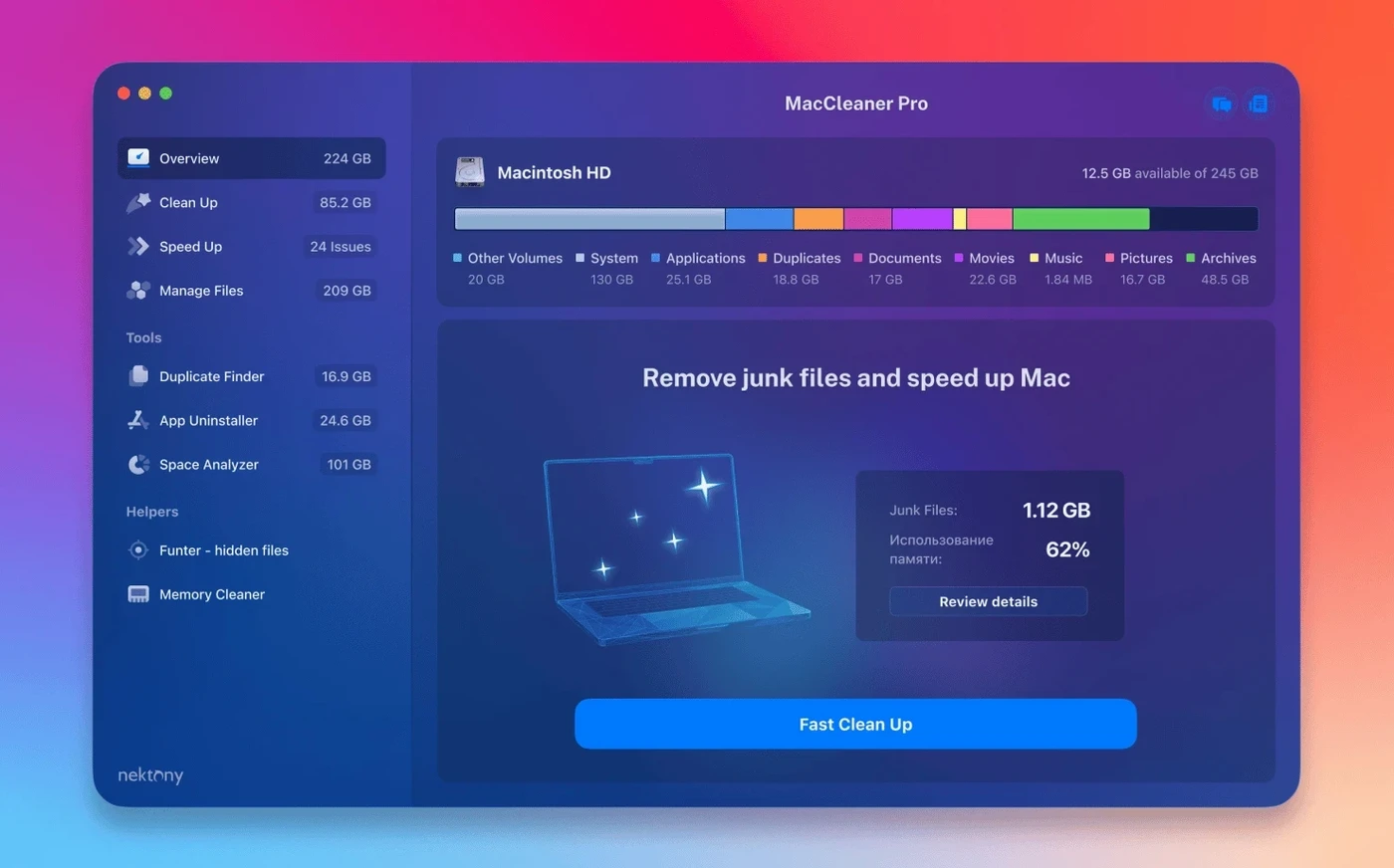
The 4.0.2 update to MacCleaner Pro 4 brings one change that matters if you keep files in iCloud Drive: the cleaners now detect leftover items stored in an iCloud folder more reliably. Custom Home folder detection also gets a bump, and a few interface glitches are gone. It’s a small release, but the kind that keeps a utility set honest.
What you get is a six-app bundle that slots alongside the tools you already run:
- MacCleaner Pro 4.0.2 – the main cleanup module for disk space and system junk.
- App Cleaner & Uninstaller 9.0.3 PRO – removes apps and their leftovers, plus manages login items and extensions.
- Disk Space Analyzer 6.0 – visualises what is eating your storage.
- Duplicate File Finder 8.5.2 PRO – hunts down duplicate files and folders across drives.
- Memory Cleaner 5.5 – monitors RAM usage and purges inactive memory when you need headroom.
- Funter 7.1 – shows and manages hidden files without touching Terminal.
It’s a practical complement to Finder and Activity Monitor: the individual apps cover the gaps those built-ins leave open, and the bundle keeps everything in one place. English only, but that’s fine for a utility set.
Six separate apps instead of one all-in-one interface
CleanMyMac by MacPaw is the obvious alternative. Where CleanMyMac presents a single-window, all-in-one interface, MacCleaner Pro takes the opposite approach: six separate apps, each with its own window and focus. CleanMyMac’s strength is convenience — one scan catches most junk in one go. MacCleaner Pro’s advantage is granularity: you run only the tool you need, when you need it, without the suite deciding what to clean for you. Both handle system caches, language files and old logs; MacCleaner Pro’s bundle gives you a dedicated duplicate finder and a hidden-file manager that CleanMyMac bundles into its broader scan.
Onyx by Titanium Software is free and deeply thorough for maintenance tasks — rebuilding databases, running maintenance scripts, clearing caches. But Onyx is a single-purpose system utility; it does not remove apps, find duplicates or visualise disk usage. MacCleaner Pro’s App Cleaner & Uninstaller PRO fills that gap, and the Disk Space Analyzer provides a tree-map view Onyx lacks. If you already run Onyx for weekly maintenance, MacCleaner Pro complements it rather than replacing it.
GrandPerspective is a popular free disk-space visualiser. It renders a single treemap and nothing else. MacCleaner Pro’s Disk Space Analyzer 6.0 does the same job, but the bundle also includes the duplicate finder and the app uninstaller — tools GrandPerspective cannot provide. For users who only need a disk map, GrandPerspective is lighter. For anyone who also needs to remove apps, find duplicates and clear memory, the bundle saves installing four separate utilities.
Works on any Mac running macOS 10.13 or later
MacCleaner Pro 4.0.2 requires macOS 10.13 or later and runs on both Apple Silicon and Intel 64-bit Macs. That means it works on any Mac that can run Mojave, Catalina, Big Sur, Monterey, Ventura, Sonoma, Sequoia or the current release — essentially every Mac from late 2013 onwards. No activation is required, so you install the package and use the apps immediately.
The bundle’s six apps are separate binaries. When you run only Disk Space Analyzer, the other five sit idle. Memory Cleaner runs as a menu-bar app if you enable it; the others launch on demand. Disk Space Analyzer and Duplicate File Finder scan your drives and may take longer on larger volumes — that is normal for any disk-scanning tool. Memory Cleaner clears inactive RAM on request; it does not alter system files or touch running processes.
None of the apps modify system-level files unless you tell them to. App Cleaner & Uninstaller PRO removes applications and their support files; it asks for confirmation before deleting. The cleaners in MacCleaner Pro target user caches, logs and temporary files — not system-critical data. If you stick to the recommended scans, the suite stays within safe boundaries.
Core processes that can't be safely killed
MacCleaner Pro 4 does not see all items in iCloud Drive
Version 4.0.2 specifically improved iCloud folder detection. If you are on an earlier build, update to 4.0.2. If the issue persists, check that iCloud Drive is fully synced — files still downloading may not appear in the scan. Let the sync finish, then re-run the cleaner.
Duplicate File Finder PRO shows false positives for app bundles
The scanner uses file name and size heuristics. Two copies of the same installer or app may appear as duplicates when they are not — for example, an app in /Applications and a copy in ~/Downloads. Always review the list before deleting. The PRO version lets you preview and exclude folders; use that to skip system directories.
App Cleaner & Uninstaller PRO does not list every extension
The tool scans for login items, launch agents, preference panes and kernel extensions. Some third-party extensions register in unusual locations. If you cannot find an item, open Funter 7.1 and search for its file name manually — Funter reveals hidden files that App Cleaner may not index.
Memory Cleaner shows high memory pressure after clearing
macOS allocates memory to processes as needed. Clearing inactive RAM frees it for new apps, but the system may immediately re-allocate it. That is normal. If pressure stays high, check Activity Monitor for a memory-leaking app instead.
Accidentally deleting essential system files
Running all six apps at once
MacCleaner Pro’s bundle is designed for individual use. Launching all six simultaneously saturates your screen with windows and may slow disk access while two scanners fight for the same drive. Use one tool at a time: start with Disk Space Analyzer to see what takes space, then run Duplicate File Finder on the largest folders, then clean with MacCleaner Pro. App removal and memory cleaning are separate tasks for later.
Deleting duplicates without checking the originals
Duplicate File Finder PRO lists pairs or groups. Beginners often delete the “duplicate” without verifying which copy is the original. If you delete the copy that an app references, the app may break. Use the “Show in Finder” button to confirm the path before deleting. Keep the copy inside ~/Library or /Library; delete copies in ~/Downloads or ~/Desktop.
Forgetting to exclude system folders from scans
Disk Space Analyzer and Duplicate File Finder scan the entire volume by default. Beginners sometimes let them scan /System or /Library unnecessarily, which produces huge file lists and slows the scan. Exclude those folders from the start — they are not user-serviceable, and the tools are not designed to clean them. Focus on ~/Library, ~/Documents, ~/Downloads and your external drives.
Assuming MacCleaner Pro 4 replaces Time Machine backups
It does not. The suite cleans junk and removes files you choose to delete; it does not back up anything. Before running any cleaner, make a current Time Machine or manual backup of files you are unsure about. Duplicate File Finder and App Cleaner offer no undo — once a file is gone, it is gone.
Search phrases: maccleaner pro 4, mac cleaner torrent, maccleaner pro crack, maccleaner pro torrent, maccleaner 3 pro
Changes in this build
- Improved detection of items stored in an iCloud folder.
- Enhanced detection of items in a custom Home folder.
- Fixed several minor interface issues.
Before it goes on the Mac
- macOS 10.13 or later
- Intel or Apple Silicon
- English
Installing it on the Mac
- Open the included installer package.
- Follow the included installation instructions.
- Complete activation using the instructions included in the package.
Notes from the control room
Sign in or open a catalogue account to leave a note.
No notes from the room yet. If you have used this build for a week, a short note helps the next person.