Home › Utilities › Librarian Pro
Librarian Pro 8.1.0 (Mac)
Updated
The catalogue note
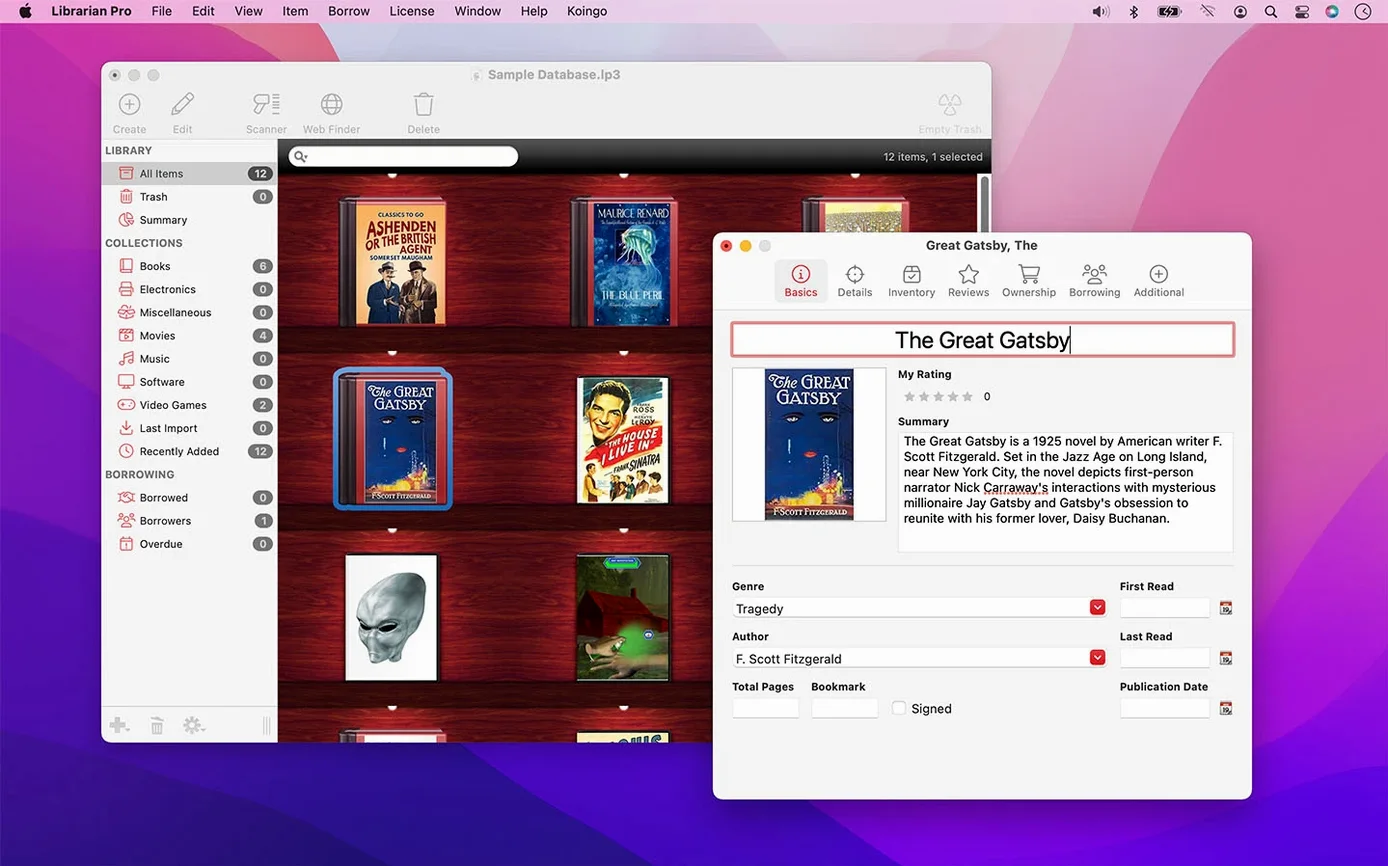
Anyone who owns more than a shelf of books, a stack of DVDs, or a tool chest that friends borrow uses this app. Librarian Pro turns a Mac into the single place where every item lives, whether it sits at home or is out on loan.
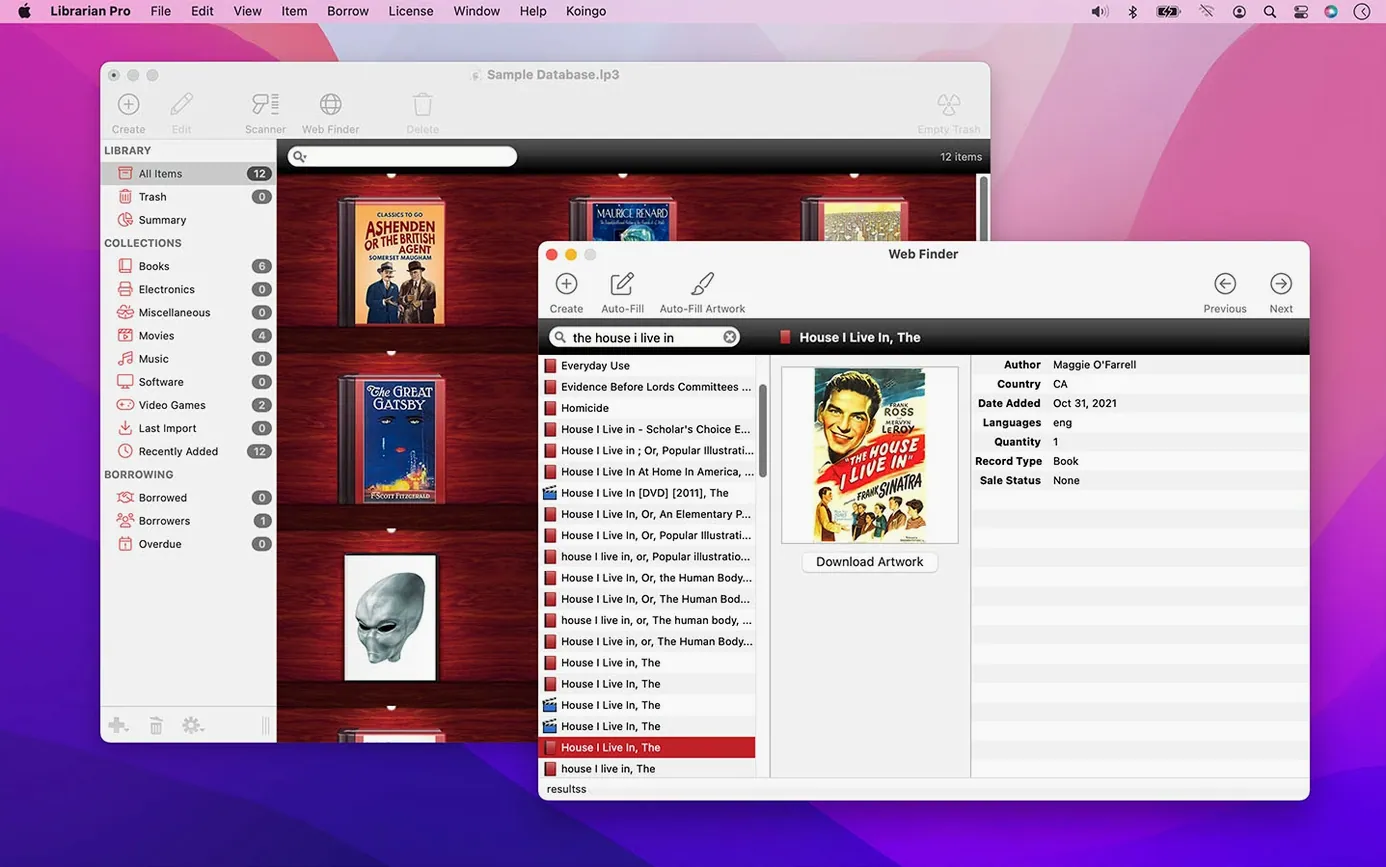
- Add items by typing a keyword or scanning the barcode — the app pulls metadata automatically.
- Borrowers and return dates are logged per item, so you know who has what and when it’s due back.
- Smart collections filter your database on the fly — show only lent items, only first editions, only vinyl.
- Databases work on macOS and Windows without conversion; CSV and TXT imports get existing catalogues in quickly.
- Export data for backup or to share a collection list with someone else.
Before you install, a few notes on how Librarian Pro behaves on a Mac. The app is compiled as a universal binary, so it runs natively on both Intel (64-bit) and Apple Silicon machines without Rosetta translation. macOS 11 Big Sur is the minimum — that covers the last several generations of hardware, meaning no ancient Macs are supported. The disk image is signed by Koingo Software, so Gatekeeper treats it as a known developer app; you drag it to Applications and open it normally. No extra system extensions or background services are installed. The interface is English only, which matters if you catalogue items with non-English metadata — the app will display whatever the online sources return, but menus and preferences stay in English.
Tracking 1,500 cult films from a spreadsheet to Librarian Pro
A friend of mine runs a small video-rental library from his flat — about 1,500 Blu-rays and DVDs, mostly cult and foreign films. He used to track them in a spreadsheet with columns for title, director, region code, and who borrowed what. The spreadsheet worked until a borrower returned a disc three months late and he couldn’t remember who had it. He moved everything into Librarian Pro. Now he scans the barcode on each new arrival, the app pulls the title, year, and cover art automatically, and he marks the item as lent out with the borrower’s name and a return date. When a disc comes back, he clears the flag. The smart collection for “currently lent” shows him exactly four titles out at any time. He still keeps the spreadsheet for backup, but he only opens it when he exports data from Librarian Pro as a CSV once a month.
Small conveniences the facts mention
Librarian Pro includes a few details that are easy to overlook but make daily use cleaner:
- Return-date tracking — each lent item can have a due date attached. The app doesn’t send reminders (that’s not claimed), but the date is visible in the item record and in any smart collection that filters by loan status.
- Smart collections are saved filters that update themselves. You define a rule once — say, “genre equals Science Fiction AND format equals Blu-ray” — and that collection always shows the matching items without manual sorting.
- Cross-platform database compatibility means the same file opens on a Mac and a Windows PC. If you share a collection with someone on Windows, or switch between machines, you don’t need to convert or re-import.
- CSV and TXT import covers data from older catalogue apps or plain text exports. The app maps columns during import, so you can bring in years of records without retyping.
- Export for backup creates a copy of your database in a standard format. It’s not a proprietary archive — you can open the exported file in other tools if needed.
These aren’t headline features, but they remove friction from the kind of real-world use where collections grow over years and items move between people.
It runs on Intel and Apple Silicon Macs running macOS 11 or later. A straightforward tool for keeping track of physical things without spreadsheets.
Before it goes on the Mac
- macOS 11 or later
- Intel or Apple Silicon
Installing it on the Mac
- Mount the disk image and launch the installer — Gatekeeper will block it by default.
- Open Terminal and press Enter to bypass Gatekeeper for this app.
- Drag Librarian Pro into the Applications folder.
- Open the app; it is ready to use.
Notes from the control room
Sign in or open a catalogue account to leave a note.
No notes from the room yet. If you have used this build for a week, a short note helps the next person.