Folx Pro 5.34 (Mac)
Updated
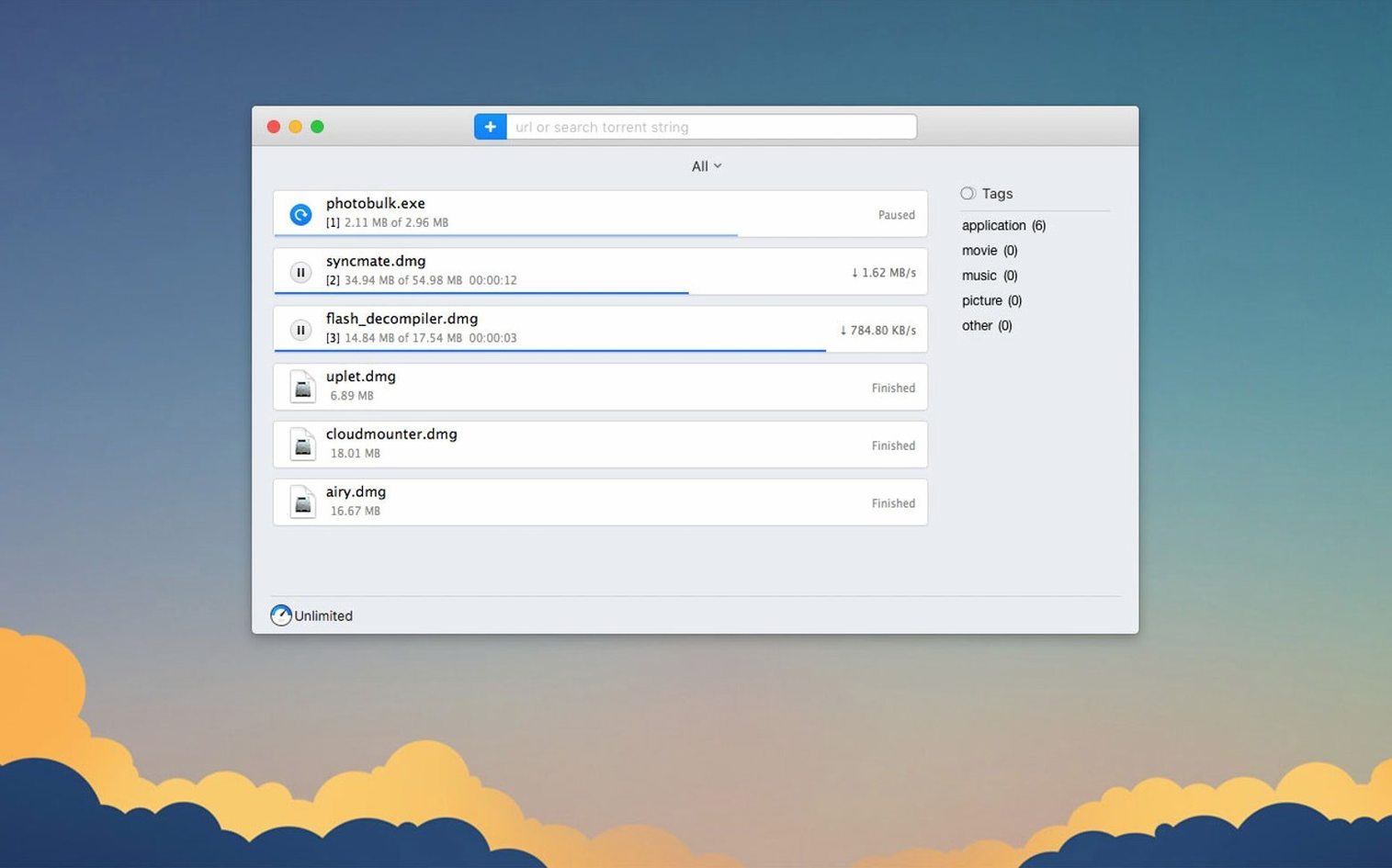
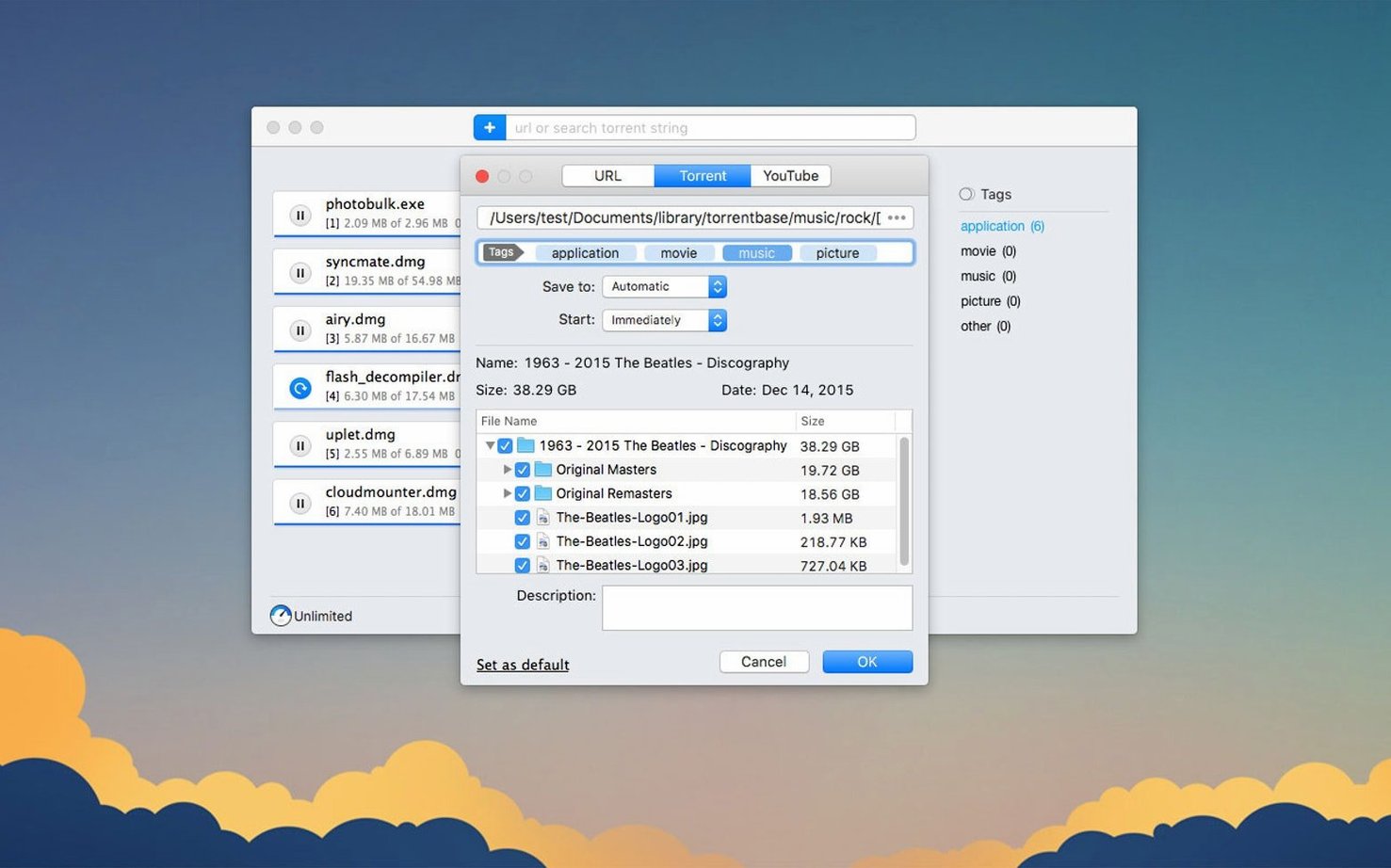
The catalogue note
Download managers on macOS tend to be either simple or bloated. Folx Pro 5.34 sits in the middle: it handles direct downloads and torrents, splits files into up to 20 threads, and adds a YouTube video downloader that lets you rename the output file. For an experienced user, the deeper tools matter more than the interface.
Splitting downloads for speed
The 20-thread split applies to regular HTTP downloads, which helps when a server throttles single connections. You can watch the thread activity in real time and pause or resume individual tasks without losing progress.
Searching torrents properly
Torrent search in 5.34 is more stable after the crash fix. You can sort results by seed count, which saves time when you are looking for a healthy swarm. Selective file downloading also got improved, so you can grab only the tracks or folders you need from a large torrent.
Pulling video from YouTube
Paste a YouTube link and Folx Pro extracts the video, with options to choose quality and rename the file before it lands in your Downloads folder. It is a practical extra for quick captures without opening a browser extension.
Set up the scheduling feature before your first download
After you drag Folx Pro into Applications, take a moment to open its preferences. The scheduling feature is worth setting up early: you can queue downloads to start outside peak hours, which matters if your connection shares bandwidth with other work. Magnet links work immediately — click one in a browser and Folx Pro picks it up. If you download from sites that require a login, store those credentials once in the download manager so you do not have to re-enter them for each file.
Test the thread split with a small direct download first. Watch how the progress bars behave and how the app handles pauses and resumes. That way you learn the rhythm before you commit to a multi-gigabyte file. The torrent search is another feature worth trying early: type a query, sort by seeds, and see if the results match what you would find in a dedicated search client.
Paste a direct link, a YouTube URL, and a torrent in one session
Wednesday morning. I have a direct download link for an audio sample pack, a YouTube video of a synth demo, and a torrent of session stems from a collaborator.
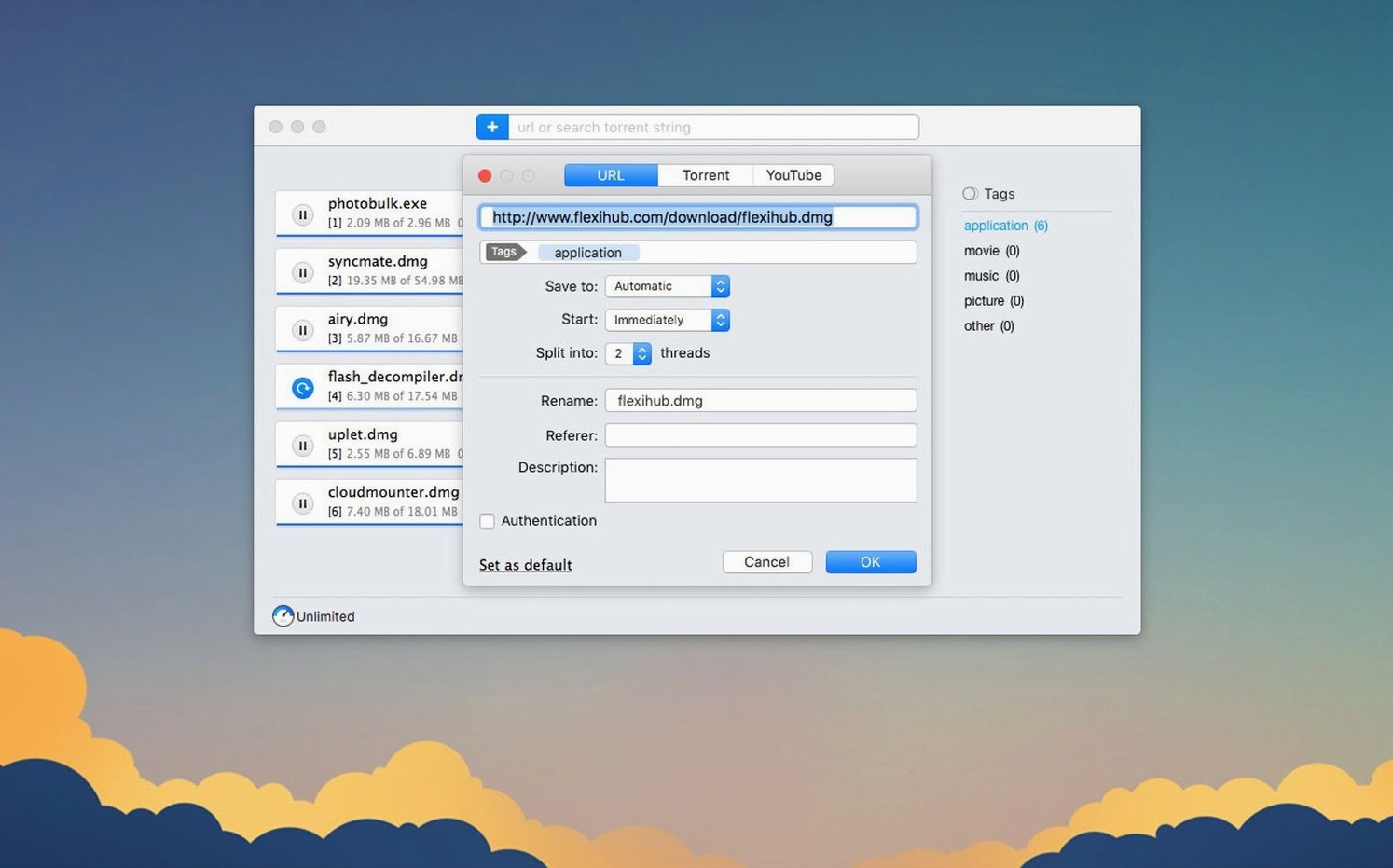
- I paste the direct link into Folx Pro. The window shows the file size and asks where to save it. I leave the split at 20 threads and start it.
- While that runs, I copy a YouTube URL and paste it into the video downloader panel. I rename the file from the default title to "Minilogue XD demo — pad patch" and select the highest available quality. The app starts pulling the video in the background.
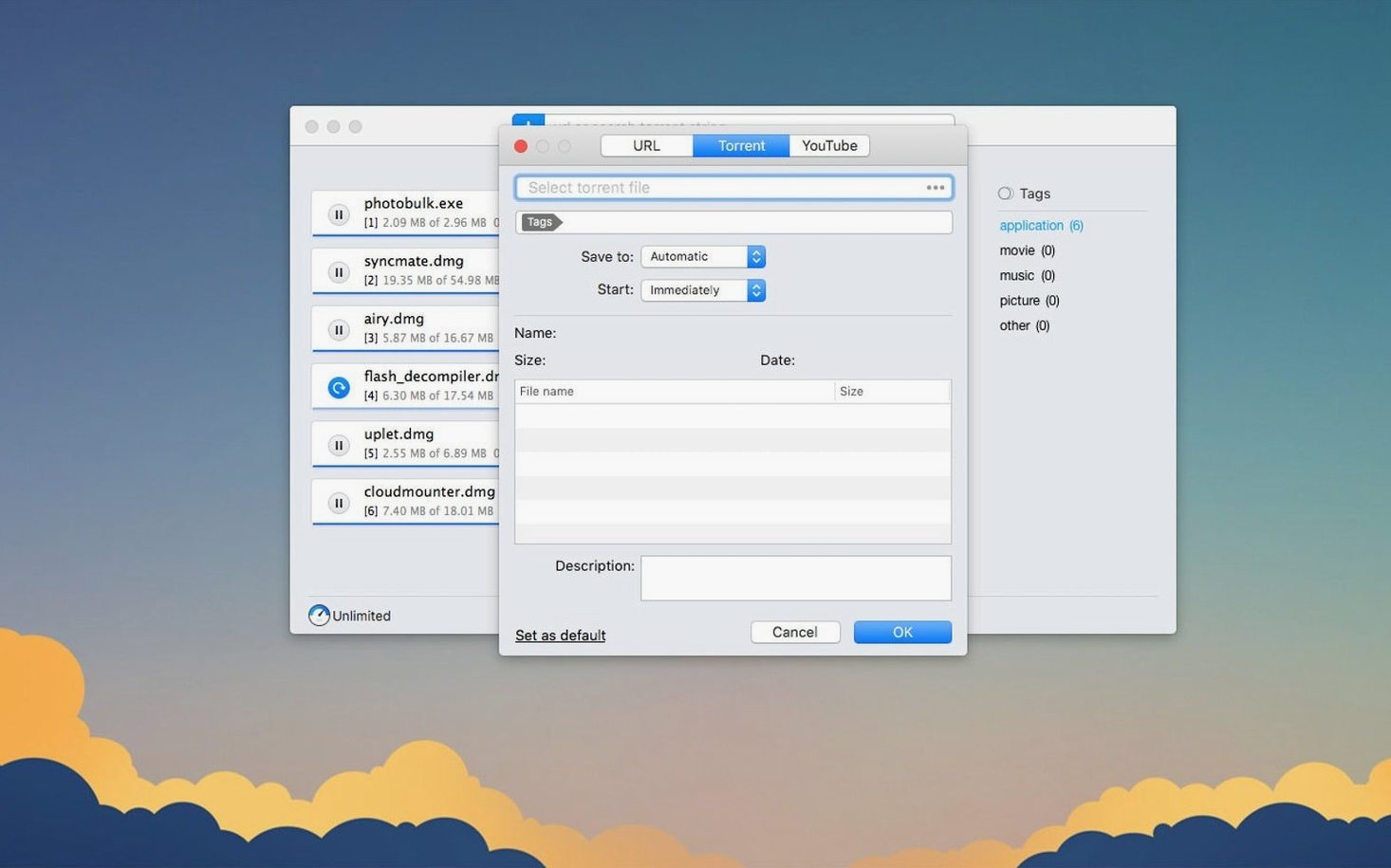
- The torrent arrives as a magnet link from my collaborator's email. Folx Pro parses it and shows the file list. I uncheck the unused audio takes and only keep the final mix stems. The selective download starts immediately, and I see only those files being written to disk.
- I open the torrent search tab to look for a vintage drum machine sample pack. The search returns a few results, and I sort by seeds to pick the most active one. The download begins.
- I can leave them running — the scheduler will not interfere because I did not set a delay for this session.
Runs on macOS 10.13 or later, Apple Silicon and Intel
Folx Pro 5.34 runs on macOS 10.13 or later and supports both Apple Silicon and Intel 64-bit architectures. The installer comes as a disk image — mount it, drag the app to Applications, then open it from Launchpad. The interface is available in Russian, English, German, Vietnamese, Spanish, Italian, Simplified Chinese, Korean, French, and Japanese, so you can switch to your preferred language without extra downloads.
Torrent downloads feel more reliable with fewer surprises
- Torrent downloading feels more reliable. The improvements to handling and storing completed tasks mean fewer surprises when you check your downloads folder later.
- Selective file downloading inside torrents works better. If you routinely pick individual files from large torrents, you will notice that the selection sticks and the app only writes what you chose.
- Proxy functionality got attention. If you route downloads through a proxy, the connection handling is more consistent in this version.
- Two crash fixes matter: one for magnet links that would occasionally crash the app on add, another during torrent search. Both scenarios now run without that interruption.
- The minimum macOS version moved up to 10.13. If you were on an older system, you need to update before using 5.34.
Changes in this build
- Improved torrent downloading.
- Better handling and storage of downloaded torrent tasks.
- Improved functionality with enabled proxy.
- Improved selective file downloading within torrents.
- Fixed a crash when adding some magnet links.
- Fixed a crash during torrent search.
- Minimum macOS requirement changed to 10.13 or later.
Before it goes on the Mac
- macOS 10.13 or later
- Intel or Apple Silicon
Questions from the room
What macOS versions does Folx Pro 5.34 support?
Folx Pro 5.34 requires macOS 10.13 or later, and it runs on both Intel and Apple Silicon Macs.
Can Folx Pro handle both direct downloads and torrents?
Yes, Folx Pro supports both direct downloads and torrents, splitting downloads into up to 20 threads for speed.
Does Folx Pro have a built-in YouTube downloader?
Yes, it includes a YouTube video downloader that lets you rename the output file before saving.
Installing it on the Mac
- Mount the downloaded disk image.
- Drag the app to the Applications folder alias.
- After copying finishes, open the app from Launchpad.
Notes from the control room
Sign in or open a catalogue account to leave a note.
No notes from the room yet. If you have used this build for a week, a short note helps the next person.