
Home › Logic Pro Plugins › Synapse Audio The Legend HZ v2.0.2.R1
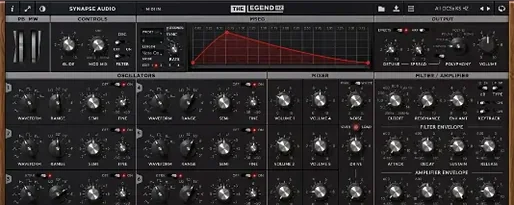
Synapse Audio The Legend HZ v2.0.2.R1 2.1 (Mac)
Updated
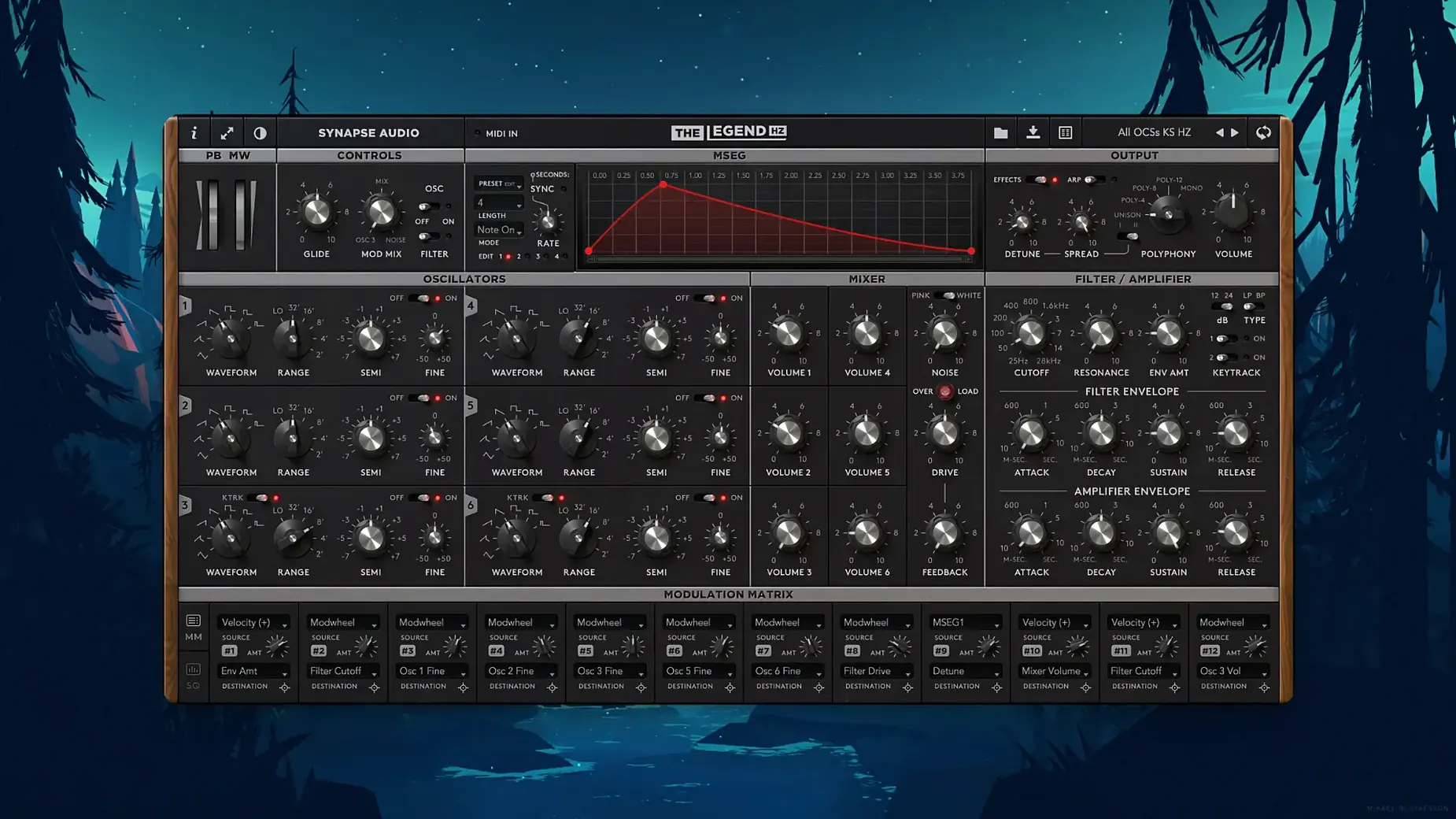
The catalogue note
When you need that thick, gluey analog lead or bass but don't want to fight a hardware unit's tuning drift, The Legend HZ delivers. It's built on the original Legend, but adds features that push it beyond a straight Minimoog clone.
How does the 914 Fixed Filter Bank shape the sound?
It's the classic Moog modular filter bank, giving you 18 fixed bands to carve out tonal colour. Dial in a vocal-like formant or scoop out mud before the signal hits the VCA.
What does the paragraphic EQ on the back panel do?
Added in version 2.1, this is a full EQ you can use to fine-tune the output stage. It works well for taming harsh highs or adding presence without extra plugins in the chain.
How does compressor saturation affect the mix?
Also new in 2.1, this adds a subtle drive that warms up the sound as you push the input. It's a quick way to get that saturated, mixed-in feel straight from the synth.
What about the arpeggiator and unison?
The built-in arpeggiator/sequencer handles rhythmic patterns, while unison thickens each note for massive leads. With 200 factory presets, including 50 new ones from Kevin Schroeder, you're covered for most sessions.
Starting a session with Hans Zimmer's original patches
You open a new project and pull up The Legend HZ on a MIDI track. The interface loads with the last preset you used — or you browse the factory banks. You scroll through Hans Zimmer's original patches first, then the 50 new ones by Kevin Schroeder. You find a bass that sits right, but the low end needs tightening. You flip to the back panel, where the paragraphic EQ from version 2.1 lives, and pull down a narrow band around 80 Hz. The compressor saturation knob is next: you push it until the meter shows a few dB of gain reduction, and the note takes on that warm, slightly compressed character you'd normally patch in post.
You switch to a lead part and engage unison mode. The sound thickens, and you adjust the detuning until it's wide but not swimming. The arpeggiator kicks in for a rhythmic sequence — you set the rate to match the project tempo and draw a pattern that drives the chorus. Because the synth supports MPE, you can use a compatible controller to bend individual notes, adding expression to held chords.
Later, you load an old patch from the original Legend. It opens without issue — The Legend HZ is patch-compatible, so your existing sound library isn't lost. You layer it with a new HZ preset on another channel, and both run in parallel. The two synths sit in the mix differently; the HZ version has the extra processing stages, so you use it for the parts that need more weight.
Compatibility with Apple Silicon and Intel Macs
The Legend HZ works as a standard Audio Unit, VST or AAX plugin, so it slots into any DAW that supports those formats. On macOS, it runs natively on both Apple Silicon and Intel 64-bit systems, from macOS 10.14 onwards. You can use it inside Logic Pro, Ableton Live, Pro Tools, Cubase or any other host that accepts the relevant format. If your host supports NKS, you can browse presets from a Komplete Kontrol keyboard and see the parameter names mapped to the hardware controls.
For microtonal work, version 2.1 adds MTS-ESP support. If you use Scala files or other microtuning tools, the synth receives the tuning data via the MTS-ESP protocol, so you can play in non-standard temperaments without leaving the plugin. This is useful for film scores that call for unusual intervals or for experimental electronic music.
You can also route the arpeggiator's MIDI output to other instruments in your session, or sync it to the host tempo via standard MIDI clock. The 914 Fixed Filter Bank can be used as a standalone effect if you route audio through the plugin, though its primary purpose is within the synth's signal path.
Installing the plugin bundle on macOS 10.14 or later
The Legend HZ requires macOS 10.14 or later and supports both Apple Silicon and Intel 64-bit architectures. It installs as a standard plugin bundle — you copy the component, vst, or aax file to the appropriate system folder, then authorise it using the included activation instructions. The interface is in English, and the plugin appears in your DAW's instrument list under the Synapse Audio category.
The version 2.1 update brings the paragraphic EQ and compressor saturation, plus MTS-ESP support and the 50 new presets. If you already own The Legend HZ, you can update within the same version family. The plugin works alongside the original Legend — projects containing the older instrument open it unchanged, so you can keep both installed for different purposes.
Because it's a modelled analog synth, CPU load depends on voice count and unison settings. At 12 voices with unison engaged, you'll see higher usage than a single-voice lead. The six oscillators per voice also add up, but modern Macs handle it comfortably within a typical session. The 914 filter bank and the back-panel EQ add minimal overhead — they're simple filter stages compared to the oscillator modelling.
The legend hz crack mac is irrelevant, as Synapse Audio The Legend HZ v2.0.2.R1 is a synth plugin for cinematic sound designers. The plugin's activation uses a keygen approach on this particular build, as noted in the build specs.
Changes in this build
- Paragraphic equalizer on the back panel
- Compressor saturation
- MTS-ESP microtuning support
- 50 new factory presets by Kevin Schroeder
Before it goes on the Mac
- macOS 10.14 or later
- Intel 64-bit or Apple Silicon
- VST, AAX, or Audio Unit host
Questions from the room
Does The Legend HZ work on Apple Silicon?
Yes, it supports both Apple Silicon and Intel 64-bit Macs, and runs on macOS 10.14 or later.
Installing it on the Mac
- Follow the installation instructions included with the download.
- Use the provided activation instructions to authorize the plugin.
Notes from the control room
Sign in or open a catalogue account to leave a note.
No notes from the room yet. If you have used this build for a week, a short note helps the next person.
Also filed under Logic Pro Plugins
The whole Logic Pro Plugins rack Supertone Air1.0.1 Logic Pro Plugins 408 MB
 Tone Empire EDYN1.0.2 Logic Pro Plugins 198 MB
 Toontrack EZkeys2.1.5 Logic Pro Plugins 707 MB
 Spire1.5.19 Logic Pro Plugins 158 MB
 Toontrack EZmix Bundle3.2.2 Logic Pro Plugins 977 MB
 Soundtheory Gullfoss1.11.7 Logic Pro Plugins 176 MB
 Sonible pure:level1.0.2 Logic Pro Plugins 59 MB
 Tsuga Audio MoonBass1.0.0 Logic Pro Plugins 7 MB