
Home › Logic Pro Plugins › Tone Empire EDYN
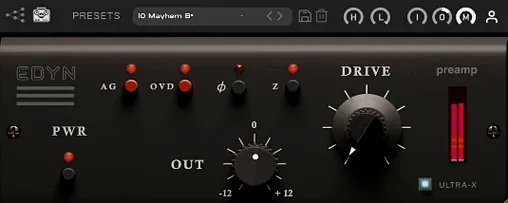
Tone Empire EDYN 1.0.2 (Mac)
Updated
The catalogue note
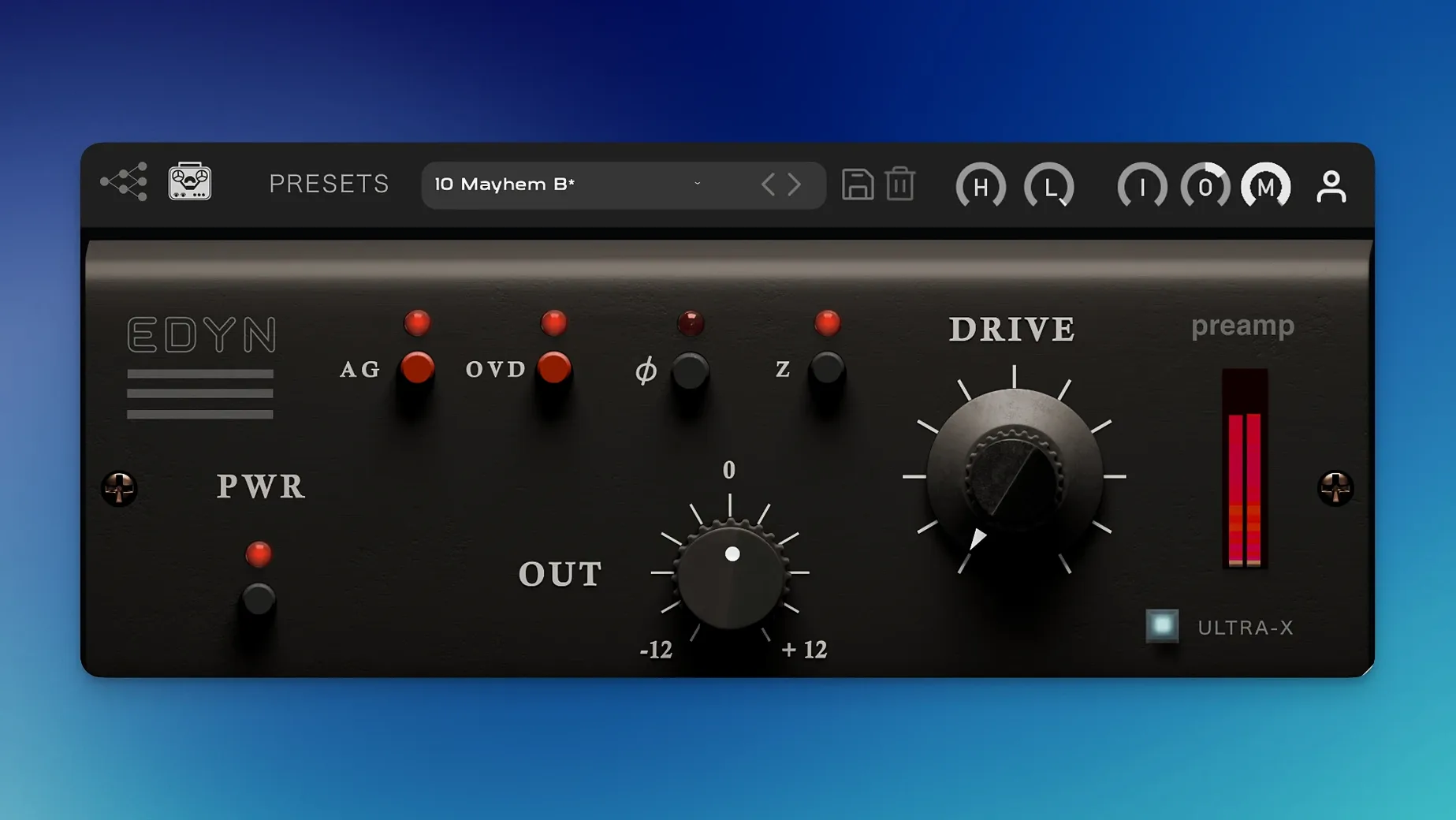
You drop EDYN on a vocal track that feels flat. The Drive knob goes up a few dB, the OVD overdrive mode adds a touch of grit, and the automatic gain compensation keeps the level in check. What comes out has the weight and slight forward push of an old American console — not a cartoon of distortion, just the kind of colour that makes a mix sit better.
The plugin is modelled on the Electrodyne 1204, a desk known for its thick, slightly smoky preamps. Version 1.0.2 resolves multiple problems: AU verification within Logic Pro on macOS Sequoia now succeeds, parameter automation in Pro Tools functions correctly, and the user interface scales properly on high-resolution screens. Apple Silicon performance has been tightened, and CPU load is lower than before.
EDYN runs as AU, VST3 and AAX, supports Intel and Apple Silicon Macs from macOS 10.14 onward. The interface is in English. The NM2 ENGINE technology from the initial release remains under the hood.
This is a plugin for anyone who tracks or mixes and wants a quick, no-fuss way to get console colour without a full channel strip. One knob, two modes, and it stays out of your way.
AU validation fails in Logic Pro on Sequoia fixed in 1.0.2
A few things tend to trip people up with EDYN, none of them serious once you know what to look for.
AU validation fails in Logic Pro on Sequoia. Version 1.0.2 specifically addresses this. If you are still on an earlier build, update to the current version. The validation step in Logic's plugin manager should then pass without a prompt to re-scan.
Crashes when using multiple instances in Logic Pro. Again, version 1.0.2 fixed this. If you run several EDYN inserts across a session and get a crash on playback or when opening the project, check you are on 1.0.2. The fix covers the scenario where the plugin's internal state handling clashed across instances.
Parameter automation not writing in Pro Tools. The 1.0.2 update resolved automation write issues that prevented EDYN parameters from being captured during playback. If automation lanes appear but do not record moves, verify your plugin version. Re-inserting the plugin after the update usually clears the problem.
Offline bounce on the master output produces different sound. Offline rendering on the master bus could cause the plugin to behave differently in version 1.0.1. Version 1.0.2 fixed that. If your offline bounce sounds cleaner or lacks the saturation you hear in real time, update and re-bounce.
Interface looks tiny or blurry on a Retina display. The scalable interface in 1.0.2 sorts this. If you are on an earlier version, the UI may not scale properly. The new build detects display resolution and renders the controls at the right size.
Adds weight to vocals and drums without eating up CPU
Mixing engineers working on dense pop, rock or hip-hop mixes will find EDYN useful for adding weight to vocals and drums without eating up CPU. The Drive and OVD modes let you push a snare or a lead vocal forward in a way that EQ alone cannot. The high-pass and low-pass filters mean you can shape the tone before it hits the saturation, which keeps the low end from getting muddy.
Producers recording at home on a single Mac will appreciate the low CPU load and the automatic gain compensation. You dial in the character you want, and the level stays consistent. The Mix control for parallel processing means you can blend the saturated signal with the dry signal inside the plugin, so you do not need to set up a separate aux track.
Post-production engineers working on voiceovers or podcast audio can use the input impedance settings — 50 ohms or 200 ohms — to change how the plugin responds to the source material. The lower impedance setting tightens the low end and adds a bit of bite, which works well on spoken word that needs to cut through.
Sound designers looking for character on individual elements — a single drum hit, a synth stab, a field recording — will get results quickly. EDYN is not a multi-effect processor, but the Drive and OVD modes give you two distinct flavours of saturation that can transform a sterile sample into something with more presence.
Works as a standard insert in any DAW with AU, VST3 or AAX
EDYN functions as a typical plugin across any DAW compatible with AU, VST3 or AAX — Logic Pro, Pro Tools, Ableton Live, Cubase, Reaper, Studio One and more. It loads and processes like any other plugin; there is no external installer beyond the package provided, no background service or license manager running on your Mac.
Because the plugin is optimised for Apple Silicon and runs natively on M-series Macs, it does not trigger Rosetta translation. That keeps the overall CPU load lower, which matters when you have multiple instances across a session. On Intel Macs it runs as 64-bit native code under macOS 10.14 and later.
The scalable interface plays well with macOS display scaling settings. If you use a MacBook Pro with a built-in Retina display or an external 4K or 5K monitor, the UI renders at the correct size. You do not need to adjust the system resolution or run the host application in low-resolution mode.
EDYN responds to standard DAW automation lanes and parameter modulation systems. You can automate the Drive amount, the Mix control, the input and output levels, and the filter frequencies. In Pro Tools, the 1.0.2 fix ensures that automation data writes and reads correctly. In Logic Pro, you can assign EDYN parameters to the Smart Controls or use the MIDI Learn feature in the host to map them to a hardware controller.
No special routing is needed for the phase inversion button or the impedance switches — both are per-instance controls that affect the signal immediately. The phase inversion is useful when you blend EDYN with the dry signal using the Mix control, or when you run it in parallel on an aux send.
Focuses on a specific console sound rather than general saturation
EDYN sits in a small group of preamp emulations that aim for a specific console sound rather than a general-purpose saturation plugin. A few other options cover similar ground, but each has a different focus.
Softube Console 1. Console 1 is a channel strip that emulates several British and American consoles, including a model based on SSL and Neve designs. It covers EQ, compression and saturation in one unit. EDYN does only the preamp stage and the filters, with no dynamics or EQ beyond the HPF and LPF. Console 1 requires its own hardware controller or the software version that runs as a plugin; EDYN is a standard insert with no hardware dependency. The Console 1 sound is broader in scope, but EDYN gets you a specific Electrodyne character faster and with less setup.
Universal Audio API 512c. UA's plugin version of the API 512c preamp focuses on the punchy, mid-forward sound of API consoles. It includes a Drive control and a similar filter set, but the character is cleaner and more aggressive in the upper mids. EDYN's tone is warmer and slightly darker, with a thicker low end. The UA plugin runs only on UA hardware or through the LUNA DAW if you own an Apollo interface; EDYN runs on any Mac DAW without additional hardware. For users who do not have UA gear, EDYN is the more flexible choice.
Waves Scheps 73. The Scheps 73 emulates a Neve 1073 preamp and EQ section. It offers a full three-band EQ, a high-pass filter and a preamp drive. The Neve sound is rounder and smoother than the Electrodyne character EDYN delivers. The Scheps 73 takes more controls to dial in, while EDYN's Drive knob and two impedance settings give you a quicker path to a specific colour. If you want the vintage American console tone with a brighter midrange and faster transient response, EDYN is the closer match.
Each of these plugins has its own strengths. EDYN fills the gap for the Electrodyne sound — the slightly smoky, forward midrange that works well on vocals, snare drums and bass — without the overhead of a full channel strip or the hardware requirements of some competitors.
Changes in this build
- Bug fixes for offline rendering on the master output
- AU validation fixes in Logic Pro on macOS Sequoia
- Crash fixes for multiple instances in Logic Pro
- Parameter automation fixes in Pro Tools
- Apple Silicon performance optimisation and reduced CPU load
- Improved support for high-resolution displays with a scalable interface
Before it goes on the Mac
- macOS 10.14 or later
- Intel or Apple Silicon processor
- Interface language: English
Questions from the room
What does the OVD overdrive mode do?
OVD adds a more aggressive saturation character to the Drive module, giving you a grittier tone than the default mode.
Does EDYN work in Logic Pro on macOS Sequoia?
Yes, version 1.0.2 fixes AU validation issues in Logic Pro on macOS Sequoia, so it should load and validate correctly.
Installing it on the Mac
Installation and activation instructions are included with the package.
Notes from the control room
Sign in or open a catalogue account to leave a note.
No notes from the room yet. If you have used this build for a week, a short note helps the next person.
Also filed under Logic Pro Plugins
The whole Logic Pro Plugins rack Toontrack EZkeys2.1.5 Logic Pro Plugins 707 MB
 Toontrack EZmix Bundle3.2.2 Logic Pro Plugins 977 MB
 Tsuga Audio MoonBass1.0.0 Logic Pro Plugins 7 MB
 Synapse Audio The Legend HZ v2.0.2.R12.1 Logic Pro Plugins 472 MB
 uJAM Cinedream1.0.1 Logic Pro Plugins 3.5 GB
 Supertone Air1.0.1 Logic Pro Plugins 408 MB
 UJAM Symphonic Elements STRIIIINGS1.3.1 Logic Pro Plugins 4.4 GB
 UnderTone Audio UnFairchild1.0.8 Logic Pro Plugins 220 MB