
Home › Logic Pro Plugins › UJAM Symphonic Elements STRIIIINGS

UJAM Symphonic Elements STRIIIINGS 1.3.1 (Mac)
Updated
The catalogue note
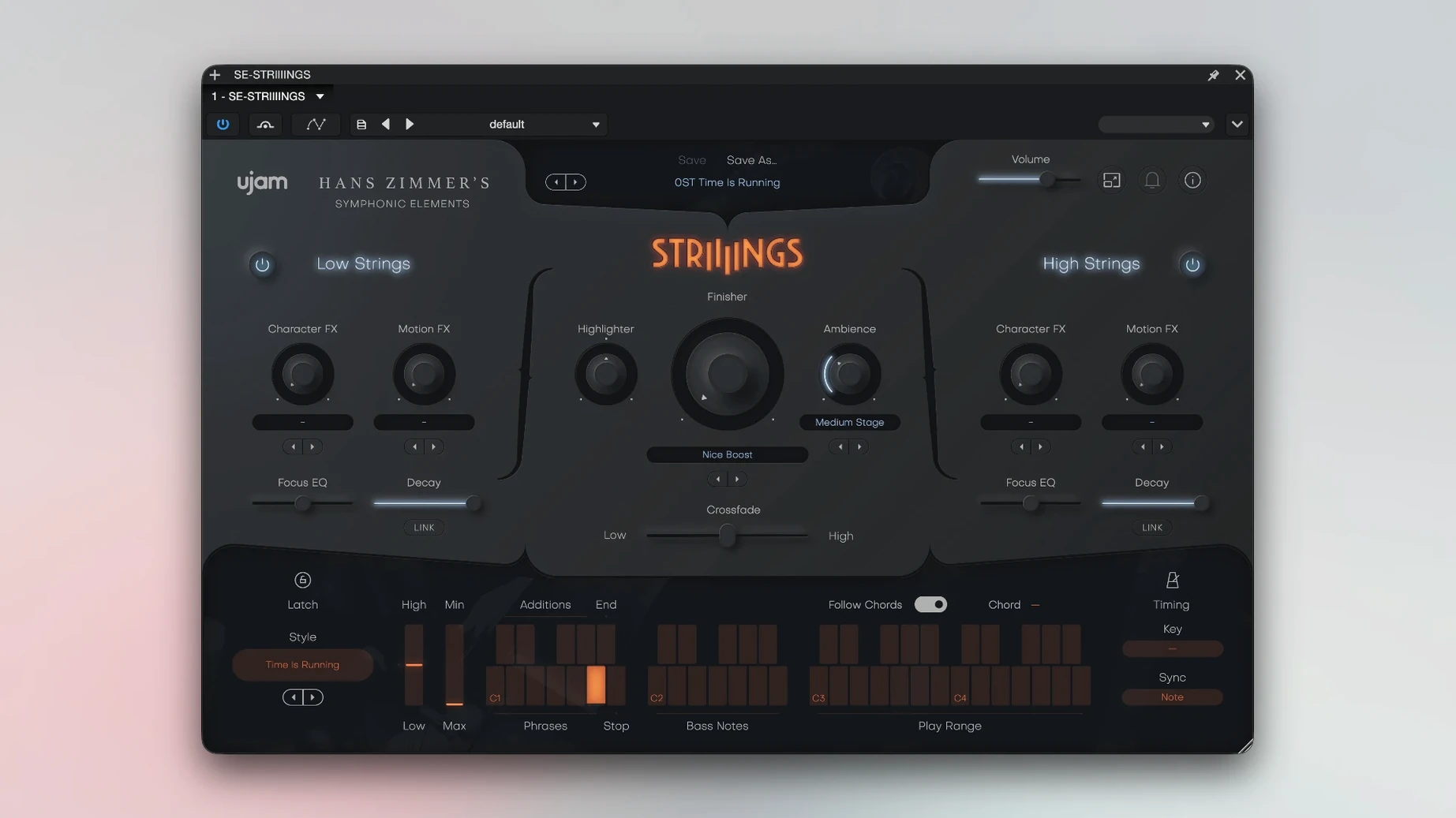
You are building a cue that needs low-end weight from basses and celli, but the standard orchestral library sounds too polite. UJAM Symphonic Elements STRIIIINGS gives you 60 styles and over 200 sound designer presets to push strings into textural territory. Low Strings covers the basses and celli, and a Crossfade control lets you blend the two sections. This is a plug-in for modern string-section textures with a sound design twist — not a straight orchestral emulator.
- Formats: 64-bit plug-in only; supports AAX, AU, VST3 and VST (AU for macOS only).
- Hosts: works in Ableton Live, Logic, Pro Tools, FL Studio, Cubase, Studio One, Bitwig, Reaper, Reason and other 64-bit DAWs.
- CPU load: moderate; requires 4 GB RAM. Runs on Intel and Apple Silicon Macs.
- macOS: Mojave 10.14 through Tahoe 26. Windows also supported.
- Interface: English only.
- Sound: 60 styles, 200+ presets, built-in sound-design layer.
If you need a string instrument that can do both foundation and texture without extra routing, STRIIIINGS fits. It is a focused tool for composers who want to move past the default string patch without spending time layering effects manually.
Getting the most out of STRIIIINGS in those first days is about exploring the Crossfade control and the style selection before you touch any mixer faders. The Low Strings layer is the foundation — start there with a simple root-note part. Bring the High Strings in slowly using the Crossfade slider, and listen for how the violins and violas add air without overwhelming the low end. The 60 styles are organised by character, so it is worth cycling through a dozen of them on the same MIDI part before committing to one. Styles change the articulation and the built-in processing; a part that sounds thin in one style can feel huge in another.
First-session routine worth trying
Load STRIIIINGS on a new instrument track. Write a short loop of held notes in the lower register — two or three notes, no more. Set Crossfade fully to Low Strings. Play through the first ten styles and note which ones give you the weight you need. Then write a contrasting high-register line, move Crossfade fully to High Strings, and repeat. Finally, split the keyboard range so your left hand controls Low Strings and your right hand controls High Strings. The plug-in responds to velocity and note range in ways that are more pronounced in some styles than others. A few minutes of this mapping exercise saves time later.
Common snags and straightforward fixes
Several users report that STRIIIINGS does not produce sound on first load in certain DAWs. The cause is almost always the activation step: the plug-in must be opened twice the first time. If you get silence, close the plug-in window, reopen it, and the instrument should respond. This is a one-time requirement per session after installation.
Another frequent issue is the plug-in not appearing in the DAW's instrument list. Verify you installed the correct format for your host — AU for Logic and GarageBand, AAX for Pro Tools, VST3 for Cubase and Studio One. STRIIIINGS is 64-bit only, so a 32-bit host will not see it at all. Check that your DAW is scanning the correct plug-in folder and that the installer placed the files there. A rescan of the plug-in folders usually resolves it.
Some users find the Low Strings layer too quiet in dense mixes. Before reaching for a compressor, try adjusting the Crossfade slightly toward Low Strings and selecting a style with a darker timbre. The sound-design layer built into the presets can also add harmonics that help the low end cut through without extra processing.
STRIIIINGS overlaps with a full orchestral library only in narrow cases
People often ask whether STRIIIINGS overlaps with a full orchestral library. The answer depends on what you need. If you already own a detailed orchestral string library with separate articulations, STRIIIINGS will not replace it. What it does differently is deliver a cohesive, processed string-section sound that is ready to sit in a mix without hours of routing and effects. The 200+ presets are not raw samples — they are curated textures. For composers working to deadlines, that can be a significant time saving.
Another common question is whether the plug-in works in a live performance setup. It can, but the 4 GB RAM requirement and the 64-bit restriction mean older laptops running 32-bit hosts are out. For a modern MacBook or Mac Studio running Ableton Live or MainStage, STRIIIINGS responds well to MIDI controller input and the Crossfade can be mapped to a hardware fader for real-time blending. The 60 styles switch instantly, so you can change the texture between sections of a live set.
There is also curiosity about the sound design layer. It is not a separate synth engine — it is integrated into the presets. Some presets add harmonics, noise, or sub-octave elements that transform the string tone. If you are after pure acoustic strings, you may prefer to stick with the dryer styles. The sound design elements are there for when you want the orchestra to sound less like an orchestra and more like a texture.
Film and game composers on tight deadlines get the most from STRIIIINGS
This plug-in suits three groups of Mac users especially well. First, film and game composers working on tight schedules who need a convincing string-section bed without spending hours layering. The combination of Low Strings and High Strings with Crossfade gives you a two-layer instrument that can cover both foundation and melody in a single track. Second, producers working in hybrid genres — cinematic pop, trap with orchestral elements, electronic music with string pads — where a raw orchestral sample sounds out of place. The processed, sound-design-ready character of the presets fits naturally in these contexts. Third, anyone who finds themselves loading a string library, then immediately adding saturation, reverb, and filtering to make it less polite. STRIIIINGS already does that processing internally, so you can skip those steps and move on to arrangement.
Users who will find it less useful are those who need detailed articulation switching — spiccato versus pizzicato, marcato versus sustain — on a per-note basis. STRIIIINGS is not a traditional multisampled orchestra. It is a texture instrument. If your work demands that level of control, you will want to keep a standard library alongside it. For the moments when you need the orchestra to feel big, modern, and immediate, this is the tool to reach for.
Before it goes on the Mac
- macOS 10.14 or later (Mojave through Tahoe 26)
- 64-bit software only
- 4 GB RAM
- Intel or Apple Silicon processor
Questions from the room
What are the minimum system requirements for STRIIIINGS?
macOS 10.14 or later, 64-bit software only, 4 GB RAM. Works on both Intel and Apple Silicon Macs.
Installing it on the Mac
- Install and activation instructions are included in the package.
- Open the plug-in twice the first time you launch it.
Notes from the control room
Sign in or open a catalogue account to leave a note.
No notes from the room yet. If you have used this build for a week, a short note helps the next person.
Also filed under Logic Pro Plugins
The whole Logic Pro Plugins rack uJAM Cinedream1.0.1 Logic Pro Plugins 3.5 GB
 UnderTone Audio UnFairchild1.0.8 Logic Pro Plugins 220 MB
 Tsuga Audio MoonBass1.0.0 Logic Pro Plugins 7 MB
 VocalNet1.0.4 Logic Pro Plugins 669 MB
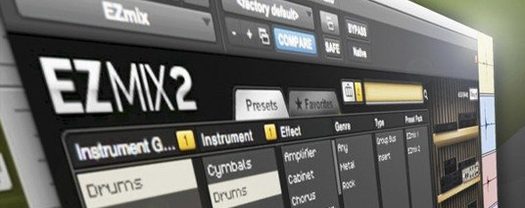 Toontrack EZmix Bundle3.2.2 Logic Pro Plugins 977 MB
 Toontrack EZkeys2.1.5 Logic Pro Plugins 707 MB
 Wave Alchemy Tapewave1.0.1 Logic Pro Plugins 356 MB
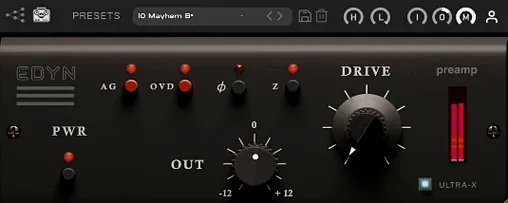 Tone Empire EDYN1.0.2 Logic Pro Plugins 198 MB