
Home › Logic Pro Plugins › uJAM Cinedream

uJAM Cinedream 1.0.1 (Mac)
Updated
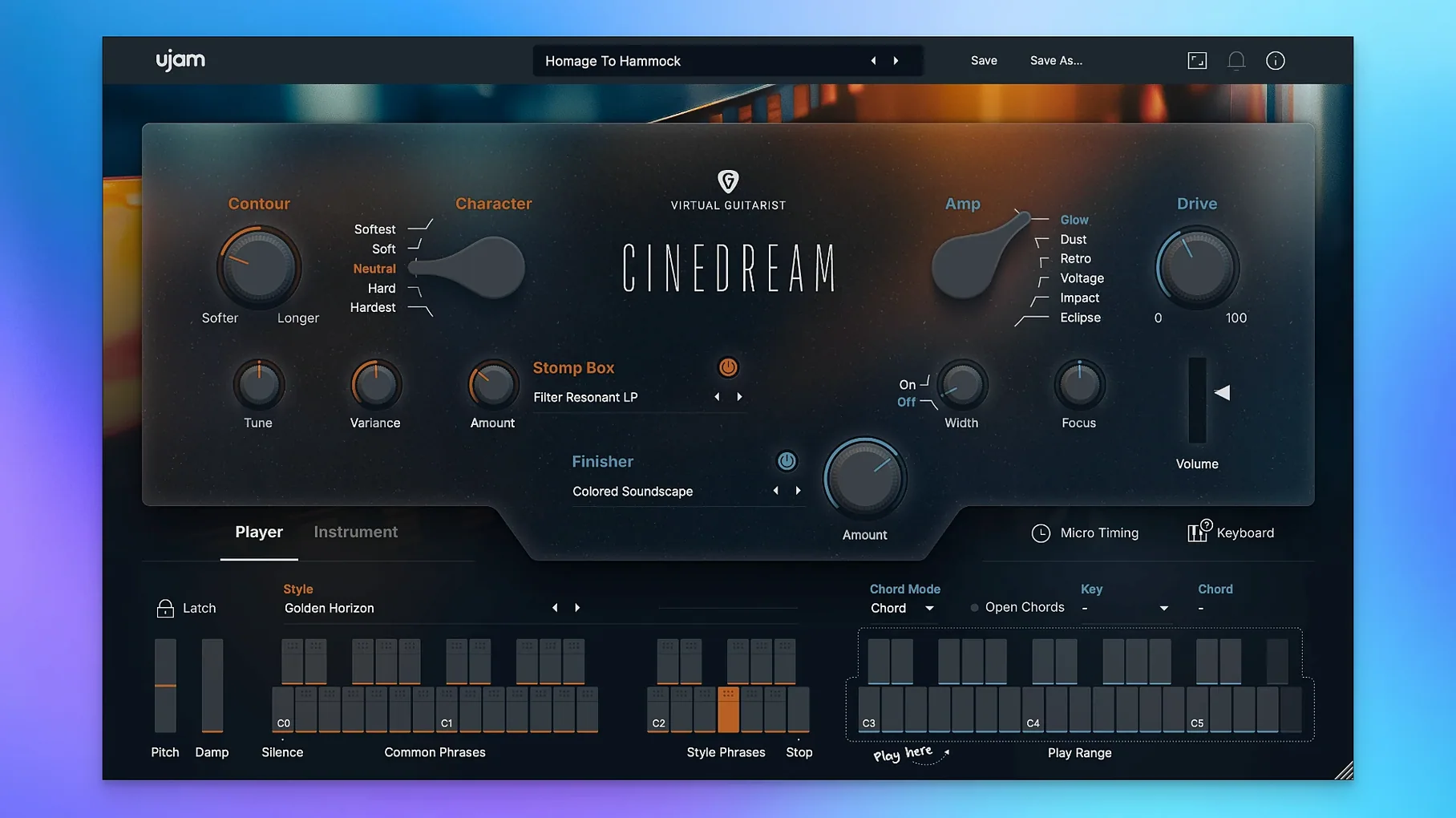
The catalogue note
You are scoring a quiet scene or building an ambient bed, and the usual synth pads feel too clean. You reach for an electric guitar, but you do not want melody or riffs — you want texture, movement, a wash of sound that sits behind the dialogue or the strings. UJAM Cinedream is built for that exact moment.
Place it on a track and play chords
- On a track — Cinedream works as a standard instrument plugin in Logic, Cubase, Pro Tools, or any AU/VST3 host. Load it on a software instrument track, pick a style from the ready-made presets, and play a few chords. The guitar responds with ambient swells, harmonics or layered pads depending on the style chosen.
- On a bus — Route several Cinedream instances or other instruments to an aux track and add a shared reverb or convolution effect. Because Cinedream’s sound can be dialled from clean to saturated, blending it with other textural layers works without fighting frequencies.
- Typical jobs — Background pads behind voice-over or dialogue; emotional underscores in film cues; ambient music where the guitar needs to feel distant but present. The built-in effects for space and movement mean you can often keep the track dry and let the plugin handle the atmosphere.
What you get out of the box
Cinedream ships with ready-made styles that quickly set a mood — soft and clean for airy backgrounds, or more saturated and rough for darker, denser textures. It is part of UJAM’s Virtual Guitarist series, so the approach is the same: you play chords, the instrument does the articulation. The interface is English only, and the plugin supports both Apple Silicon (ARM) and Intel 64-bit architectures. An internet connection is required for activation, but once authorised, it runs offline in your session.
Adjust the Character knob and reverb first
Out of the box, Cinedream loads with a default style and a moderate amount of built-in reverb. Before you start writing parts, open the plugin and check these three controls:
- The Character knob — This shifts the guitar sound from soft and clean to more saturated and rough. Beginners often leave it in the middle and wonder why the part sounds neither here nor there. If you want air, turn it left; if you want grit that cuts through a mix, turn it right.
- The Effects section — The reverb and delay that come with the preset might be too wet for a busy arrangement. That way the guitar sits in the same room as the rest of the track.
- The Chord Trigger behaviour — Each style responds differently to how long you hold a chord. Some styles sustain a pad until you release; others fade naturally. Try holding a chord for two bars and then releasing it abruptly to hear how the tail behaves. If the fade feels too fast, you can adjust your playing rather than the plugin.
No sound means check the track routing
Even a simple instrument like this catches people out. Here are the three I hear about most often:
- No sound after loading — The plugin loads, the GUI appears, but nothing plays. This usually means the track is not receiving MIDI data, or the instrument is set to a MIDI channel that differs from your keyboard or sequencer. Check that your controller sends on MIDI channel 1 and that the Cinedream instance is set to receive Omni or the same channel.
- Audio crackles or drops out — If your buffer size is too low (32 or 64 samples), the plugin may struggle, especially if you run several instances. Raise the buffer to 256 or 512 samples in your DAW’s audio settings. Cinedream is not a low-latency performance instrument — you do not need sub-10 ms latency for pads and swells.
- Activation fails despite internet connection — The plugin requires an internet connection only during authorisation. If the UJAM software manager does not recognise the licence, try quitting your DAW, running the UJAM app as administrator (right-click, Open), and authorising from there. Then restart the DAW and reload the plugin.
Hold chords instead of playing individual notes
The most common error is treating Cinedream like a regular guitar library. It is not — you do not strum, pick, or bend notes. You hold chords and let the plugin do the work. Beginners often play too many notes: dense jazz chords or full six-note voicings that sound muddy because the plugin processes every note into the same reverb tail. Stick to three- or four-note chords in a comfortable mid-range, and let the built-in movement create interest.
Another mistake is leaving the default style on every cue. Cinedream ships with several styles, and each one behaves differently — some swell slowly, some have a percussive attack, others fade in and out like a volume pedal. If your first cue uses the soft pad style, the next cue in the same film might need a rougher, more aggressive texture. Cycle through the styles before you start writing; the right choice can save you hours of automation later.
Beginners also tend to over-quantise the MIDI part. Because Cinedream responds to chord timing with natural attack and release, a slightly loose performance sounds more human. Let the chords breathe — a few milliseconds of variation between chord changes adds the realism that a grid-snapped performance removes.
It creates textures unlike Spitfire's Evolutions
Cinedream occupies a specific corner of the ambient instrument market. Here is how it stacks up against two alternatives you might already own or have considered:
- Spitfire Audio’s Olafur Arnalds Evolutions — This library also produces evolving, textural strings and pads, but it is a sample library that runs in Kontakt or Spitfire’s own player. Cinedream is lighter (4 GB) and does not require a separate sampler. If you want quick, guitar-based textures without managing a library, Cinedream wins. If you need orchestral textures with detailed control, the Spitfire route makes more sense.
- Native Instruments’ Straylight — This is a cinematic instrument that blends synth and organic sources, but it is not a guitar library. Straylight gives you more sound design options — you can mangle the source material with granular effects and filters. Cinedream stays true to the guitar sound, processed but recognisable. If you want a guitar that sounds like a guitar, pick Cinedream. If you want abstract textures that start from a guitar but end up elsewhere, Straylight is a better fit.
All three plugins run natively on Apple Silicon and Intel Macs. Cinedream’s advantage is its simplicity: you load it, pick a style, play chords, and move on. The others demand more setup time and more disk space. If you search for cinedream free download or cinedream plugin free download, you will find the same 1.0.1 version that works on macOS 10.13 and later, on both architectures. UJAM Cinedream lets composers quickly add cinematic synth pads and dreamy textures to their tracks.
Before it goes on the Mac
- macOS 10.13 or later
- Intel or Apple Silicon processor
- 8 GB RAM
- 4 GB free disk space
- 1280 x 768 minimum display resolution
- Internet connection (for activation)
Questions from the room
Does Cinedream work on Apple Silicon Macs?
Yes, it supports both ARM (Apple Silicon) and 64-bit Intel architectures natively.
What DAWs is Cinedream compatible with?
It works as an AU or VST3 instrument in any major DAW on macOS, including Logic Pro, Cubase, Ableton Live, and Pro Tools.
Can I use Cinedream without an internet connection?
An internet connection is required for initial activation, but after that the plugin runs offline in your session.
Installing it on the Mac
- Open the Go to Folder dialog with Command-Shift-G.
- Enter
/Library/Application Support/UJAM/VG-CINEDREAMand delete the data in that folder. - Repeat for
/Library/Audio/Plug-Ins/Components/VG-CINEDREAM.component. - Repeat for
/Users/your user/Library/Application Support/UJAM/VG-CINEDREAM. - Repeat for
/Users/your user/Library/Audio/Presets/UJAM/VG-CINEDREAM.
Notes from the control room
Sign in or open a catalogue account to leave a note.
No notes from the room yet. If you have used this build for a week, a short note helps the next person.
Also filed under Logic Pro Plugins
The whole Logic Pro Plugins rack UJAM Symphonic Elements STRIIIINGS1.3.1 Logic Pro Plugins 4.4 GB
 UnderTone Audio UnFairchild1.0.8 Logic Pro Plugins 220 MB
 Tsuga Audio MoonBass1.0.0 Logic Pro Plugins 7 MB
 VocalNet1.0.4 Logic Pro Plugins 669 MB
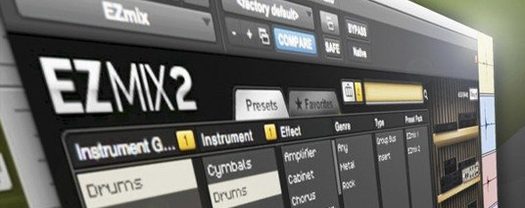 Toontrack EZmix Bundle3.2.2 Logic Pro Plugins 977 MB
 Toontrack EZkeys2.1.5 Logic Pro Plugins 707 MB
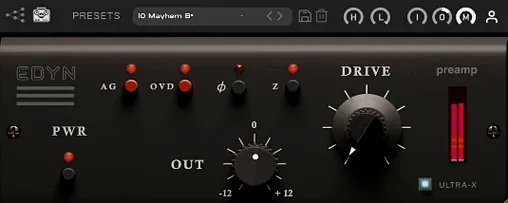 Tone Empire EDYN1.0.2 Logic Pro Plugins 198 MB
 Wave Alchemy Tapewave1.0.1 Logic Pro Plugins 356 MB