
Home › Logic Pro Plugins › Tsuga Audio MoonBass
Tsuga Audio MoonBass 1.0.0 (Mac)
Updated
The catalogue note
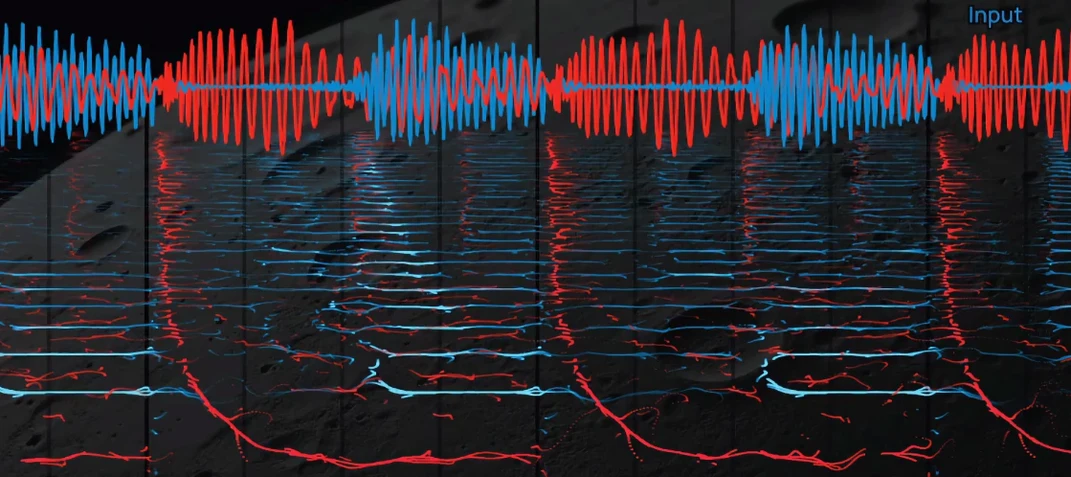
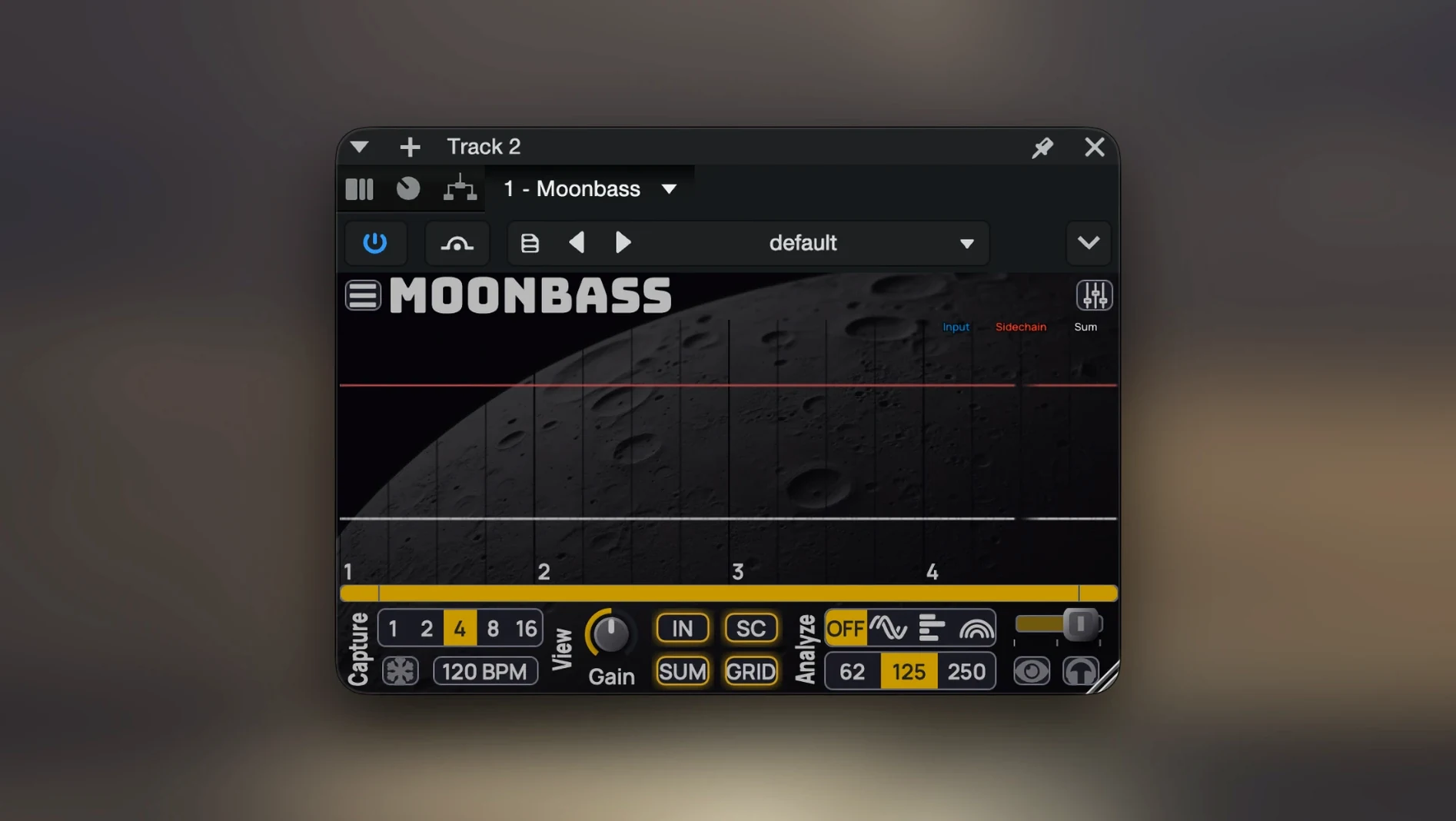
The new high-detail spectrogram in MoonBass 1.0.0 gives a visual handle on bass content that the scope alone cannot match. Tsuga Audio’s plugin is a beat-synchronised oscilloscope and low-frequency spectrogram built for bass-oriented analysis — think phase cancellation checks between kick and bass, or zero-phase filtering to isolate a specific range.
Current version — what 1.0.0 brings and what stayed the same
High-detail spectrogram — added for visual bass analysis; pairs with the existing scope for a fuller picture of the low end.
Improved tempo controls — more precise beat sync for the scope and spectrogram timebase.
Reduced processor load — the graphical trace rendering now uses fewer resources.
Input and auxiliary level controls — separate gain staging for the main and comparison channels.
Time offset settings — latency compensation for aligning audio from different sources or chains.
New themes and colour options — customisation for the scope and spectrogram display.
What stayed — the dual-channel capture (typically bass and kick), zero-phase filtering, support for macOS 10.13 and later, Apple Silicon and Intel 64-bit, and a signed, notarised installer. Interface is English only.
How MoonBass fits with other apps and macOS features
MoonBass sits in the same plugin folder as any other AU or VST3 analyser — the installer places files in the standard macOS locations, so your DAW picks them up on the next scan. No extra background processes, no separate helper app. Because it is a plugin rather than a standalone application, it inherits the host’s routing and session management. You can insert it on an auxiliary track to monitor a bass-and-kick subgroup, or load it on individual tracks and use the time offset controls to compensate for plugin latency elsewhere in the chain.
On the macOS side, the signed and notarised installer means Gatekeeper does not interfere. The plugin runs natively on Apple Silicon and Intel, so Rosetta 2 translation is not needed on newer Macs. The interface uses standard Cocoa UI elements, which means macOS accessibility features such as VoiceOver can interact with the controls, though the visual nature of the scope and spectrogram limits what a screen reader can convey.
What the latest version changed in everyday use
Before 1.0.0, MoonBass was purely an oscilloscope. The addition of the high-detail spectrogram changes how you work: instead of switching to a separate analyser plugin to check frequency content, you now see the spectral shape of the bass or kick directly below the waveform. The improved tempo controls make the timebase snap more reliably to the session tempo, which matters when you are comparing transients across locked bars. The processor load reduction is noticeable on projects with many instances — older builds could cause the GUI to lag when multiple scope traces were visible. Input and auxiliary level controls remove the need to adjust gain upstream just to get a clear trace. The time offset settings are practical when you are feeding MoonBass from a bus that runs through latency-inducing plugins such as linear-phase EQs.
Which Mac users get the most out of it and why
Audio engineers working on electronic music, hip-hop, or any genre where kick and bass share the same low-end space benefit most. The beat-synchronised scope shows phase alignment at a glance, and the spectrogram reveals whether the kick’s fundamental and the bass’s harmonics are masking each other. Mixing engineers who deal with phase cancellation across multiple microphones or DI signals will find the dual-channel display useful for null-test-style checks. Producers who prefer to work inside the box and stay in the DAW rather than bouncing to external analysers save time by not leaving the session. For Mac users who track bass with a DI and a mic simultaneously, inserting MoonBass on both channels lets you dial in alignment before committing to a blend. The zero-phase filtering helps isolate a specific range — say, 40–100 Hz — so you see only what matters without the rest of the mix cluttering the display.
Changes in this build
- High-detail spectrogram added for visual bass analysis
- Improved tempo controls
- Reduced processor load when displaying graphical traces
- Input and auxiliary signal level controls added
- Time offset settings for latency compensation added
- New visualization themes and color options added
Before it goes on the Mac
- macOS 10.13 or later
- Intel 64-bit or Apple Silicon
- English interface
Installing it on the Mac
- Copy the plugin files from the package.
- Follow the included installation and activation instructions.
Notes from the control room
Sign in or open a catalogue account to leave a note.
No notes from the room yet. If you have used this build for a week, a short note helps the next person.
Also filed under Logic Pro Plugins
The whole Logic Pro Plugins rack uJAM Cinedream1.0.1 Logic Pro Plugins 3.5 GB
 UJAM Symphonic Elements STRIIIINGS1.3.1 Logic Pro Plugins 4.4 GB
 Toontrack EZmix Bundle3.2.2 Logic Pro Plugins 977 MB
 Toontrack EZkeys2.1.5 Logic Pro Plugins 707 MB
 UnderTone Audio UnFairchild1.0.8 Logic Pro Plugins 220 MB
 Tone Empire EDYN1.0.2 Logic Pro Plugins 198 MB
 VocalNet1.0.4 Logic Pro Plugins 669 MB
 Wave Alchemy Tapewave1.0.1 Logic Pro Plugins 356 MB