
Home › Logic Pro Plugins › VocalNet
VocalNet 1.0.4 (Mac)
Updated
The catalogue note
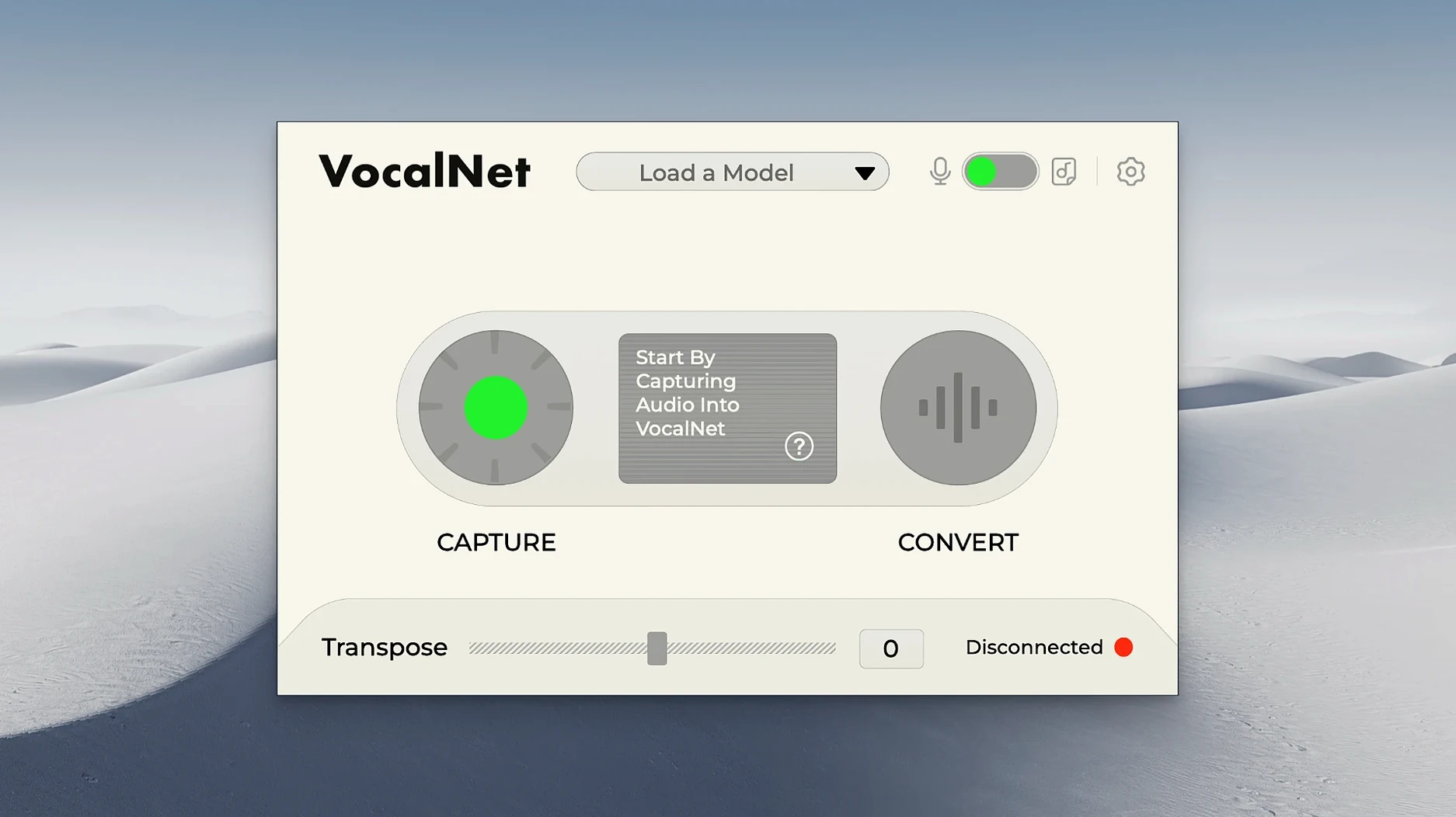
You have a vocal take that works for the song, but the timbre doesn't quite fit the mix. Or you want to try a different character without re-singing. VocalNet from Session Loops is a plugin that handles exactly that: it analyses uploaded voice samples and builds a new timbre from them, letting you process live or recorded vocals in your DAW.
Load it as an instrument or effect in a track that supports its plugin format. Sing or speak into the mic — the AI transforms the signal in real time, blending characteristics from the samples you fed it. You can mix several voice samples to shape the output, which keeps the process creative rather than prescriptive. Because the processing runs on your local machine, latency stays low enough for monitoring during a take.
It runs on macOS 10.15 or later and supports both Apple Silicon and Intel 64-bit systems. The interface is English only. A typical use: you record a guide vocal, drop a few reference samples into VocalNet, and hear a transformed version immediately. It is not a pitch corrector or a vocoder — it changes the vocal identity. For quick idea sketching in a DAW, it saves the trip back to the microphone.
VocalNet takes a different route from Waves Tune Real-Time
VocalNet sits in a small corner of the audio plugin world. A few other Mac applications attempt voice transformation, but they take different routes.
Waves Tune Real-Time is primarily pitch and formant correction. It can shift vocal character by moving formants, but it does not analyse uploaded samples and rebuild a timbre from them. Waves Tune works on a single correction curve; VocalNet lets you blend several voice samples and morph between them. For a producer who wants a completely different vocal identity rather than a corrected one, VocalNet offers more scope.
iZotope Nectar includes a vocal assistant and modules for EQ, compression and de-essing, plus a pitch module. Its strength is polish and consistency across a mix. It does not, however, build new timbres from external samples. If you want to turn a male vocal into a female-sounding voice or add a character from a specific recording, Nectar cannot do that. VocalNet covers that ground instead.
Antares Auto-Tune is the standard for pitch correction and formant shifting. Its formant controls let you tweak the perceived gender of a voice, but again, it works from a single set of parameters rather than from sample analysis. VocalNet's approach — loading real recordings and blending them — feels closer to sound design than to correction. The two tools complement each other: Auto-Tune for pitch, VocalNet for timbre.
None of these alternatives process voice samples the way VocalNet does. If your workflow involves creating new vocal textures from reference material, VocalNet fills a gap that pitch-and-formant plugins leave open.
Fixing no sound after loading VocalNet on a MIDI track
Users new to VocalNet sometimes hit the same issues. Here are a few, with straightforward fixes.
- No sound after loading the plugin. VocalNet is an effect that processes incoming audio. If your DAW places it on a MIDI track or an instrument track without routing audio into it, you hear nothing. Insert it on an audio track or a bus that receives the vocal signal.
- The transformed voice sounds thin or unnatural. This usually means the sample analysis is based on a poor-quality recording. VocalNet works best with clean, dry vocal samples — no reverb, no heavy compression. If you feed it a sample that already has processing, the output doubles up. Record a fresh sample in the same session, as dry as possible.
- Latency makes monitoring difficult. VocalNet processes on your local machine, but buffer size still matters. Lower your DAW's buffer size to 128 or 64 samples during recording. If you are using VocalNet in real time while singing, consider freezing the track after you capture the take, then switch to a higher buffer for mixing.
- Blending multiple samples produces mud. Start with one sample and dial in a result you like. Add the second sample at a low mix level — 20 to 30 percent — and listen for artefacts. VocalNet's strength is hybrid sounds, but too many samples at once can smear the output. Two or three well-chosen samples usually give the best results.
- The plugin does not appear in the DAW's list. Verify that you installed the correct format. VocalNet provides VST3, AU and AAX. If your DAW uses VST2 only, it will not show up. Re-run the installer and select the format your DAW supports. Restart the DAW after installation.
Brightening a warm chorus without re-recording the vocal
I had a pop track where the lead vocal sat well in the verse but felt too warm in the chorus. The singer had a good performance, but the chorus needed a brighter, more present tone. Rather than asking for another take, I loaded VocalNet on a duplicate track.
I found a short vocal sample from a previous session — a female voice with a clear, airy top end. I dropped that into VocalNet's sample slot. The chorus vocal immediately sounded different: brighter, with a slight sheen. I adjusted the blend control until the original singer's character still came through but the new timbre pushed the chorus forward.
For the bridge, I wanted something more unusual. I loaded a second sample, a whispered male vocal, and moved the morph slider towards it. The bridge vocal turned into a breathy, androgynous sound that sat underneath the main melody. I automated the morph amount so the transformation faded in during the bridge and returned to the chorus sound for the final section.
I recorded the processed vocal to a new track, which gave me the freedom to mute the VocalNet instance and keep the raw take untouched. The whole process took about fifteen minutes. No re-singing, no additional performers, no microphone repositioning.
How a voiceover producer changed a male narrator into a different person
A friend who produces corporate voiceovers needed a male narrator to sound like a different person for a client revision. The client had already approved the script but wanted the voice to match a reference recording they supplied — a female voice with a warm, intimate tone. The original narrator was not available for a re-record.
My friend loaded VocalNet on the voiceover track, dropped the client's reference recording into the sample slot, and adjusted the blend. The male narrator's voice shifted towards the reference timbre without losing intelligibility. The client accepted the result after one more tweak to the blend level. The entire fix took under ten minutes. VocalNet saved a re-schedule and a studio booking. For voiceover work where the original performer is unavailable or where a client changes direction late, this kind of real-time transformation has a clear use.
Before it goes on the Mac
- macOS 10.15 or later
- Apple Silicon or Intel 64-bit processor
- Interface language: English
Installing it on the Mac
- Open the downloaded disk image.
- Run the standard installation process.
Notes from the control room
Sign in or open a catalogue account to leave a note.
No notes from the room yet. If you have used this build for a week, a short note helps the next person.
Also filed under Logic Pro Plugins
The whole Logic Pro Plugins rack Wave Alchemy Tapewave1.0.1 Logic Pro Plugins 356 MB
 UnderTone Audio UnFairchild1.0.8 Logic Pro Plugins 220 MB
 UJAM Symphonic Elements STRIIIINGS1.3.1 Logic Pro Plugins 4.4 GB
 uJAM Cinedream1.0.1 Logic Pro Plugins 3.5 GB
 XLN Audio XO1.8.10 Logic Pro Plugins 2.3 GB
 Tsuga Audio MoonBass1.0.0 Logic Pro Plugins 7 MB
 Xpand!22.3.1 Logic Pro Plugins 1.2 GB
 Toontrack EZmix Bundle3.2.2 Logic Pro Plugins 977 MB