
Home › Logic Pro Plugins › Slate Digital Storch Filter
Slate Digital Storch Filter 1.0.6 (Mac)
Updated
The catalogue note
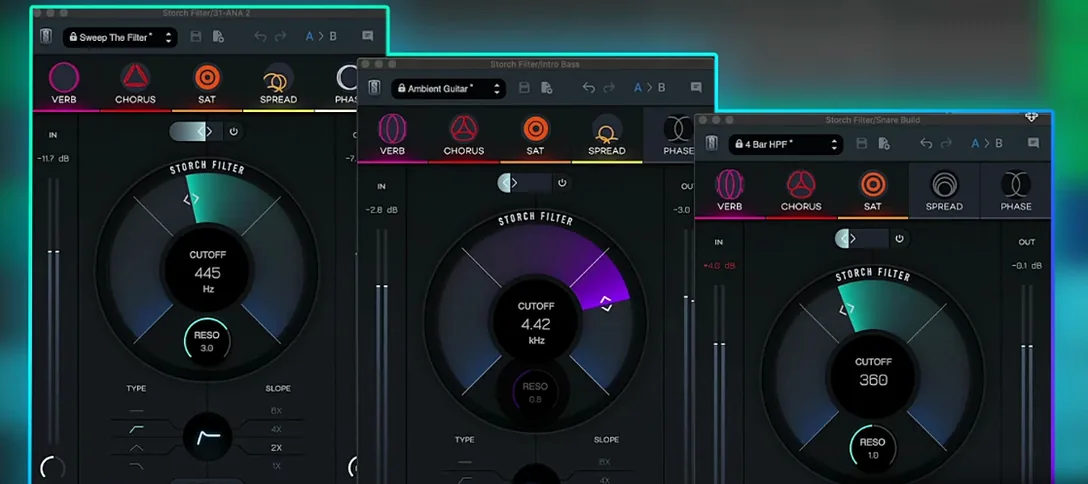
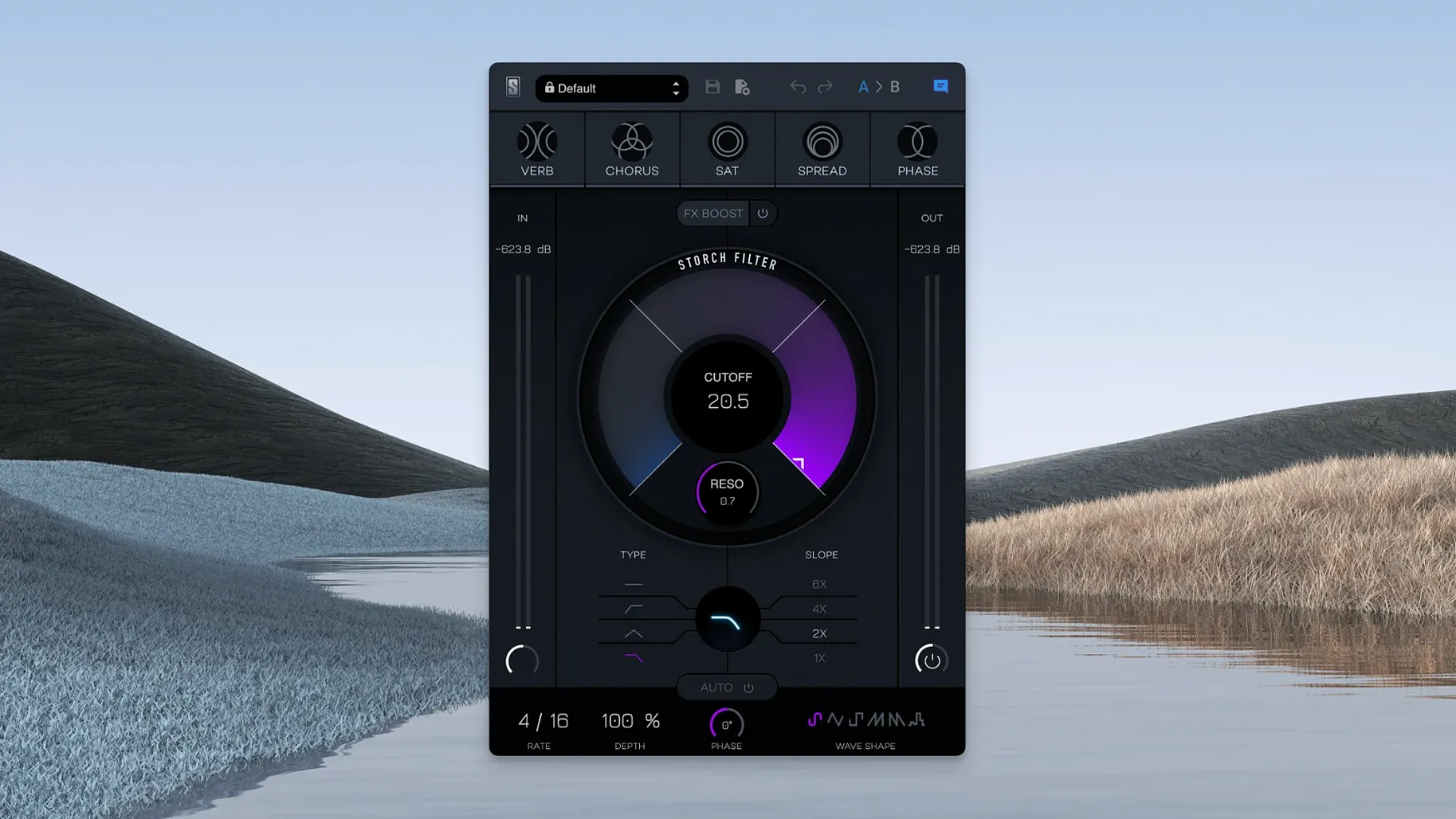
A plain low-pass filter gets boring fast. Storch Filter, developed with Scott Storch, turns filtering into a creative move by tying the cutoff and resonance to a built-in FX chain: reverb, chorus, saturation, stereo widening, and phaser. The FX Boost slider pushes the whole effect deeper into the mix.
Adds movement to synth loops and drum buses
- Adding movement to synth loops and sampled chords with the autofilter's six LFO wave shapes.
- Shaping drum buses where resonance and a touch of saturation glue the kit together.
- Creating dub-style vocal drops with the phaser and chorus linked to a slow filter sweep.
- Quickly auditioning Scott Storch's preset sounds, then tweaking from there.
Runs on Apple Silicon with macOS 11 or later
- It runs on Apple Silicon Macs with macOS 11 or later, in English.
- The effects are always tied to the filter controls, so you're shaping the whole sound, not just the cutoff.
- Version 1.0.6 is the current build.
Start with a dry pad and a Scott Storch preset
Start with a dry synth pad or a sampled piano loop. Insert Storch Filter and pick one of Scott Storch's presets — something like "Wide Motion" or "Dub Slow" gives you a clear starting point. Listen once through the loop to hear how the filter moves. From there, switch the LFO wave shape from sine to square or random; the autofilter will hit differently against the notes. Adjust the FX Boost slider upward in small increments until the reverb or saturation becomes part of the sound, not a wash on top. Finally, automate the plugin bypass or the cutoff from your DAW at key phrase ends to let the unfiltered tail through. This keeps the part dynamic without needing a second plugin.
Keep stereo widening off in dense mixes
This gives you a moderate amount of the built-in effects without overwhelming the source. If you are working on a dense mix, keep the stereo widening off until you hear the filter sweep in context; it adds width but can push the element too far out if the mix is already wide. The LFO rate responds well to being synced to a quarter note triplet, which sits between obvious and subtle.
No questions in this section
Does it work in any DAW?
Storch Filter is a standard audio plugin, so it loads in any DAW that supports the format you have installed. On macOS 11 or later on Apple Silicon, the current build 1.0.6 loads and runs. The activation is handled by the key component from the release; follow the same routine you use for other Slate Digital plugins.
Effects are tied to the filter and cannot run alone
No. The reverb, chorus, saturation, stereo widening, and phaser are tied to the cutoff and resonance controls. You cannot disable the filter and keep the chorus running alone. The design treats the filter and the effects as one combined processor.
Saves time with characterful presets over stock filters
Stock filters are clean and precise. Storch Filter is built for character — the saturation adds harmonic content, the LFO shapes are musical rather than clinical, and the presets come from a producer's session, not a manual page. It saves time when you want a filter sweep that already sounds like part of the arrangement.
Is it a CPU-heavy plugin?
It uses more resources than a simple filter because of the built-in effects. On an Apple Silicon Mac running macOS 11 it behaves within expectations for a multi-effect plugin. If you run ten instances on a dense mix, freeze or bounce the processed tracks.
Works as a standard DAW insert on any track
Storch Filter works as a standard insert on any audio or instrument track in your DAW. It does not require a separate host or wrapper. On macOS, you can route audio to it via the system's inter-application audio routing if your DAW supports that, but it is designed for in-session use. The plugin responds to automation lanes in the same way as any modern plugin, so you can draw in filter sweeps by hand or trigger them from a MIDI controller mapped to the cutoff. If you use Slate Digital's other plugins, the same installation procedure applies — no extra steps for this one. The FX Boost slider can be mapped to a hardware fader or a touch controller for live adjustments during playback.
Changes in this build
- Build labeled 1.0.6.
Before it goes on the Mac
- macOS 11 or later
- Apple Silicon
- Interface in English
Questions from the room
What does the FX Boost slider do?
The FX Boost slider increases the intensity of the built-in effects, so you can push the reverb, chorus, saturation, stereo widening, or phaser further into the sound.
Installing it on the Mac
- Use the standard installation procedure.
Notes from the control room
Sign in or open a catalogue account to leave a note.
No notes from the room yet. If you have used this build for a week, a short note helps the next person.
Also filed under Logic Pro Plugins
The whole Logic Pro Plugins rack Slate Digital Murda Melodies1.1.1 Logic Pro Plugins 179 MB
 Slate Digital Submerge1.0.5 Logic Pro Plugins 38 MB
 Slate Digital Fresh Air1.0.9 Logic Pro Plugins 40 MB
 Sonible pure:level1.0.2 Logic Pro Plugins 59 MB
 Soundtheory Gullfoss1.11.7 Logic Pro Plugins 176 MB
 Serato Sample2.2.0 Logic Pro Plugins 612 MB
 Serato Hex FX1.2.0 Logic Pro Plugins 105 MB
 Spire1.5.19 Logic Pro Plugins 158 MB