
Home › Logic Pro Plugins › Serato Hex FX
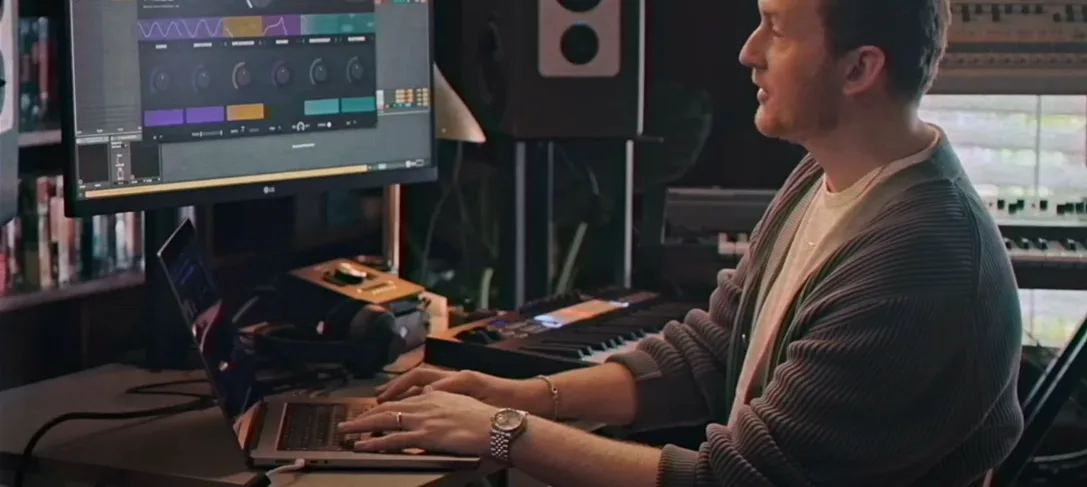
Serato Hex FX 1.2.0 (Mac)
Updated
The catalogue note
Serato Hex FX runs on any Mac from macOS 10.15 onwards, Intel or Apple Silicon — no surprises there. The installer now offers an AAX format option alongside the usual AU and VST3, so Pro Tools users can slot it directly into their session. Inside Serato Studio it works natively too.
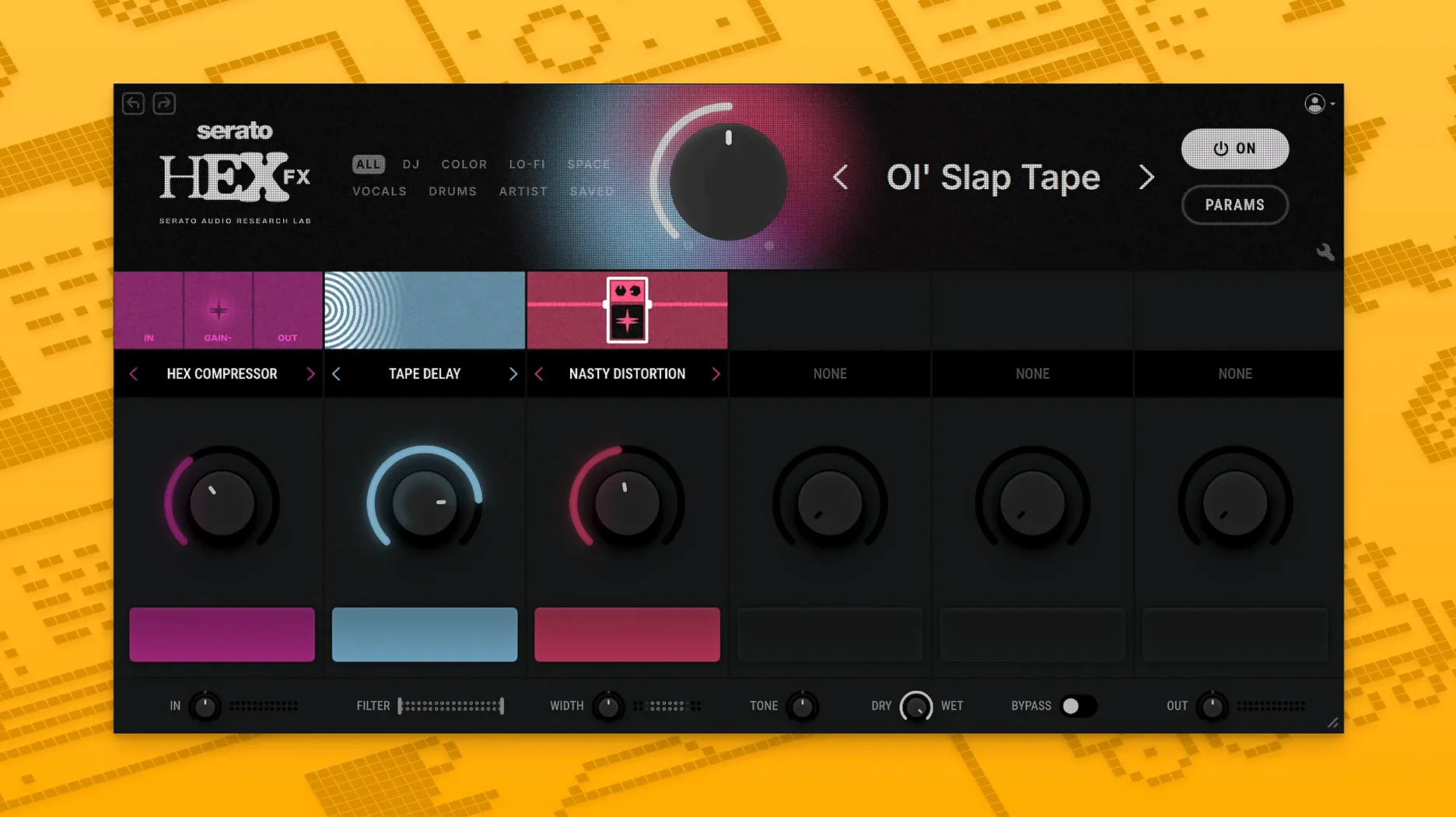
Stack up to six effects while the track plays
- Chainable FX: You can stack up to six effects in any order, each with its own wet/dry and parameter set. The chain stays editable while the track plays, which matters when you want to build a breakdown live.
- Performance FX: Halftime and Rollout are the two that get used most on stage — one slows the audio in real time, the other ducks the signal rhythmically. Both feel natural, not gated.
- 200+ presets: They cover colour (saturation, bit-crush), movement (flanger, phaser, delay) and energy (filter sweeps, reverb throws). Browsing them with the arrow keys is faster than clicking.
Six slots with dropdowns and no sub-menu hunting
The interface is one window: six slots, each with a dropdown of 50 effects. Clicking a slot loads the effect immediately; the controls for that effect appear below. There is no sub-menu hunting. The CPU load is moderate — a chain of four effects on a single track runs fine on an M1 MacBook Air. If you want to add texture without routing through external gear, Hex FX does it inside the box, in one instance.
Standard disk image installer with a crash fix in release notes
The installer is a standard disk image — open it, run the package, and the plugin lands in your system's component folders. If you see a crash on first launch, the release notes mention a Terminal fix: copy the two lines exactly as written and run them. This clears a permissions issue that sometimes appears on macOS 15 Sequoia and later. It is not a compatibility problem, just a one-time setup.
People often ask whether Hex FX works alongside other Serato plugins in the same chain. It does — you can load it before or after Serato Pitch 'n Time, for example, and the signal path behaves as expected. No special routing is required. The plugin also respects Pro Tools' hardware buffer setting, so latency stays predictable when you toggle the performance FX.
Another question: can you use it as an insert on a master bus? Yes. The EQ section (parametric low-shelf, mid-bell, high-shelf) is clean enough for gentle corrective work, and the chainable effects can add width or subtle saturation without overwhelming the mix.
Works in Logic, Ableton, Pro Tools, and Serato Studio natively
Hex FX is a standard AU/VST3/AAX plugin, so it appears in any host that supports those formats — Logic Pro, Ableton Live, FL Studio, Maschine, Pro Tools. It also works inside Serato Studio's FX rack natively. If you use Audio Unit extensions or MIDI-controlled plugin parameters, the plugin exposes its parameters for automation in Logic's automation menu and Ableton's modulation slots.
On macOS, the plugin uses the system's audio routing without extra drivers. It does not install a standalone app, so there is no background process to manage. If you use a Mac with Apple Silicon, the plugin runs natively — no Rosetta needed. The same applies to Intel Macs: the installer detects the architecture and places the correct binary.
For users who run multiple DAWs, the plugin registers once and appears in all of them. No need to reinstall when switching between Logic and Ableton, for instance. The presets are stored in a shared folder, so custom presets you save in one host are available in another.
Loading six effects turns your sound into mush—start with two or three
The most common one: loading too many effects on one chain and wondering why the sound turns into mush. Hex FX lets you stack six effects, but that does not mean you should. Start with two or three — a filter, a delay, a bit of saturation — and listen before adding more. The chain is easy to edit, but the habit of piling on effects without checking the cumulative result is hard to undo.
Another mistake: ignoring the wet/dry knob on each effect. Each effect has its own mix control, and the global output is not a master wet/dry — you need to balance each slot individually. A common fix is to set the first effect's wet/dry to 50% and adjust from there.
Third: forgetting that the EQ section is always active. The parametric bands are on by default at a flat setting, but if you accidentally nudge a band, it stays there. Check the EQ display before saving a preset — it is easy to save a preset with an unintended 6 dB cut and load it later on a different track. The fix is to reset the EQ to flat (all bands at 0 dB) before saving.
Finally: not saving custom presets. The plugin ships with 200+ presets from respected producers, but the real workflow gain comes from building your own chains and saving them. Right-click or use the preset menu — the save option is there. A handful of personal presets will save more time than scrolling through the factory list each session.
Changes in this build
- AAX support was added.
- Bug fixes were included.
- The installer now includes an AAX format option.
Before it goes on the Mac
- macOS 10.15 or later
- Apple Silicon or Intel processor
- Interface language: English
Questions from the room
Does Serato Hex FX work in Pro Tools?
Yes, version 1.2.0 added AAX Native support, so you can insert it directly into a Pro Tools session on macOS 10.15 or later.
Installing it on the Mac
- Open the downloaded disk image and run the standard installation process.
- If the plugin crashes with an error, run the listed Terminal commands exactly as provided.
Notes from the control room
Sign in or open a catalogue account to leave a note.
No notes from the room yet. If you have used this build for a week, a short note helps the next person.
Also filed under Logic Pro Plugins
The whole Logic Pro Plugins rack Serato Sample2.2.0 Logic Pro Plugins 612 MB
 Scaler 33.3.2 Logic Pro Plugins 1.4 GB
 Safari Pedals Everything Bundle2026.05 Logic Pro Plugins 628 MB
 Slate Digital Fresh Air1.0.9 Logic Pro Plugins 40 MB
 Roland ZENOLOGY Pro2.0.7 Logic Pro Plugins 1.8 GB
 Slate Digital Murda Melodies1.1.1 Logic Pro Plugins 179 MB
 Roland Cloud Legendary Series2025.06.29 Logic Pro Plugins 1.3 GB
 Slate Digital Storch Filter1.0.6 Logic Pro Plugins 69 MB