
Home › Logic Pro Plugins › Scaler 3

Scaler 3 3.3.2 (Mac)
Updated
The catalogue note
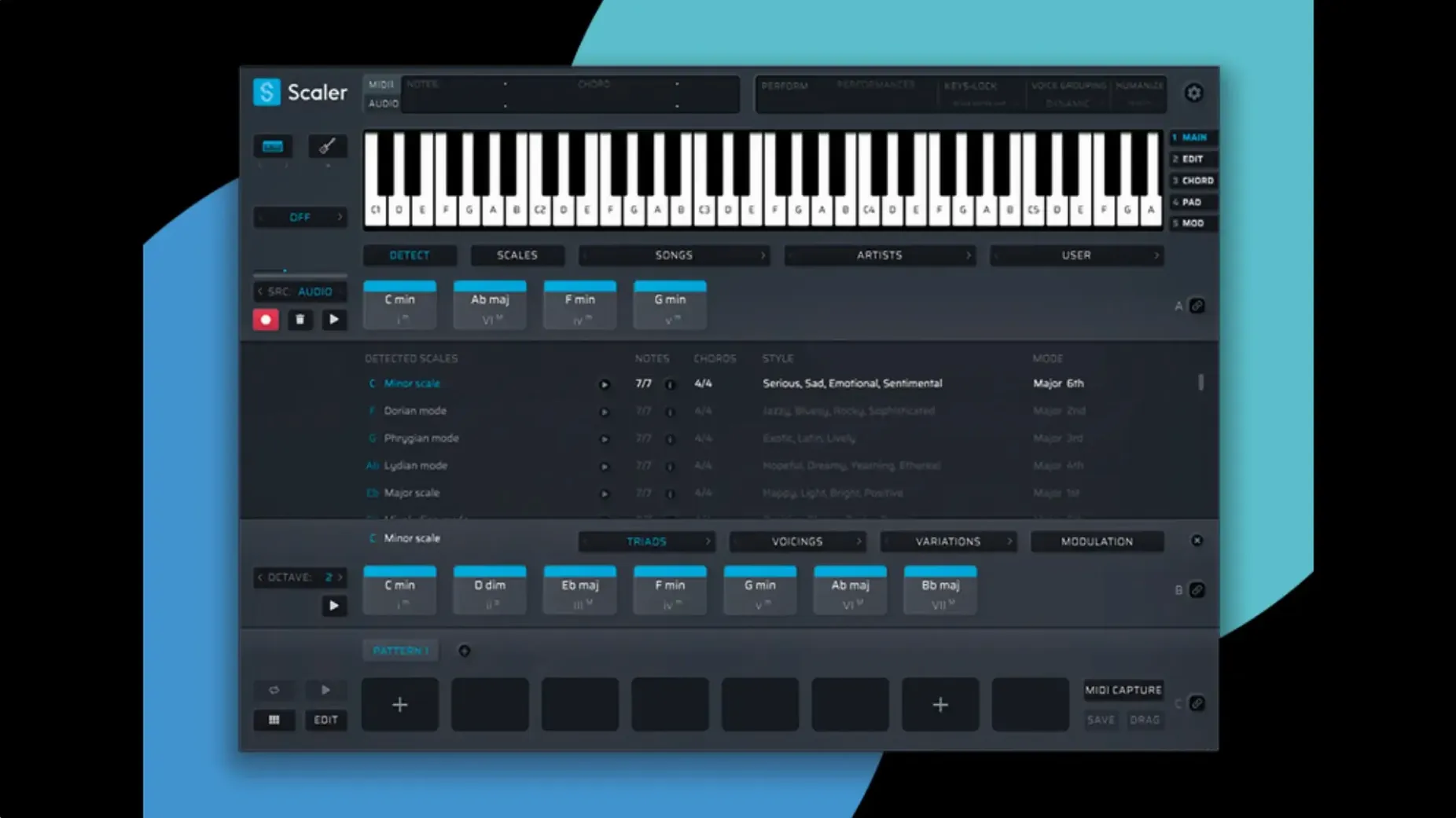
Writing chord progressions that don't sound like every other track in the genre is the hard part. Scaler 3 turns that around by giving you a theory engine that suggests chords, generates melodies and bass lines, and keeps everything in key. It works as a standalone app or as a plugin inside your DAW, so you can sketch ideas quickly or go deep with MIDI editing.
Build progressions from a large preset library
- Building progressions from a large preset library organised by artists and genres
- Generating melodies, bass lines, and arpeggios in any key
- Linking multiple tracks with Multi-Bind for quick arrangement changes
- Editing chord, melody, bass, and phrase lanes together in the Multi-Lane Timeline
Requires 64-bit macOS 10.15 or later
- 64-bit only, runs on macOS 10.15 or later, both Intel and Apple Silicon
- Available as VST, VST3, AU, and AAX
- English interface only
Version 3.3.2 fixes MIDI Editor display issues and crops empty space from exported MIDI starts, which is a small but welcome cleanup when you drag a progression into your DAW.
Letting Scaler 3 do all the work makes progressions generic
The most common error is letting Scaler 3 do all the work. New users often pick a preset, accept every chord suggestion as it comes, and end up with a progression that sounds generic. The library is meant to be a starting point, not a finished arrangement. Treat the presets as raw material — change a chord here, swap the voicing there, or mute a lane and write your own line over the rest.
Another one: ignoring the key and scale settings before you start. If you load a preset that was built in C minor and your track is in G major, the generated melodies and bass lines will clash. Set the key first, then browse presets. Scaler 3 respects the key you choose, but only if you tell it what that key is.
Beginners also tend to skip the Multi-Lane Timeline entirely. They work only on the chord lane and wonder why their arrangement feels flat. The melody, bass, and phrase lanes are there for a reason — even a simple bass line adds movement. You don't have to fill every lane, but leaving them empty misses half of what the tool does.
Exporting MIDI without checking the crop is another snag. Version 3.3.2 fixes the empty space at the start of exports, but if you are on an earlier build, you might drag a progression into your DAW and find a bar of silence before the first note. Update to 3.3.2 and that problem goes away.
Best for songwriters stuck on harmonic choices
Songwriters who hit a harmonic wall benefit most. If you have a melody but no idea what chord goes under it, Scaler 3 suggests options that fit. You can audition them in real time and commit when something clicks. For that crowd, it is less a composition tool and more a second pair of ears.
Producers who work across genres also get value from the preset library. The presets are grouped by artist and genre, so you can quickly pull up a progression that fits a specific style — house, lo-fi, film score — and then twist it into something of your own. If your production work jumps between genres, the library saves you from starting from scratch every time.
MIDI power users who prefer to arrange outside the piano roll will appreciate the Multi-Lane Timeline and Multi-Bind. Linking multiple tracks means you can change a chord and have the melody and bass follow automatically, then tweak individual notes afterward. That workflow suits people who think in terms of harmonic blocks rather than single notes.
Standalone users are a smaller but dedicated group. If you want to sketch ideas without opening a full DAW, Scaler 3 in standalone mode is fast. You can build a progression, generate a bass line, and export the MIDI in a few minutes. It is not a replacement for a DAW, but it is a good scratchpad.
Captain Plugins splits chords, bass, and melody into separate plugins
Captain Plugins by Mixed In Key works in a similar space: it generates chords, bass lines, and melodies based on a key and scale. The difference is workflow. Captain Plugins treats each element as a separate plugin (Captain Chords, Captain Melody, etc.), so you load multiple instances in your DAW. Scaler 3 keeps everything in one window with the Multi-Lane Timeline, which some people find faster for iteration. Both tools let you export MIDI, but Scaler 3's standalone mode gives you an option to work outside the DAW entirely.
Hooktheory's Hookpad is more of a songwriting sketchpad. It runs as a web app and a desktop app, and it visualises chord progressions on a piano roll with colour-coded harmony. Hookpad is excellent for learning theory and for writing progressions that you then play into a DAW manually. Scaler 3 is more production-oriented — it generates MIDI you can drag straight into your arrangement, and it hosts plugins inside its own interface, which Hookpad does not.
Then there is Orb Producer Suite by Hexachords. It generates patterns for chords, melodies, bass, and arpeggios, and it includes a chord progression generator similar to Scaler 3's. Orb leans heavier on AI-style generation with more randomisation controls. Scaler 3 feels more deliberate — the chord suggestions come from a curated library rather than algorithmic generation, and the editing lanes give you finer control over individual notes. Neither is better; they suit different approaches to starting a track.
MIDI Editor display issues fixed in version 3.3.2
MIDI Editor display issues were the biggest headache before version 3.3.2. Notes would appear missing, chords would show the wrong voicing, or a blank gap would appear before the first chord. If you still see this after updating, check that your DAW is not quantising the MIDI data on input — some hosts apply their own grid and shift notes around. Turn off input quantisation in your DAW's MIDI preferences when working with Scaler 3's output.
Plugin host crashes are rare but happen. If Scaler 3 stops responding when you load a third-party synth inside its plugin host section, try that synth as a standalone first. Some older VSTs or AUs do not handle being hosted inside another plugin well. Switch to a different synth or use Scaler 3's built-in sounds for that lane.
Multi-Bind can confuse people on first use. If you link a chord track to a melody track and the melody does not change when you edit the chord, check that both tracks are actually bound. The binding is per-track, not global. Select the melody lane, open the Multi-Bind panel, and confirm the chord lane is listed as the source. It is easy to miss.
Exporting MIDI with the wrong length is less of an issue in 3.3.2, but if you still get extra silence at the start, crop it manually in your DAW after import. A quick trim in the arrange view fixes it in seconds.
Standalone mode sometimes does not recognise a connected MIDI controller on first launch. Go to the MIDI settings in the standalone app and check that your device is listed and enabled. If it is not, restart the app with the controller already plugged in. That usually sorts it.
Set your key and scale before using presets
Set your key and scale before you touch any presets. The default might be C major, which is fine for testing, but if your track is in a different key, everything you generate will need transposing later. Save yourself the step and set it at the start.
Turn on the metronome in standalone mode if you plan to record MIDI in real time. The default is off, and without it you have no timing reference when playing chords or melody lines in by hand.
Check the MIDI export format. Scaler 3 can export as separate tracks or as a single clip. If you want to keep chord, melody, and bass on separate lanes in your DAW, choose multi-track export. Single-clip export merges everything into one lane, which is harder to edit later.
If you use a lot of third-party synths inside Scaler 3, set the plugin scan folder to match your DAW's plugin folder. That way you do not have to scan twice or wonder why a synth you just installed does not appear in Scaler 3's host list.
Changes in this build
- Fixed MIDI Editor display issues that caused missing notes, incorrect chord representations, and unwanted blank space before chords.
- Exported MIDI now automatically crops empty space at the start of the sequence.
Before it goes on the Mac
- macOS 10.15 or later
- Intel or Apple Silicon
- 64-bit only
Questions from the room
Can Scaler 3 run without a DAW?
Yes, Scaler 3 has a standalone mode, so you can work on chord ideas on its own before bringing them into your project.
What plugin formats does Scaler 3 support?
It supports VST, VST3, AU, and AAX, covering most Mac DAWs.
Installing it on the Mac
- Mount the downloaded disk image.
- Run the standard installer.
Notes from the control room
Sign in or open a catalogue account to leave a note.
No notes from the room yet. If you have used this build for a week, a short note helps the next person.
Also filed under Logic Pro Plugins
The whole Logic Pro Plugins rack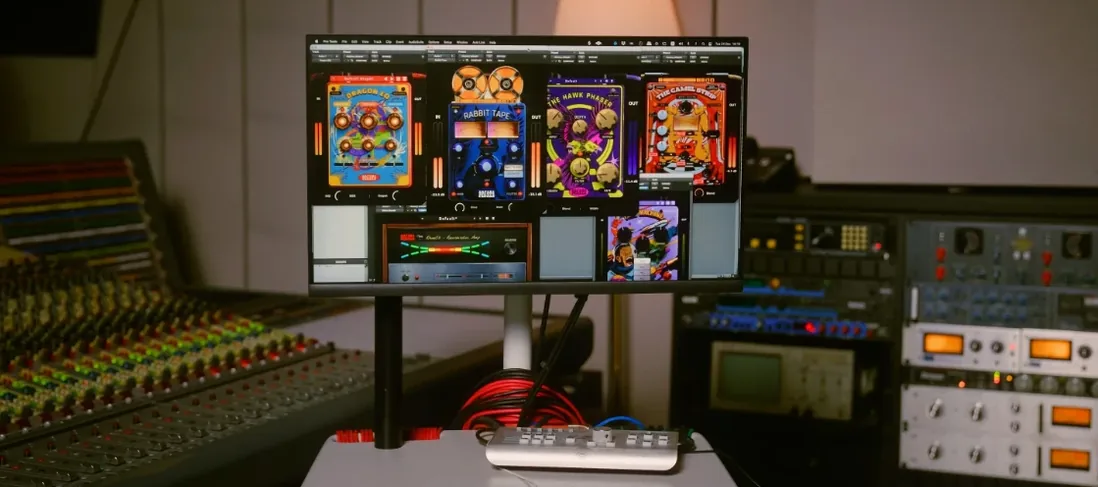 Safari Pedals Everything Bundle2026.05 Logic Pro Plugins 628 MB
 Serato Hex FX1.2.0 Logic Pro Plugins 105 MB
 Serato Sample2.2.0 Logic Pro Plugins 612 MB
 Roland ZENOLOGY Pro2.0.7 Logic Pro Plugins 1.8 GB
 Roland Cloud Legendary Series2025.06.29 Logic Pro Plugins 1.3 GB
 Revoice Pro5.1.30 Logic Pro Plugins 39 MB
 RC-20 Retro Color1.5.1 Logic Pro Plugins 170 MB
 Slate Digital Fresh Air1.0.9 Logic Pro Plugins 40 MB