
Home › Logic Pro Plugins › RC-20 Retro Color
RC-20 Retro Color 1.5.1 (Mac)
Updated
The catalogue note
RC-20 Retro Color runs as a 64-bit only plugin on macOS 10.13 and later, Intel and Apple Silicon both supported. It is a creative effect from XLN Audio that recreates the feel of vintage recording gear without pretending to be a faithful emulation of any single piece.
Add subtle noise, wobble or magnetic flutter to a stem or bus
- Adding subtle noise, wobble or magnetic flutter to a stem or bus.
- Distorting individual tracks with the Distort module while keeping the rest clean.
- Using the Space module for lo-fi reverb or the Digital module for bit-crushed character.
- Setting the Flux engine to drift parameters over time so the effect never sits still.
Six modules can work together or solo
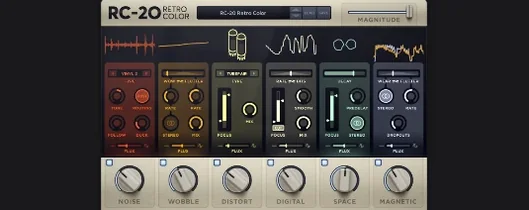
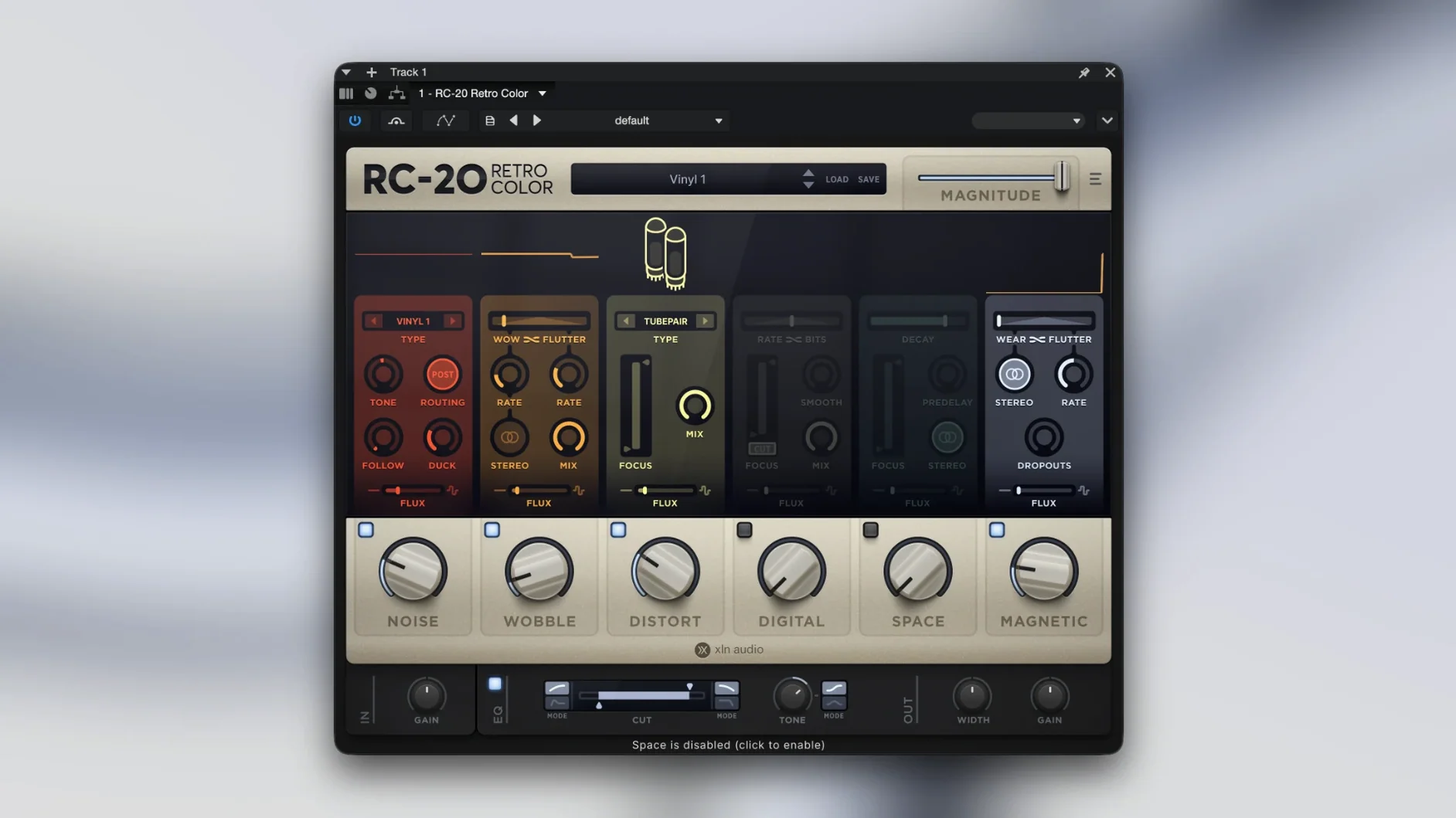
- Six modules — Noise, Wobble, Distort, Digital, Space, Magnetic — can work together or solo.
- The presets cover a wide range; the in-app manual link is worth a visit for deeper module tweaks.
- CPU load scales with how many modules you activate; fine on modern Macs but worth noting on older Intel machines.
A workflow for adding vintage texture to a dry drum loop
Start with a clean drum loop on a new track — something recorded in a dead room or pulled from a sample pack that feels too sterile. Insert RC-20 Retro Color on the track and load one of the factory presets that leans toward subtle noise and wobble, then turn off the modules you do not need. For this example, keep Noise, Wobble and Magnetic active; disable Distort, Digital and Space unless you want heavier colour.
Dial the Noise module to a low mix — around 15–20 percent — and pick a noise type that sits behind the drums rather than on top of them. The vinyl crackle or tape hiss works well here. Next, set the Wobble module to a slow rate so the pitch drift is barely noticeable across a single bar but becomes audible over eight or sixteen bars. The Flux engine can be left at its default setting for now; it will add random variation to the wobble depth and speed.
Now engage the Magnetic module and raise the Saturation control until the transients soften slightly — the kick and snare lose a touch of attack but gain a rounded, warmer body. Set the Flux engine to modulate the Magnetic Saturation by a small amount so the effect breathes. Listen through the full loop length and adjust the master Mix knob to somewhere between 40 and 60 percent wet. The loop should now sound like it was recorded onto cassette and played back through a second-hand amp, not like a plugin was thrown on.
Export the processed loop and compare it to the original. If the texture feels too heavy, reduce the Noise mix or lower the Magnetic Saturation. If it feels too clean, increase the Wobble depth or add a touch of Digital module with a low bit-depth setting. The point is to work module by module, not to turn everything on at once.
How RC-20 Retro Color compares with three similar Mac apps
iZotope Vinyl
Vinyl is free and lightweight, focused on turntable-style noise, crackle and mechanical wear. It has fewer controls and no Flux engine, so the texture stays static unless you automate parameters manually. RC-20 Retro Color offers more modules and the ability to blend them independently, which makes it better suited for a full mix bus or a track that needs evolving character. Vinyl is a good choice for quick lo-fi effects on a single sound, but it lacks the depth for detailed sound design.
AudioThing Reels
Reels emulates a specific tape recorder and gives you control over wow, flutter, noise and saturation. It sounds convincing and is simpler to dial in for tape-style effects. RC-20 Retro Color covers a broader range — you can go from tape warmth to digital aliasing to spring reverb without switching plugins. Reels is the better option if you only want tape emulation and want it fast; RC-20 is the better option if you want to combine multiple vintage effects in one instance.
Wavesfactory Cassette
Cassette mimics the sound of a portable tape player with controls for tape type, speed and mechanical noise. It includes a built-in EQ and a compressor section, which makes it a self-contained cassette emulator. RC-20 Retro Color does not pretend to be one specific device; its six modules let you build a texture that mixes tape, vinyl, distortion and lo-fi reverb together. Cassette wins for realism if you need exactly a cassette player; RC-20 wins for versatility when you want to layer different vintage flavours.
Start by turning off unneeded modules and lowering the master Mix
When you open RC-20 Retro Color for the first time, the default preset might have all six modules active and the master Mix set to 100 percent. That is rarely where you want to start. Change these settings early:
- Master Mix — turn it down to 50–60 percent. You can always increase it later, but starting at full wet makes it harder to hear how the effect sits with the dry signal.
- Flux engine — set it to a moderate amount (around 30–40 percent) and enable it for the modules you plan to use. The random variation keeps the effect from sounding repetitive across a long section.
- Noise module mix — start at 10–15 percent. Noise is easy to overdo, and once it is baked into the mix you cannot remove it without resetting the module.
- Distort module — leave it off until you have the other modules balanced. Distort adds harmonic content that can mask subtler effects from Magnetic or Wobble.
No sound change? Check the master Mix and module power buttons
Users sometimes load RC-20 Retro Color on a track, hear nothing change and assume the plugin is broken. Usually the master Mix is set to 0 percent or the module they expected to hear is bypassed. Check the module power buttons — each one has its own on/off toggle — and confirm the master Mix is above zero.
Another frequent issue is excessive CPU load on older Intel Macs. Running all six modules with the Flux engine on a stereo bus can push the system. The fix is to disable modules you are not using and reduce the Flux modulation depth. If the track still stutters, render the effect to audio and disable the plugin instance. The same applies if you are hunting for an rc-20 crack mac or rc 20 crack — cracked versions often introduce instability and missing features, which makes troubleshooting harder than it needs to be.
A third snag: the plugin sounds too harsh on high-frequency material like hi-hats or cymbal crashes. This usually comes from the Distort or Digital module adding aliasing or harmonic distortion. Lower the module mix or switch the Distort type to a softer setting. If the harshness persists, use the plugin's built-in high-cut filter (accessible through the module's detail panel) to tame the top end before the signal hits the distortion stage.
Finally, some users find that the Flux engine introduces too much movement on sustained sounds like pads or synth drones. Reduce the Flux amount for the modules that affect pitch (Wobble, Magnetic) and leave it higher for Noise and Space. That way the texture shifts subtly without the pitch wandering distractingly.
Before it goes on the Mac
- macOS 10.13 or later
- 64-bit only
- Intel or Apple Silicon
Questions from the room
Does RC-20 work on Apple Silicon Macs?
Yes, RC-20 Retro Color runs natively on both Intel and Apple Silicon Macs, provided you are on macOS 10.13 or later and using the 64-bit version.
Installing it on the Mac
- Mount the downloaded disk image.
- Run the standard installation procedure.
Notes from the control room
Sign in or open a catalogue account to leave a note.
No notes from the room yet. If you have used this build for a week, a short note helps the next person.
Also filed under Logic Pro Plugins
The whole Logic Pro Plugins rack Revoice Pro5.1.30 Logic Pro Plugins 39 MB
 Pulsar Audio Pulsar Primavera1.2.4 Logic Pro Plugins 103 MB
 Roland Cloud Legendary Series2025.06.29 Logic Pro Plugins 1.3 GB
 Pulsar Audio Pulsar Massive1.4.4 Logic Pro Plugins 102 MB
 Roland ZENOLOGY Pro2.0.7 Logic Pro Plugins 1.8 GB
 Pulsar Audio IPA1.0.9 Logic Pro Plugins 75 MB
 Safari Pedals Everything Bundle2026.05 Logic Pro Plugins 628 MB
 Scaler 33.3.2 Logic Pro Plugins 1.4 GB