
Home › Logic Pro Plugins › noteGRABBER
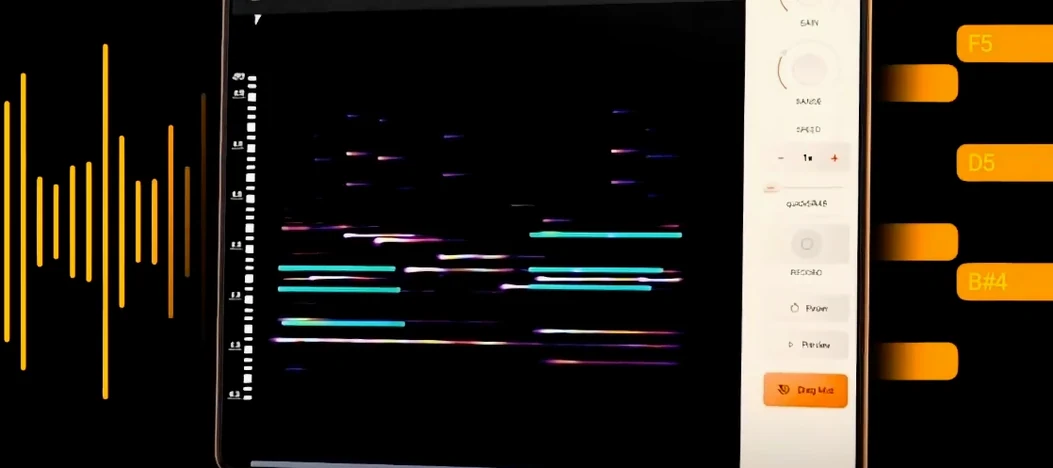
noteGRABBER 2.0.0 (Mac)
Updated
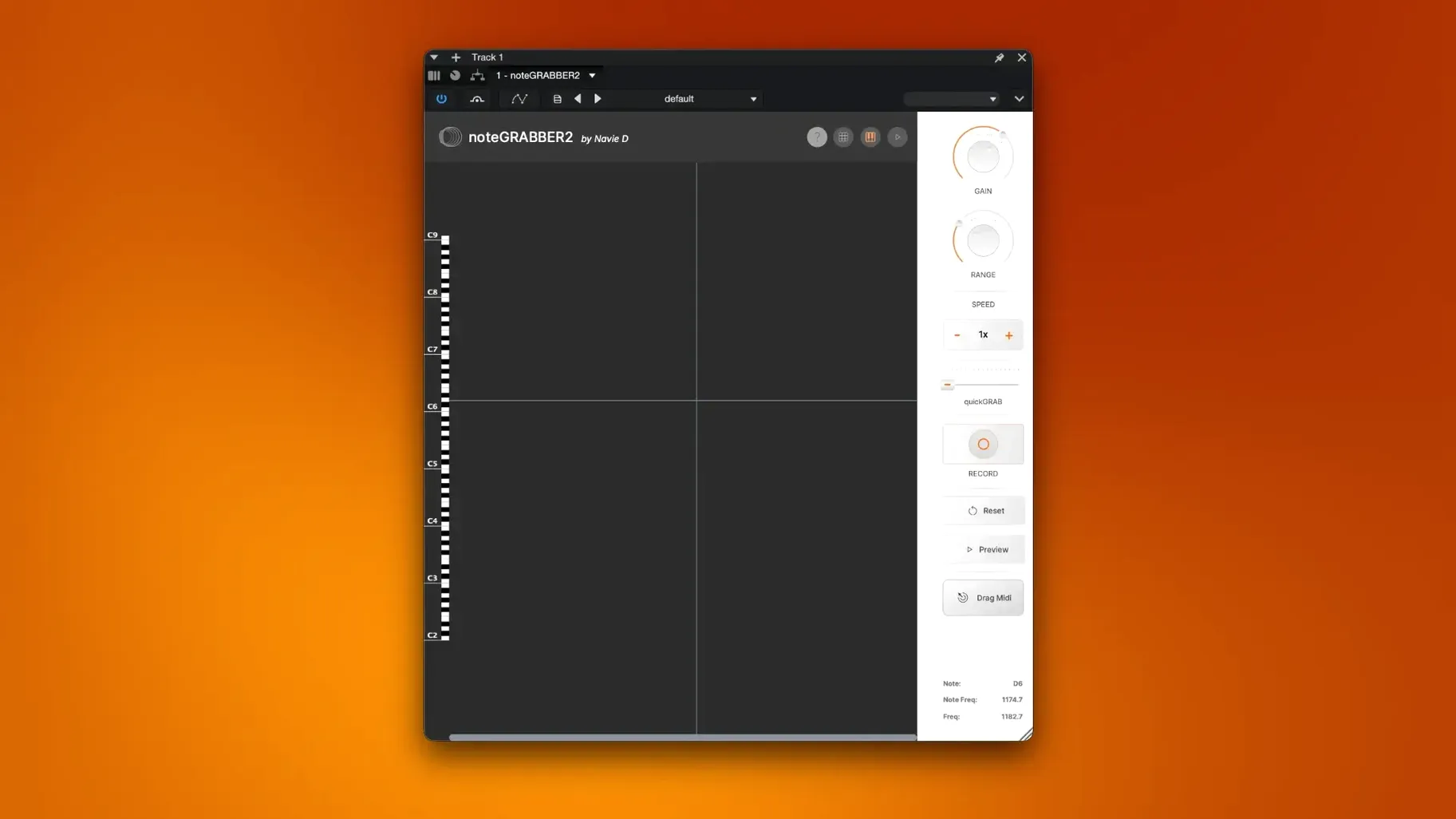
The catalogue note
noteGRABBER 2.0.0 works as an Audio Units or VST3 plugin — no standalone app, no AAX. It requires macOS 10.12 or later and runs natively on both Intel and Apple Silicon Macs. The developer, Navie D, built it as an independent project to simplify the sampling workflow.
Get the notes out of a sample
Drop noteGRABBER on an audio track containing a melodic sample. The plugin analyses the incoming audio and outputs MIDI data corresponding to the detected notes. You can then route that MIDI to a software instrument to replay or reharmonise the original part.
Rewrite a melody over an existing track
Use the captured MIDI to replace a sampled melody with your own synth, piano or bass patch. The plugin gives you a starting point — the pitch and rhythm of the original — rather than forcing you to transcribe by ear.
How noteGRABBER compares with similar tools
On macOS, a handful of other plugins attempt the same audio-to-MIDI conversion. The most commonly mentioned are Audio‑MIDI converters bundled with DAWs — Logic Pro’s built‑in “Convert Audio to MIDI” and Ableton Live’s “Convert Harmony to MIDI” — and standalone utilities like Melodyne (which does pitch-to‑MIDI alongside its tuning work) or the free, lightweight AudioToMIDI plugin by a different developer.
noteGRABBER sits somewhere in the middle. Logic’s tool is fast and deeply integrated, but it only works inside Logic. Ableton’s conversion lives inside Live, and both DAW-native solutions limit you to that host. Melodyne is powerful — it handles polyphonic material and offers note‑by‑note editing — but it costs considerably more and has a heavier install footprint. The free AudioToMIDI plugin I tested years ago worked for simple monophonic lines but struggled with chords and faster passages.
noteGRABBER 2.0.0 runs in any host that supports AU or VST3, so you can use it in Logic, Live, Studio One, Reaper, Cubase or Digital Performer without switching workflows. It handles monophonic material reliably and, unlike the free alternatives, the developer keeps it updated for modern macOS versions. It does not claim polyphonic detection — if you feed it a full chord, expect a single root note — but for the single‑note melodic lines most sample‑based producers work with, that is not a limitation.
Fitting noteGRABBER into your existing setup
Because noteGRABBER is a plugin rather than a standalone app, it integrates with whatever routing your DAW already supports. A common setup: insert noteGRABBER on an audio track, record the MIDI output to a new MIDI track, then disable or bypass noteGRABBER once you have the data. The MIDI region can then be edited, quantised or transposed like any other MIDI clip.
macOS’s Audio MIDI Setup or the IAC Driver bus can also be useful if your DAW does not let you route plugin MIDI output internally — though most modern DAWs (Logic, Live, Reaper, Cubase, Studio One) handle this natively. If you use a sampler like Kontakt or EXS24, you can load the extracted MIDI directly onto the same sampler instrument that plays your library sounds.
For producers who work with hardware, the MIDI output from noteGRABBER can be sent to an external instrument track, triggering a synth module or drum machine. This works as long as your DAW’s external instrument plugin accepts MIDI input from a plugin on the same track.
Adjust sensitivity if it misses quiet notes
noteGRABBER 2.0.0 does not ship with a large settings panel — the developer kept the interface minimal. Still, a few adjustments make a difference on first use.
- Threshold or sensitivity control – if the plugin misses quiet notes or triggers on background noise, turn this up or down accordingly. Start with the default, then tweak while a short loop plays.
- Note range – some samples contain sub‑bass or very high harmonics that you do not want in the MIDI output. Setting a narrower range reduces false triggers.
- Quantisation – noteGRABBER outputs raw timing. If your DAW has a quantise function, apply it after recording the MIDI to tighten the feel without losing the original groove.
No MIDI output? Enable the DAW’s MIDI out on the track
No MIDI output appears. The most frequent cause: the DAW is not configured to receive MIDI from a plugin on the same track. In Logic, enable “MIDI out” on the track header. In Live, route the track’s MIDI output to a new MIDI track. In Reaper, make sure the track’s MIDI output is set to “Send all MIDI”.
Notes are a semitone or octave off. noteGRABBER detects pitch based on the incoming audio. If the sample was recorded or exported with a non‑standard tuning reference (A = 432 Hz instead of 440 Hz), the MIDI output may be shifted. Transpose the MIDI region by ear or adjust the reference pitch in your DAW.
Chords come out as one note. The plugin is designed for monophonic analysis. If your sample contains chords, separate the voices manually or use noteGRABBER on each voice individually (for example, by filtering the audio into separate frequency bands first).
Latency or timing drift. If noteGRABBER introduces noticeable delay, check your DAW’s plugin delay compensation setting. Also try lowering the buffer size while recording the MIDI output. Once you have the MIDI, you can always quantise it.
Start with a short, clean monophonic sample
Start with a short, clean monophonic sample — a single note played on a flute, synth lead or vocal phrase with no background noise. This lets you verify that noteGRABBER outputs sensible MIDI before you throw complex material at it. Record the MIDI output to a new track, then play it back on a piano patch. If the pitches match, you are ready for longer loops.
Try using noteGRABBER on a drum loop that contains a melodic element — a pitched tom fill or a synth hit. The plugin will often pick up the pitch of the dominant tone, giving you a rhythmic MIDI pattern you can reuse with a bass patch. This is a quick way to generate basslines from percussive samples.
Keep a note of the sample’s tempo in your DAW. noteGRABBER outputs MIDI at the sample’s original timing, so if the sample is at 90 BPM and your project is at 120 BPM, the MIDI will feel stretched or compressed until you warp the audio or time‑stretch the MIDI region.
Finally, remember that noteGRABBER is a starting point, not a transcription service. Treat its output as raw material — edit, quantise and re‑voice it as you would any MIDI you played in. The time saved is in not having to hunt for notes by ear, not in skipping the creative choices afterwards.
Once noteGRABBER has extracted the MIDI notes, layer a complementary instrument beneath the sample.
Before it goes on the Mac
- macOS 10.12 or later
- Intel or Apple Silicon processor
- Audio Units or VST3-compatible host
Questions from the room
Does noteGRABBER work as a standalone application?
No, noteGRABBER is a plugin only — it runs inside a host DAW that supports Audio Units or VST3.
Installing it on the Mac
- Run the plugin installer package included with the download.
- Follow the instructions provided for installation and activation.
Notes from the control room
Sign in or open a catalogue account to leave a note.
No notes from the room yet. If you have used this build for a week, a short note helps the next person.
Also filed under Logic Pro Plugins
The whole Logic Pro Plugins rack Neural DSP Soldano SLO-100 X1.0.0 Logic Pro Plugins 340 MB
 Neural DSP Parallax X1.0.0 Logic Pro Plugins 179 MB
 Neural DSP Archetype Rabea X1.0.1 Logic Pro Plugins 742 MB
 Neural DSP Archetype Petrucci1.0.0 Logic Pro Plugins 745 MB
 Omnisphere3.0.2c Logic Pro Plugins 205 MB
 Native Instruments Massive X2.0.0 Logic Pro Plugins 2.3 GB Updated
 Output Portal1.2.1 Logic Pro Plugins 319 MB
 Minuit Solstice1.2.0 Logic Pro Plugins 117 MB