
Home › Logic Pro Plugins › Minuit Solstice
Minuit Solstice 1.2.0 (Mac)
Updated
The catalogue note
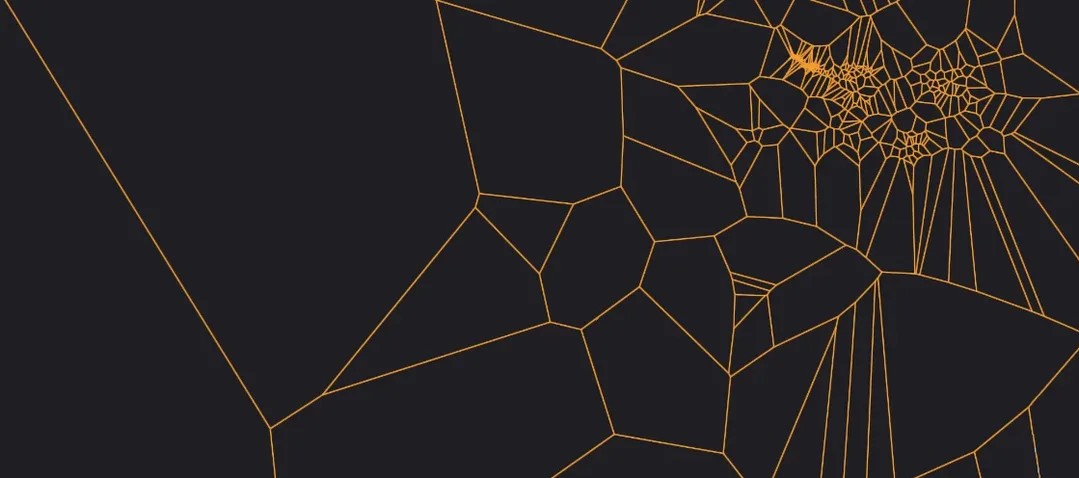
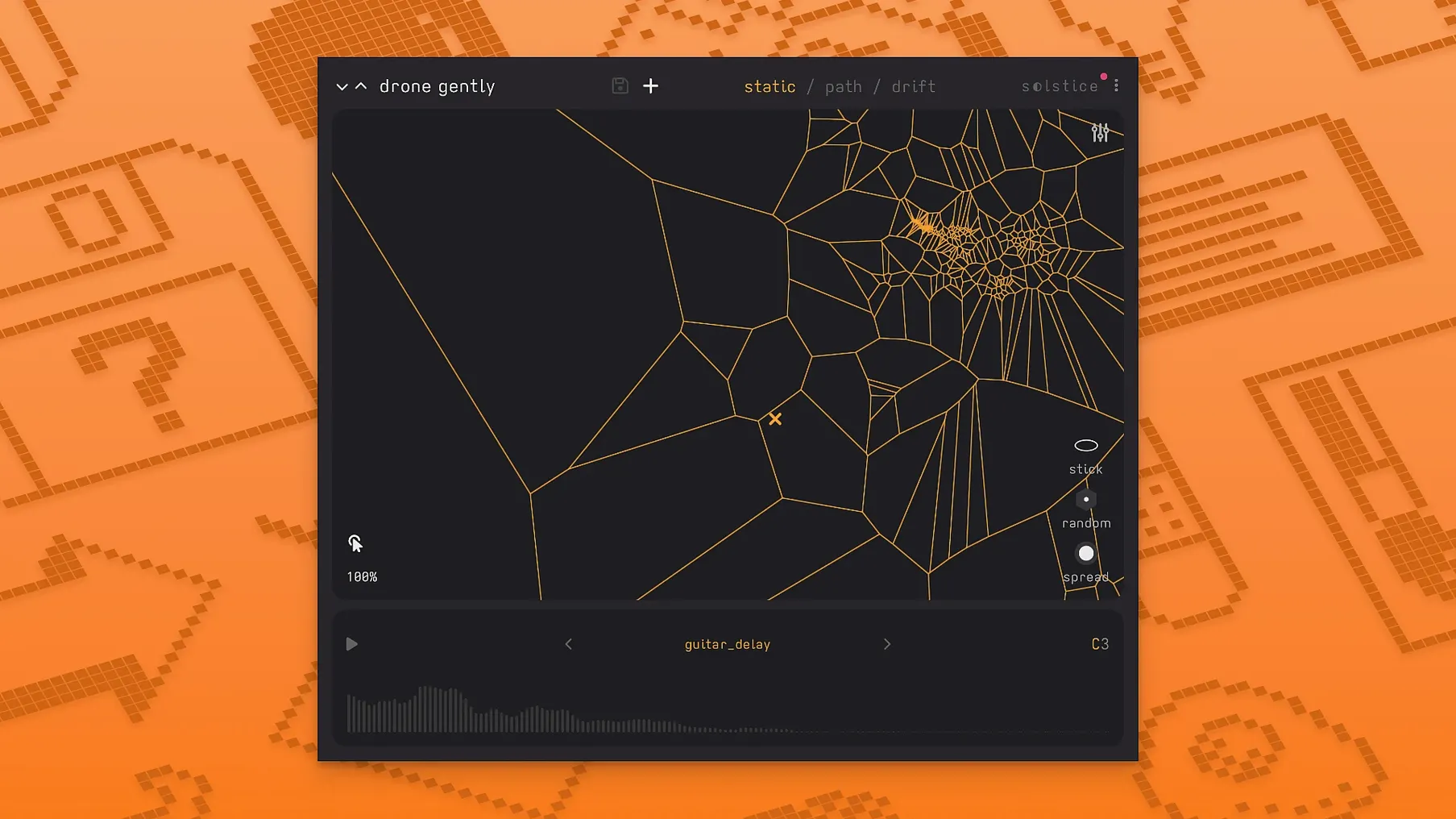
Solstice loads a sample, analyses its spectral content and arranges the resulting timbres across a two‑dimensional map. You click on any point to play the corresponding sound.
Track role — sits on a MIDI or audio track as an instrument plugin. It outputs audio directly; no side‑chain input needed.
Bus role — works on an aux bus when you want to route several tracks through its spectral effects. The five effects (texture, tilt, flutter, stretch, bloom) process the incoming signal rather than the map itself.
Typical job — ambient pads, evolving drones, aleatoric textures. Drift mode makes the playhead wander across the map automatically, producing unpredictable patterns without manual input.
Pitch handling — crisp pitch shifting plus auto root note detection in version 1.2.0. The plugin clusters similar timbres into dense regions, so adjacent map areas stay harmonically related.
Host and format — runs as a VST3 or AU plugin. Supports both Apple Silicon and Intel Macs. Interface language is English.
Avoid very short samples for expressive maps
The most common error is loading a very short sample — a single drum hit or a one‑note stab — and expecting the map to feel expressive. Solstice needs spectral variation to build its clusters. A two‑second loop of a sustained cello note will produce a dense, uniform map where every click sounds nearly identical. Start with material that has internal movement: a field recording, a vocal phrase, a layered synth pad. The analysis step relies on timbral contrast to create distinct regions.
Another mistake is ignoring the spectral effects until the end. Beginners often treat the map as a finished instrument and only add effects afterwards. The five effects in version 1.2.0 — texture, tilt, flutter, stretch, bloom — are meant to shape the map's character during a session, not as a final polish. Texture adds granular detail, flutter introduces motion, bloom spreads the stereo field. Apply them early and listen to how the map changes under each one.
Third: not using drift mode. Some producers load a sample, find a nice spot on the map and play it statically, missing what Solstice does best. Drift mode moves the playhead across the map automatically, creating evolving patterns that are impossible to reproduce manually. It is not a gimmick; it is the core workflow for ambient and aleatoric work. Beginners who disable drift are effectively using a sampler with a visualiser.
Finally, neglecting MPE and MTS‑ESP support. Version 1.2.0 adds basic MPE, so if your controller supports per‑note pitch bend and aftertouch, you can shape individual notes on the map in real time. MTS‑ESP lets you tune the plugin to microtonal scales. Beginners who bypass these features miss a large part of Solstice's flexibility.
Runs on macOS 12+ with standard VST3 or AU hosts
Solstice 1.2.0 requires macOS 12 or later. It runs on both Apple Silicon and Intel Macs (64‑bit x86). No special hardware is needed beyond a standard audio interface and a host that supports VST3 or AU plugins.
The plugin loads as an instrument on a MIDI track. Activation follows the included instructions — a straightforward process that does not require an internet connection after the initial step. The interface is in English.
You can expect the map to redraw responsively when you load a new sample. The five spectral effects add CPU overhead, but the architecture is designed for real‑time use. Drift mode runs continuously without requiring user input, so you can let it play and adjust effects while it runs.
For MPE, you need a controller that sends MPE messages. For MTS‑ESP, you need a host or plugin that provides the tuning data. Both features are optional but add significant depth.
A workflow for creating an evolving drone
- Load a long field recording — wind, traffic, water — onto a MIDI track that hosts Solstice as an instrument plugin. Let the sample be at least ten seconds long so the analysis has enough spectral variety.
- After the map appears, click a few points to hear how the timbre changes. Identify a region that sounds like a low rumble and another that sounds like a high shimmer.
- Enable drift mode. Set the drift speed to a moderate value so the playhead moves slowly across the map over thirty to sixty seconds. The sound will shift between the low and high regions automatically.
- Add the stretch effect at a low depth. Stretch lengthens the spectral envelope, making the drone feel wider and less percussive. Then add flutter at a subtle rate — just enough to introduce gentle movement.
- Route the output to a reverb bus in your DAW. Solstice's reverb modulation control lets you adjust the modulation depth on the plugin itself, but a separate reverb on the bus gives you more control over decay time and diffusion.
- Record the output for two minutes. You will get a continuously changing drone that never repeats exactly, built from the original field recording's spectral content.
Drag in a fifteen-second rainstorm to start building clusters
I open my DAW, create a new instrument track and load Solstice. The plugin window appears blank except for the load‑sample button. I drag in a fifteen‑second recording of a rainstorm I made last week. The analysis takes a moment — the map fills with scattered dots, denser in some areas than others.
I click near the centre of a dense cluster. A low, rumbling texture plays back, grainier than the original. I click a sparse area to the right — higher, more metallic. The map is already telling me where the interesting contrasts are.
I enable drift mode and set the speed so the playhead takes about forty seconds to cross from the left edge to the right. The sound begins to move, slowly morphing from the low rumble through mid‑range textures into the high shimmer. I add the bloom effect at a moderate depth — the stereo image widens, the drone feels more spacious.
After a minute, I reach for the tilt effect and shift the spectral balance slightly toward the highs. The shimmer becomes more prominent. The drift continues, pulling the sound back toward the low region after another thirty seconds. I leave it running while I adjust the reverb modulation control on the plugin, adding a subtle wobble to the reverb tail.
The session lasts about fifteen minutes. I record a three‑minute take and listen back. The drone has movement, texture changes, a natural arc — all from a single sample and a few parameter adjustments. No automation, no manual note‑playing. That is what Solstice is for.
Changes in this build
Before it goes on the Mac
- macOS 12 or later
- Apple Silicon or Intel processor
- Audio Units or VST3 compatible host
- English interface language
Questions from the room
What does the drift mode in Solstice do?
Drift mode moves the playhead across the sound map automatically, creating unpredictable, evolving patterns without manual clicking or MIDI input.
Installing it on the Mac
Notes from the control room
Sign in or open a catalogue account to leave a note.
No notes from the room yet. If you have used this build for a week, a short note helps the next person.
Also filed under Logic Pro Plugins
The whole Logic Pro Plugins rack MiniMeters1.0.30 Logic Pro Plugins 103 MB
 Metric Halo Production Bundle2025.05 Logic Pro Plugins 318 MB
 Melatonin Sine Machine27.4.9 Logic Pro Plugins 98 MB
 Mastering The Mix Bundle2026.09.11 Logic Pro Plugins 681 MB
 Native Instruments Massive X2.0.0 Logic Pro Plugins 2.3 GB Updated
 Neural DSP Archetype Petrucci1.0.0 Logic Pro Plugins 745 MB
 Neural DSP Archetype Rabea X1.0.1 Logic Pro Plugins 742 MB
 Neural DSP Parallax X1.0.0 Logic Pro Plugins 179 MB