Home › Audio › Steinberg HALion
Steinberg HALion 7.1.51 (Mac)
Updated
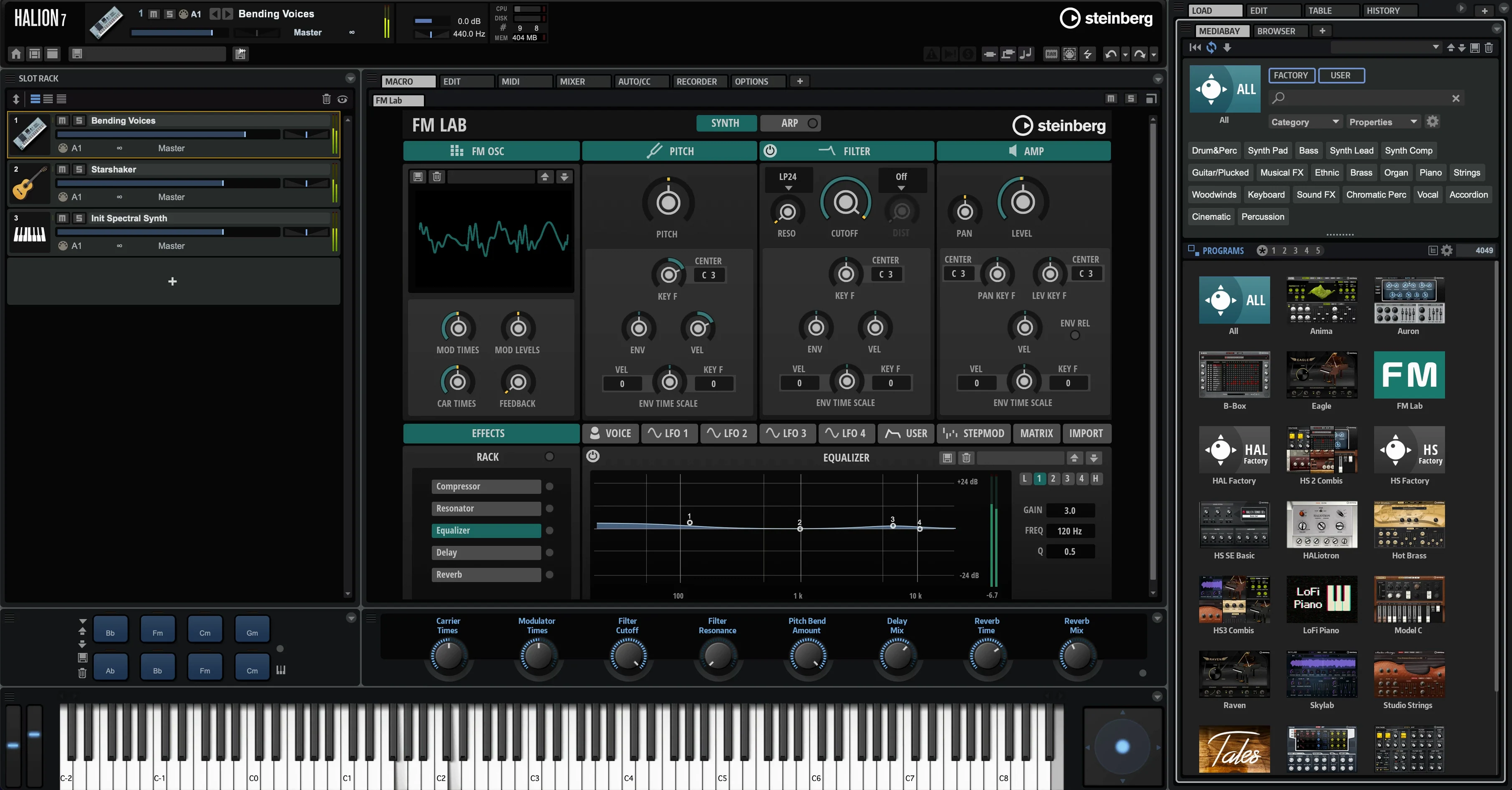
The catalogue note
If you have worked with HALion Sonic, you already know the family sound. HALion is the deeper sibling: a full instrument and sample platform where you can build your own instruments, not just play presets. The current version, 7.1.51, keeps that core promise while the 7.5 update pushes it further.
MPE, spectral snapshots, and Lua scripting arrive
- MPE support, so you can play with per-note pitch, timbre and pressure.
- Spectral Snapshots, a new way to freeze and reshape audio material.
- Fast, assignable modulation that stays easy to route.
- Lua scripting for building custom instrument interfaces and sample libraries.
- Available as VST, AU and AAX, so it fits most Mac hosts.
- Still tied to HALion Sonic, Steinberg's player for sample libraries and synths.
The 7.1.51 release itself is a maintenance point; the headline features live in the 7.5 line. What has not changed is the depth: this is a tool for engineers who want control, not just presets.
Runs natively on Apple Silicon and Intel Macs
HALion 7.1.51 runs on macOS 11 and later, with native support for both Apple Silicon (ARM) and Intel (x86 64-bit) architectures. The installer handles both, so there is no separate download for each. You will need a host that loads VST, AU or AAX plugins — most modern DAWs on Mac cover at least two of those formats.
The application itself is a plugin, not a standalone program, so you launch it inside your sequencer. Once loaded, you work with the six synthesis types and the sample engine that form the core of the platform. The interface responds well to Retina displays; text and waveform editors stay readable without zooming.
For those who build instruments, Lua scripting runs inside the plugin environment. Scripts can create custom UI elements and control sample playback logic. The scripting engine is not a separate editor — you write and test inside HALion's own workspace.
Answers before you install
Software activation replaces the USB eLicenser
Activation is handled through Steinberg's licensing system, and the instructions are included in the package you download. The current generation of HALion uses software-based activation tied to your Steinberg account, so you do not need a dongle plugged in during use. Check the included documentation for the exact steps — it covers both first-time installs and updates.
Can I use HALion without owning HALion Sonic?
Yes. HALion is a separate product. HALion Sonic is a player for sample libraries and synth presets, while HALion gives you the full instrument-building toolset. They share the same sample engine under the hood, but you do not need one to run the other. If you later buy libraries designed for HALion Sonic, they load in HALion as well.
Will old HALion 6 or 5 projects open in version 7.1.51?
Projects saved in HALion 6 and 5 load in version 7. The plugin format is backward-compatible for preset and project recall. The reverse is not true — saving in 7.1.51 will not open in earlier versions, so keep that in mind if you collaborate with someone on an older release.
Fix a missing plugin by rescanning your DAW
Plugin not found in your DAW after installation.
The most frequent cause is a cached plugin list. Most DAWs cache available plugins at startup and only rescan when told. Run your DAW's plugin manager or rescan function. If the plugin still does not appear, check that the installer placed the AU, VST or AAX files in the correct system folders — typically /Library/Audio/Plug-Ins/Components for AU, /Library/Audio/Plug-Ins/VST3 for VST3, and /Library/Application Support/Avid/Audio/Plug-Ins for AAX.
Sample libraries not loading or showing as missing.
HALion stores content paths internally. If you moved your sample library folder after installation, the plugin cannot find the files. Open the HALion preferences (usually from the plugin's menu bar) and point the content location to the correct folder. No reinstall needed — just update the path and restart the plugin.
MPE controller not working per-note.
MPE support arrived with the 7.5 update, but your DAW must also route MPE data correctly. Check that the track is set to MPE mode and that your controller sends on the correct pitch-bend range (usually 48 semitones). Inside HALion, verify that the loaded patch is MPE-enabled — not every preset responds to per-note pitch or pressure by default.
High CPU on a dense instrument.
HALion's sample engine is efficient, but instruments with many layers, long releases or heavy scripting can tax any system. If you hit a performance wall, try raising the audio buffer size in your DAW or reducing the polyphony limit in the instrument's settings. For Intel Macs running under Rosetta, switching to a native Apple Silicon host version of your DAW can help, though HALion itself is already universal.
Lua script errors on load.
Scripts written for an older HALion version may need minor updates. Error messages usually point to the line number and the issue. Steinberg's documentation covers the Lua API, and the scripting environment includes a console that shows runtime errors. If the script comes from a third-party library, check with the developer for a version that matches 7.1.51.
Changes in this build
- HALion 7.5 adds MPE support.
- HALion 7.5 adds Spectral Snapshots.
- Version 7.1.51 is a maintenance update; no feature changes were listed.
Before it goes on the Mac
- macOS 11 or later
- Intel or Apple Silicon
Questions from the room
Does HALion support MPE?
Yes, the 7.5 update adds MPE support, letting you control pitch, timbre and pressure per note.
What formats does HALion run in?
HALion is available as VST, AU and AAX, so it works in most Mac audio hosts.
Installing it on the Mac
- Run the installer.
- Follow the included installation and activation instructions.
Notes from the control room
Sign in or open a catalogue account to leave a note.
No notes from the room yet. If you have used this build for a week, a short note helps the next person.