Serato Studio 2.5.0 (Mac)
Updated
The catalogue note
Serato Studio 2.5.0 is a beat-making application built around the Serato ecosystem. It shares the library with Serato DJ, so if you already use Serato hardware or software, your crates and cues carry over without extra setup. The workflow is fast and simple, aimed at producers who think in terms of decks and loops rather than a traditional DAW timeline.
How does Serato Studio fit alongside other Mac audio tools?
It sits between a full DAW and a DJ tool. You get VST and AU plugin support, so your existing instruments and effects work inside it, but the arrangement stays focused on beat creation. If you also run Logic or Ableton, you can export stems and move ideas across.
What DJ-specific features does it include?
Sample Decks let you adjust individual stem levels for acapella, melody, bassline, and drums. Automation for Stems On/Off and individual stem levels is new in 2.5.0. The setup screen even includes a Reverse Pad Order option, which helps if you are used to DJ hardware layouts.
Works with your Serato DJ library and hardware
Yes. It can be used with DJ hardware and reads the Serato DJ library directly. Native control for the AlphaTheta SLAB is added in 2.5.0, and macOS 26 Tahoe is supported.
Fine-tune acapella, melody, bassline and drum balance individually
The most noticeable shift in daily work comes from the stem-level controls inside Sample Decks. Before 2.5.0, you could separate stems, but you could not fine-tune the balance of acapella, melody, bassline and drum parts individually. Now you can. That means when you load a full track into a Sample Deck, you can push the bassline up and drop the drums down without leaving the deck view. It saves a trip to an external editor.
Automation for Stems On/Off and individual stem levels is also new. In Scene View, you can now draw or record changes to which stems play and at what volume. This is useful for builds and drops: silence the melody for four bars, bring the drums in alone, then fade the bassline back. It is a DJ-style arrangement trick that now has dedicated automation lanes.
For anyone using the AlphaTheta SLB series hardware, the native control added in 2.5.0 means you can start a project from the hardware without mapping. The library update — Track Rating, Favorite Crates and Crate Search — also tightens up navigation if your collection has grown past a few hundred tracks.
macOS 26 Tahoe support is a forward-looking addition. If you are running that version, the installer works without compatibility mode. The rest of us on macOS 10.14 through 25 stay on the same codebase.
Build a beat from a single sample using your Serato library
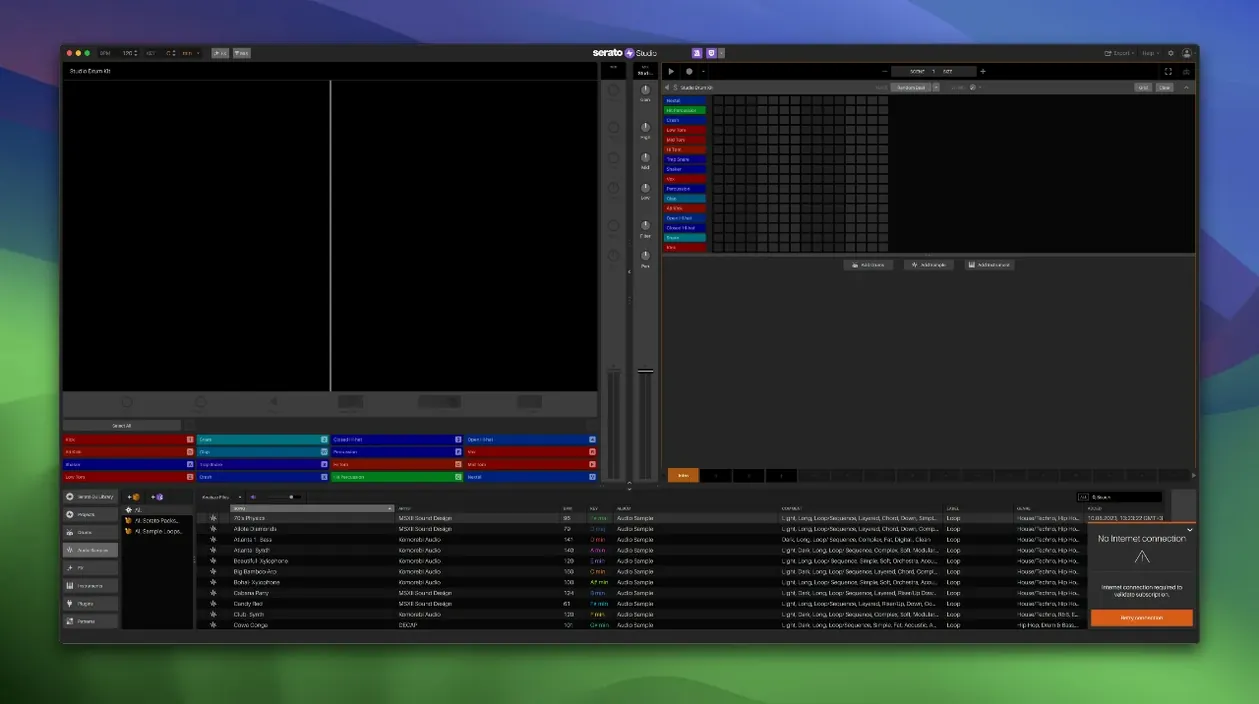
Open Serato Studio and create a new project. The default view shows a grid, a mixer channel and a browser that pulls from your Serato library. Pick one track from your crates — something with a clear drum intro or a vocal hook — and drag it onto a Sample Deck.
With the sample loaded, use the stem sliders inside the deck to isolate the part you want. For a beat build, isolate the drums first. The BPM sync locks the sample to the project tempo automatically. If the timing is off, adjust the grid markers until the kick hits on the downbeat.
Switch to Scene View. Here you can arrange the drum loop into sections. Use automation lanes to toggle Stems On/Off: let the drums play alone for eight bars, then bring the bassline stem in for the next eight. Draw a volume ramp on the melody stem so it fades in over four bars.
Add a second Sample Deck with a different track — this time isolate the vocal. The Auto Chord mode can generate chord progressions in the project key, which you can route through a VST synth or an AU instrument. Use the Feel control to loosen the timing if the chords sound too rigid.
When the arrangement is done, export stems. Each stem — drums, bass, melody, vocal — writes out as a separate audio file. You can then import those into a DAW for mixing, or keep them in Serato Studio and apply effects from the mixer channel.
Marta edits tracks on the day for weddings and club nights
Marta runs a mobile DJ service in Birmingham. She plays weddings, corporate events and club nights, and she often needs to produce short edits of tracks on the day — extending an intro, dropping a verse, or making a clean loop for a transition. Before 2.5.0, she would load a track into a DAW, separate the stems manually, and export. That took fifteen minutes per edit.
Now she works inside Serato Studio. She drags the original track into a Sample Deck, adjusts the stem levels so the vocal sits slightly behind the drums, and uses the automation lanes to mute the bassline during the breakdown. The whole edit takes three minutes. Because the project shares the Serato library, she can save it and recall the crates from her DJ laptop later. No file conversion, no re-export.
She also uses the Track Rating and Favorite Crates to mark edits she reuses often. The Reverse Pad Order option lets her map pads the same way her hardware is laid out, so she does not have to think about the layout during a set.
Suits DJs who also produce and already run Serato DJ on a Mac
Serato Studio 2.5.0 suits three groups especially well.
DJs who also produce. If you already run Serato DJ on a Mac, the shared library and hardware support make this a natural extension. You can sketch a beat during a train journey, export stems, and load them into a DJ set later the same day. The stem controls and automation are designed for the way DJs think about tracks — in layers, not in tracks.
Sample-based beat makers. The workflow is built around loading tracks, isolating parts and arranging them quickly. If you work with vinyl rips, old funk records or acapella packs, the Sample Decks and stem sliders let you pull out the elements you need without leaving the application. The built-in drum kits and loops give you a starting point, but the real strength is in how fast you can rework existing material.
Producers who want a fast sketchpad. Not every idea needs a full DAW session. Serato Studio loads quickly, syncs BPM automatically, and lets you audition chord changes with Auto Chord mode. If you export stems and move into Logic or Ableton later, the transition is clean. The VST and AU support means you can use the same plugins you already own.
For anyone on an older Mac — macOS 10.14 or later, Intel or Apple Silicon — the application runs without extra configuration. The 2.5.0 installer is a standard package, and the patch installer applies the update. No Rosetta requirements, no architecture restrictions.
Changes in this build
- Native control for AlphaTheta SLAB.
- Support for macOS 26 Tahoe.
- Individual level adjustment for acapella, melody, bassline, and drum stems in Sample Decks.
- Automation for Stems On/Off and individual Stems Levels in Sample Decks.
Before it goes on the Mac
- macOS 10.14 or later
- Intel or Apple Silicon
- Interface language: English
Questions from the room
Can I use my existing plugins in Serato Studio?
Yes, Serato Studio supports both VST and AU plugins, so your current instruments and effects should work.
Does Serato Studio share data with Serato DJ?
It shares the Serato library with Serato DJ, so your tracks, crates, and cues are available across both apps.
What is new in version 2.5.0?
It adds native control for AlphaTheta SLAB, macOS 26 Tahoe support, individual stem level adjustment in Sample Decks, and automation for stems on/off and levels.
Installing it on the Mac
- Open the downloaded disk image.
- Run the standard installer package named Serato Studio 2.5.0 Without Core Pack.pkg.
- Run the patch installer named Serato Studio 2.5.0 patch.
Notes from the control room
Sign in or open a catalogue account to leave a note.
No notes from the room yet. If you have used this build for a week, a short note helps the next person.