Home › Audio › Plugin Alliance Brainworx bx_mastering studio

Plugin Alliance Brainworx bx_mastering studio 1.0.0 (Mac)
Updated
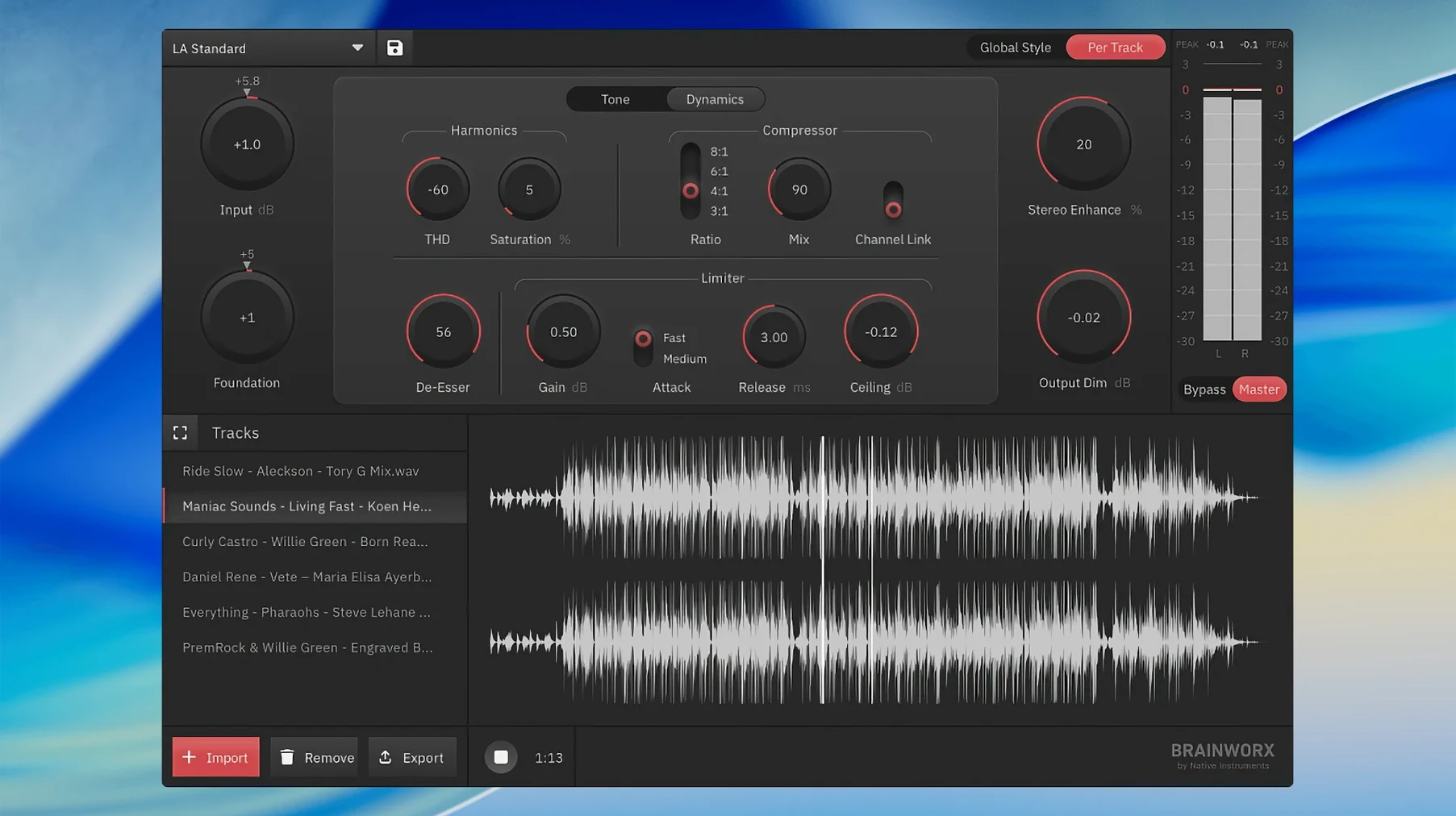
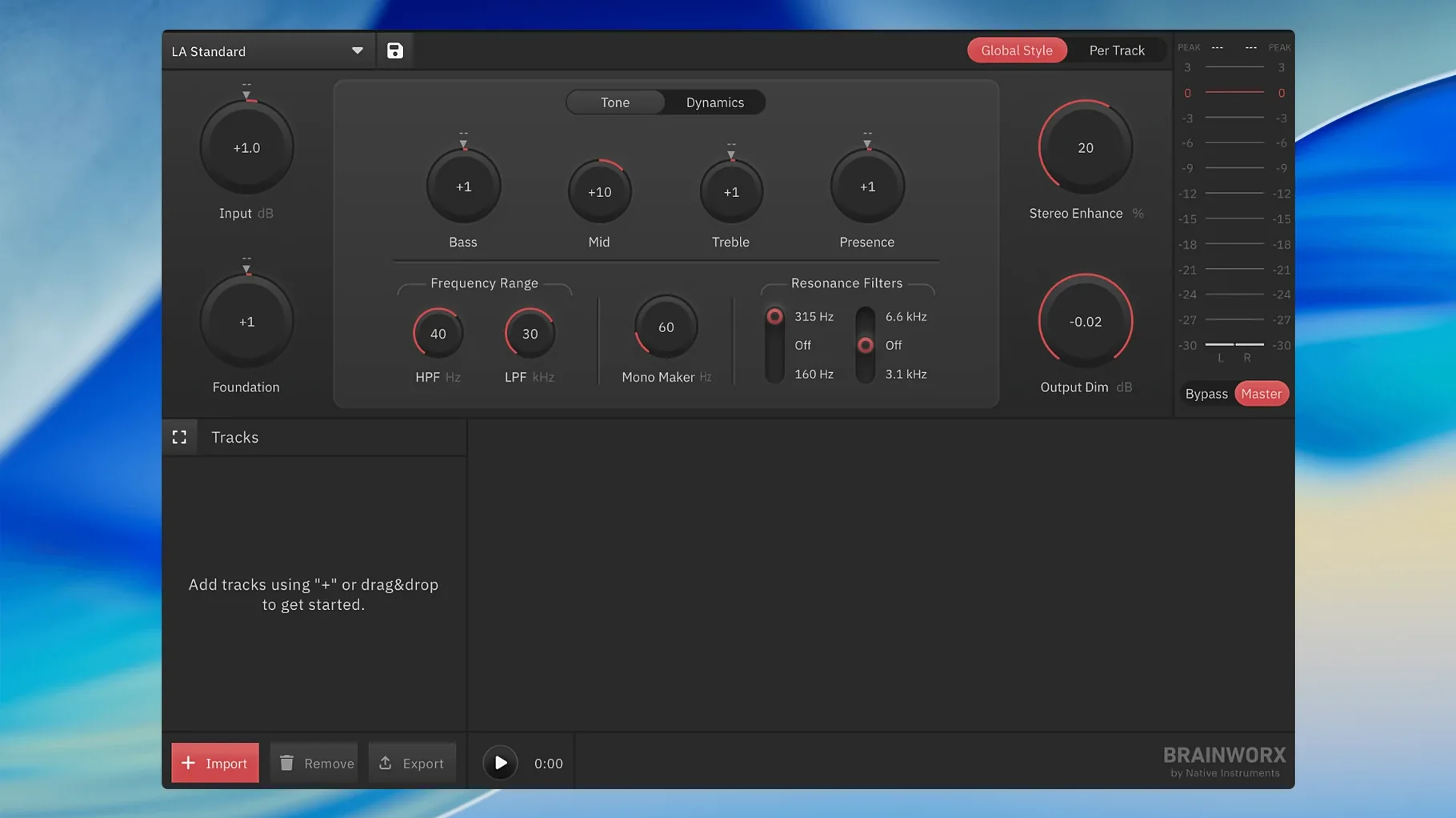
The catalogue note
The Brainworx bx_mastering studio is a standalone mastering app for macOS and Windows, aimed at musicians, podcast producers, and content creators who want a finished master without opening a DAW.
It is the direct successor to mastering.studio, and it builds on that lineage with a mastering style creator that ships with built-in styles. You pick a style, the app shapes the output, and you get a streaming-ready master. No session, no mix bus, just the final polish.
On a Mac, it slots in next to whatever else you use. If you already have Logic or Studio One for tracking and mixing, this is the dedicated mastering step. If you work entirely outside a DAW, it covers that too, and you can process as many masters as you need.
The app is built on Style Creator, so the workflow is consistent with what Brainworx users already know. It runs on macOS 12 or later, both Intel and Apple Silicon, and the interface is in English.
Use bx_mastering studio alongside any DAW without routing
The bx_mastering studio lives outside your DAW, which means you can use it alongside GarageBand, Ableton Live, Reaper, or any other audio application without routing audio through extra buses or exporting stems. You finish your mix, bounce a stereo file, then open the app and load that file. That is the entire handoff.
On macOS, the app works with Apple’s file system naturally. You can drag a WAV or AIFF straight from Finder into the app window, or use the open dialog. The output file lands wherever you choose, and you can then drag it into iTunes or Music Library Manager for tagging, or straight into a video project in DaVinci Resolve or Final Cut Pro. No format conversion needed.
If you use Quick Look in Finder, the app’s output files preview without a hitch. That is a small thing, but when you are checking several mastering versions, it saves time.
For podcast producers, the workflow is similar. You record and edit in your DAW of choice, export a stereo mix, then master in bx_mastering studio. The streaming-ready output is loudness-normalised to modern standards, so you can upload directly to hosting platforms without additional processing.
The app does not install any system-wide audio drivers or background services. It is a clean standalone binary. That means it does not interfere with your DAW’s audio engine, and it does not add latency to your monitoring chain. It sits unused until you launch it.
Avoid over-processing when bx_mastering studio applies its full chain
The most frequent error is over-processing the source file. Because the app applies a complete mastering chain in one go, new users sometimes load a mix that is already heavily compressed and then add more limiting. The result sounds squashed and lifeless. The app performs best when the input is a well-balanced mix with reasonable dynamic range.
Another mistake is ignoring the built-in style presets. Beginners often try to tweak every parameter manually, assuming that a preset is a shortcut for amateurs. In practice, the style presets are derived from analysis of professional masters, and they provide a solid starting point. Starting with a preset and making small adjustments gives better results than dialling in settings from scratch.
Some users forget to check the output level after mastering. The app processes to a streaming-ready loudness, but if you are delivering to a specific platform, you should verify that the integrated loudness matches that platform’s target. The app handles this automatically, but it is worth confirming before you export.
Finally, working with a low-quality source file is a lost cause. The app cannot fix a 128 kbps MP3 or a recording that clips. Feed it a 24-bit WAV at the mix’s original sample rate, and you give the algorithms the best data to work with.
bx_mastering studio polishes stereo mixes, not replaces your DAW
Does it replace my DAW for mixing? No. The bx_mastering studio is a mastering app, not a multitrack editor. You still need a DAW for recording, editing, and mixing. The app takes a finished stereo mix and polishes it for distribution.
Can I use it with GarageBand? Yes. That is one of its intended use cases. GarageBand’s built-in mastering options are limited, so this app fills that gap. You export your mix from GarageBand, open bx_mastering studio, and master there.
Does it require an iLok or online activation? The current version does not require an iLok dongle or a constant internet connection after installation. It uses a standard licence file.
Is it compatible with Apple Silicon? Yes. The app runs natively on both Intel and Apple Silicon Macs, so it works on M1, M2, and later machines without emulation.
Can I process multiple songs in a batch? The app handles one file at a time, but you can apply the same style and settings to each song individually. There is no batch processing queue, so for an album you repeat the workflow per track.
A workflow for mastering a single track
You have finished mixing a song in your DAW. You bounced a stereo 24-bit WAV at 44.1 kHz. Here is how you master it in bx_mastering studio.
- Open the app. The main window shows a file-load area and the style selector.
- Drag your WAV file into the window, or use the file menu to open it. The app loads the file and displays its waveform.
- Select a mastering style from the built-in library. For a pop or rock track, start with the “Modern Pop” or “Rock” preset. For a podcast, choose a speech-oriented style if available.
- Listen to the preview. The app processes the first few seconds so you can hear the effect. Adjust the intensity slider or any other controls the style exposes. Trust your ears, not the meters.
- When you are satisfied, export the master. Choose the destination folder and file name. The app saves a streaming-ready WAV or AIFF at the appropriate loudness.
- Import the new file back into your DAW or upload it directly to your distribution platform.
That is the entire workflow. The whole process, from loading to export, takes a few minutes once you are familiar with the style presets. For batch work, repeat steps 2 through 5 for each song.
Before it goes on the Mac
- macOS 12 or later
- Intel or Apple Silicon
- Interface language: English
Questions from the room
Who is bx_mastering studio intended for?
It is designed for musicians, podcast producers, and content creators who need a finished master without working inside a digital audio workstation.
Does it work on Apple Silicon Macs?
Yes, it is a universal binary that runs on both Intel and Apple Silicon Macs, as long as you are on macOS 12 or later.
Can I master more than one track?
Yes, the app works with an unlimited number of masters, so you can process a full album or a batch of podcast episodes.
Installing it on the Mac
- Run the standard installation procedure.
Notes from the control room
Sign in or open a catalogue account to leave a note.
No notes from the room yet. If you have used this build for a week, a short note helps the next person.