Maschine 3.6.0 (Mac)
Updated
The catalogue note
Maschine 3.6.0 runs on any Mac with macOS 13 or later, and it supports both Intel and Apple Silicon machines natively. That covers the current Mac Studio, the last Intel Macs, and everything in between, so the software itself won't be the reason to upgrade your hardware.
Starts with demo projects and tutorial videos from the welcome screen
Which modules got the redesigned interface?
The Audio, Poly Synth, and Drum Synth modules have been rebuilt with a cleaner UI. The layout is more straightforward when you're tweaking a sound, and the controls sit closer to what you'd expect from a hardware instrument.
What is NKS Connect support?
Version 3.6.0 adds NKS Connect, starting with the AKAI MPK mini IV. This lets a compatible controller talk to Maschine directly, with NKS Mode integration for the supported devices.
Did the core workflow change?
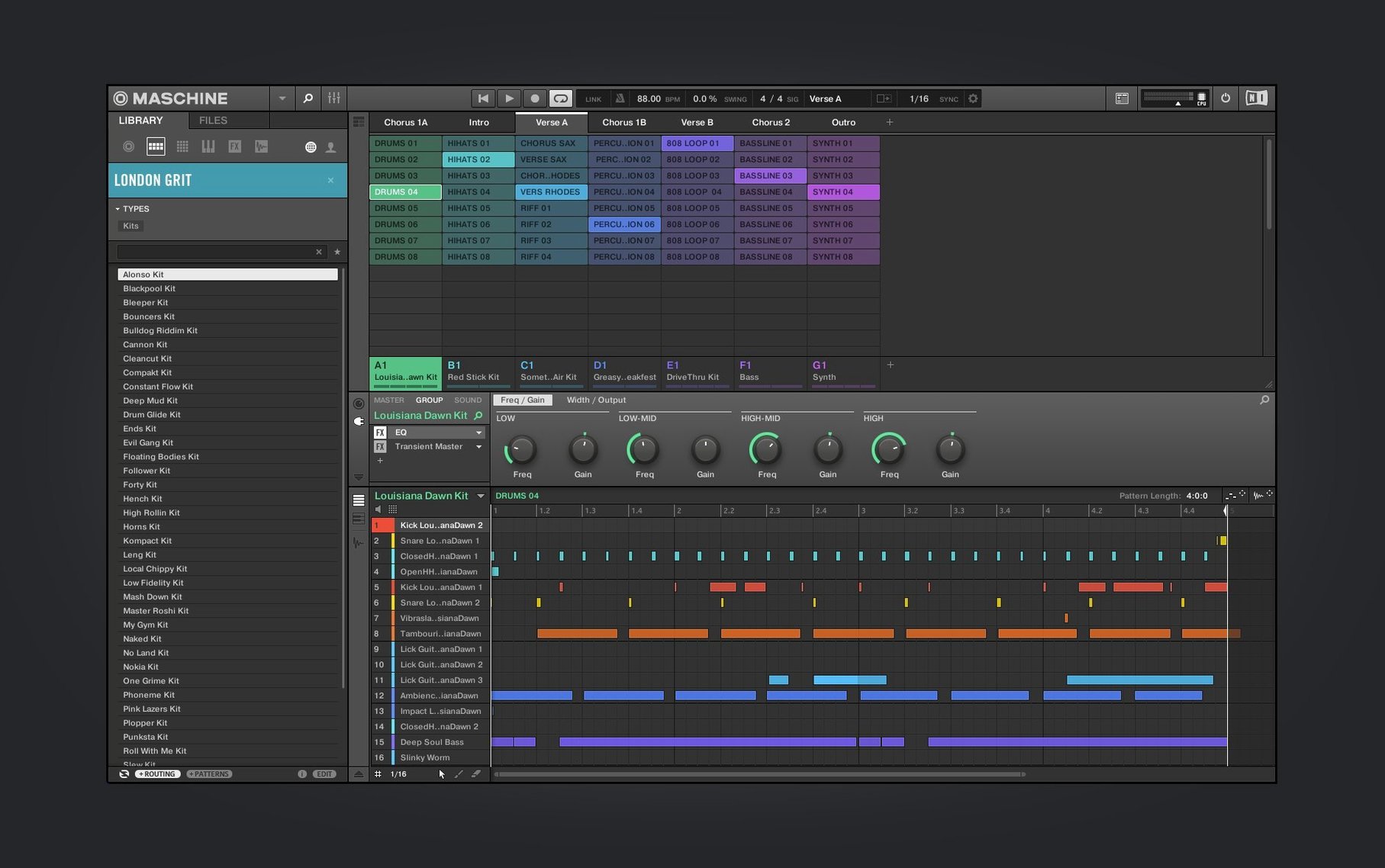
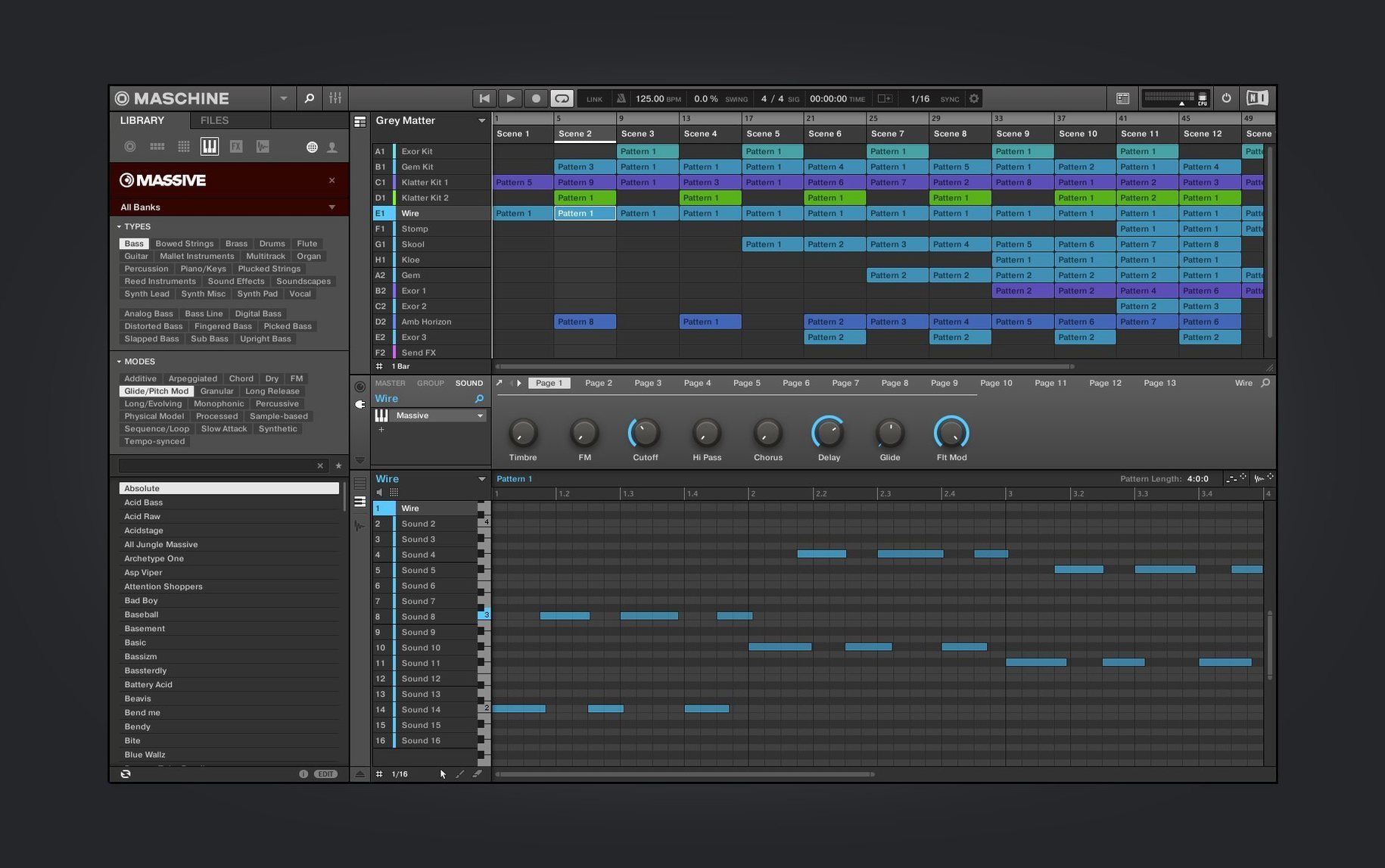
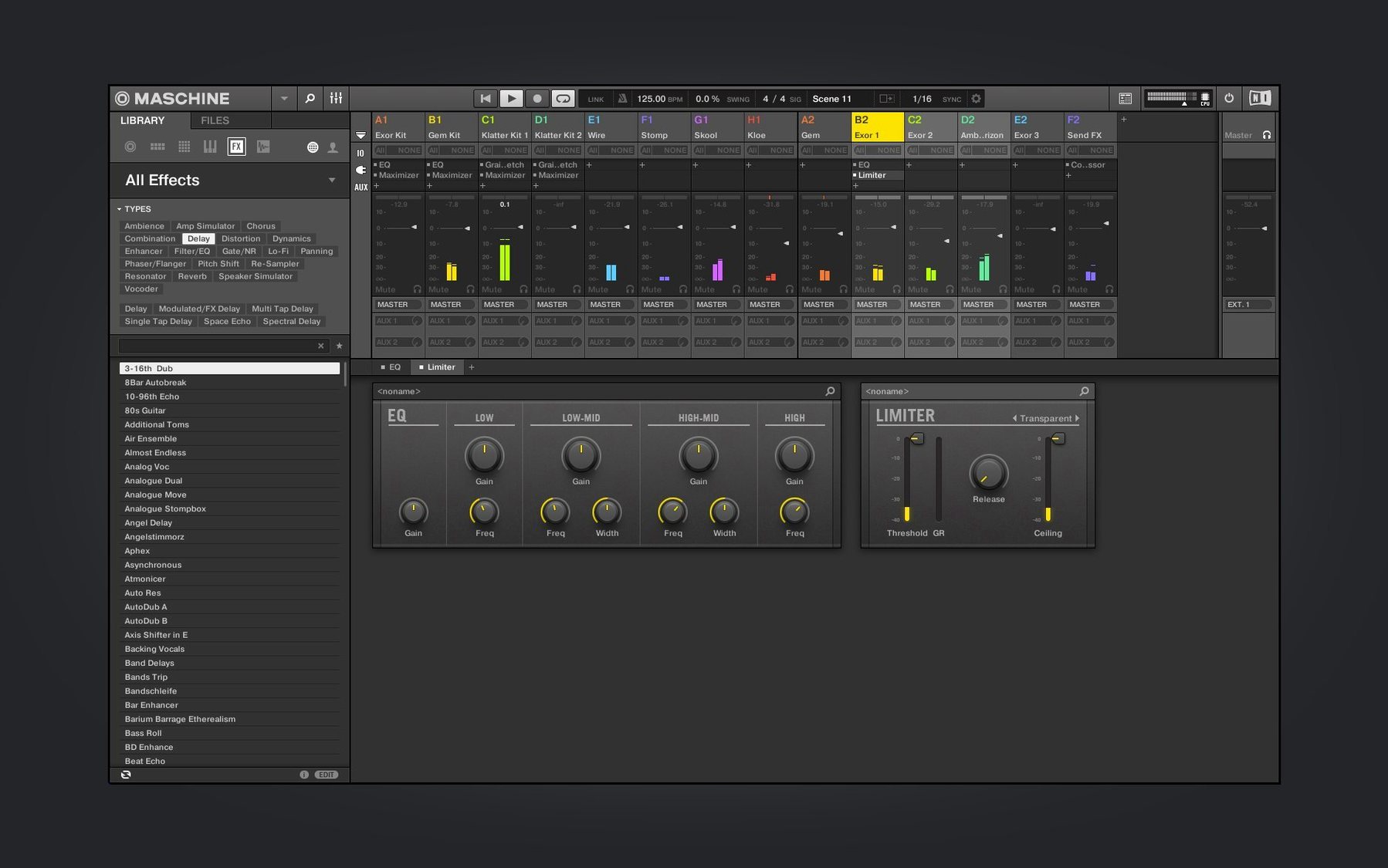
No. The pattern-based sequencer, loop slicing, the mixer, and the built-in effects are all still there, and the software still runs standalone or as a plug-in inside your DAW. The Mixer view redesign is ongoing, so expect that to keep evolving.
Who actually uses this day to day?
A sample-based beatmaker working on a MacBook in a home studio fits the typical Maschine user profile. Say you start a session by dragging in a dusty drum break from a vinyl rip. The loop slicing tool catches the transients, maps them across the pads, and you have a playable kit in under a minute. From there you layer a Poly Synth pad underneath, route the drums to separate mixer channels, and start building a pattern chain. The standalone mode means you don't need to open a DAW until you're ready to record the arrangement as audio or MIDI. For this kind of workflow, the pattern-based sequencer is faster than clicking in a piano roll — you tap the pads, quantise, and move on.
Live performers also get something here. The NKS Mode integration with a compatible controller like the AKAI MPK mini IV means you can switch between Sounds and Scenes without touching the mouse. That matters when you're on stage or in a session where looking at a screen breaks the flow.
More immediate for beat construction than Reason's rack-based workflow
Compared to Reason, Maschine is more immediate for beat construction. Reason's Rack has its own sequencer and samplers, but the workflow is built around virtual cables and rack modules. Maschine's pad-based input and pattern chaining get you a drum part laid down faster, especially if you come from hardware MPCs. Reason gives you a broader synthesis toolkit out of the box, though — Maschine relies more on its sampler and the bundled synth modules for sound design.
Next to Logic Pro, Maschine is a different category of tool. Logic is a full DAW with its own drummer, sampler, and step sequencer. But Maschine's hardware integration and the tactile pad layout are its advantage. You can't easily replicate the feel of tapping a 16-pad grid in Logic without a separate MIDI controller and some mapping work. Maschine's loop slicing and instant mapping to pads is also more streamlined than Logic's Quick Sampler workflow for chopping breaks.
FL Studio users on Mac sometimes look at Maschine for its hardware integration. FL Studio's step sequencer and piano roll are deep, but the software is designed around mouse and keyboard. Maschine's pattern-based approach is similar in concept, but the hardware controller and NKS support make it a more physical experience. FL Studio wins on pattern automation and the flexibility of its mixer, but Maschine wins on immediacy for finger drumming and live arrangement.
Consistent controls across Audio, Poly Synth, and Drum Synth modules
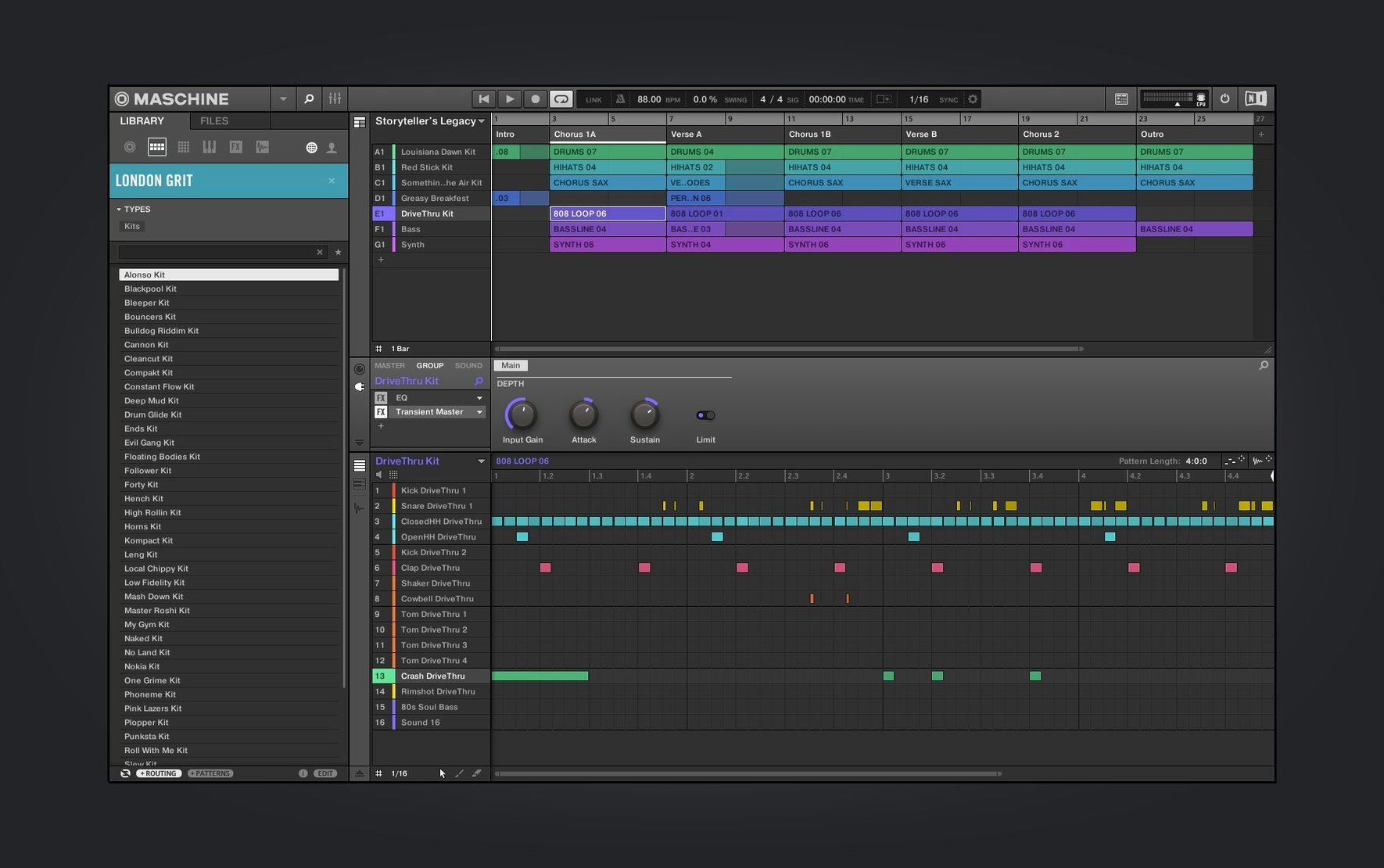
- Start with the demo projects. The new welcome screen in 3.6.0 gives you direct links to demo projects and tutorial videos. Open one, and look at how the patterns are chained, where the mixer routing goes, and which pads trigger which Sounds. It's faster than building from an empty project.
- Map your own sounds first. Drag a drum break or a vocal sample onto a pad, then use the loop slicing function to chop it. This teaches you the sampling workflow before you start relying on the bundled library.
- Use standalone mode for learning. Running Maschine as a plug-in inside a DAW adds latency, routing complexity, and extra distractions. For the first week, keep it standalone. The built-in audio interface and mixer are enough to get a beat going and hear it back.
- Save a template project. Once you have a mixer layout and a few favourite effects chains, save it as a template. Every new session starts from there, and you skip the blank canvas hesitation.
- Learn the pattern chaining. The pattern-based sequencer shines when you chain patterns into a Scene. Spend an evening just building 8-bar patterns and arranging them. That muscle memory pays off when you're trying to finish a track.
Learn pattern chaining and mixer routing by opening a demo project
The redesigned Audio, Poly Synth, and Drum Synth modules in 3.6.0 have cleaner layouts, but the real win is that the controls are now more consistent across the three modules. If you learn how to adjust the envelope on the Poly Synth, the Drum Synth follows the same logic. That reduces the mental friction when switching between sound sources.
The Mixer view redesign is ongoing, so the current version has a partially updated mixer. If you have used earlier Maschine versions, the mixer looks slightly different now — but the core routing and effect sends are still where you expect them. The redesign is incremental, not a complete overhaul, so nothing breaks from muscle memory.
NKS Connect support for the AKAI MPK mini IV means you can map the controller's knobs and pads to Maschine parameters without third-party mapping software. The integration is native, so the controller's display (if it has one) shows the relevant parameter names. This is useful if you own that specific controller, but it also hints at future NKS Connect support for other hardware.
For anyone searching: maschine mk2 software, maschine studio torrent, maschine torrent, maschine 2 torrent, or maschine 3 torrent will bring up older discussions, but the current version is 3.6.0 and the workflow improvements are worth checking out.
Changes in this build
- Redesigned UI for Audio, Poly Synth and Drum Synth modules.
- Continued Mixer view redesign work.
- Added NKS Connect support, starting with AKAI MPK mini IV.
- Added NKS Mode integration for compatible NKS Connect controllers.
Before it goes on the Mac
- macOS 13 or later
- Intel or Apple Silicon
Installing it on the Mac
- Mount the downloaded disk image.
- Run the standard installation process.
Notes from the control room
Sign in or open a catalogue account to leave a note.
No notes from the room yet. If you have used this build for a week, a short note helps the next person.