Home › Audio › HQPlayer Desktop
HQPlayer Desktop 5.13.0 (Mac)
Updated
The catalogue note
HQPlayer Desktop 5.13.0 runs on any 64-bit Intel or Apple Silicon Mac from macOS 10.13.6 High Sierra onwards. The current version keeps the core workflow intact while adding a few targeted improvements.
Playing back multichannel audio
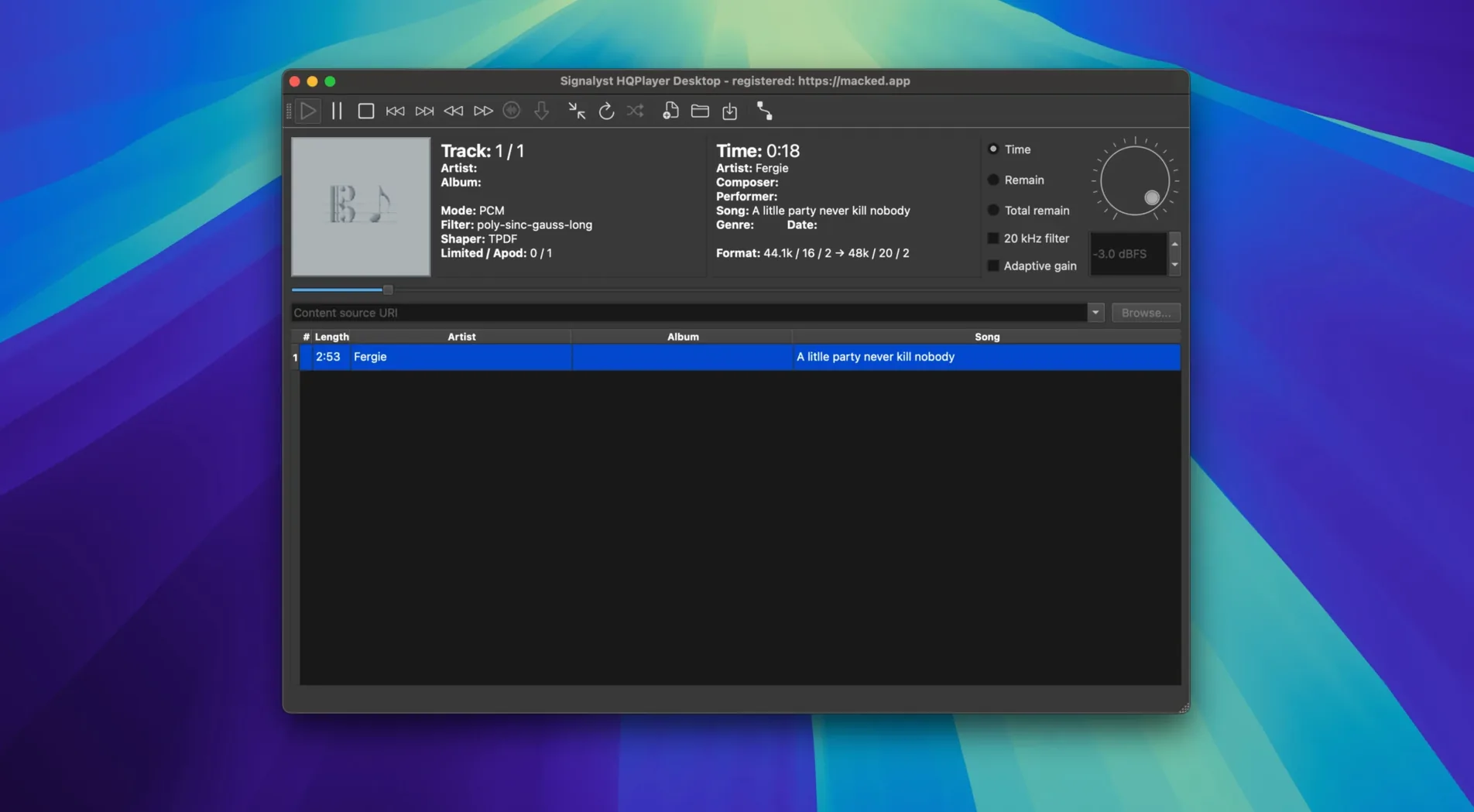
The player handles stereo, 2.1, 3.0, quadraphonic, 3.1, 5.0, 5.1, and 7.1 layouts. It reads CDDA, FLAC, WavPack, DSDIFF, DSF, RIFF, AIFF, MP3, and other formats. Speaker configuration with per-channel delay and level settings works for both PCM and SDM (DSD) output.
Processing and routing with matrix
Matrix processing gives you channel routing, filtering, and mixing with independent gain for PCM and DSD content. The resamplers, noise-shaping algorithms, and delta-sigma modulators are selectable. ID3v2 tags (versions 2.2, 2.3, 2.4) are read from AIFF, DSF, WAV, and MP3 files.
Handling DSD at high rates
Version 5.13.0 introduces two new 8-bit hybrid modulators – AHM5EC8B and AHM7EC8B – which target DSD1024+ output rates. The app supports up to 48 source DSD channels. Important bug fixes and component updates round out the release.
Audio dropouts fixed by matching sample rate and bit depth
A few recurring issues turn up when people first run HQPlayer Desktop. The most frequent one is audio dropouts or no sound at all. This usually comes down to the output device not matching the sample rate or bit depth the player expects. Check that your DAC or audio interface is set to a compatible mode in the system's Audio MIDI Setup utility before launching the app. If you are using a professional ASIO driver, confirm the driver's buffer size is large enough for the resampling load you have selected.
Another snag is files not appearing in the library. The player reads ID3v2 tags from AIFF, DSF, WAV, and MP3 files, but if a file has no tags or uses a tag version outside 2.2, 2.3, or 2.4, it may show up with generic metadata. Renaming the file or adding basic tags with a third-party editor usually solves this. For DSDIFF and DSF files, ensure the channel count does not exceed the 48 source DSD channels the app supports – the player will ignore extra channels silently.
Users moving from stereo to multichannel often forget to set up the speaker configuration first. Without per-channel delay and level settings, a 5.1 file can sound unbalanced or phasey. Head into the speaker configuration panel and adjust each channel's delay and level for PCM or SDM output before hitting play.
Matrix processing panel reroutes any input channel
Several features in HQPlayer Desktop are not obvious on first launch but save time once you know them. The matrix processing panel lets you route any input channel to any output channel, which is useful for repurposing a surround mix into a stereo downmix without leaving the app. You can also apply filtering and mixing with independent gain for PCM and DSD content in the same matrix session.
The resampler selection is not a one-time setting – you can switch between the high-quality resamplers on the fly while playback is running, which makes A/B comparisons quick. The same goes for the noise-shaping algorithms and delta-sigma modulators. If you are experimenting with DSD1024+ output using the new AHM5EC8B or AHM7EC8B modulators, you can toggle between them without stopping the track.
Tag support goes beyond basic display. The player reads ID3v2 versions 2.2, 2.3, and 2.4 from AIFF, DSF, WAV, and MP3 files, so album art and embedded metadata from a well-tagged library carries through correctly. For multichannel playback, the channel count in the file header is read automatically – no manual mapping needed for standard layouts.
Multichannel DSD and per-channel delay set it apart from Audirvana and Vox
HQPlayer Desktop sits in a different lane from most music players on macOS. Audirvana and Vox are popular for high-resolution stereo playback and library management, but neither handles multichannel DSD or speaker-level configuration with per-channel delay and level settings. HQPlayer Desktop also supports up to 128 channels, which is far beyond what those two offer.
BitPerfect is another stereo-focused player that integrates tightly with iTunes. It does not include matrix processing or resampler selection, and it lacks any DSD modulation. HQPlayer Desktop's delta-sigma modulators and selectable resamplers give it a technical edge for users who want to control the conversion chain from source to DAC.
For multichannel DSD, JRiver Media Center for Mac overlaps somewhat – it supports DSD playback and multichannel audio. However, JRiver does not offer the same range of modulators or the dedicated 8-bit hybrid modulators for DSD1024+ output that version 5.13.0 adds. JRiver's speaker configuration is also less granular, lacking the per-channel delay settings that HQPlayer Desktop provides for PCM and SDM.
For users who treat playback as a technical process with multichannel DACs
This app is for people who treat audio playback as a technical process rather than a convenience. If you have a multichannel DAC or a surround-sound system connected to your Mac and you want to play back 5.1 or 7.1 DSD files with custom routing and filtering, HQPlayer Desktop is one of the few tools that does it properly. The matrix processing and speaker-level delays are particularly relevant for home-theatre setups where speaker distances vary and you need to align them in software.
DSD enthusiasts who own DACs capable of DSD1024 or higher will find the new AHM5EC8B and AHM7EC8B modulators useful for pushing conversion quality at extreme rates. Users who work with large libraries of multichannel recordings – classical, live concert, or film mixes – benefit from the app's support for up to 128 channels and 48 source DSD channels. The ability to route, filter, and mix those channels in the matrix panel makes it suitable for archival playback and critical listening sessions.
Professional audio engineers who need to audition mixes in different speaker configurations or check phase alignment across channels can use HQPlayer Desktop as a playback reference. The selectable resamplers and noise-shaping algorithms give them control over the signal path that consumer players do not provide. HQPlayer Desktop for Mac free download offers audiophiles high-quality upsampling and filtering for digital music playback.
Changes in this build
- New 8-bit AHM5EC8B and AHM7EC8B hybrid modulators for DSD1024+ output rates
- Important bug fixes
- Component updates
Before it goes on the Mac
- macOS 10.13.6 or later
- 64-bit Intel or Apple Silicon processor
- Interface language: English
Questions from the room
Which macOS versions does HQPlayer Desktop 5.13.0 support?
It requires macOS 10.13.6 or later and runs on both Intel and Apple Silicon Macs.
What audio file formats can HQPlayer Desktop play?
It supports CDDA, FLAC, WavPack, DSDIFF, DSF, RIFF, AIFF, MP3, and several other formats.
What is new in version 5.13.0?
The release adds two new 8-bit hybrid modulators for DSD1024+ output rates, along with important bug fixes and component updates.
Installing it on the Mac
- Open the downloaded disk image.
- Drag the application to the Applications folder alias.
- Launch the app from Launchpad after the copy finishes.
Notes from the control room
Sign in or open a catalogue account to leave a note.
No notes from the room yet. If you have used this build for a week, a short note helps the next person.