Home › Audio › Steinberg HALion Sonic
Steinberg HALion Sonic 7.1.51 (Mac)
Updated
The catalogue note
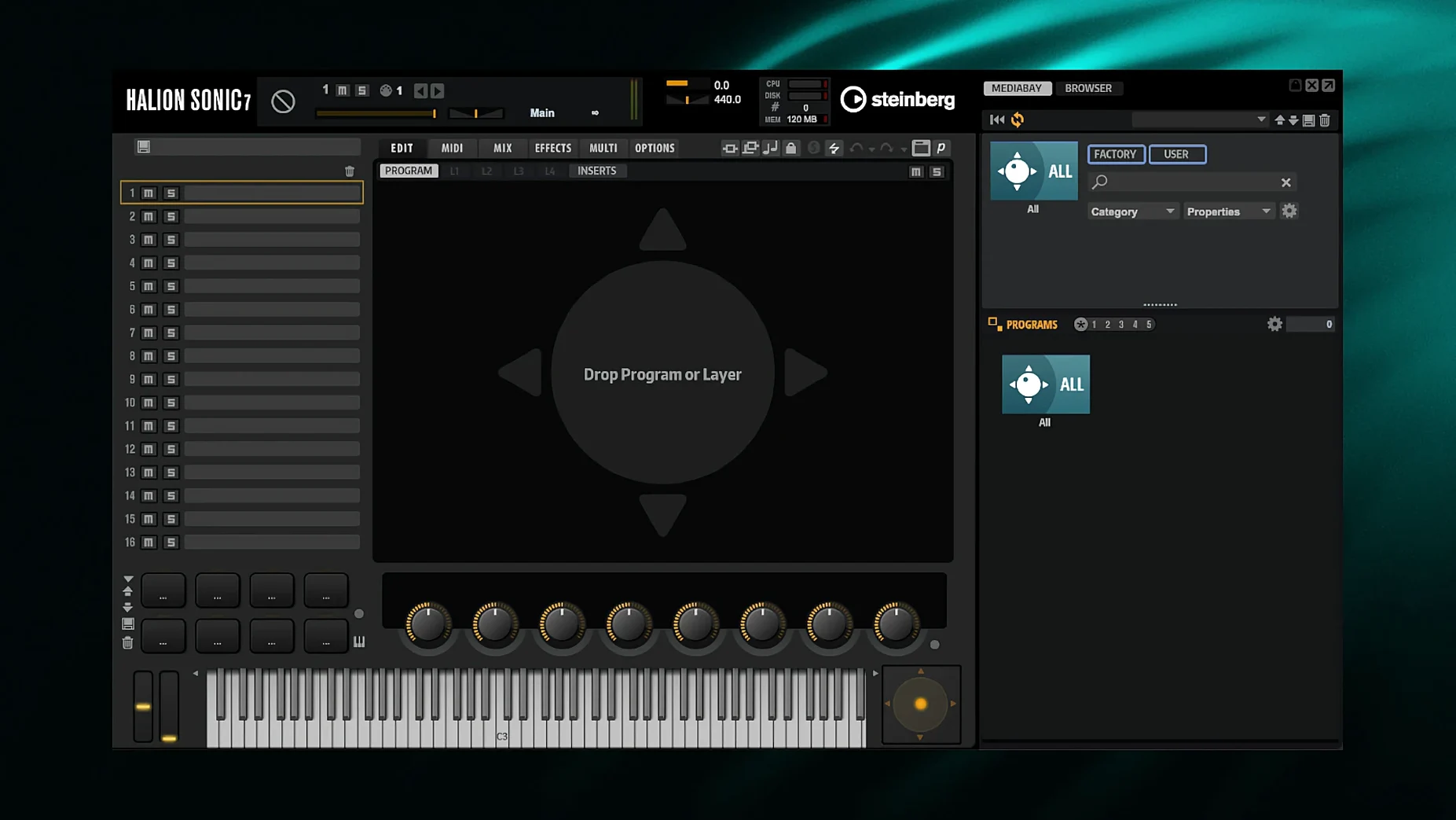
Macros and layered patches load in a few seconds. That’s the first thing you notice with HALion Sonic 7 — the player engine behind Steinberg’s larger HALion 7 workstation. It reads the same sample libraries, virtual-analog patches, granular textures and wavetable sounds, but strips out the deep editing so you’re left with a browser, a mixer and a preset picker.
What is HALion Sonic 7?
It is the free companion app to HALion 7. Use it to play any content built in the full version — sample libraries, hybrid instruments, synth presets — without needing the editor yourself.
Runs standalone on macOS 12+ and as a VST3 in any DAW
Standalone mode works on macOS 12 or later. Inside a DAW it runs as a VST instrument, compatible with Cubase, Nuendo and any other host that loads VST3 plugins.
What sound engines are included?
It can play sampler, virtual-analogue, granular and wavetable patches — all the synthesis types from HALion 7, just without the ability to build them from scratch.
Building a layered hybrid patch from scratch
A common studio task is to combine a piano with a soft pad for a cinematic bed. In HALion Sonic 7, you load the first instrument into Slot A, then click the empty Slot B and browse for a pad. Each slot has its own volume, pan, filter and effects send, so you balance the two sounds without leaving the mixer page. For extra width, assign both slots to separate outputs in the plugin’s routing tab and process them with different reverb sends — the built-in convolution reverb works well for the pad, a small room algorithm for the piano. Once the blend sounds right, save the whole layer as a Multi preset. It appears in the user bank next time you open the plugin.
Browser filter by synthesis type and per-slot MIDI channel
- The browser can filter by synthesis type. Click the engine icon above the preset list to show only granular, wavetable or virtual-analogue patches. Useful when you want a specific texture fast.
- Each slot has a direct MIDI channel assignment. If your controller sends on separate channels, you can layer two instruments without stacking instances of the plugin — set Slot A to channel 1 and Slot B to channel 2.
- VST Expression 2 maps articulations to key switches or velocity ranges. For string or brass libraries, this means legato, staccato and pizzicato live inside one preset rather than across multiple tracks.
- The undo history survives preset changes. If you tweak a filter and then load a different sound, Ctrl+Z steps back through the edit, not the preset swap.
Multi presets use multiple slots that must be selected individually
New users often load a Multi preset without realising it uses multiple slots. They then try to edit the sound and wonder why changes affect only one layer. Open the Multi tab to see which slots are active, then select the slot you actually want to tweak.
Another common error is ignoring the effects sends. Every slot has a dry/wet knob per insert effect, but the global reverb and delay are on the send buses. If your pad sounds dry, check the send level on the mixer page before adding another reverb as an insert — it saves CPU and keeps the mix cleaner.
Beginners also forget that HALion Sonic 7 reads the same library folders as the full HALion 7. If a third-party library doesn’t appear, it may be installed in a location the player doesn’t scan by default. Adding the folder in the browser’s content manager fixes that. The same applies when you find a steinberg halion sonic mac free download for a library — point the player to the folder where you placed it.
Finally, the standalone app and the plugin version share the same settings file. Changing the audio buffer size in standalone mode also changes it inside your DAW, which can cause clicks if you switch between them mid-session without checking.
Yes. Over 70 effects are built in, covering EQ, dynamics, reverb, delay and modulation.
Changes in this build
- Maintenance update for HALion 7 and HALion Sonic 7 (version 7.1.51, 28 January 2026).
Before it goes on the Mac
- macOS 12 or later
- Intel or Apple Silicon
- English interface language
Installing it on the Mac
- Use the included installation and activation instructions.
- Follow the packaged instructions to install and activate the app.
Notes from the control room
Sign in or open a catalogue account to leave a note.
No notes from the room yet. If you have used this build for a week, a short note helps the next person.