Plasticity 26.1.3 (Mac)
Updated
The catalogue note
Plasticity runs on macOS 12 and later, with Apple Silicon support listed for the current version. That covers most recent Macs, including the M-series machines common in studios. The app is a CAD-style modeller aimed at artists and designers who want precise solids and surfaces without the full weight of traditional CAD packages.
What can I realistically do with Plasticity in one session?
Model a mechanical part from a sketch: extrude profiles, cut holes, then blend edges using XNURBS surface blending for G2-continuous transitions. The workflow feels direct, more like a poly-modeller but with NURBS precision underneath.
How does the Studio tier change things?
Studio adds PolySplines, which let you convert polygon meshes to spline-based surfaces, plus expanded CAD translation and commercial production rights. For advanced surface work, that is the version to pick.
How do updates work?
Updates are not automatic; you download and install them manually. The current build is 26.1.3, and the interface is available in English, German, Spanish, Italian, Japanese, and Chinese variants.
Pick geometry and change it directly, not the steps that made it
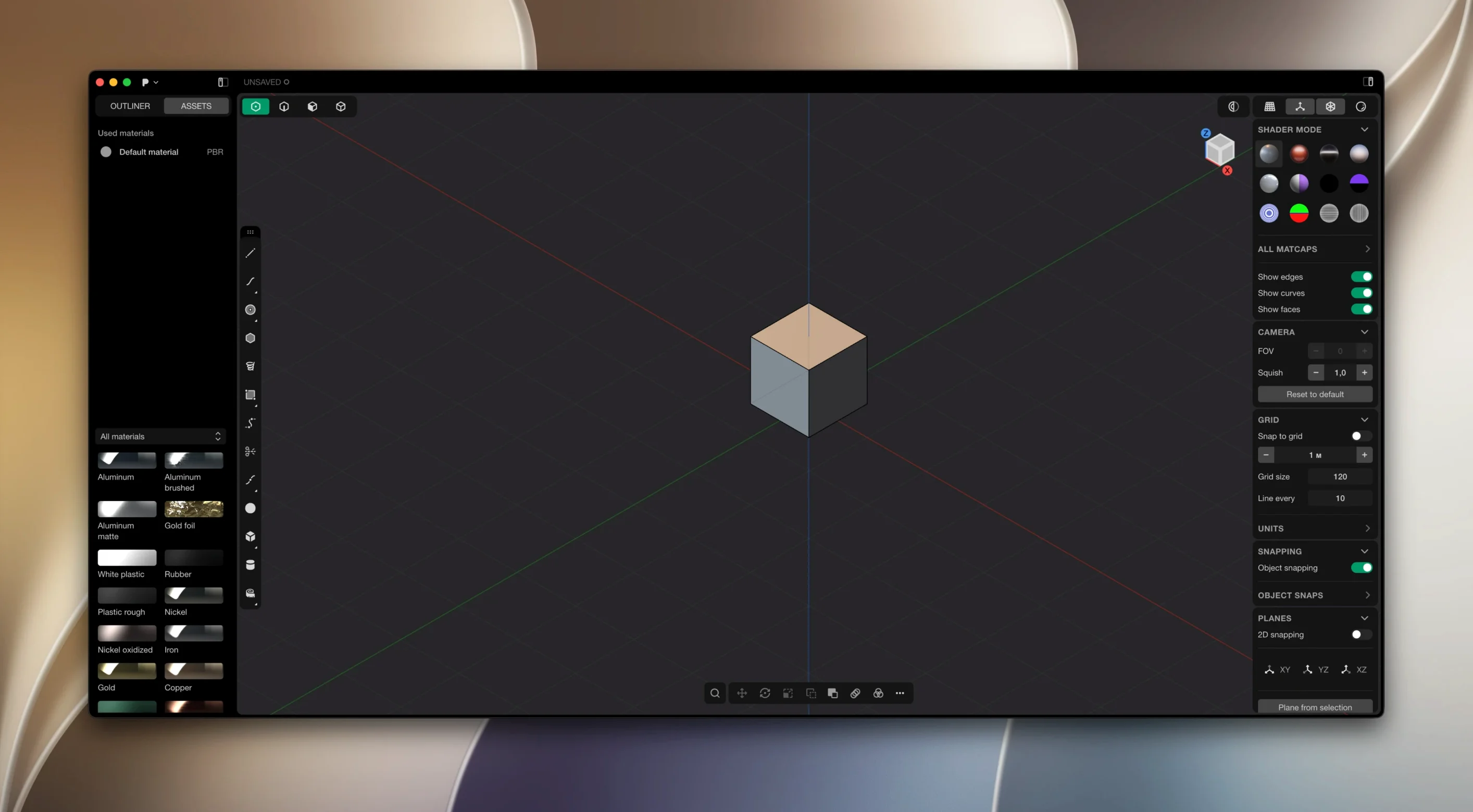
You start Plasticity and the workspace is clean: a viewport, a toolbar, and the live dimensions panel. No timeline, no history tree — the direct editing model means you pick geometry and change it, not the steps that made it. For someone coming from poly modelling, that feels liberating. For an engineer used to parametric CAD, it takes a moment to trust that you can still get precise results without the history.
I open a session by dropping a sketch on the ground plane. Extrude it, add a fillet — the live dimensions update as I drag, so I can type an exact radius and the edge follows immediately. No confirm dialog, no rebuild. That is the core loop: create, select, adjust.
Mid-session, I need a hole through the part. Boolean operation, watertight result — the Parasolid kernel handles the maths, so the cut is clean. Then I blend the sharp edges with XNURBS surface blending for a G2-continuous curve. The surface looks smooth in the viewport without tessellation artefacts.
If I am working on a more complex shape, I use PolySplines to bring in a polygon mesh from another app and convert it to spline surfaces. The Studio tier makes that possible. The conversion is not instant magic — you still need to set tolerances — but it saves re-modelling from scratch.
At the end of the session, I export a hidden line view as SVG for a technical drawing. That feature landed in 2026.1 and it is useful for documentation without leaving Plasticity for a separate drafting tool.
Runs on macOS 10.14 or later and supports Apple Silicon
The current version 26.1.3 requires macOS 10.14 or later and runs on Apple Silicon. That is a broad range — from Mojave to Sequoia — and covers Intel Macs with Apple Silicon support listed for ARM architecture. The app is not a resource hog on paper; it does not require a workstation GPU or large amounts of VRAM. What matters more is that the viewport uses the Mac's Metal graphics stack, so older Intel Macs with integrated graphics may feel slower when manipulating dense NURBS surfaces.
On Apple Silicon, the app is native. There is no Rosetta translation overhead. The interface language can be set to any of the eight included options, including English, German, Spanish, Italian, Japanese, and Chinese variants. Updates are manual — you download the new build and install it yourself. No auto-updater running in the background.
Plasticity does not bundle a library of starter files or templates. You start with a blank workspace. That is by design: the app expects you to bring your own sketches or import geometry.
Move the Patcher folder to the desktop if installation blocks
The most frequent issue people hit is the patcher step during installation. If the patcher does not apply correctly, move the Patcher folder to the desktop and run it from there. Permissions on the Applications folder sometimes block it. That solves it in most cases.
Another snag: live dimensions not responding. The dimension tool only works when you have a selected edge or face. Click nothing, and the panel stays grey. Select an element, and the numbers appear. Beginners often expect the panel to be always active.
File import errors happen when the source geometry has non-manifold edges. Plasticity expects clean solids for boolean operations. If an imported mesh has holes or flipped normals, the boolean fails. Fix the mesh in a polygon modeller first, or use PolySplines to rebuild it as a surface.
Language selection is set at install time. If you picked the wrong one, you can change it later in the preferences. The package includes all eight languages; nothing is region-locked.
Treating Plasticity like a history-based CAD tool leads to frustration
The biggest mistake is treating Plasticity like a history-based CAD tool. New users try to sketch constraints, set parameters, then rebuild from the start when they need a change. That is not how direct modelling works. You select the face or edge and move it. The model updates, and the sketch does not break because there is no dependency chain to break.
Another common error: forgetting to finalise a surface before blending. XNURBS blending expects G2-continuous surfaces that are already trimmed. If you try to blend two untrimmed surfaces, the result is unpredictable. Trim them first, then blend.
Beginners also overlook the manual update process. They assume the app will notify them of a new version. It does not. Check the developer's site periodically or watch for announcements. The current build is 26.1.3; if you are on an older one, the manual download is the only way up.
Finally, people confuse the base version with the Studio tier. Studio includes PolySplines and expanded CAD translation. The installer package for Plasticity torrent or plasticity mac torrent does not distinguish tiers — the licence does. Make sure you have the right one before expecting PolySplines to appear in the menu. Similarly, if you see a plasticity mac crack or plasticity 26.1.3 download, verify that it matches your licence tier.
Before it goes on the Mac
- macOS 10.14 or later
- Apple Silicon
- Interface languages: Russian, English, German, Spanish, Italian, Traditional Chinese, Simplified Chinese, Japanese
Questions from the room
Which macOS versions are supported?
Plasticity runs on macOS 12 and later, with Apple Silicon support listed in the requirements.
What is Plasticity Studio for?
Plasticity Studio targets advanced surface modeling, PolySplines conversion, expanded CAD translation, and commercial production work.
Does Plasticity support Linux?
Yes, it is available for Linux on Ubuntu 22 and later.
Installing it on the Mac
- Install and activation instructions are included in the package.
- If patch issues occur, move the Patcher folder to the desktop.
Notes from the control room
Sign in or open a catalogue account to leave a note.
No notes from the room yet. If you have used this build for a week, a short note helps the next person.