Home › Mac Apps › Microsoft Word

Microsoft Word 16.93 (Mac)
Updated
The catalogue note
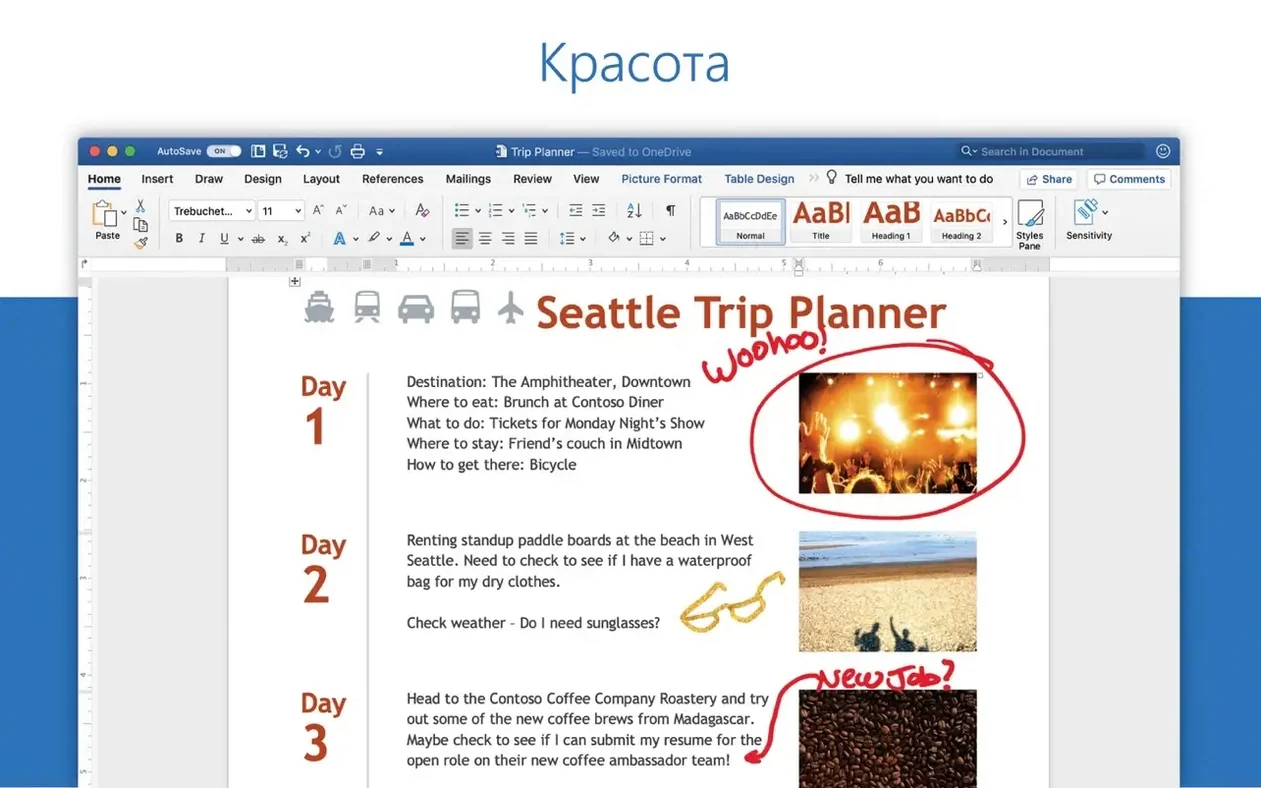
One document in your inbox can hold more formatting than a plain text file ever will. Microsoft Word 16.93 for macOS opens those attachments directly, edits them with full control over styles, tables, and layout, and sends them back without breaking a line.
Opening a document from an email
When a colleague forwards a .docx as an attachment, Word opens it straight from the mail app. You can review tracked changes, leave comments, and save the edited file back to your inbox or OneDrive.
Editing without losing the structure
Word keeps headings, footnotes, and page numbering intact, so a 200-page report stays navigable. The equation editor also got a fix in 16.93.2, which matters if you work with scientific notation.
Sharing the finished version
Once the text is clean, export to PDF or send the .docx as an attachment. Word's job is to make that loop fast, whether you are on a Mac Studio or an older Intel machine.
Who actually reaches for Word on a Mac
The student who writes a dissertation across three months, the journalist filing a story from a coffee shop, and the project manager compiling a quarterly report from fifteen contributor files. That is the core audience. Each of them needs formatting that survives the round trip between people, and Word provides that in a way that Apple Pages or Google Docs still do not, especially when the document contains complex tables, cross-references, or numbered lists with nested sub-items.
A journalist, for example, might receive a press kit as a .docx with embedded images, tracked changes from the editor, and a style sheet that marks headlines in a specific font. Opening that in a plain text editor strips everything. Word preserves the original layout so the journalist can focus on the copy, not the reconstruction.
Double-click a .docx in Mail and edit without saving first
- Attachment workflow. When you double-click a .docx in Apple Mail, Word opens it without an extra save step. The document lives in a temporary folder, and you can edit, save, and close it without deciding where to put the file. Word asks only when you quit without saving.
- Language switching. The app ships with 23 interface languages. If you share a Mac with a colleague who prefers French or Polish, they can switch the UI without changing the system language. That is not a headline feature, but it saves time in shared studios or university labs.
- Equation editing fix. Version 16.93.2 addressed a specific bug where editing equations did not work as expected. For anyone writing mathematical notation inside a document, that fix alone justifies the update.
- Quality and performance improvements. The release notes for 16.93 mention only that, no flashy new features. That usually means Microsoft cleaned up behind-the-scenes code that affects how the app handles large files or long editing sessions.
Students and academics who need citations, footnotes, and equations
Word suits anyone who receives or produces formatted documents regularly, but three groups benefit more than others:
- Students and academics. University submissions often require specific formatting for citations, footnotes, and page numbers. Word handles those natively, and the equation editor fix matters for STEM fields.
- Journalists and writers. Submitting copy as a .docx with tracked changes is still standard in many editorial workflows. Word's comment and revision tools are the de facto standard, and other apps often struggle to display them correctly.
- Project managers and administrators. Reports, meeting minutes, and proposals come in as attachments. Word opens them, lets you add comments or edits, and sends them back without the recipient complaining about broken formatting.
Syncs with OneDrive and works alongside macOS tools
Word does not exist in isolation. It works alongside several macOS tools and Microsoft services that come with the Office package:
- OneDrive. Saving a document to OneDrive lets you access it from another Mac or a Windows machine. The file stays synced, and Word handles version history automatically if you use the built-in autosave.
- Apple Mail. As mentioned, Word opens attachments directly. You can also save a document as a .docx and attach it from within Word's share menu without switching to the Finder.
- OneNote and Outlook. If you have the full Office suite, you can paste content from OneNote into Word or attach a Word document to an Outlook message from inside the app. The integration is shallow but convenient for anyone who uses both tools daily.
- macOS Quick Look. You can preview a .docx in the Finder by pressing Space, but the preview shows only the first page. Word gives you the full document with all pages, comments, and tracked changes visible.
Check your Office licence type before installing
Opens and returns .docx from Windows with font substitutions
Yes, provided both sides use a recent version of Word. The .docx format is the same across platforms. Fonts may render differently if the Windows machine uses a typeface not installed on your Mac, but Word will substitute a similar font and note it in the file. Tracked changes and comments survive the transfer as long as you do not strip them manually.
Volume-licence activation may not need a Microsoft account
The Office LTSC Standard for Mac 2024 package uses a volume licence, which is a different activation model. The exact requirements depend on how you obtain the software.
Does Word work on Apple Silicon?
Yes. Version 16.93 supports both ARM and x86 (64-bit) architectures. It runs natively on Apple Silicon and on Intel Macs, so you do not need Rosetta unless you are using an older, non-universal version.
What about updates?
Microsoft AutoUpdate (MAU) handles updates. Once installed, it checks for new versions periodically and can download them in the background. Version 16.93.2 was released on 28 January 2025, two weeks after the initial 16.93 release, so the update cadence is reasonably frequent.
Can I use Word offline?
Yes. You do not need an internet connection to edit a document that is stored locally. Features that require online access, such as co-authoring or saving to OneDrive, will be unavailable, but basic editing, formatting, and printing work without a network.
Does Word for Mac support the same file formats as the Windows version?
It opens .docx, .doc, .dotx, .rtf, .txt, and several other formats. It also exports to PDF and .docx. The equation editor fix in 16.93.2 suggests that compatibility with mathematical content has improved, which is a common pain point between the two platforms.
Changes in this build
- Quality and performance improvements.
- Fixed an issue where editing equations might not work as expected.
Before it goes on the Mac
- macOS 13 or later
- Intel or Apple Silicon
Questions from the room
Can Word for Mac open documents attached to email messages?
Yes, Word can work with documents attached to email messages, letting you open and edit them directly.
Installing it on the Mac
- Install the standard Office 2024 package.
- Or download the needed package for Word, Excel, PowerPoint, Outlook, or OneNote using the provided links.
- Packages download from Microsoft servers.
- Install Microsoft Office LTSC 2024 VL Serializer for activation.
- Install Microsoft AutoUpdate (MAU) to receive updates.
Notes from the control room
Sign in or open a catalogue account to leave a note.
No notes from the room yet. If you have used this build for a week, a short note helps the next person.