

Modern CSV 2.3.1 (Mac)
Updated
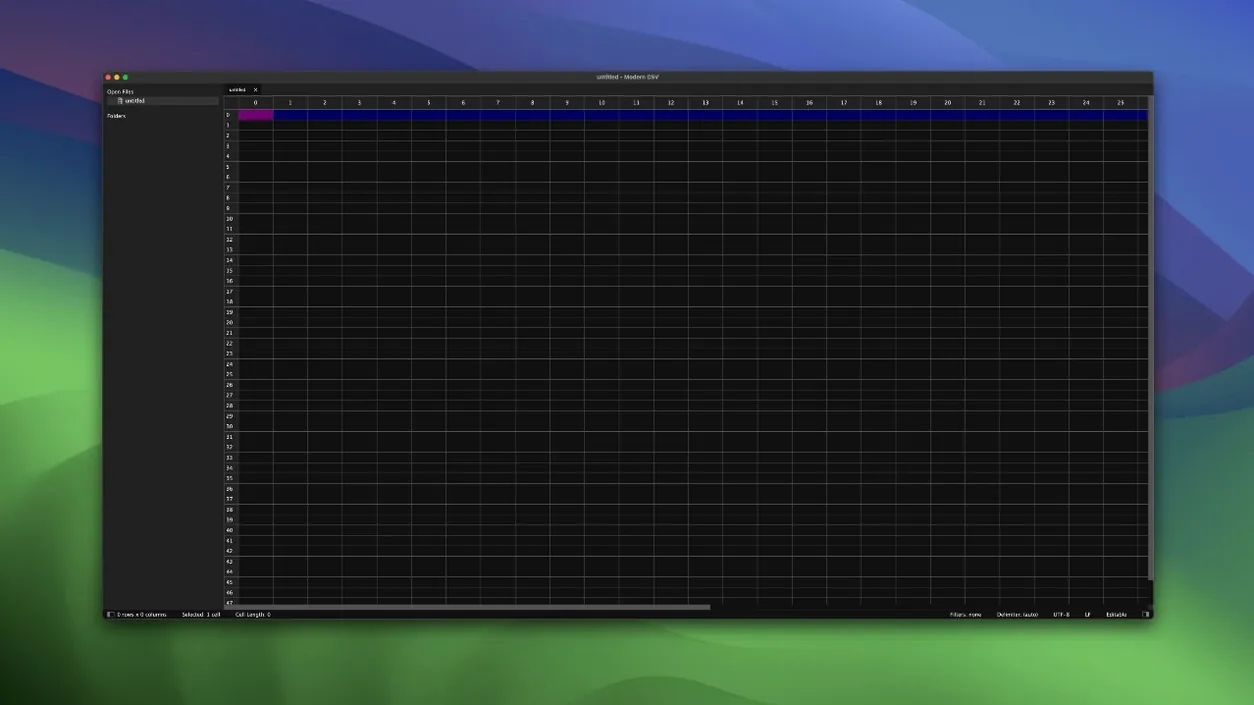
The catalogue note
Modern CSV is a dedicated editor and viewer for CSV, TSV, DSV, and similar tabular files on macOS.
Editing multiple cells at once
You can select several rows, columns, or individual cells and apply changes together. Moving columns, duplicating rows, and splitting cells are all straightforward, which makes restructuring a messy export far less tedious than in a general spreadsheet app.
Filtering and analysing data
The built-in filter uses a query syntax, so you can narrow down a large dataset without leaving the window. Row and column shading helps keep track of where you are in a dense table, and hiding selected rows manually is useful for quick visual triage.
Adapting the interface to your workflow
Custom keyboard shortcuts let you bind frequent actions to keys you actually use. Cell sizes can be adjusted freely, which matters when you are comparing long text fields side by side. Version 2.3.1 also improves save stability when external changes are set to refresh automatically, and fixes a bug where Duplicate Cell Contents To could write into the first row in certain cases.
Save stability improved when file refreshes automatically
The latest version addresses a few real friction points that turn up during daily work. Improved save stability matters most when you have the Behaviour When File Is Changed Externally set to Refresh automatically — the sort of setup you might use when sharing a CSV between a database export script and your editor. Earlier builds could trip up during auto-refresh; version 2.3.1 handles that cycle more reliably.
Read-only mode also received stability improvements. If you regularly open large files just to inspect or copy data without risking accidental edits, this is a practical upgrade. The mode already used less memory relative to file size, and the stability fix means fewer surprises when scrolling through a long table.
Two changes in Unique Values are worth noting. The Histogram column now sorts correctly, and the column itself is no longer selectable. That prevents accidental selection when you are focused on the value column instead, which is a small but welcome refinement for anyone who uses Unique Values to spot frequency distributions.
The fix for Duplicate Cell Contents To writing into the first row in certain cases closes a bug that could corrupt data when duplicating content across a selection. If you frequently copy values down or across a block of cells, this one removes a genuine headache.
Runs on macOS 10.14 or later, Apple Silicon and Intel
Modern CSV runs on macOS 10.14 or later and supports both Apple Silicon and Intel (x86) architectures. The installer package includes instructions, so setup is straightforward regardless of which Mac you are on. Because the application is native to both architectures, you do not need Rosetta on Apple Silicon machines.
The application is lightweight in design. Read-only mode uses little memory relative to file size, which makes it practical for opening large CSV exports without dragging down the rest of your system. Five built-in themes let you adjust the visual environment to your preference, and cell sizes are adjustable to accommodate varying data widths.
If you are looking to add a modern csv macos download to your toolkit, version 2.3.1 covers the bases without demanding the latest hardware or operating system. It is also available for Windows and Linux, so the same workflow can move between platforms if needed.
Treating it as a full spreadsheet instead of a CSV editor
The most common misstep is treating Modern CSV like a full spreadsheet application. It is not Excel or Numbers — it does not compute formulas, generate charts, or manage multiple sheets in a workbook. Beginners sometimes try to calculate values inside cells, only to find the editor treats everything as plain text. The tool is meant for viewing, editing, and cleaning tabular data, not for analysis that requires formulas.
Another mistake is ignoring the read-only mode for large files. People open a multi-hundred-megabyte CSV in the default editable view and wonder why the interface feels sluggish. Switching to read-only mode for inspection, then switching back only when edits are needed, keeps the application responsive.
Beginners also overlook the filter query syntax. Instead of learning the simple operators, they manually hide rows one by one. A few minutes with the filter syntax saves time on any dataset larger than a couple dozen rows. Similarly, double-clicking a column label to sort is faster than hunting for a sort button, and because sorting is stable, other columns stay aligned — a detail that matters when rows contain related data.
Custom keyboard shortcuts are another underused feature. The default shortcuts cover most commands, but binding your own for frequent operations — like hiding a row or duplicating a cell — turns repetitive tasks into single keystrokes.
Quick visual check and edit after database export
Modern CSV works well alongside database tools. A typical workflow is to export a query result as a CSV, open it in Modern CSV for a quick visual check, make any necessary edits (splitting cells, fixing delimiters, removing stray columns), and then upload the cleaned file to the target database. The editor handles TSV and DSV files too, so it covers most delimiter-separated formats you encounter.
Developers maintaining configuration files in CSV format can use the editor to spot inconsistencies at a glance. The column shading and adjustable cell sizes make it easier to compare values across rows, which is useful when config files contain many parameters per line.
On macOS, the application integrates like any standard document-based app. You can open CSVs from the Finder, drag files onto the dock icon, or use the Open dialog. The ability to associate different file extensions with different handling settings means a .csv file can open in editable mode while a .tsv file opens in read-only mode, all configured once and remembered.
If you use modern csv for mac as part of a larger data pipeline, the read-only mode and stable sorting help verify that transformations applied elsewhere produced the expected output. The application does not replace a proper ETL tool, but it fills the gap between raw data and the next processing step.
Changes in this build
- Improved save stability, especially when Behavior When File Is Changed Externally is set to Refresh automatically.
- Improved stability in read-only mode.
- Fixed Histogram column sort order in Unique Values.
- Made the Histogram column non-selectable in Unique Values.
- Fixed Duplicate Cell Contents To writing into the first row in some cases.
Before it goes on the Mac
- macOS 10.14 or later
- Intel or Apple Silicon
- English interface
Questions from the room
Can Modern CSV handle files other than CSV?
Yes, it supports TSV, DSV, and other similar tabular formats, making it a practical alternative to spreadsheet programs for these file types.
Installing it on the Mac
- Open the downloaded package and follow the installation instructions included inside.
Notes from the control room
Sign in or open a catalogue account to leave a note.
No notes from the room yet. If you have used this build for a week, a short note helps the next person.
Also filed under Mac Apps
The whole Mac Apps rack Mimestream1.10.8 Mac Apps 12 MB
 MotionVFX mInfographics Mac Apps 8 MB
 MotionVFX mKBHD Mac Apps 12 MB
 Microsoft Word16.93 Mac Apps 2.4 GB
 MotionVFX - mLowers Universal for FCP Mac Apps 71 MB
 MotionVFX mModules Mac Apps 5 MB
 Microsoft PowerPoint16.93 Mac Apps 2.4 GB
 Microsoft Outlook16.93 Mac Apps 2.4 GB