

Mimestream 1.10.8 (Mac)
Updated
The catalogue note
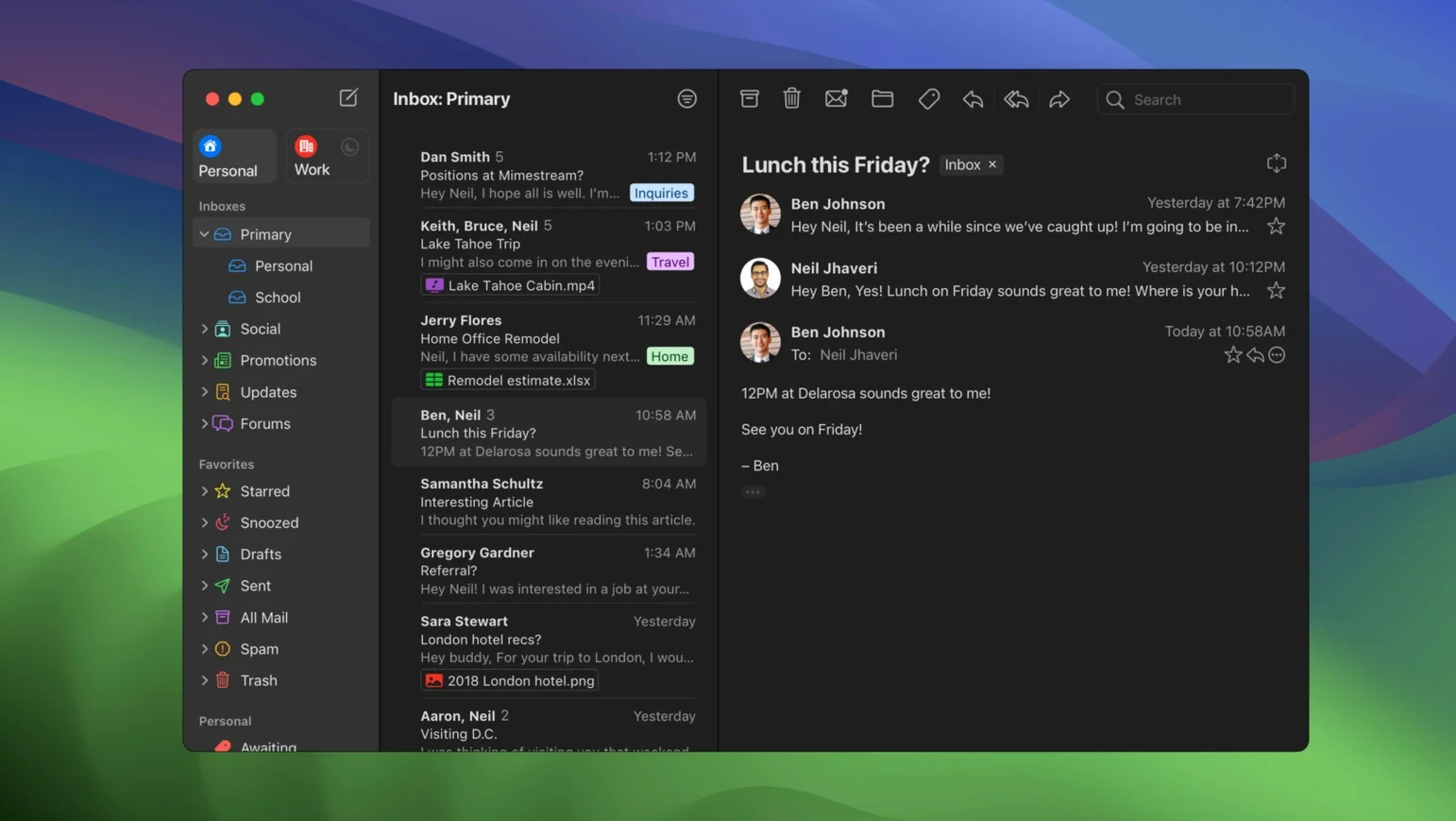
Mimestream is a native macOS email client built specifically for Gmail, bringing the familiar Gmail experience to your desktop with a focus on speed and efficiency.
What makes Mimestream stand out?
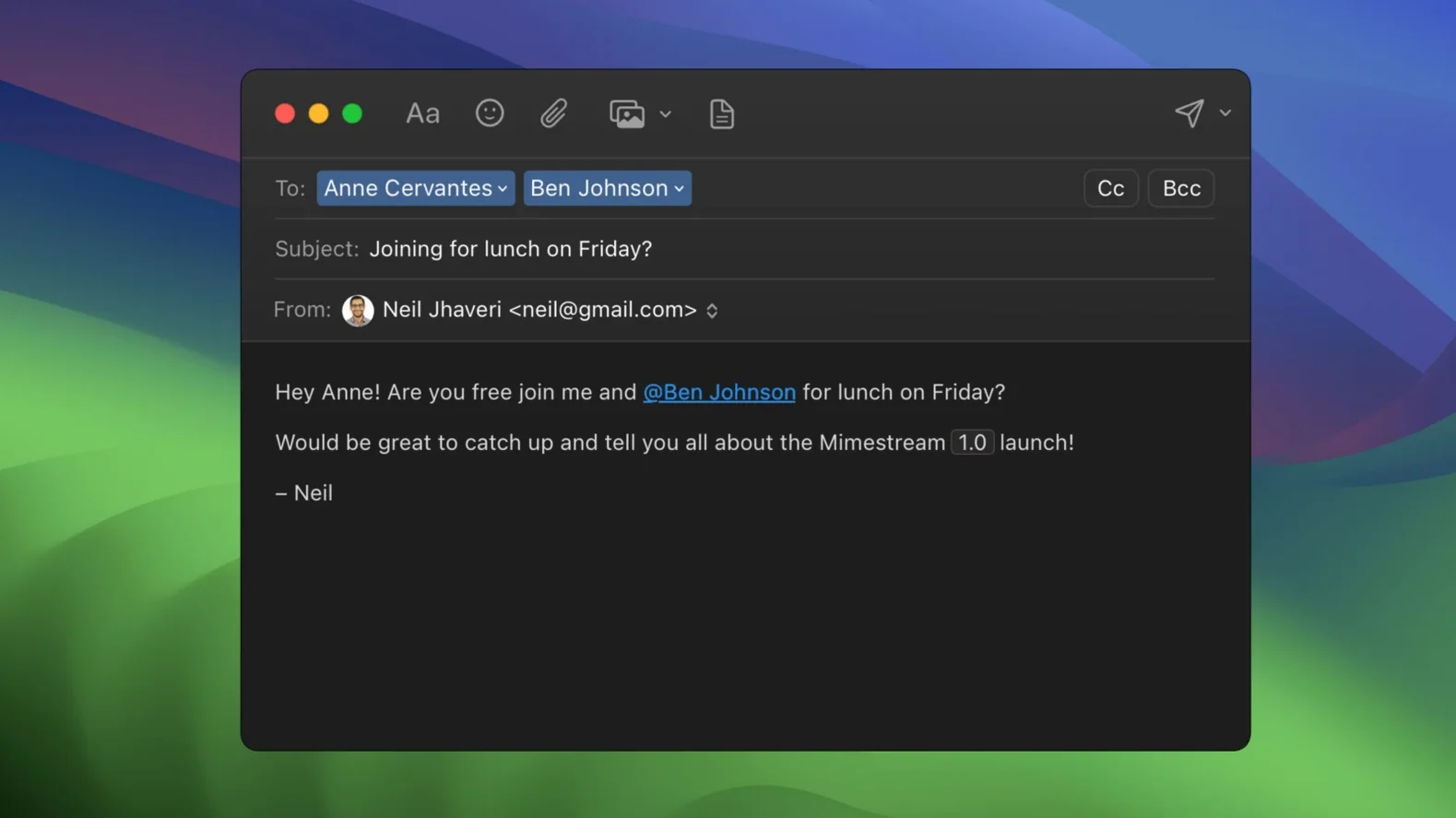
Gmail aliases sync automatically
Gmail aliases sync automatically without any setup. If you send from multiple addresses in Gmail, they appear in Mimestream right away, ready to use.
Does it protect your privacy?
Yes. Mimestream blocks tracking pixels from more than 50 tracking services, so senders can't tell when you open their emails.
Can you work offline?
Absolutely. Mimestream supports full offline access, caching recent messages locally with minimal disk space. You can read, search, and compose messages even without an internet connection.
Is it fast to use?
It's a native Mac app, running on both Apple Silicon and Intel, so it feels responsive. Keyboard shortcuts from Gmail or Apple Mail are built in, and notifications come through the macOS system, so you stay in the loop.
Notification actions to archive or reply
Out of the box, Mimestream works well, but a few settings adjustments make it more useful for daily use. I’d start with these:
- Notification actions – Version 1.10 added configurable notification actions. Set these to archive or reply directly from the notification banner, saving a click every time.
- Keyboard shortcut set – Mimestream ships with Gmail and Apple Mail shortcut sets. If you come from Gmail in a browser, switch to the Gmail set in Preferences; if you’re an Apple Mail veteran, the Apple Mail set feels natural. Pick one and stick with it.
- Swipe gestures – macOS swipe gestures are enabled by default for sorting and archiving. If you find yourself accidentally archiving messages, adjust the swipe direction or disable the gesture for archiving in Preferences. I leave swipe for archive only, and use the toolbar for other actions.
- Private Push notifications – On macOS 26 and later, these are enabled by default. If you’re on an older macOS version, you won’t see the option, but on a recent system, verify they’re on for immediate delivery without polling. No configuration needed beyond that toggle.
- All profile – The optional All profile shows messages from all your accounts in one unified inbox. Turn it on if you manage multiple Gmail accounts and want a single view. I find it useful for a quick scan, then switch back to individual accounts for focused work.
A workflow: archiving a batch of newsletters
Here’s how I’d do it in Mimestream, start to finish:
- Open Mimestream and let it sync. Offline access means recent messages are already cached, so this step is quick even on a slow connection.
- Use the search field at the top. Type
from:[email protected]– Mimestream supports standard Gmail search queries, so you can filter by sender, subject, or date range. If you’re offline, the search still works on cached messages. - Select all results by pressing Cmd+A (or the Gmail shortcut * A if you’ve switched sets). The selection applies only to the current view, not the whole account.
- Press E to archive (Gmail shortcuts) or swipe right with two fingers. The messages move to All Mail instantly, and you never see them in the inbox again.
- Repeat for each mailing list. The whole process takes about thirty seconds per sender. No manual dragging, no clicking through individual messages.
This workflow works because Mimestream treats Gmail labels and archiving the same way the web interface does. Archiving isn’t deletion – the message stays searchable and accessible later.
Gmail signatures appear without import
A few features in Mimestream don’t announce themselves loudly but make daily use smoother:
- Gmail signatures sync automatically – If you’ve set up signatures in Gmail’s web settings, they appear in Mimestream without any import step. No need to recreate them per account.
- Addresses for unknown senders – Version 1.10 added the ability to show addresses for senders not in your contacts. This is useful when an email comes from a support ticket or a one-off reply; you see the full address instead of just a display name.
- macOS system notifications – Mimestream uses the standard macOS notification centre, not a custom overlay. This means you can manage notifications via System Settings, group them, or use Focus modes to silence mail during work hours. It integrates like any other native app.
- Search while offline – Search works on cached messages even without internet. If you’re on a train or in a basement, you can still find that invoice from last week.
Three Gmail accounts on patchy Wi-Fi
Consider a freelance consultant who manages three Gmail accounts: personal, client work, and a shared team inbox. They spend most of the day in a coffee shop with patchy Wi-Fi. With Mimestream, they authorise all three accounts once. The All profile gives them a unified inbox for a quick morning scan. They archive client emails with a swipe, reply to personal messages using Gmail shortcuts, and never worry about tracking pixels because Mimestream blocks over 50 tracking services. Offline access means they can compose replies while the Wi-Fi drops, and the messages send automatically when the connection returns. Gmail aliases and signatures sync without configuration, so they don’t accidentally send from the wrong address. It’s a specific fit – only Google accounts – but for that use case, it removes the friction of bouncing between browser tabs and a generic IMAP client.
Changes in this build
- Private Push notifications are enabled by default on macOS 26 and later.
- Version 1.10 adds optional All profile, addresses for unknown senders, and configurable notification actions.
- 1.10.8 is the latest stable release.
Before it goes on the Mac
- macOS 12 Monterey or later
- Apple Silicon or Intel Mac
- Google account required
Questions from the room
Does Mimestream work with any email provider?
No. Mimestream only supports Google accounts, so it's strictly for Gmail and Google Workspace users.
Installing it on the Mac
- Open the downloaded disk image.
- Drag the app to the Applications folder alias.
- Launch the app from Launchpad after copying.
Notes from the control room
Sign in or open a catalogue account to leave a note.
No notes from the room yet. If you have used this build for a week, a short note helps the next person.
Also filed under Mac Apps
The whole Mac Apps rack Microsoft Word16.93 Mac Apps 2.4 GB
 Microsoft PowerPoint16.93 Mac Apps 2.4 GB
 Microsoft Outlook16.93 Mac Apps 2.4 GB
 Microsoft Office16.93 Mac Apps 2.4 GB
 Modern CSV2.3.1 Mac Apps 27 MB
 MotionVFX mInfographics Mac Apps 8 MB
 MotionVFX mKBHD Mac Apps 12 MB
 MotionVFX - mLowers Universal for FCP Mac Apps 71 MB