Home › Mac Apps › Microsoft Office

Microsoft Office 16.93 (Mac)
Updated
The catalogue note
Microsoft Office 16.93 for Mac is the latest monthly update to the suite that bundles Word, Excel, PowerPoint, Outlook, OneNote, and OneDrive into one install.
Runs on macOS Ventura or later with Intel or Apple Silicon
Minimum macOS — macOS 13 (Ventura). 64-bit only; runs on Intel and Apple Silicon. The major version number is 16.x across Microsoft 365, Office LTSC 2024, and Office LTSC 2021.
Four core apps: Word, Excel, PowerPoint, and Outlook
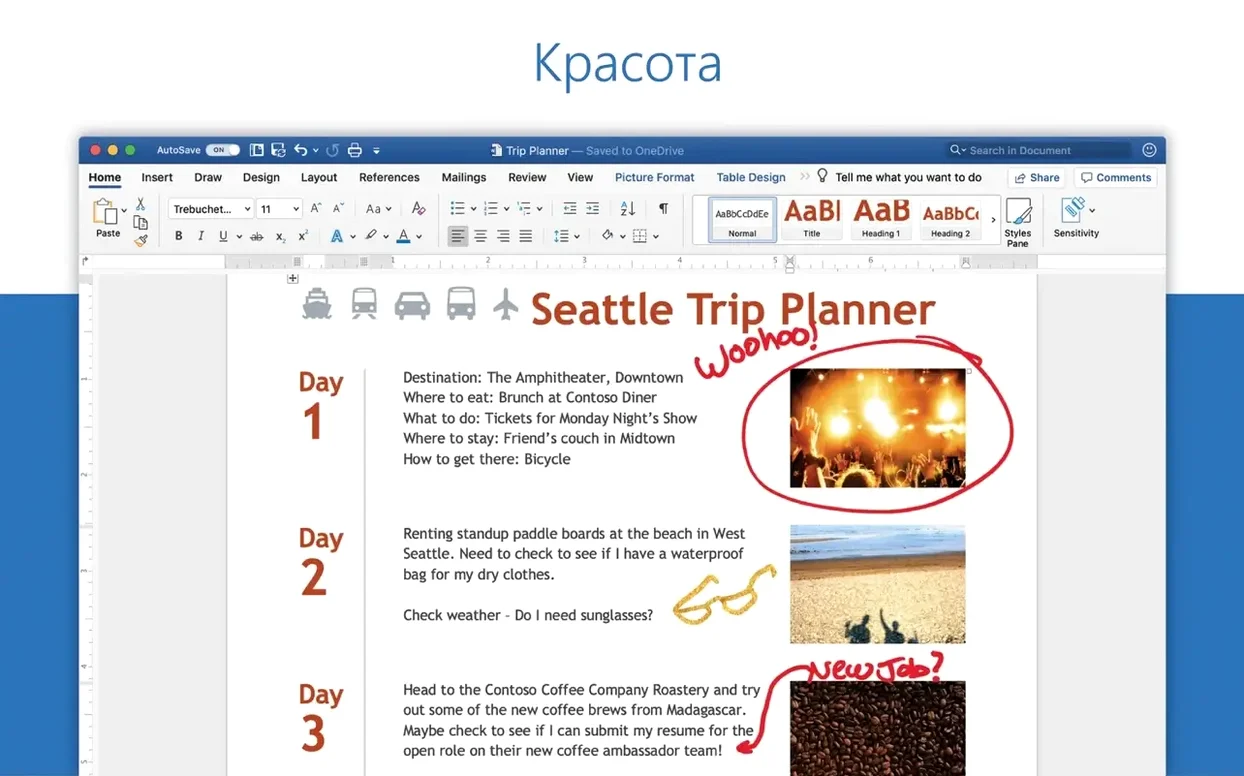
Word — create, edit, view, and share text documents, including those attached to email.
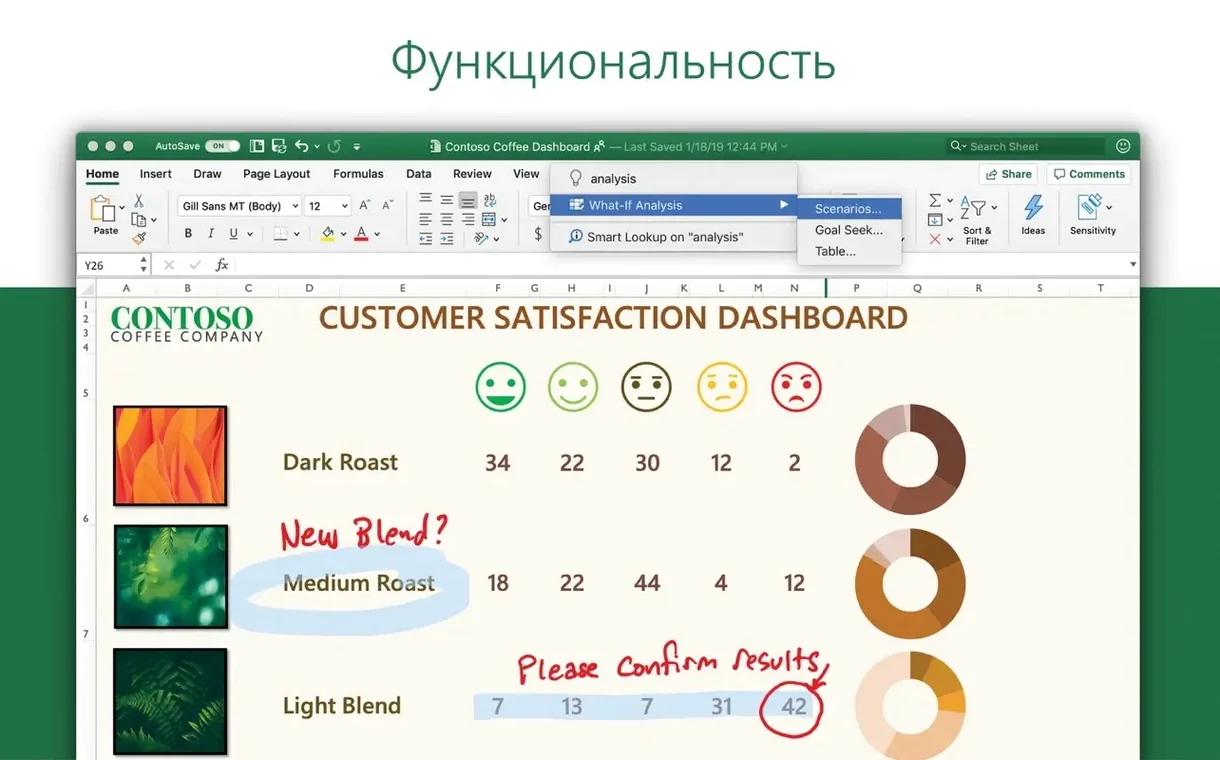
Excel — spreadsheets with charts and the Ideas feature for visualising data and trends.
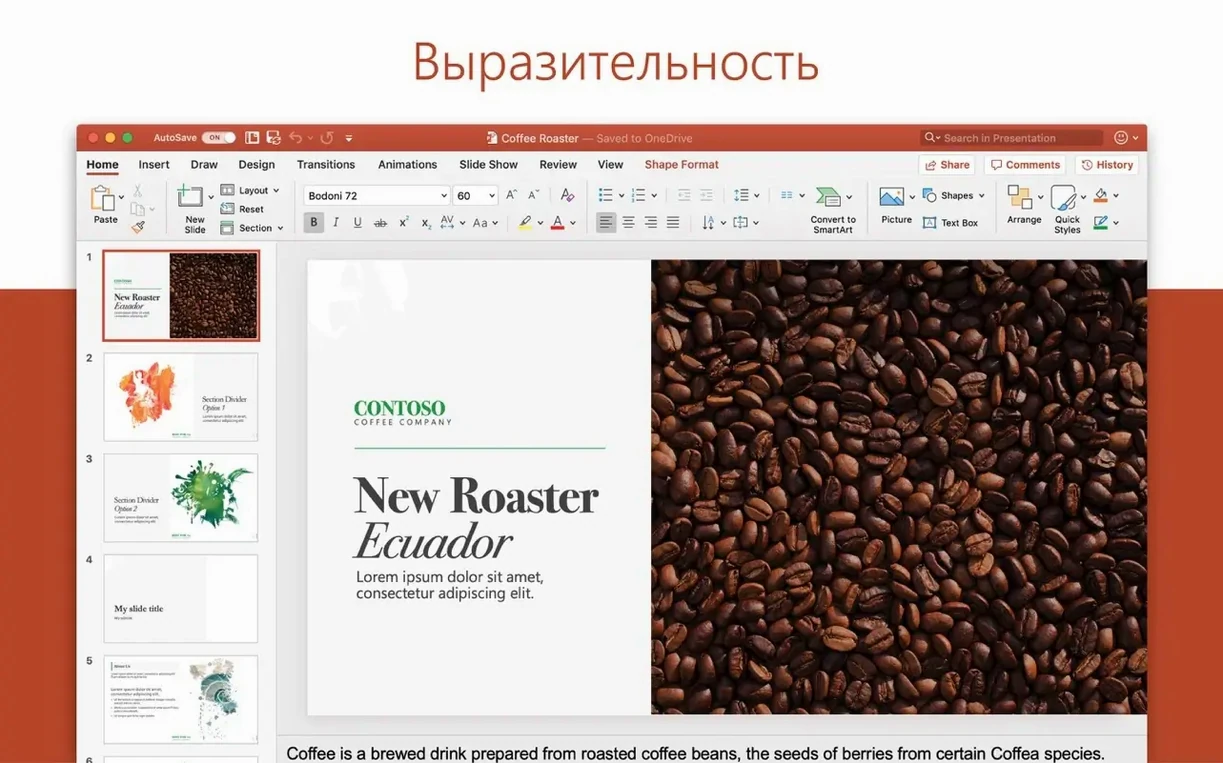
PowerPoint — presentations with slide design and transitions.
Outlook — email, calendar, and contacts in one app.
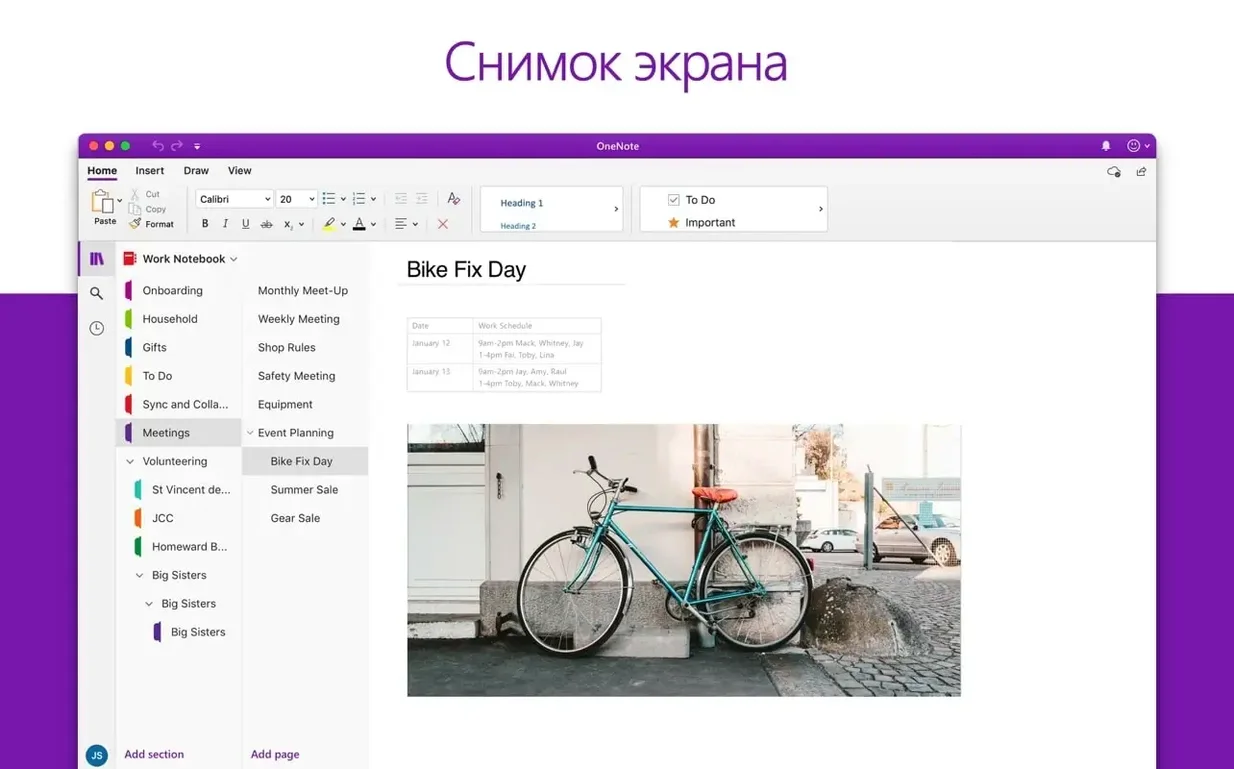
OneNote — digital notebook for notes and research.
OneDrive — cloud storage integrated with the suite.
Best for users who need perfect .docx and spreadsheet compatibility
The typical Mac user who reaches for Office is someone who cannot afford to reformat a colleague's .docx or lose a conditional-formatting rule in a shared spreadsheet. That covers:
- Office workers in mixed-platform environments — if your IT department runs Windows servers and your team uses Office 365 on both platforms, the Mac version preserves layout, fonts, and macros far better than any alternative.
- Students and academics — university submission portals expect .docx or .pptx. OneNote handles lecture notes with audio recording and ink support, and OneDrive syncs them between a campus lab Mac and a personal laptop.
- Freelancers and small-business owners — invoices in Excel, proposals in Word, pitch decks in PowerPoint. OneDrive sharing means a client can comment without you exporting PDFs back and forth.
- Power users of Outlook — the Mac version supports Exchange, IMAP, and Microsoft 365 accounts with shared mailboxes, categories, and rules that behave identically to the Windows client.
Marketing coordinator handles tracked changes, 3D models, and budget sheets
Consider a marketing coordinator at a Kraków agency. She receives a brief as a Word document with tracked changes from the copywriter, a PowerPoint deck with embedded 3D models from the design team, and a budget spreadsheet in Excel with pivot tables from finance — all before 10 a.m.
She opens the Word file, accepts or rejects changes, and replies with a clean .docx. The PowerPoint file contains animated transitions and a motion camera effect that she previews in Presenter View on her MacBook. The Excel budget uses conditional formatting and the Ideas feature to flag overspend trends; she adjusts a few cells and the formulas recalculate instantly. She then uploads the final versions to OneDrive and sends a sharing link via Outlook. No format conversion, no rework, no second-guessing whether a chart will render correctly on a Windows machine.
Quick Look and Continuity Camera work without extra setup
Office 16.93 takes advantage of several macOS services without extra configuration:
- Quick Look — press Space on a .docx or .xlsx in Finder to preview content without launching the app.
- Continuity Camera — insert a photo into Word or PowerPoint using your iPhone’s camera; the image appears directly in the document.
- Dictation — macOS built-in speech-to-text works inside Word and OneNote for note-taking.
- Shortcuts — you can create automations that open a specific template, export a document as PDF, or move files to a OneDrive folder.
- Focus mode — Outlook respects macOS Focus settings, so notifications from calendar reminders can be filtered during deep work.
- Drag and drop — drag text from Safari into Word, or a chart from Excel into PowerPoint, just as you would on Windows.
OneDrive integrates with Finder tags and the macOS Photos app, so you can save a photo directly to a shared OneDrive folder. Real-time co-authoring in Word, Excel, and PowerPoint works through OneDrive links, with presence indicators showing who is editing which paragraph.
Fixes for crashes, sync errors, and font glitches
Activation fails after installation
If you installed Office LTSC 2024 and the suite shows as unlicensed, the Office LTSC 2024 VL Serializer was not applied. Remove Office completely using the Microsoft Removal Tool, reinstall, then run the Serializer before opening any app. Without this step, the apps remain in reduced-functionality mode.
Updates not appearing
Office for Mac updates itself through Microsoft AutoUpdate (MAU). If MAU does not offer version 16.93, check that the app is not blocked by a firewall or a corporate MDM profile. You can also download the 16.93 package directly from Microsoft’s servers and apply it over the existing installation.
OneDrive sync conflicts
When two people edit the same file simultaneously, OneDrive creates a conflict copy with the author’s name appended. To avoid losing work, use the real-time co-authoring feature in Word, Excel, or PowerPoint rather than uploading separate copies. If a conflict file appears, open both versions and merge manually.
Outlook not connecting to Exchange
Outlook on Mac requires the correct account type. Choose “Exchange” or “Microsoft 365” during setup, not IMAP. If the connection still fails, remove the account, restart Outlook, and re-add it using the autodiscover email address. For on-premises Exchange servers, verify that the server URL is reachable from your network.
Fonts missing in shared documents
A document created on Windows may reference fonts not installed on Mac. Office substitutes them automatically, but layout can shift. Embedding fonts in the file (Word > Preferences > Save > Embed fonts) avoids this for documents you share back to Windows users.
Stability and compatibility fixes in the January 2025 update
Version 16.93, build 25011212, was released on 14 January 2025. It applies to Word, Excel, PowerPoint, Outlook, and OneNote. The update is a monthly refresh — no new headline features, but the usual stability fixes and compatibility adjustments for macOS 13 and later. If you were on 16.92, the upgrade takes a few minutes via Microsoft AutoUpdate and requires a restart of each Office app. The interface languages remain unchanged from the previous build.
For those who prefer to manage updates manually, the standalone 16.93 installer packages are available for each app. The suite package installs all five applications plus OneDrive in one pass.
Freelance graphic designer prepares a client pitch with mixed media
A freelance graphic designer working from a MacBook Air receives a client brief as a .docx file with embedded reference images. She opens it in Word, adds comments to clarify the scope, and saves it back to OneDrive. The client replies with edits in tracked changes, which she accepts in a single pass.
For the pitch itself, she builds a PowerPoint deck using the 3D model insertion feature — a product mockup exported from Blender as a .glb file rotates on a slide with a motion camera effect. She pulls financial projections from an Excel workbook the client sent, copies the relevant cells, and pastes them as a linked table so any updates in the source file reflect automatically. The deck is then shared via an Outlook calendar invite with a OneDrive link, giving the client access without file-size limits on email attachments.
Throughout the day, she uses OneNote as a scratchpad — pasting screenshots, sketching layout ideas with the drawing tools, and recording voice notes during a phone call. The notebook syncs to her iPhone, so she can review notes on the tram home.
Who gets the most from Office 16.93 on a Mac
Office for Mac is not a compromise version — it matches the Windows counterpart in file fidelity, which matters most to specific groups:
- Creative professionals who collaborate with corporate clients — agencies, photographers, and video editors who receive briefs in Word or spreadsheets in Excel and need to return files that open identically on the client’s PC.
- Academic researchers — writing papers in Word with EndNote or Zotero integration, analysing data in Excel with pivot tables and statistical functions, and presenting findings in PowerPoint at conferences where the projection system runs Windows.
- Remote teams using Microsoft 365 — the real-time co-authoring in Word, Excel, and PowerPoint works across macOS, Windows, iOS, and the web, so a team spread across different devices can edit a single document simultaneously.
- IT-managed deployments — organisations that use MDM profiles to deploy Office can push version 16.93 to fleets of Macs, ensuring every machine runs the same build with consistent settings and activation.
How Office fits into a broader Mac workflow
Office 16.93 does not operate in isolation. It integrates with macOS in ways that reduce friction for users who also rely on other apps:
- Automator and Shortcuts — you can build a workflow that takes a selected folder of .docx files, converts each to PDF using Word’s export engine, and saves them to a specified destination. No scripting knowledge required beyond dragging actions into place.
- Mail and Calendar services — Outlook respects macOS’s default calendar and contacts settings, so meeting invites created in Outlook appear in the system Calendar app, and contacts sync with the system Contacts database.
- AirDrop — a colleague can AirDrop a .pptx from their iPhone to your Mac; double-clicking opens it in PowerPoint without any intermediate step.
- Time Machine — OneDrive files stored locally are included in Time Machine backups if the OneDrive folder is inside your user folder, providing an extra safety net alongside cloud version history.
- Third‑party tools — utilities like Hazel or Keyboard Maestro can watch a folder for new .xlsx files and trigger an AppleScript that opens them in Excel, applies a template, and exports a PDF — useful for automated reporting pipelines.
For users who occasionally search for torrent office or microsoft office 2021 mac torrent as a quick way to get the suite, the official 16.93 packages from Microsoft’s servers are straightforward to install and update via Microsoft AutoUpdate — no need to hunt for activation workarounds or risk outdated builds that lack security patches. The same applies if you have looked for office 2024 for mac torrent or download office 2024 for mac free; the LTSC 2024 version is available through legitimate volume licensing channels and updates through the same MAU mechanism.
OneDrive’s Finder integration also means you can right-click any file and choose “Share” to generate a link with adjustable permissions — view, edit, or review — without opening the Office app first. This is especially useful for office pour mac torrent users who later decide to switch to a properly licensed copy and want to evaluate the full feature set before committing.
Interface languages include English, German, French, Spanish, Italian, Dutch, Polish, Russian, Japanese, Korean, and more.
Changes in this build
- Version 16.93 is the latest monthly build for Word, Excel, PowerPoint, Outlook, and OneNote.
Before it goes on the Mac
- macOS 13 (Ventura) or later
- 64-bit processor
- Intel or Apple Silicon
Questions from the room
How often is Office for Mac updated?
Office for Mac is updated approximately once a month. Version 16.93 was released on 2025-01-14.
Installing it on the Mac
- Install Office 2024 using the standard procedure, or download the needed package for Word, Excel, PowerPoint, Outlook, or OneNote.
- Use packages downloaded from Microsoft’s official servers.
- Install Microsoft Office LTSC 2024 VL Serializer to activate the suite.
- Install Microsoft AutoUpdate (MAU) to enable updates.
- If activation fails, remove Office completely and reinstall it.
Notes from the control room
Sign in or open a catalogue account to leave a note.
No notes from the room yet. If you have used this build for a week, a short note helps the next person.