
Mela 2.6.1 (Mac)
Updated
The catalogue note
Mela is for the cook who has a shelf of dog-eared cookbooks and a photo library full of dishes they meant to try. It is a recipe manager that treats the journey from book to table as one continuous task, not a set of isolated notes.
The task: from cookbook to dinner
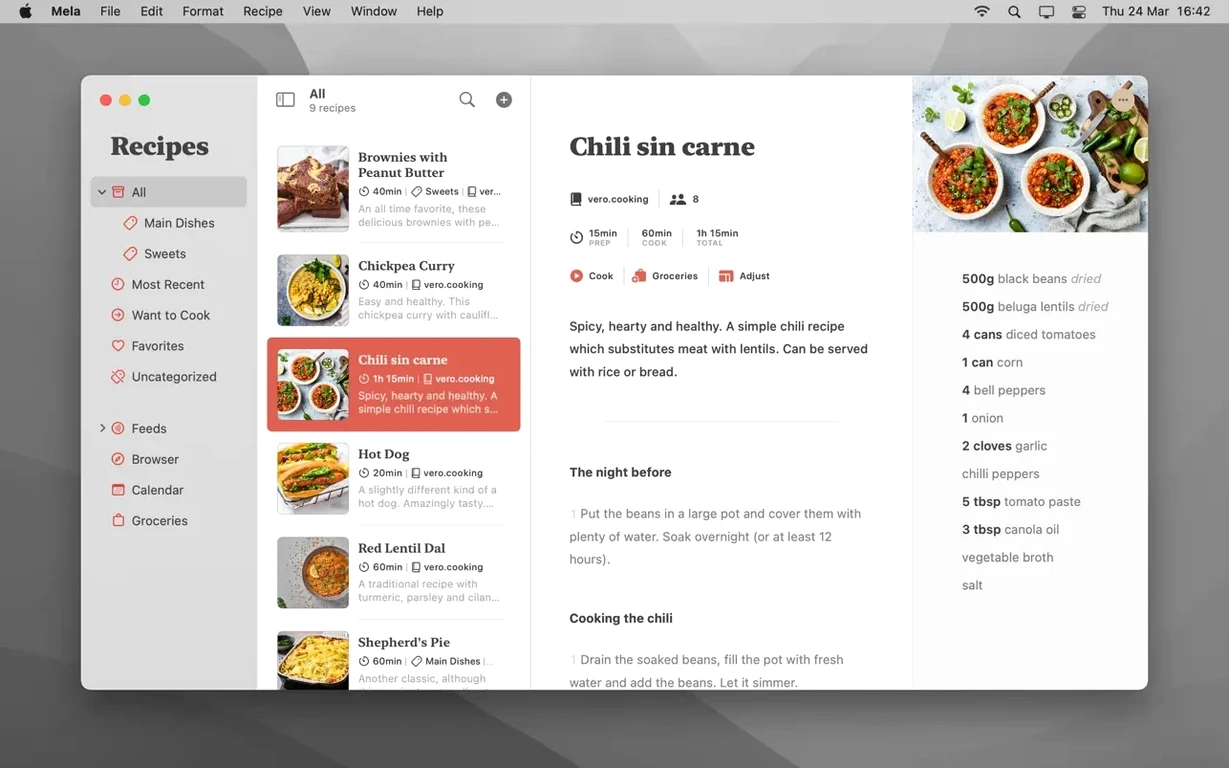
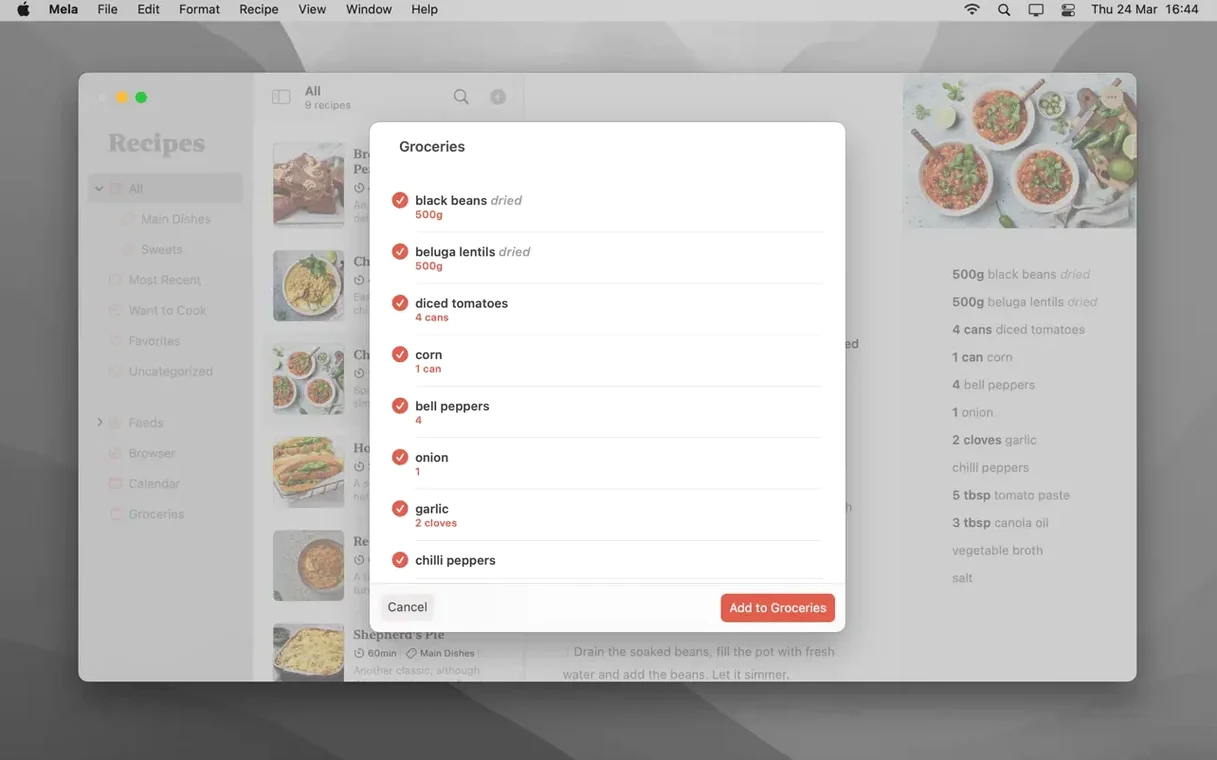
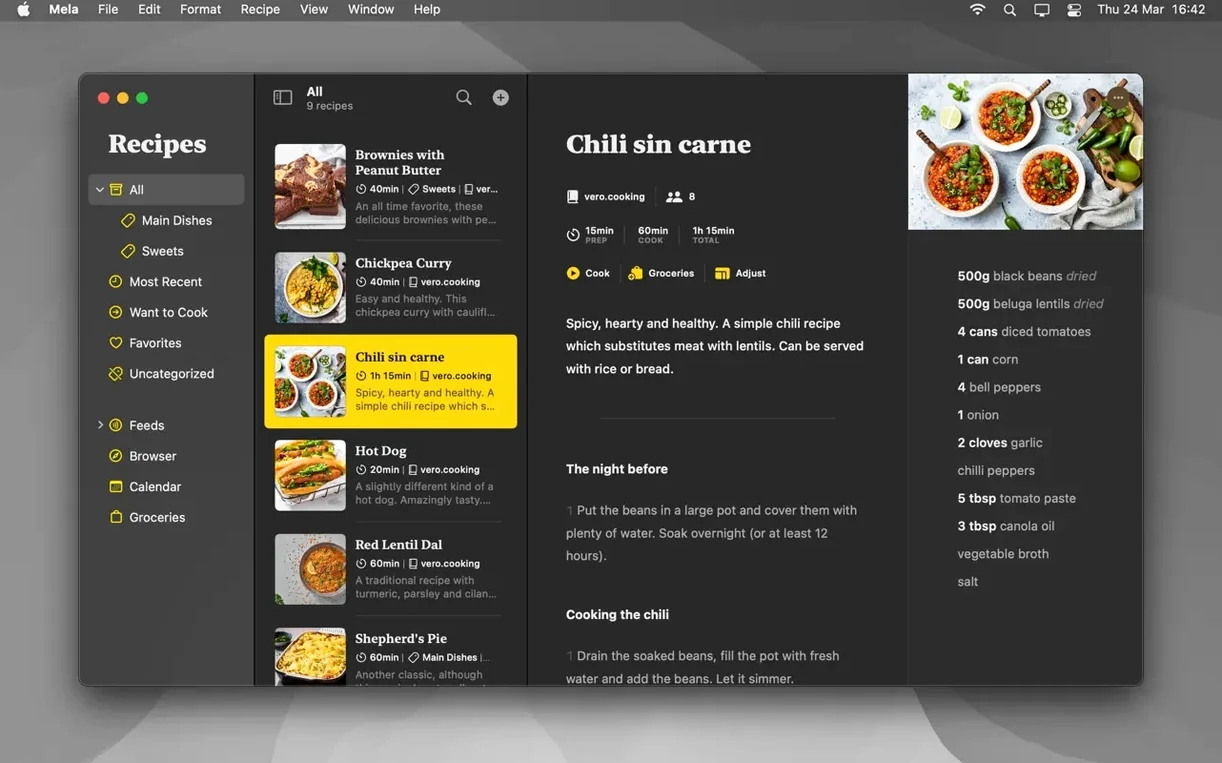
You pick a recipe from a book. Mela's text recognition scans the page, pulling the ingredient list and method into a clean, editable format. No typing, no manual structuring. The recipe lands in your library, organised into categories you control.
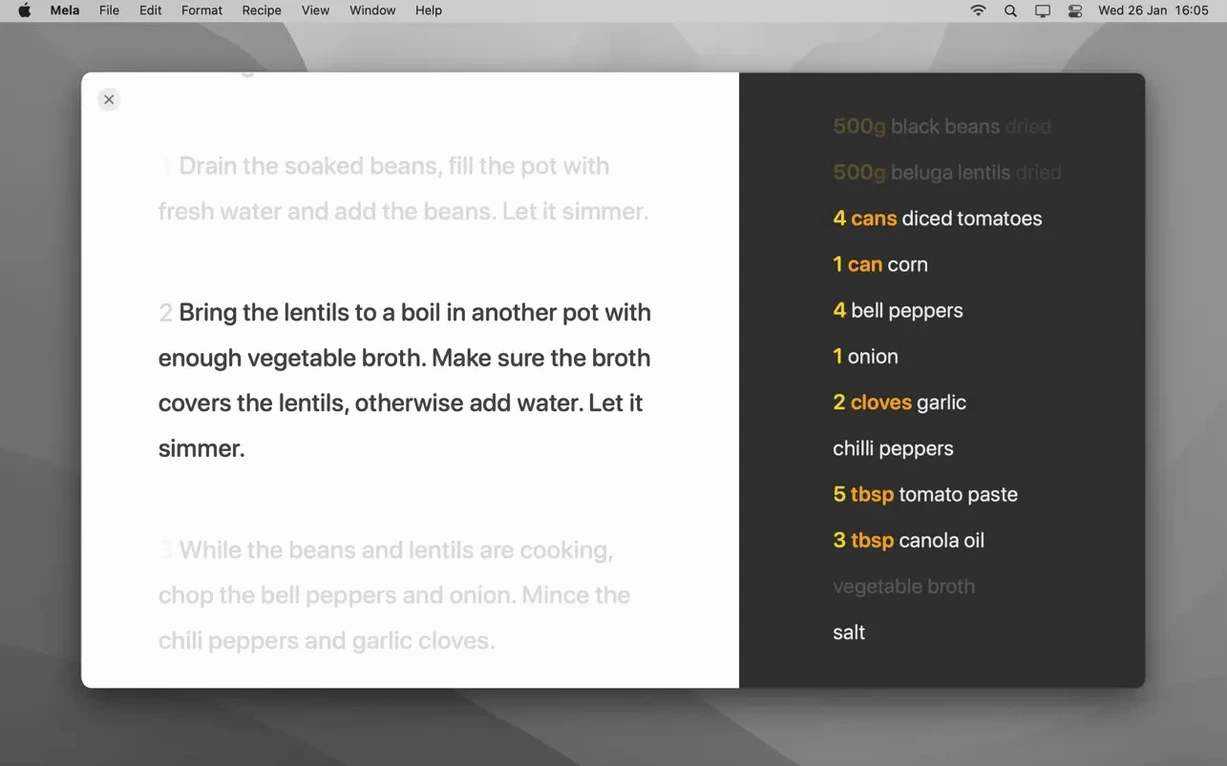
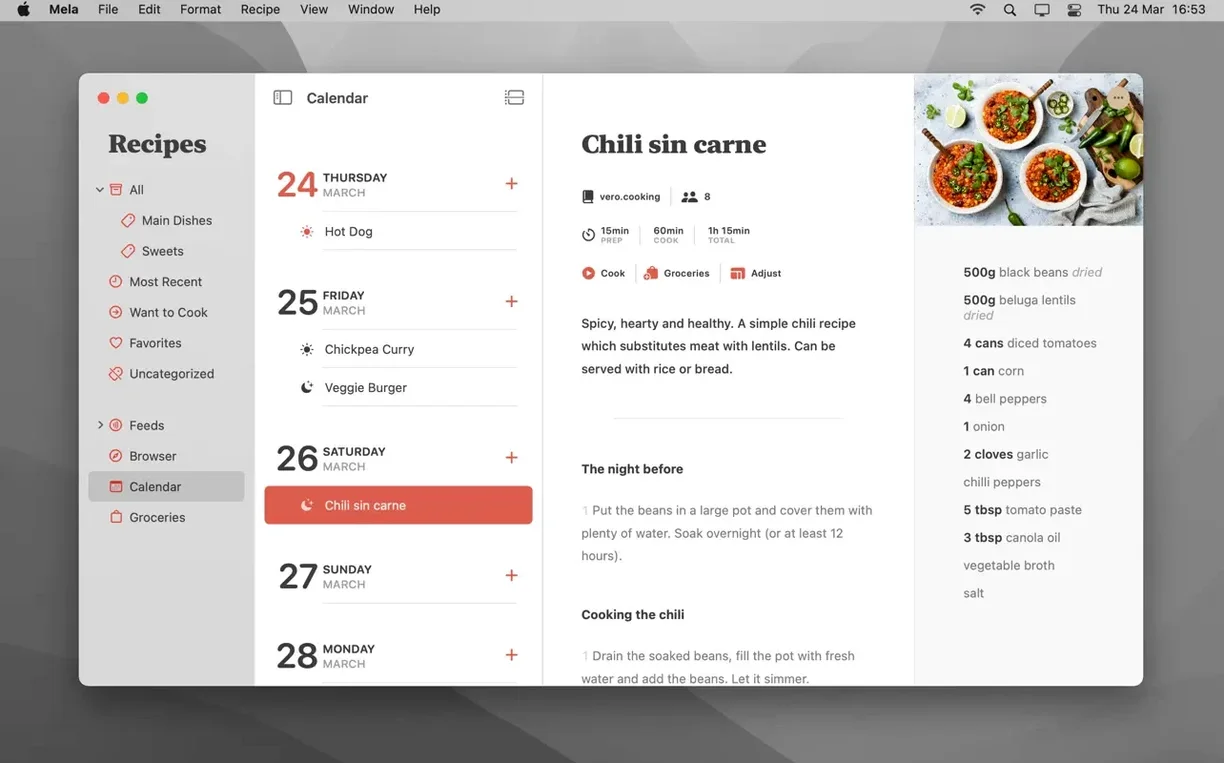
Before cooking, you decide the meal needs a second dish. Cooking mode holds multiple recipes at once, so you keep both sets of instructions on screen without switching back and forth. The timer runs through Calendar.app, which means your existing schedule stays in charge.
Beyond the single recipe
Mela synchronises everything through iCloud. Shared recipe libraries with other iCloud users need macOS 12, and they work for households where one person shops and another cooks. Mark favourites, print a page for the fridge, or save the finished version as a PDF. The sharing extension pulls recipes from outside Mela when a friend sends you a link.
How Mela sits alongside other recipe apps
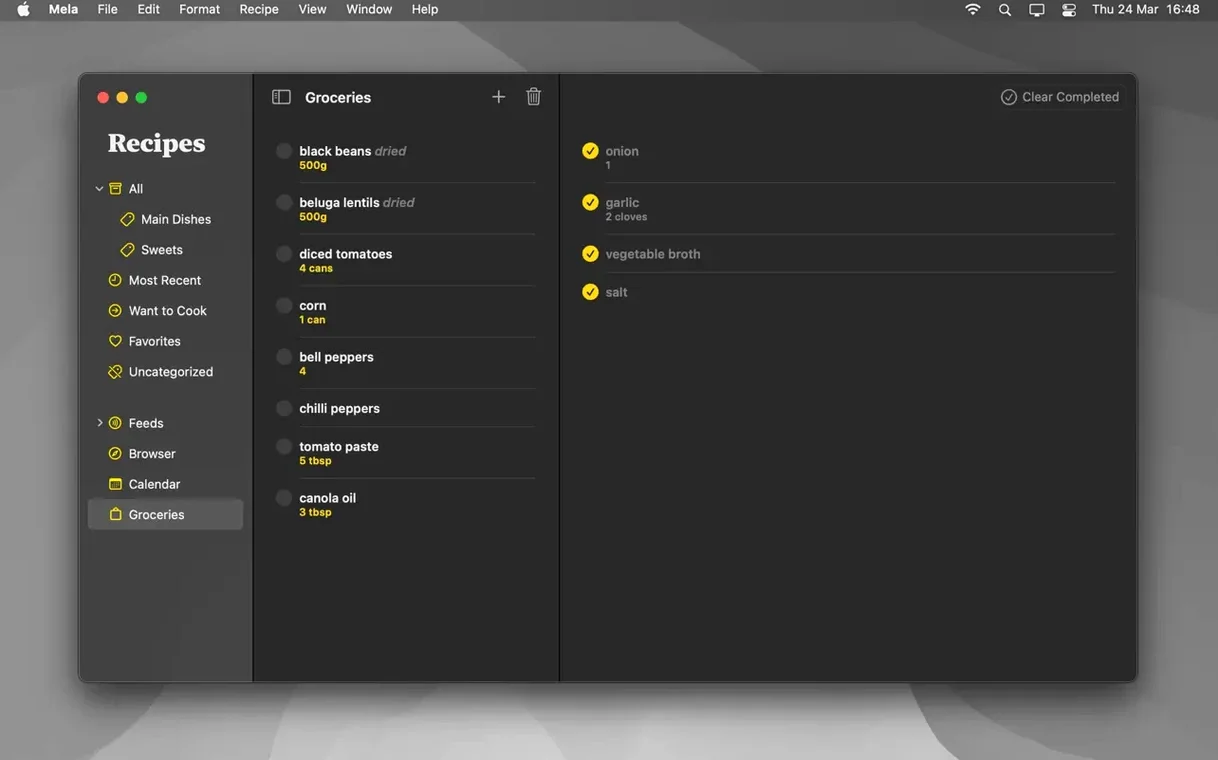
Most recipe managers on macOS fall into two camps: the database-first apps that treat cooking like a spreadsheet, and the web-clipper apps that save links and hope for the best. Mela lands somewhere between them, with a stronger focus on the actual cooking session than either approach.
Paprika, the best-known alternative, gives you a browser-based clipper and a fairly dense interface. It works, but the cooking mode feels like an afterthought — a text view with a dimmed screen. Mela’s cooking mode is more deliberate: multiple recipes visible, timers embedded, text large enough to read from a counter.
Grocery, a newer entry, leans into meal planning and shopping lists. It does those things well, but its recipe management is thin. There is no text recognition for scanning a book page, and no shared library for a household. Mela fills that gap for people who want one app for both planning and the stovetop.
Recipe Keeper offers a broad feature set — barcode scanning, meal plans, nutrition — but the interface is busier, and the sync depends on the developer’s server. Mela’s iCloud sync is private by default, and it uses Calendar.app for meal planning, which keeps your existing schedule intact rather than duplicating it.
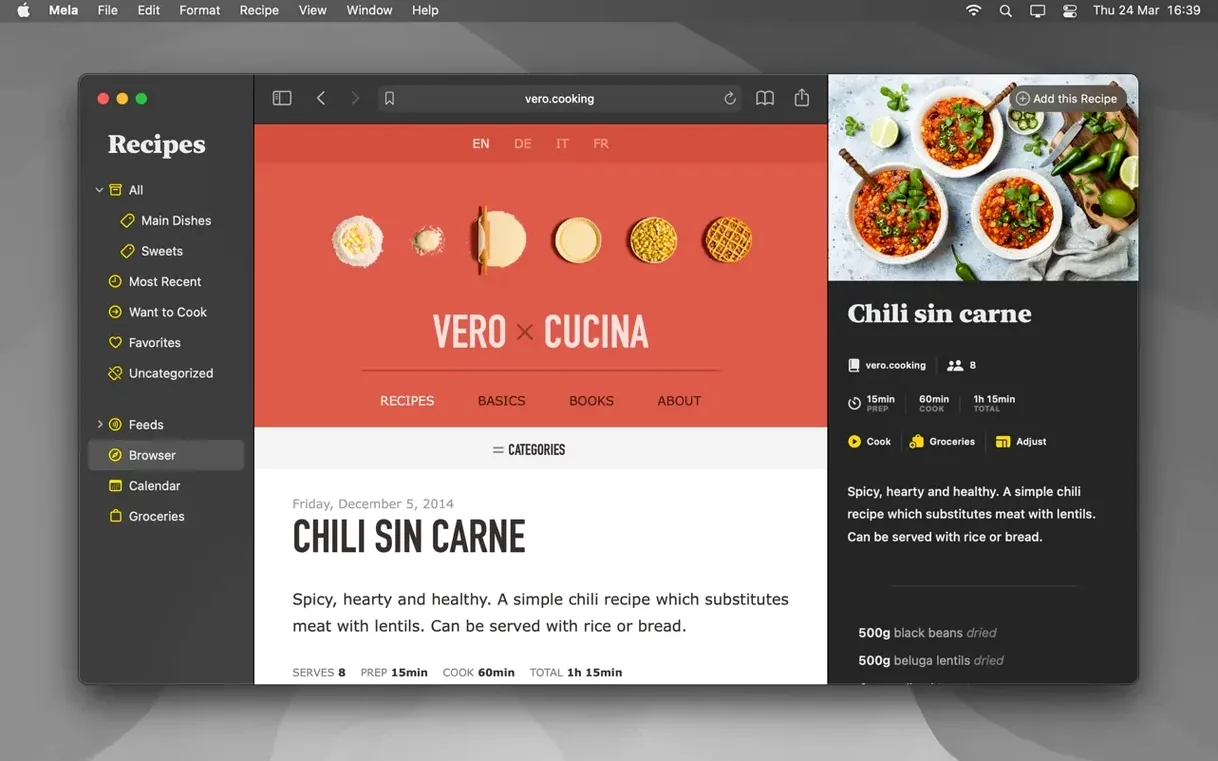
Live preview highlights recipes before you import
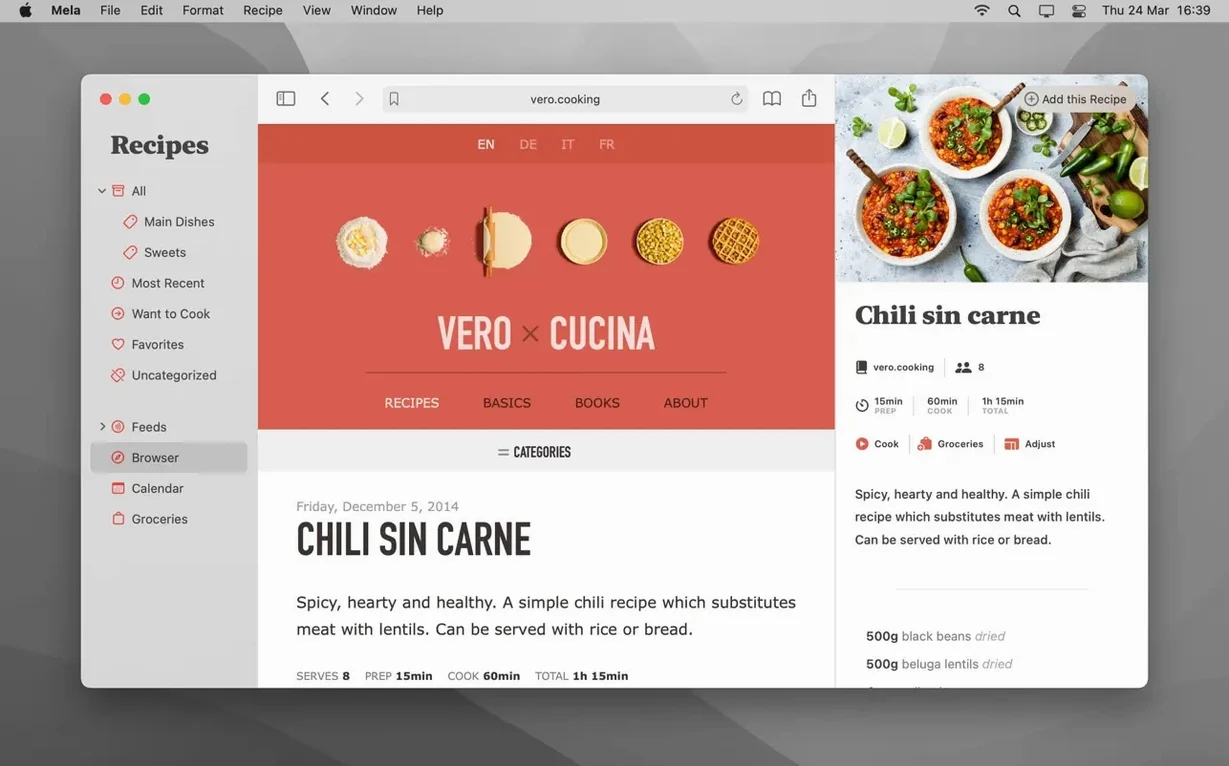
The in-app browser with live preview is worth knowing about. When you browse a recipe blog inside Mela, the preview highlights the detected recipe before you import it. You see the title, ingredients and method without committing to a full import. That saves time when you are skimming several sites for dinner ideas.
Subscribing to a recipe blog works similarly to an RSS feed. No need to visit the site each time.
The sharing extension is another quiet feature. From Safari, Mail or Messages, you can share a link into Mela, and it pulls the recipe from the page. If you are on a phone call with a friend who sends a recipe, it lands in your library without opening the browser.
Scanning a recipe from a book uses the Mac’s camera or a scanned image. The text recognition reads the layout, separating ingredients from steps. It is not always perfect — a handwritten note or a stained page can confuse it — but the editable result lets you correct quickly.
Syncs with iCloud but works locally without it
Does it work if I do not use iCloud? Mela syncs with iCloud by default. If you have iCloud Drive disabled, recipes stay local to the device. The shared library and the calendar integration will not function across devices, but the app runs normally.
Can I use it with a family member who has an Android phone? No. Mela relies on iCloud and the Apple ecosystem. Shared libraries require other iCloud users on macOS 12 or later. For mixed-platform households, Paprika or Recipe Keeper may be a better fit.
What happens to recipes I import from a blog if the blog goes offline? They remain in Mela. The import copies the recipe content into your library. It does not rely on the source staying online.
Does it handle metric and imperial units? Yes. Recipes are stored with the units you enter. The app does not auto-convert between systems, but you can edit the ingredient list manually if needed.
Can I export recipes to another app? Mela supports printing and saving as PDF. There is no direct export to other recipe managers. If you are migrating, the PDF route is the most reliable.
Set the default category to Favourites first
Open Mela’s preferences before you start importing. The most useful toggle is the default category for new recipes — set it to Favourites or a category you use often, so imported recipes land where you can find them quickly.
The cooking mode text size is adjustable. If you work at a distance from the screen or use a small monitor, increase the font size before your first cooking session. It saves squinting at a timer.
Decide whether you want recipes to sync automatically or on demand. iCloud sync is near-instant, but if you prefer to review imports before they appear on other devices, turn off automatic sync in preferences and trigger it manually.
Fix text recognition by scanning at higher resolution
Text recognition does not pick up a scanned recipe. This usually happens with glossy book pages or uneven lighting. Try scanning the page at a higher resolution and avoiding glare. If the text is in a two-column layout, crop the image to one column at a time. Mela handles single-column text best.
The in-app browser shows no recipe preview. Not every webpage uses structured recipe markup. The live preview relies on schema.org or similar metadata. If the page does not include it, Mela shows the page as plain text, and you can import it manually using the sharing extension.
Shared library invites do not arrive. Check that both users are on macOS 12 or later and that iCloud Drive is enabled on both Macs. Shared libraries also require the other user to accept the invitation from within Mela, not from the system notifications.
Calendar events appear in the wrong day. Mela uses Calendar.app for meal planning. If you add a recipe to a date that already has events, Mela creates a new event in your default calendar. Check which calendar is set as the default in Calendar.app — Mela writes to that one.
A recipe imported from a blog has missing ingredients. Some recipe blogs split ingredients across sections or use inline formatting that the parser does not catch. Open the recipe in edit mode and paste the missing items from the original page. The editable fields accept plain text and markdown-like lists.
Before it goes on the Mac
- macOS 11 or later
- Intel or Apple Silicon
- Interface languages: English, German, Italian, French
Questions from the room
Can I share my recipe library with someone else?
Yes, Mela supports shared recipe libraries with other iCloud users, provided everyone is on macOS 12 or later.
Does Mela work with recipes printed in books?
It can scan a recipe from a book using text recognition, so you can bring physical cookbook pages into the app.
Installing it on the Mac
- Open the downloaded disk image.
- Drag the app to the Applications folder alias.
- Launch the app from Launchpad once copying finishes.
- If errors occur, follow the instructions included in the disk image.
Notes from the control room
Sign in or open a catalogue account to leave a note.
No notes from the room yet. If you have used this build for a week, a short note helps the next person.
Also filed under Mac Apps
The whole Mac Apps rack MAXON Cinema2024.2.0 Mac Apps 721 MB
 Marvelous Designer2024.2.139 Mac Apps 1.7 GB
 Microsoft Office16.93 Mac Apps 2.4 GB
 Microsoft Outlook16.93 Mac Apps 2.4 GB
 Marmoset Toolbag4.02 Mac Apps 169 MB
 Microsoft PowerPoint16.93 Mac Apps 2.4 GB
 MAMP PRO6.9.0 Mac Apps 472 MB
 Microsoft Word16.93 Mac Apps 2.4 GB