Home › Mac Apps › MathCapture – Equation Editor

MathCapture – Equation Editor 1.8.99 (Mac)
Updated
The catalogue note
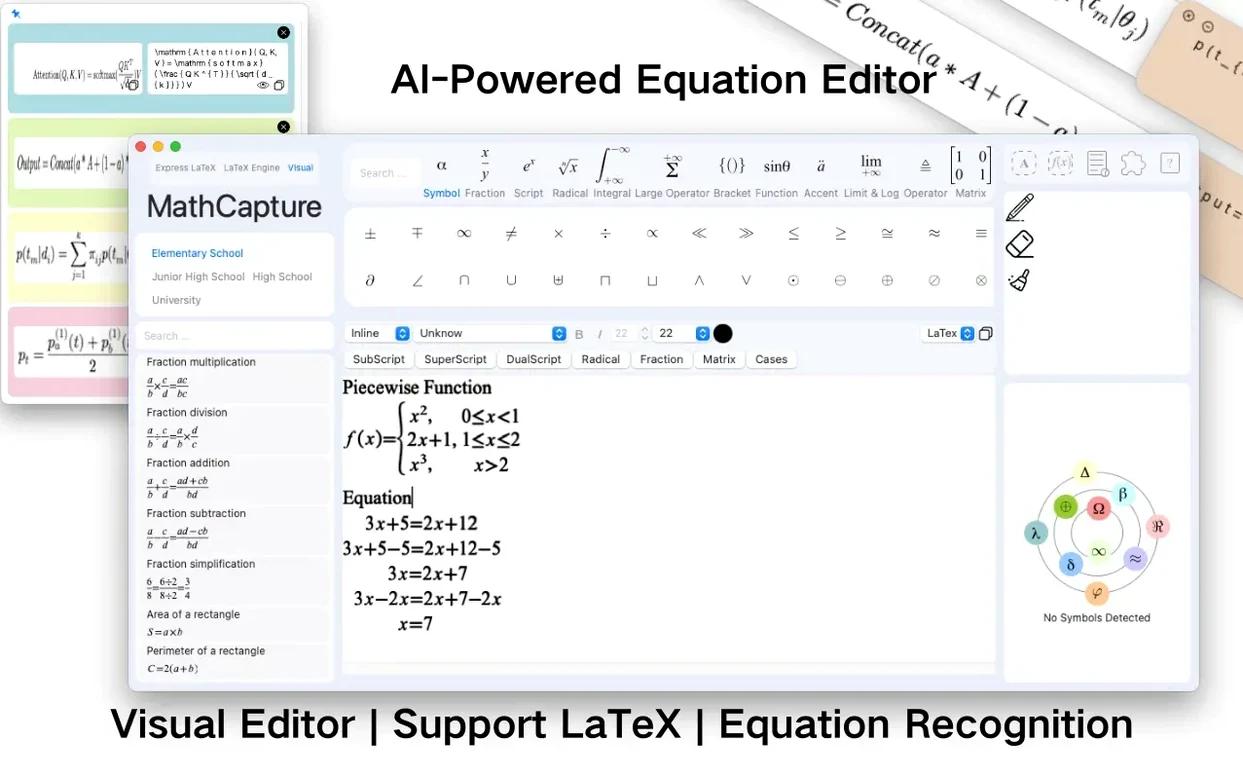
Formula recognition in MathCapture starts with the camera or an image file: the app reads the symbols and turns them into editable equations. That is the core of it — a tool for anyone who works with mathematical notation and wants to skip the manual typing.
What does MathCapture do?
It is an AI-powered equation editor for macOS. You can create formulas from scratch, edit them, or convert images of formulas into LaTeX instantly. The app also handles symbol recognition, so handwritten or printed notation can be brought into digital form without retyping.
Saves the back-and-forth for students, researchers, and teachers
Students, researchers, and teachers who deal with maths daily. If you write papers, prepare slides, or just need to get a formula out of a PDF into a document, MathCapture saves the back-and-forth.
Double-click to reopen formulas in Word and PowerPoint
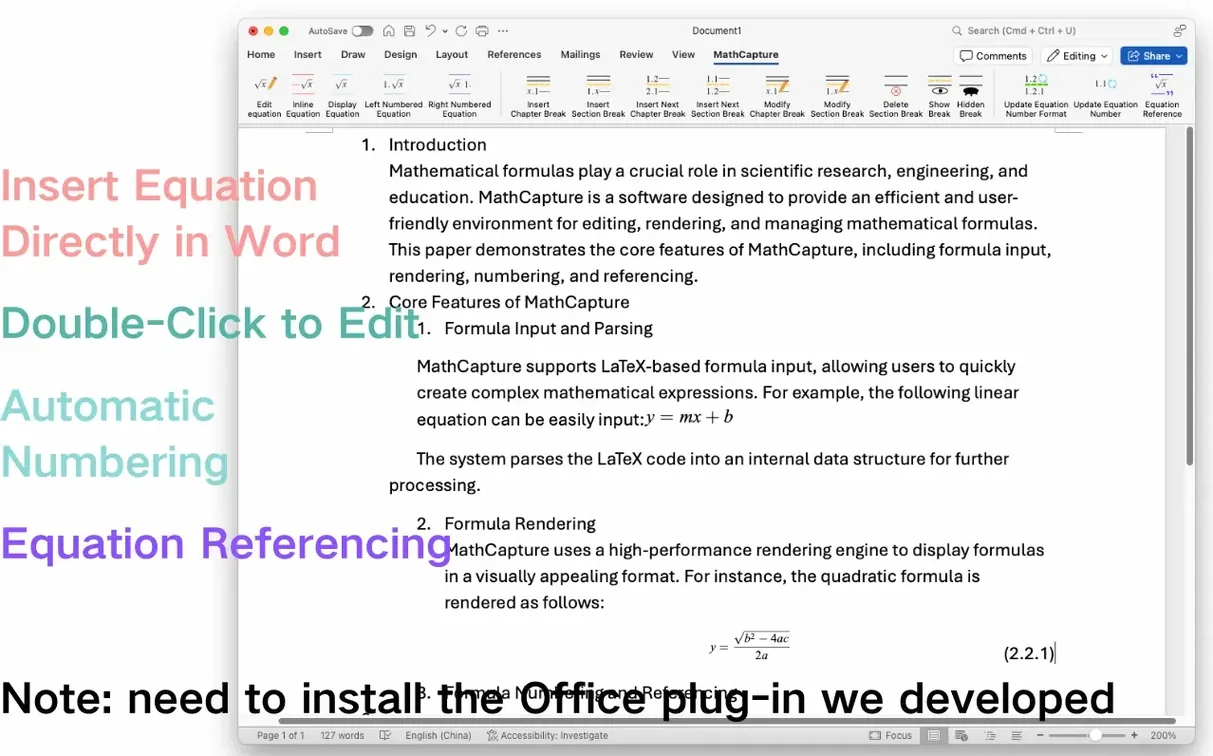
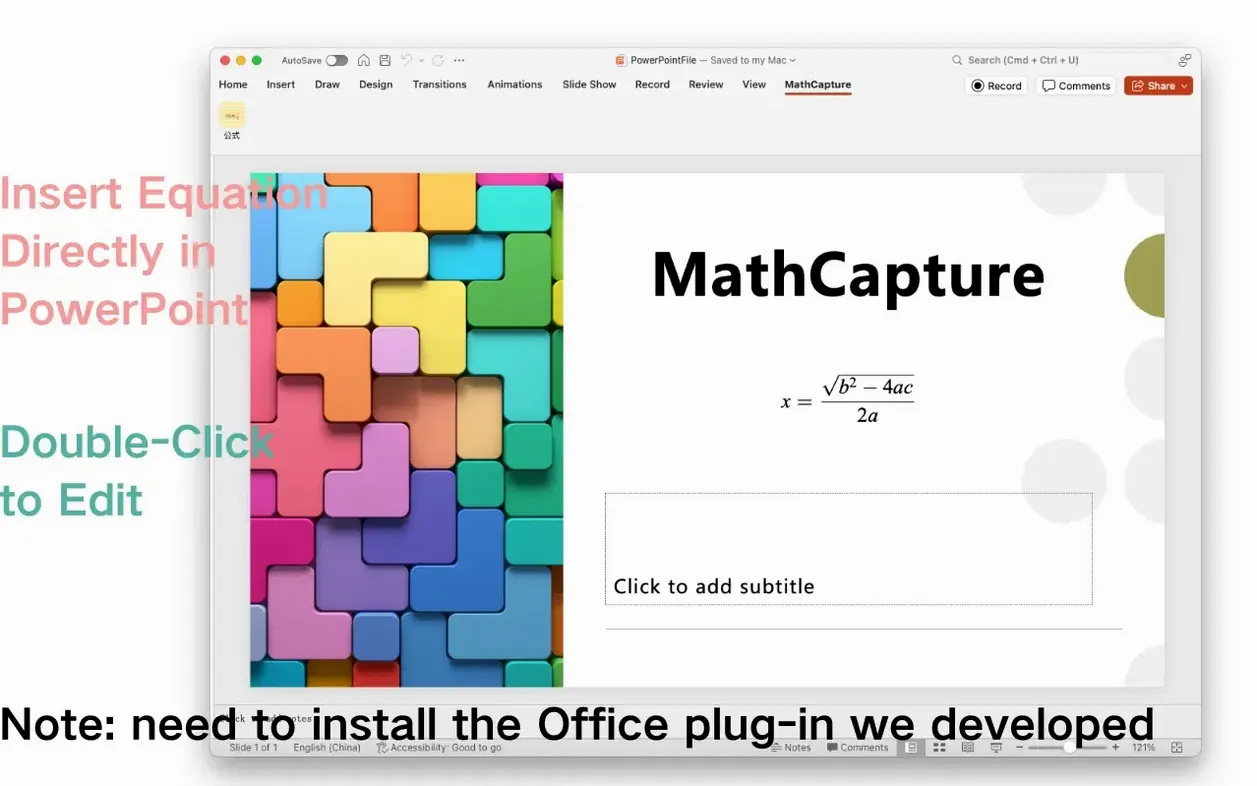
Formulas can be inserted directly into Word and PowerPoint, and double-clicking them later reopens the editor for changes. That is a practical feature for anyone assembling reports or lecture notes.
Which LaTeX modes are supported?
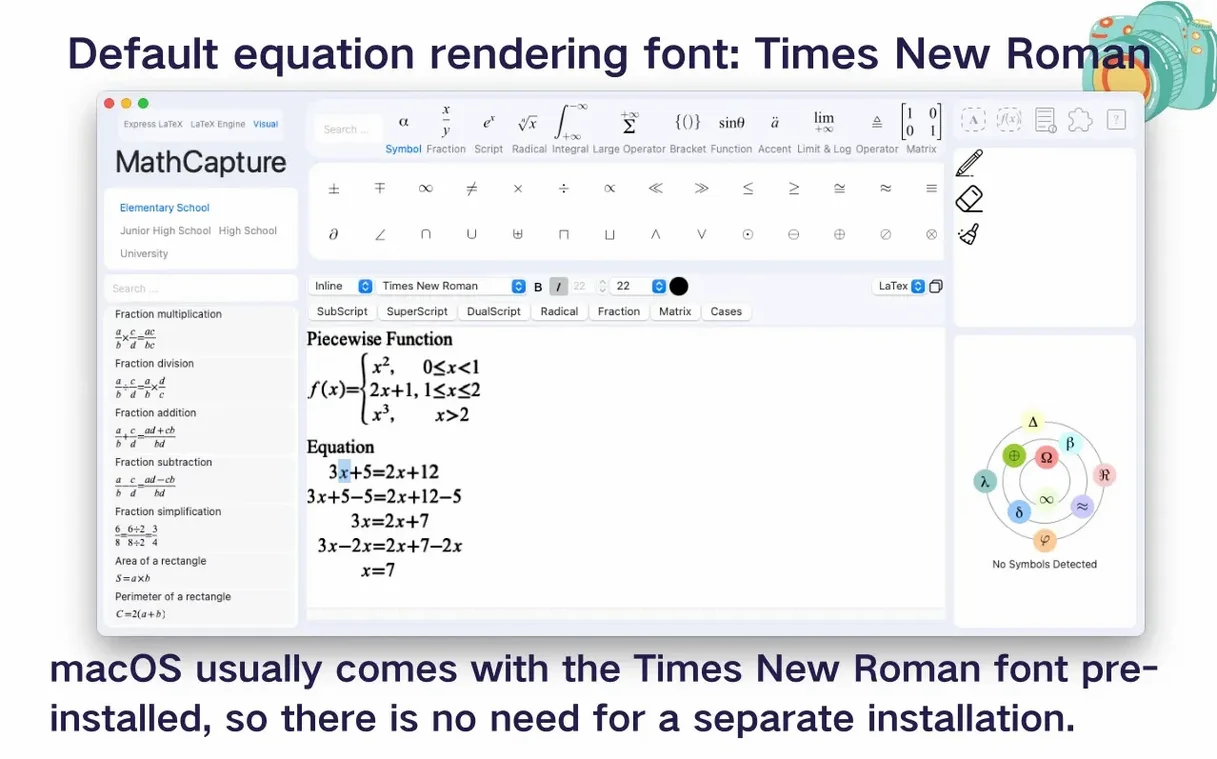
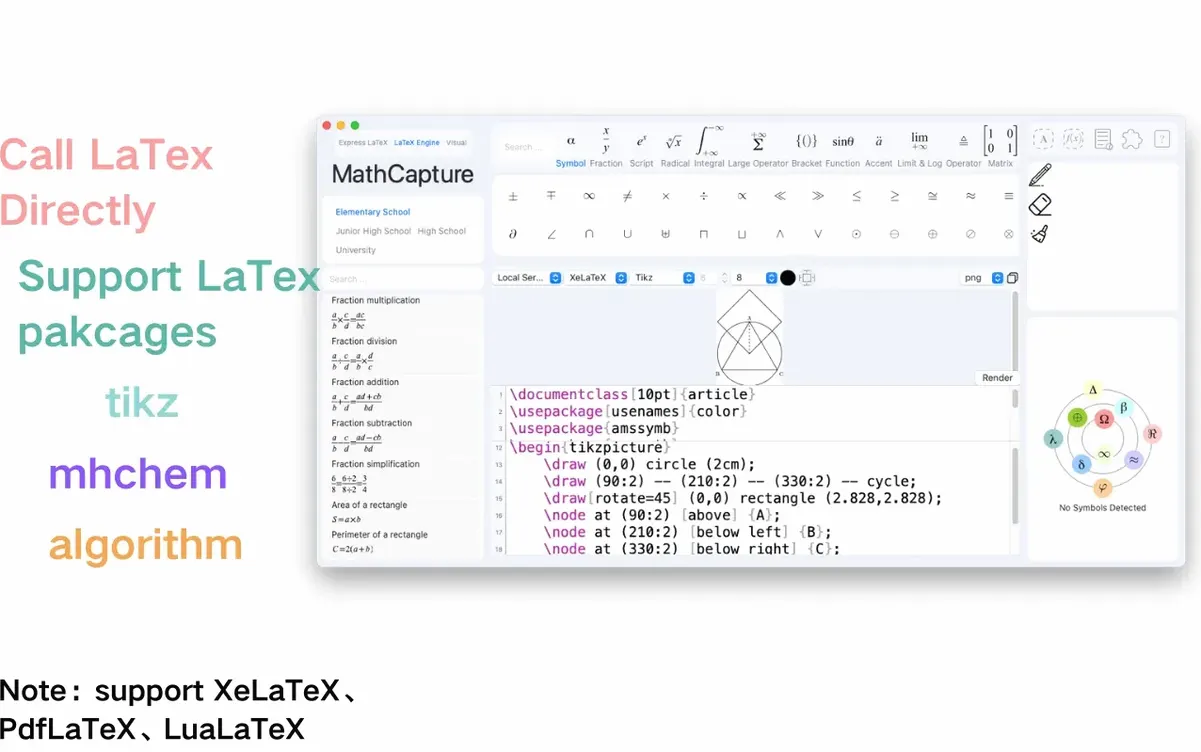
The standard LaTeX mode supports XeLaTeX, PdfLaTeX, and LuaLaTeX, plus packages like tikz, mhchem, and Algorithm. You also get automatic equation numbering, and the default font is Times New Roman.
Editable formulas live inside documents without exporting
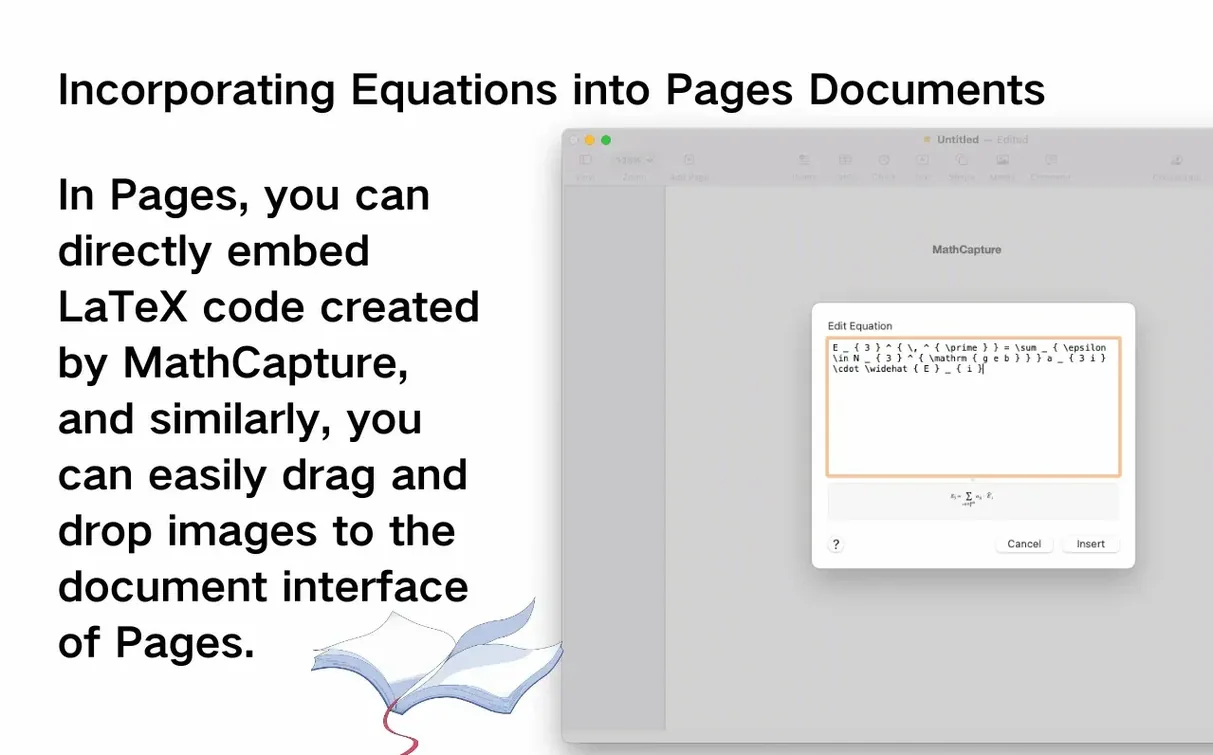
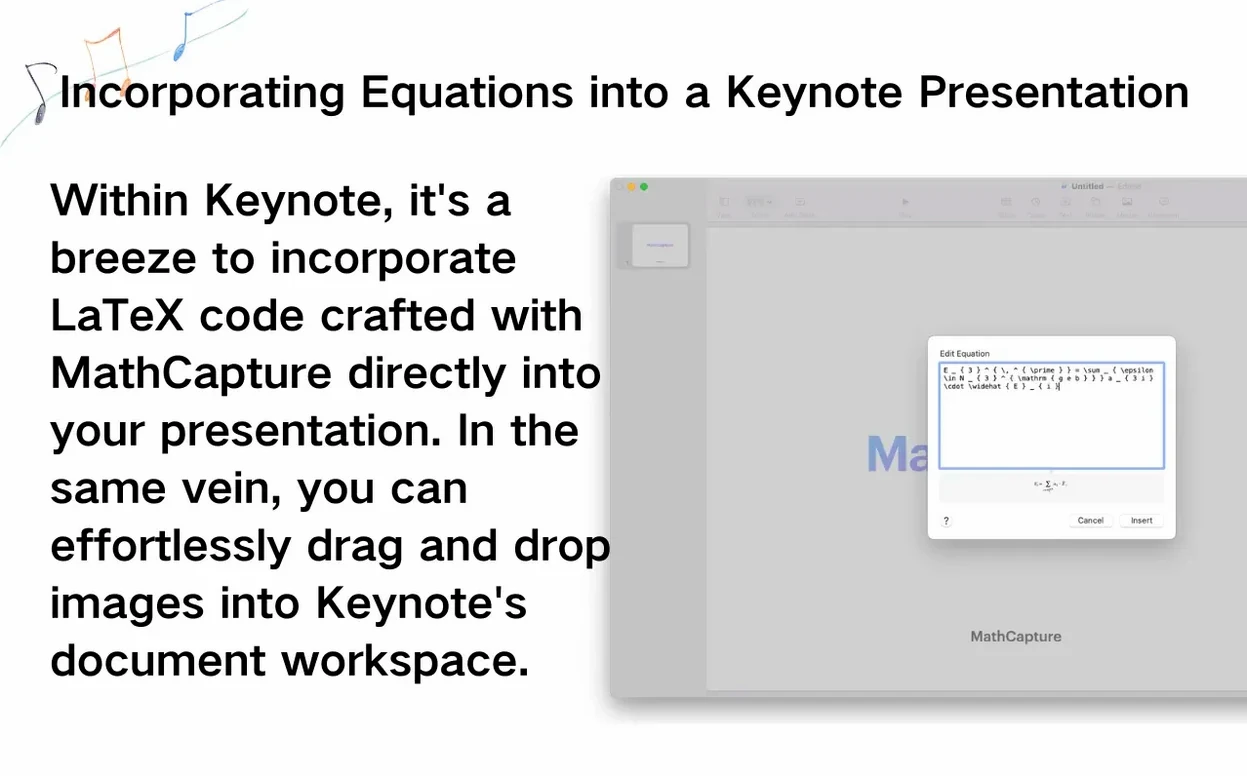
MathCapture is a standalone editor, but it slots into a wider workflow without friction. The direct integration with Word and PowerPoint means you are not exporting images or pasting code – the formula lives inside the document as an editable object. For anyone who also uses Pages or Keynote, the LaTeX or MathML output from the visual editor can be copied and pasted into those apps too, though without the double-click editing convenience. The app works entirely offline, so there is no need for an internet connection when you are in the middle of a writing session. Because it runs natively on both Apple Silicon and Intel Macs, it behaves the same way regardless of your hardware.
A typical session for a researcher
Consider a PhD student in physics who is writing a thesis in Microsoft Word. They have a PDF of a paper containing a dense equation they need to reference. Instead of retyping the LaTeX by hand, they take a screenshot, open MathCapture, and use the image-to-LaTeX conversion. The formula appears in the editor, they tweak a subscript using the visual mode, then insert it directly into their document with equation numbering turned on. Later, they add an inline formula from scratch using Instant LaTeX mode – typing E=mc^2 and watching it render in real time. The baseline alignment keeps the inline formula sitting correctly next to the text. When they need to refer back to that equation in a later chapter, the reference support handles the cross-referencing automatically.
No internet needed: OCR and LaTeX rendering work offline
Does it need an internet connection?
No. The formula recognition, OCR, and LaTeX rendering all happen locally on your Mac. That is one of the practical advantages – you can work in a library, on a plane, or anywhere without worrying about connectivity.
Can I edit formulas I inserted last week?
Yes, if you inserted them via the Word or PowerPoint integration. Double-clicking the formula in the document reopens MathCapture with that equation loaded. This also means you can change the formatting or fix a typo without deleting and reinserting.
Is the visual mode just a simplified LaTeX editor?
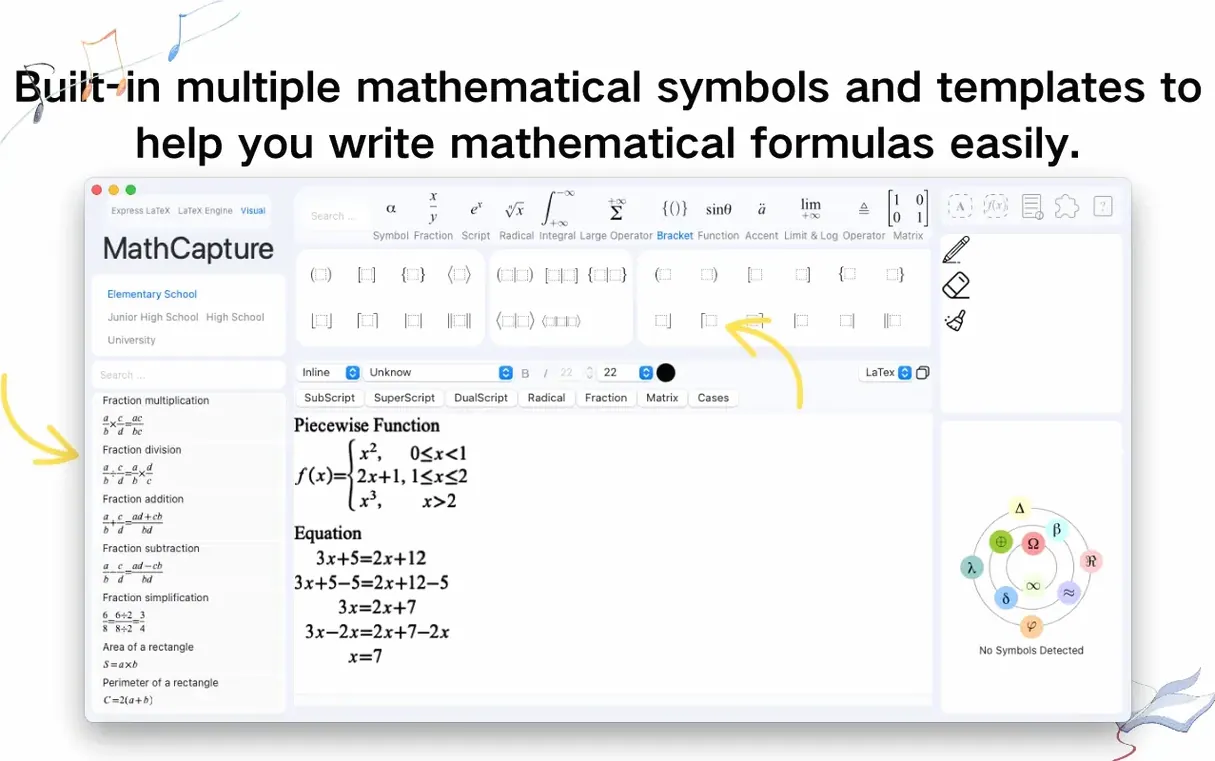
Not exactly. The visual mode lets you build equations using a palette of symbols and structures without seeing any code. It is useful if you prefer a WYSIWYG approach or are introducing someone to formula editing who is not yet comfortable with LaTeX. The output can be exported to LaTeX or MathML when needed.
What if I already use a different LaTeX distribution?
That is fine. MathCapture runs its own rendering, so it does not interfere with MacTeX, BasicTeX, or any other LaTeX setup you already have installed. The standard LaTeX mode supports the same engines you might use in your main environment.
Does it handle chemistry notation?
Yes, through the mhchem package support in standard LaTeX mode. That covers chemical formulas, reactions, and isotopes – useful if your work crosses between maths and chemistry.
Can I use it with non-English documents?
The interface itself is available in English, German, Spanish, Italian, and Simplified Chinese. The equation content is independent of the UI language, so you can work with any notation regardless of the language setting.
Before it goes on the Mac
- macOS 11 or later
- Apple Silicon or Intel
Installing it on the Mac
- Open the downloaded disk image.
- Drag the app onto the Applications folder alias.
- Once copying finishes, launch MathCapture from Launchpad.
Notes from the control room
Sign in or open a catalogue account to leave a note.
No notes from the room yet. If you have used this build for a week, a short note helps the next person.