MacWhisper 15.9 (Mac)
Updated
The catalogue note
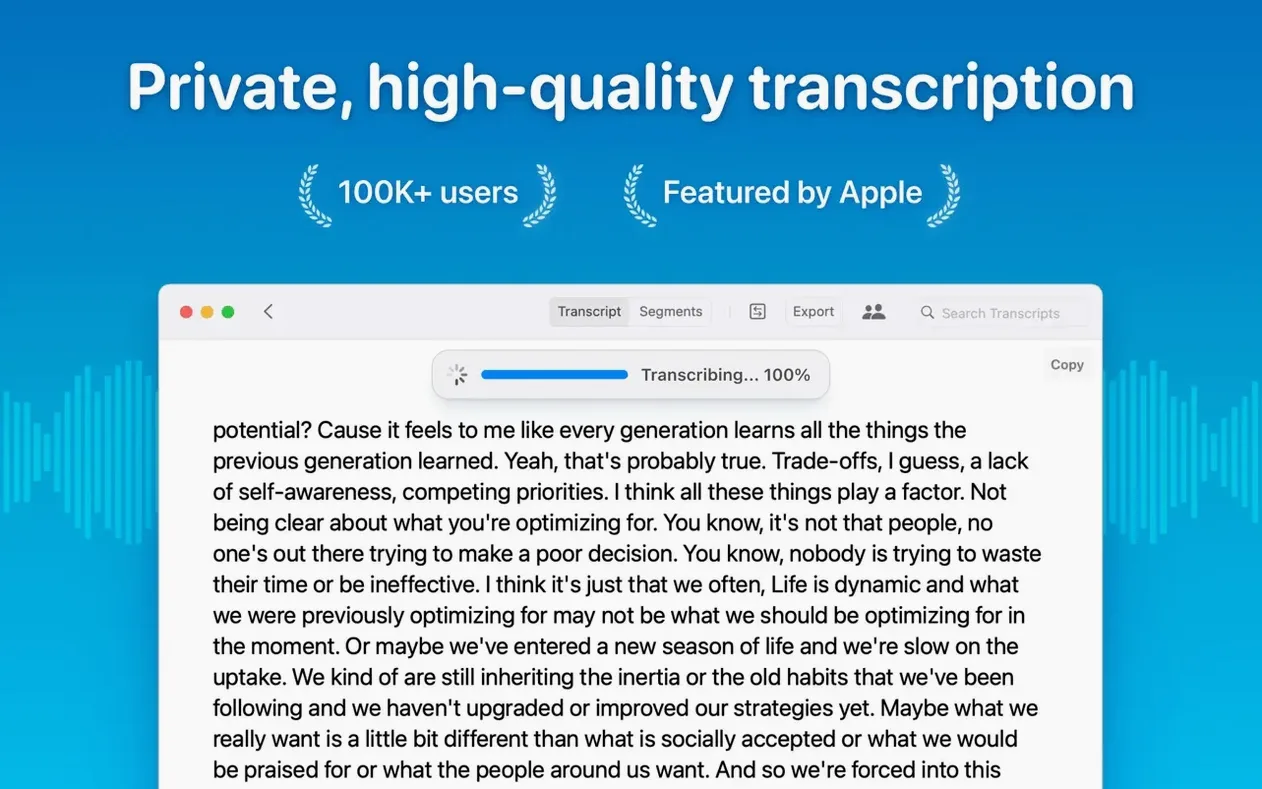
MacWhisper is a Mac app that turns audio files into text using Whisper speech recognition, entirely on your device.
It is built for anyone who works with recorded audio and needs a transcript without sending files to a cloud service. Studio engineers, journalists, researchers, and meeting organisers all fit the profile. The app handles common formats and keeps the audio local, which matters when you are working with unreleased material or sensitive interviews.
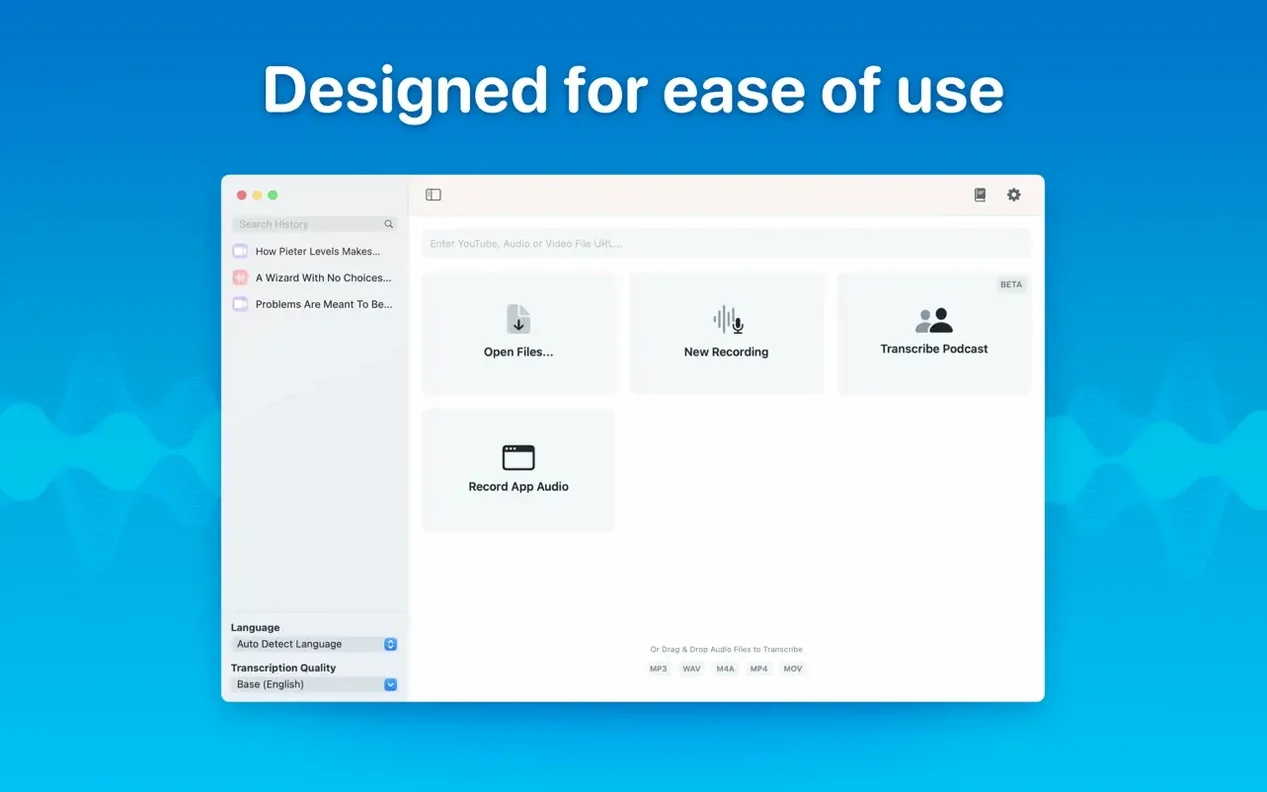
- Transcribes mp3, wav, m4a, mp4, mov, ogg, and opus files
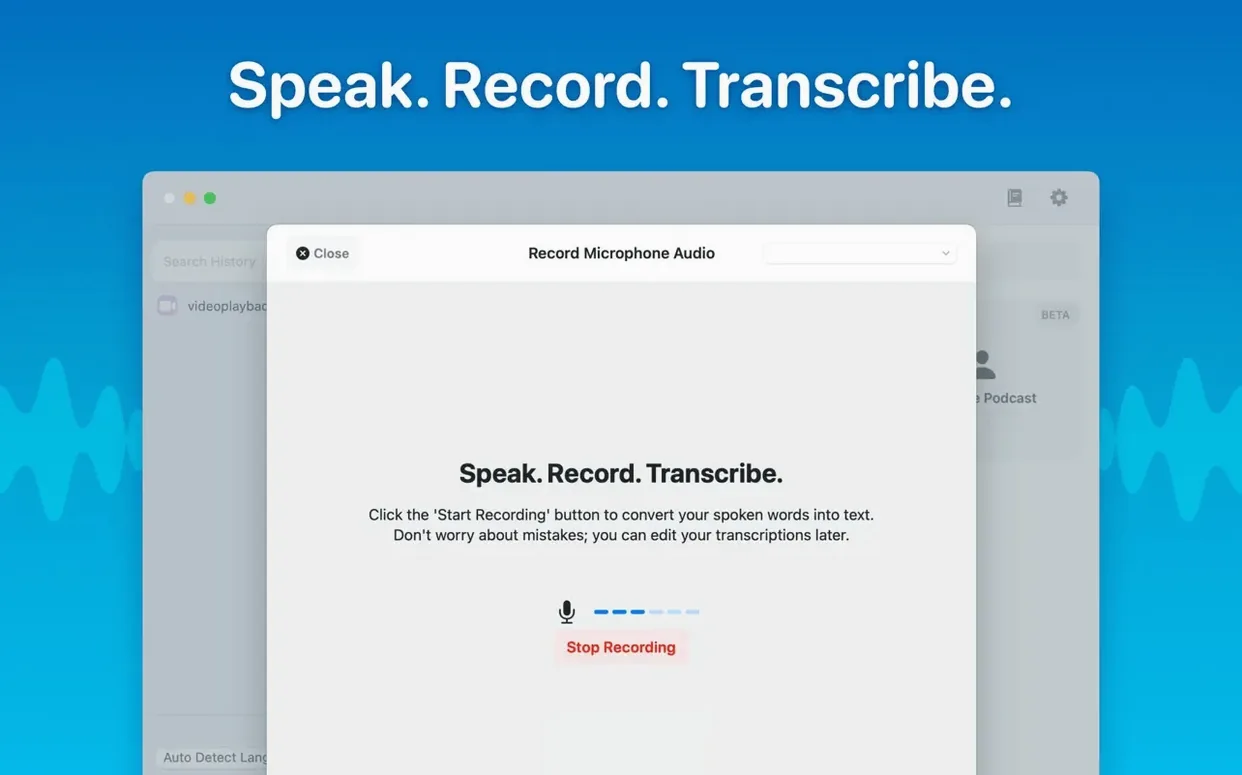
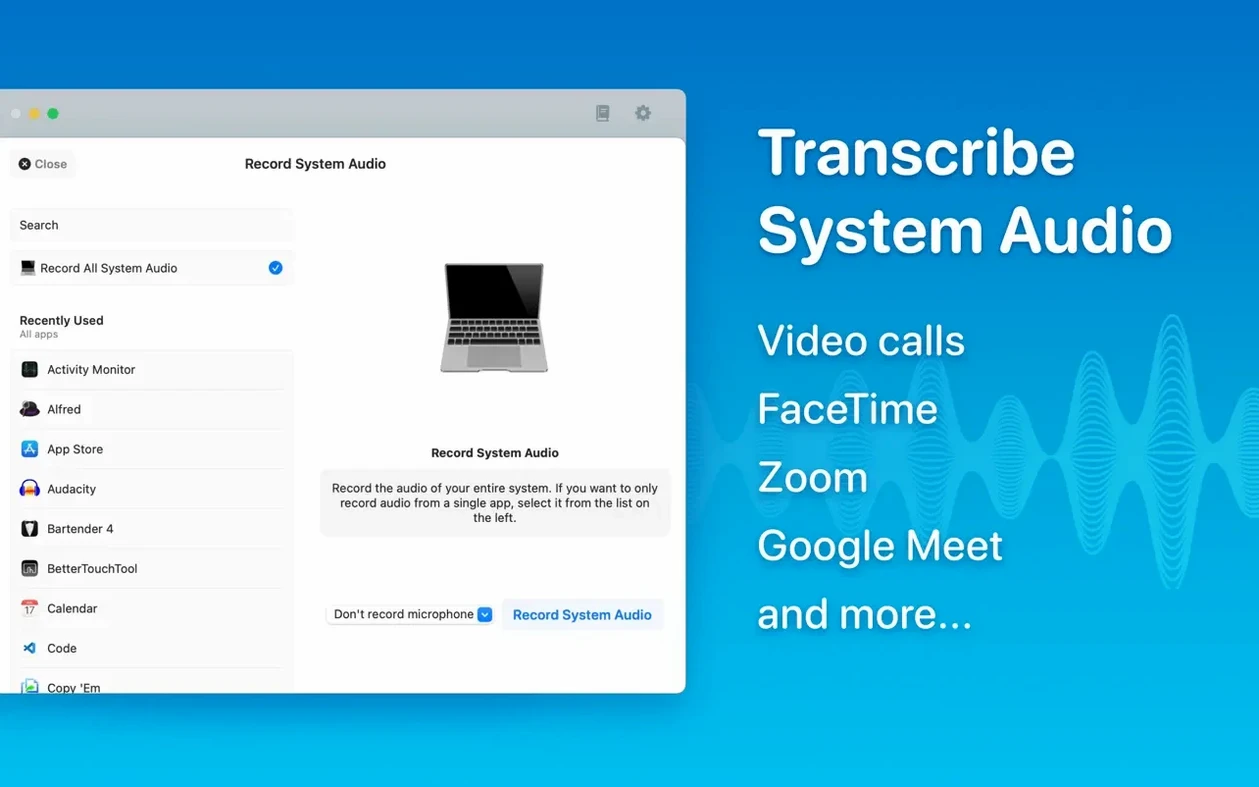
- Records and transcribes system audio or a microphone in real time
- Drag and drop files for instant transcription, with batch support for multiple files
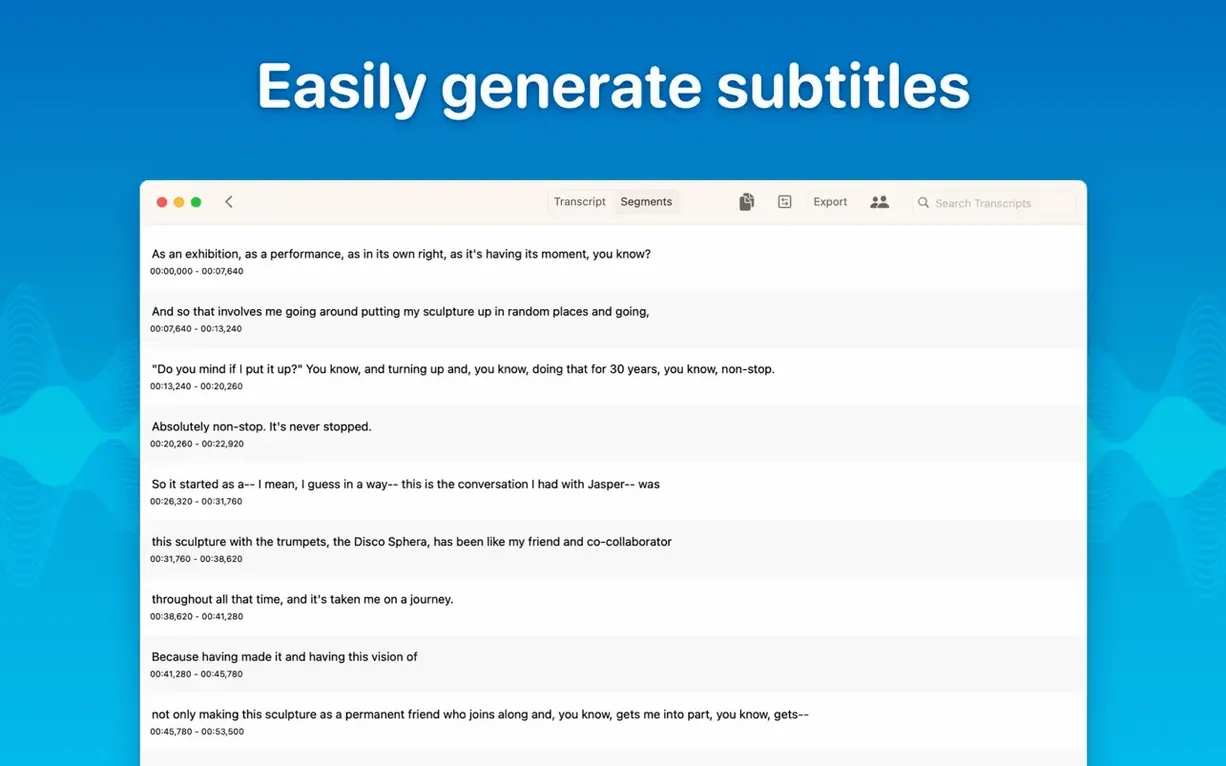
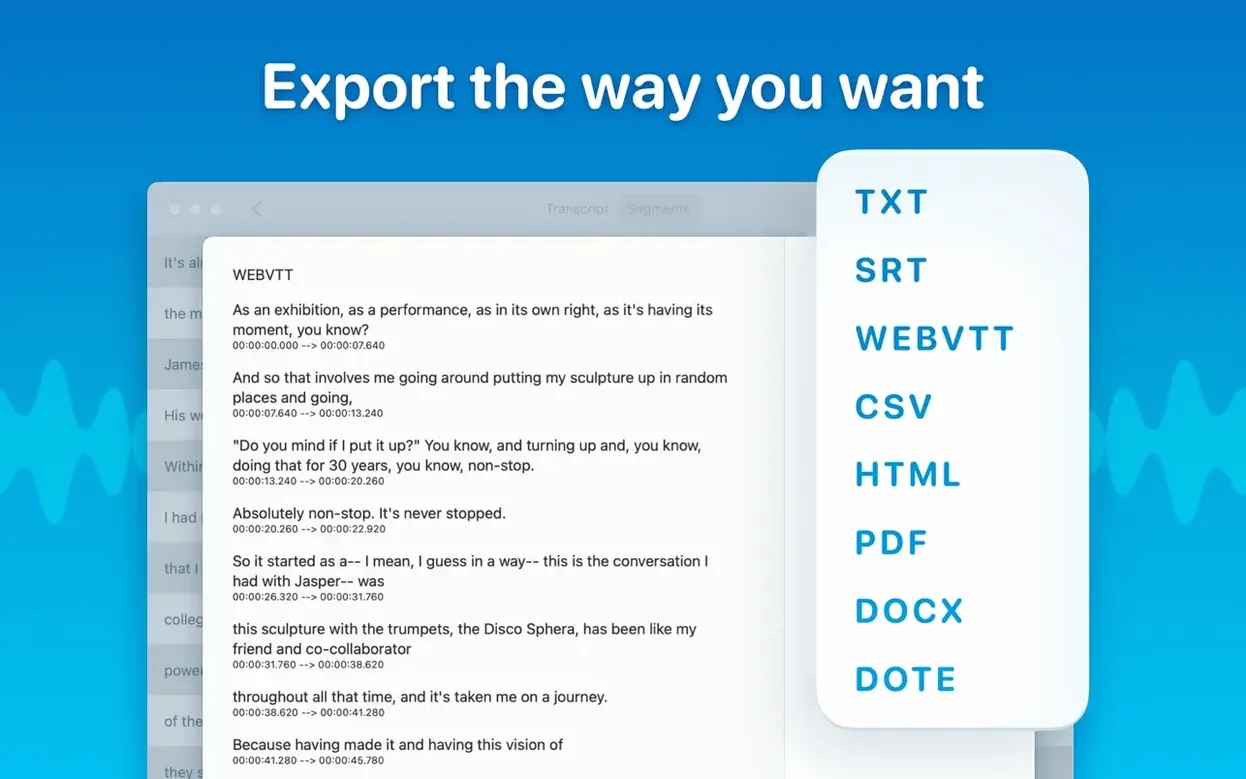
- Exports several formats at once, including text, subtitles, and more
- Edits and deletes individual transcript segments, with a reading mode for review
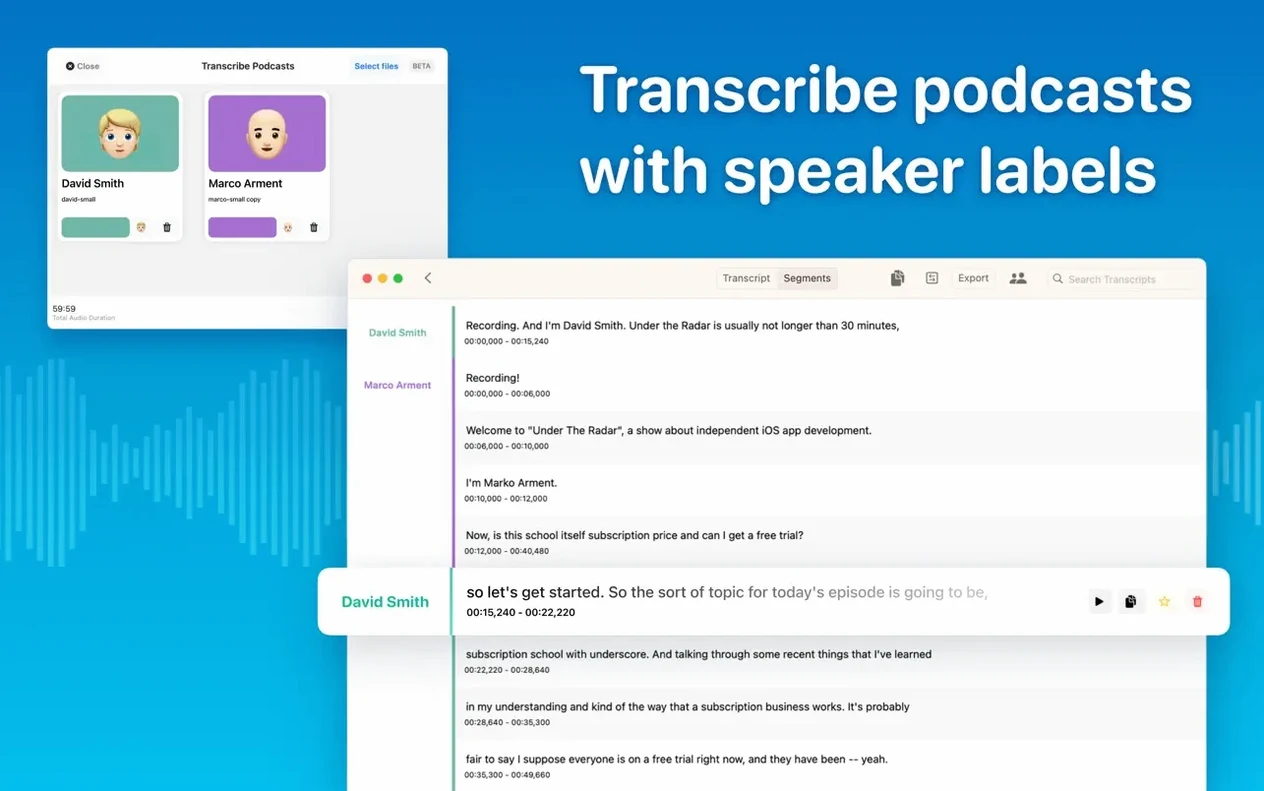
- Recognises 100 languages and separates speakers with a diarization model
Version 15.2 adds real-time meeting transcripts and folder organisation, so it now works as a meeting notes tool as well as a straight transcription utility. If you prefer to keep your audio data on the Mac, MacWhisper is a practical choice.
Studio engineers and podcast editors get speaker separation and batch export
The app fits several distinct workflows. Studio engineers and podcast editors benefit from the speaker separation and batch export — you can drop a week's worth of interview recordings, have them transcribed overnight, and export Word files with speaker labels already in place. The local processing also means you can work on client material without worrying about NDAs or data leaving the room.
Researchers and journalists who record lectures or field interviews will appreciate the 100-language support and automatic detection. Drag a file in, select the language if you know it, or let the model guess. The reading mode is useful when you need to scan a long transcript for specific quotes without editing the segments.
Meeting organisers who now use the real-time transcript feature can keep a running text of calls or in-person discussions. The folder system in version 15.2 lets you sort transcripts by project or date, which helps when you revisit material weeks later.
For users who search for macwhisper torrent or macwhisper pro torrent hoping to find a version with extra features — the standard MacWhisper already includes the models and functions most people need, and the developer updates it regularly. Similarly, macwhisper pro crack or macwhisper cracked searches often lead to outdated builds; the current version 15.2 runs on both ARM and Intel Macs without activation, so there is no practical reason to look elsewhere.
Runs entirely offline after a one-time model download
Does it need an internet connection?
No. Transcription runs entirely on your Mac using the Whisper model you choose. The app downloads the model file once, then everything happens offline. Audio data never leaves your machine.
Which Mac models can run it?
Any Mac with macOS 14 or later, whether Apple Silicon or Intel 64-bit. Version 15.2.1 added checks so the app warns you before downloading if your Mac cannot run a particular model, and it hides empty model categories entirely. M1-series Macs no longer support Qwen3-ASR, but the standard Whisper models still work.
You pick the size during setup. Smaller models run faster and use less disk space; larger ones give better accuracy, especially with accented speech or background noise. You can switch models later without re-downloading if you keep them installed.
Can I transcribe a podcast episode with multiple speakers?
Yes. The diarization model in version 15.2 separates speakers automatically. Export options include SRT and VTT subtitles, which work well for podcast show notes or captions.
What formats does it support?
mp3, wav, m4a, mp4, mov, ogg, and opus. Drag and drop works for any of these, and batch transcription handles multiple files at once.
Copy selected text, reading mode, and multi-format export
- You can copy all text or only selected sections. Useful when you need one quote from a long transcript.
- The reading mode hides editing controls, letting you scroll through the transcript without distraction.
- Exporting multiple formats at once saves time — you can produce a Word document, an SRT subtitle file, and a PDF from the same transcription in one step.
- System audio recording lets you capture audio playing on your Mac, such as a video call or a streaming lecture, without an external microphone.
- The language menu in Live Captions no longer crashes on macOS 15 (fixed in version 15.2.1).
Choose a model that matches your audio quality for best speed and accuracy
After launching MacWhisper for the first time, open the model selection panel. Choose a model that matches your typical audio quality. For clear speech in a quiet room, Small or Medium is a good balance of speed and accuracy. For noisy recordings or accented speech, try Large-V3 — it takes longer but catches more detail.
If you work with meetings, enable real-time transcription in the settings and set up a folder for meeting transcripts. Version 15.2 supports subfolders, so you can organise by date or project name from the start.
For languages other than English, set the language manually if you know it. Automatic detection works, but specifying the language improves accuracy and reduces processing time. The app supports 100 languages, so this is worth doing for non-English content.
Finally, check the export defaults. If you regularly send transcripts to collaborators, configure the format (Word, PDF, HTML) and the subtitle output (SRT or VTT) before your first batch transcription — it saves a few clicks later.
Before it goes on the Mac
- macOS 14 or later
- Apple Silicon or Intel 64-bit
Installing it on the Mac
- Open the downloaded disk image.
- Drag the app to the Applications folder alias.
- Launch the app from Launchpad once copying finishes.
Notes from the control room
Sign in or open a catalogue account to leave a note.
No notes from the room yet. If you have used this build for a week, a short note helps the next person.