MacGPT 3.21 (Mac)
Updated
The catalogue note
Anyone who chats with ChatGPT several times a day and works on a Mac will appreciate not having to keep a browser tab open. MacGPT is a menu bar app that puts ChatGPT one click away.
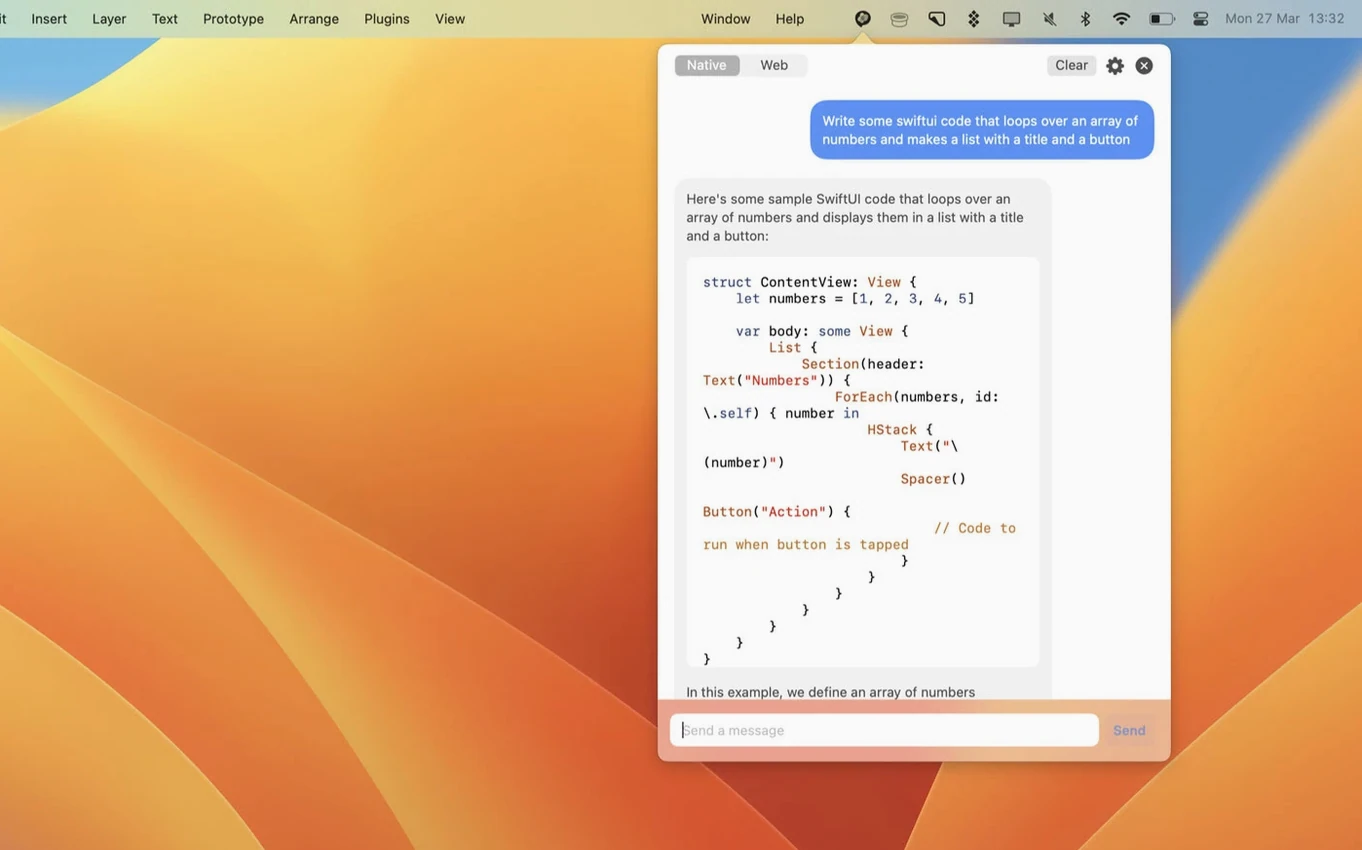
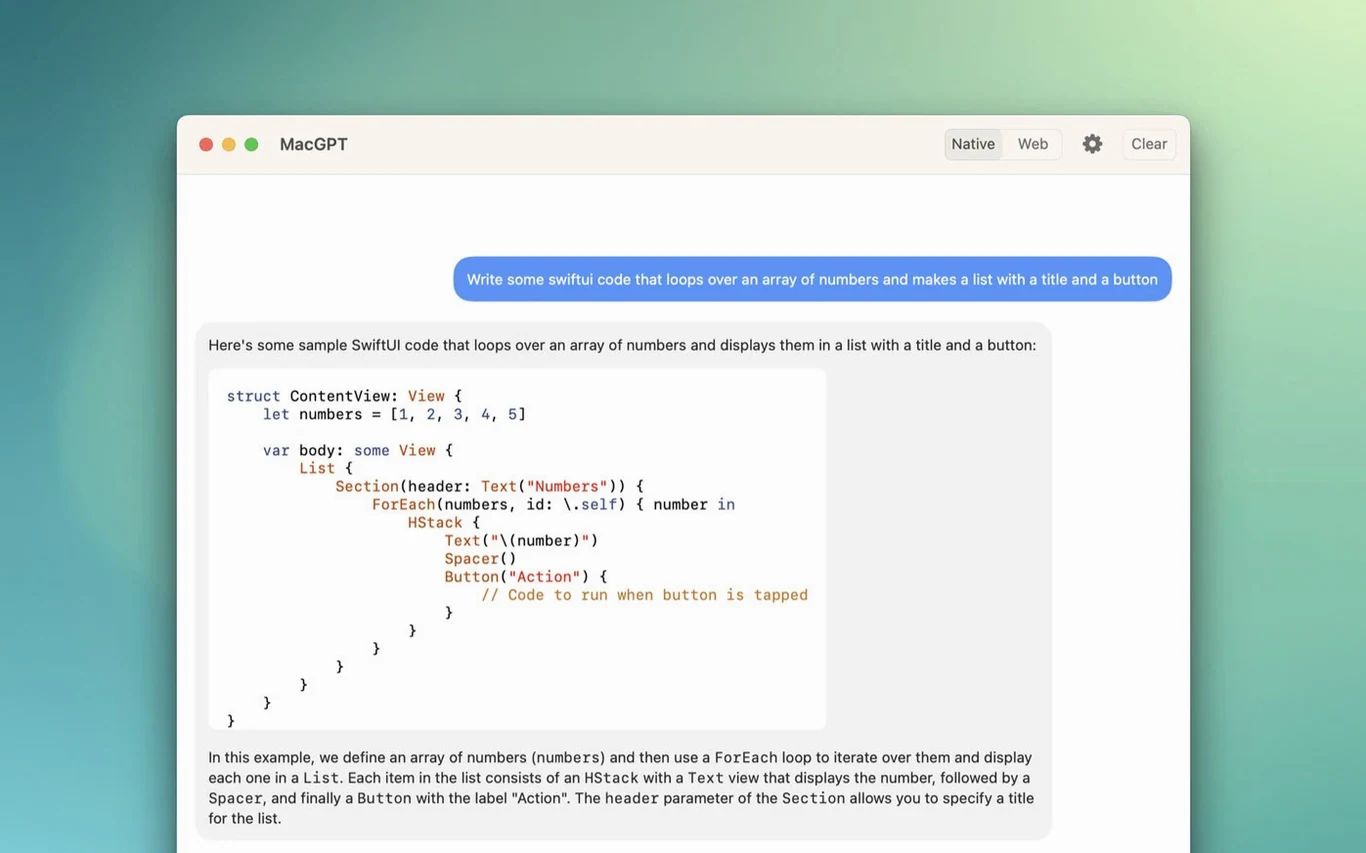
- Click the menu bar icon. A small window opens with a text field. Type your prompt and press Return. The response appears in the same window.
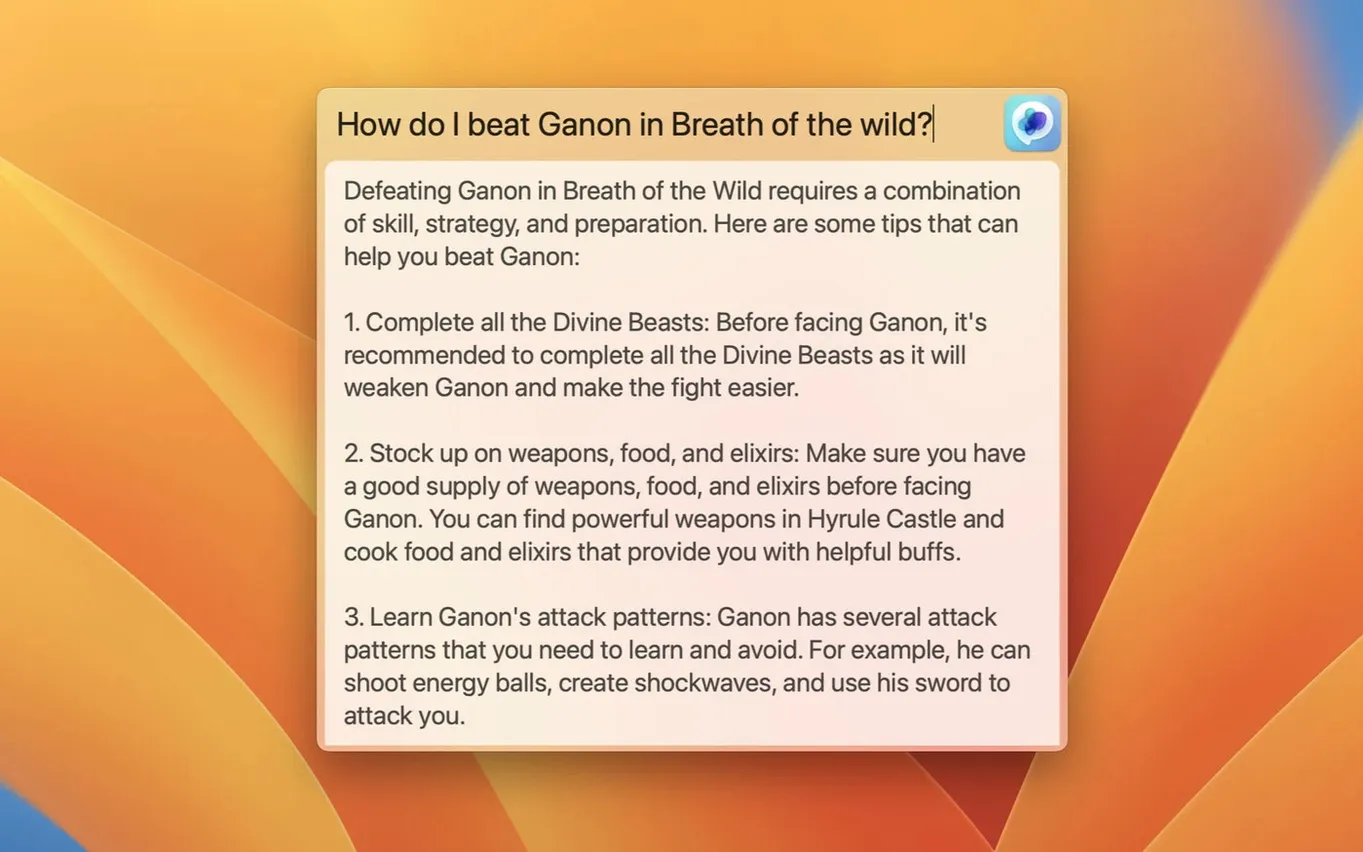
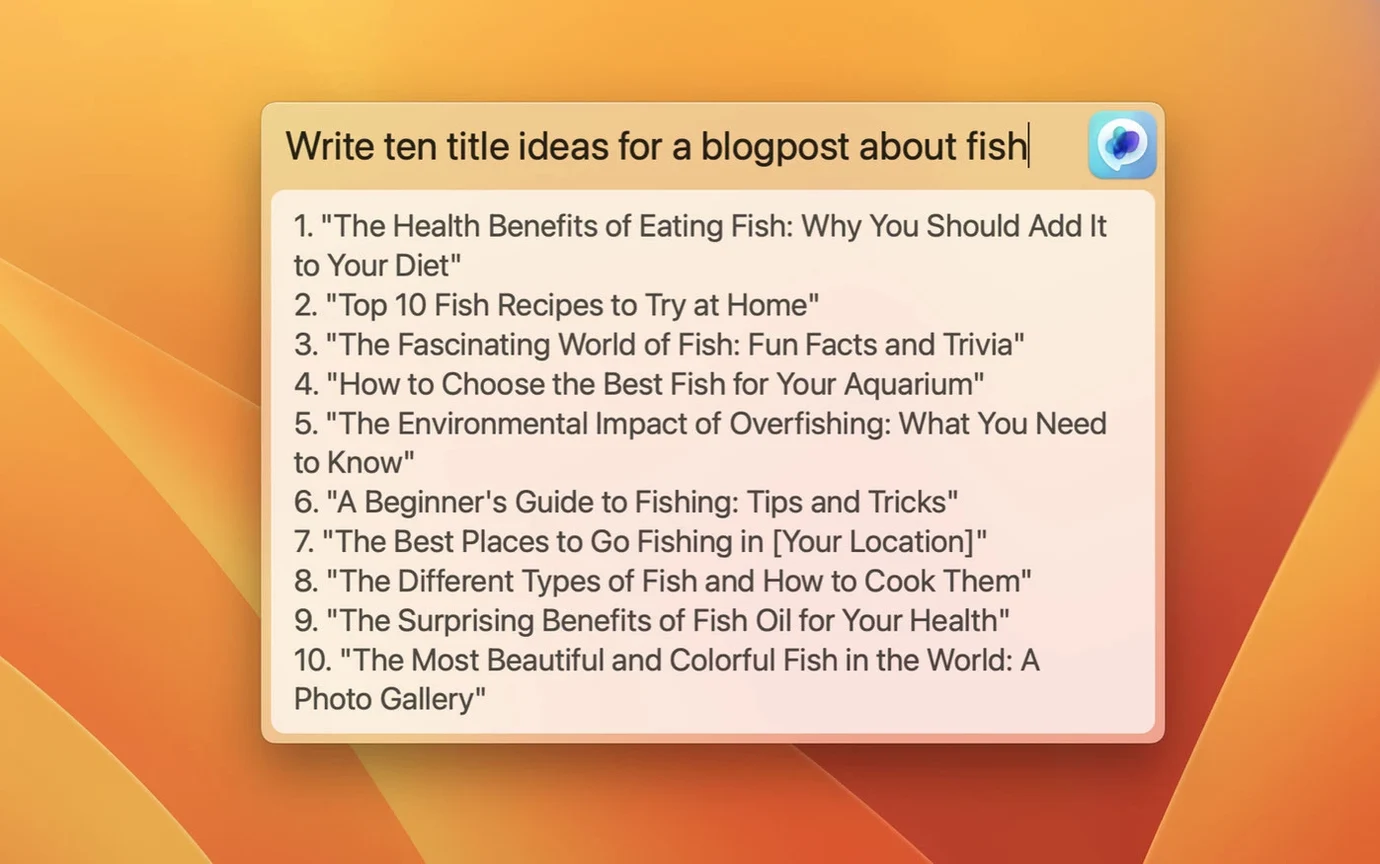
- Use a keyboard shortcut to open the same text field from anywhere. The Global feature centres a floating input box on screen.
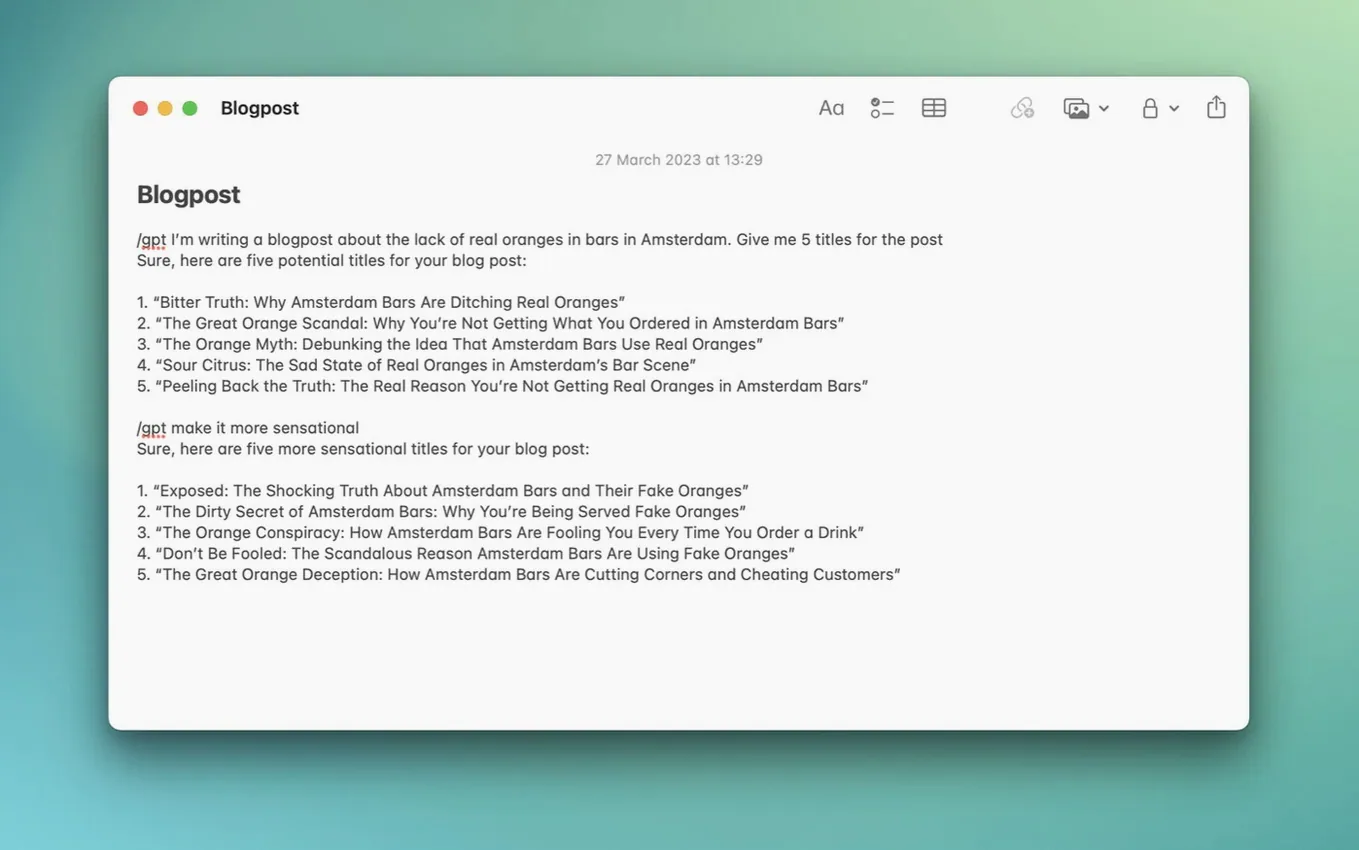
- Inside any text field in any app, invoke the Inline feature. It replaces the selected text with the response from ChatGPT.
- Switch between the built-in window mode and web mode (the full ChatGPT web interface in a popup).
The app signs in with your OpenAI account or an API key. Version 3.21 adds support for gpt-4o, the latest model. You can configure the shortcut, choose the model and toggle features from the settings panel. It is a straightforward utility for anyone who wants ChatGPT available without switching apps.
Real-world scenario: a writer researching on the go
A copywriter I know works across multiple apps — Safari for research, Ulysses for drafts, Slack for client notes. Every few minutes she needs to ask ChatGPT for a quick synonym, a paragraph rephrase, or a summary of a web article she just read. Before MacGPT, her flow was: ⌘-Tab to Safari, click the ChatGPT tab, type, wait, copy, ⌘-Tab back to Ulysses, paste. With the Inline feature she selects the text she wants reworked, invokes the shortcut, types her instruction, and the replacement appears instantly. The Global feature handles the one-off questions: a keyboard shortcut, a centred input box, a response, then back to what she was doing. No tab switching, no context loss.
Requires macOS 12 Monterey or later
MacGPT is a native macOS app, not a web wrapper. It runs on both Intel and Apple Silicon Macs, and requires macOS 12 Monterey or later — the developer uses newer APIs that do not work on older systems. The app sits in the menu bar and uses negligible space there. When you invoke the Global or Inline features, it communicates with OpenAI servers; your own internet connection determines response speed. The app does not process anything locally beyond displaying the interface. There is no installer beyond dragging the app to your Applications folder. Settings are straightforward: choose a keyboard shortcut, toggle web mode or window mode, and paste your API key if you prefer that route over signing in with an OpenAI account.
Keeps writers and developers inside their main app
- Writers and editors who use ChatGPT for quick rewrites, summaries, or synonym suggestions while staying inside their main writing app.
- Developers who need to ask for code snippets or explanations without leaving their editor or terminal. The Global shortcut means the prompt box appears on top of any full-screen IDE.
- Researchers and students who work with long documents and need to query ChatGPT for definitions, clarifications or translations without breaking their reading flow.
- Anyone who dislikes tab clutter and prefers a single-click or keyboard-triggered ChatGPT that disappears when not needed.
Users who rarely use ChatGPT or prefer the full web interface with chat history, file uploads and browsing will likely stick with a browser tab. MacGPT is built for quick, focused interactions.
Workflow: using Inline to rephrase a paragraph
Suppose you have written a paragraph in your email draft that sounds awkward. You want ChatGPT to rephrase it more clearly.
- Select the paragraph in the email compose field.
- Press the keyboard shortcut you assigned to the Inline feature in MacGPT settings. A small input box appears near your cursor.
- Type a short instruction, for example: rephrase this for a professional email tone.
- Press Return. After a moment, the selected text is replaced with the rephrased version.
That is the entire interaction. You never leave your email app, never open a browser, never copy and paste. If the result is not right, you can undo and try a different instruction. The same method works in any app that uses standard macOS text fields: Notes, Pages, Slack, TextEdit, and many more.
For longer research sessions, you can toggle to web mode and use the full ChatGPT interface in a popup window. The Global shortcut remains available for quick questions while the web mode window stays open for multi-turn conversations. Both modes use the same account or API key, so your chat history is preserved on the server side.
Changes in this build
- Added support for gpt-4o.
Before it goes on the Mac
- macOS 12 Monterey or later (site also mentions Ventura).
- Intel or Apple Silicon.
- OpenAI account credentials or an OpenAI API key.
Installing it on the Mac
- Unpack the downloaded archive.
- Move the app to the Applications folder.
Notes from the control room
Sign in or open a catalogue account to leave a note.
No notes from the room yet. If you have used this build for a week, a short note helps the next person.