Home › Mac Apps › MacFamilyTree
MacFamilyTree 11.3.4 (Mac)
Updated
The catalogue note
Keeping track of who married whom, and when, gets messy fast. MacFamilyTree solves that by giving you a structured place to store births, deaths, marriages, and all the loose notes you collect from relatives. The current version, 11.3.2, is a stability update for an already solid app.
How a typical workflow looks
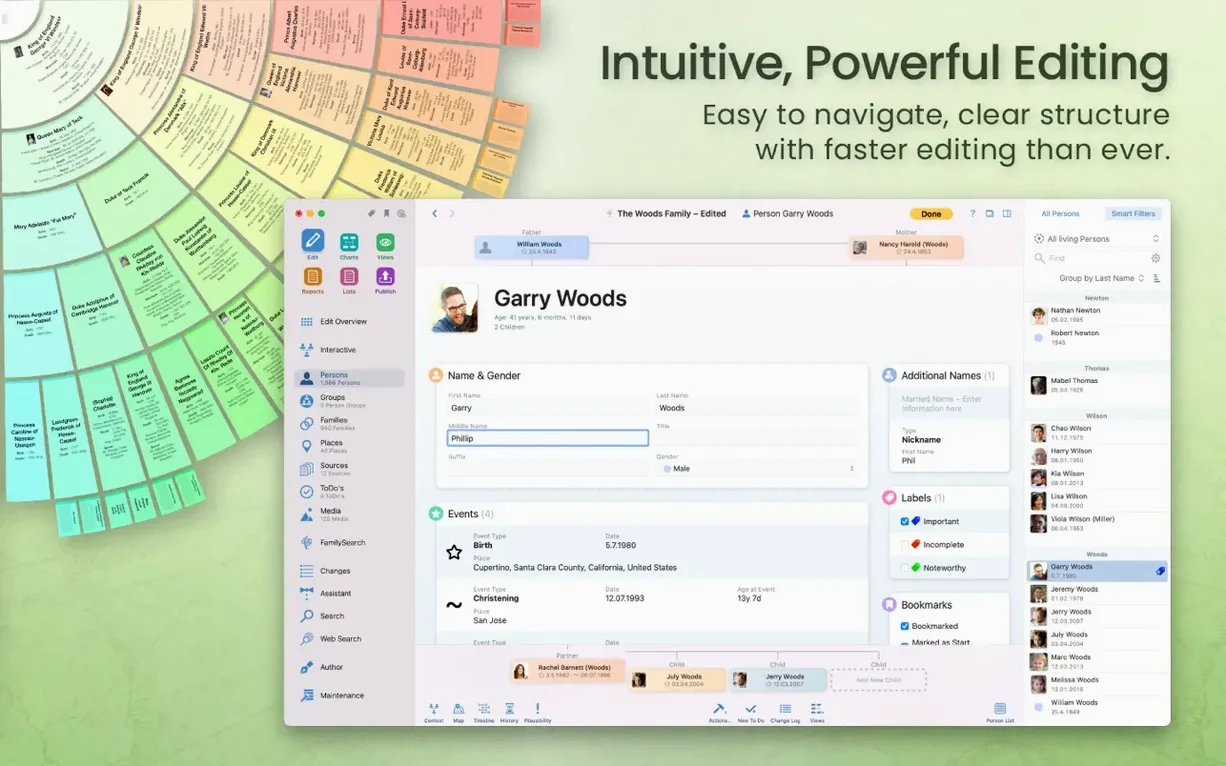
- Start a tree — enter yourself or a known ancestor. The app builds a person card with fields for dates, places, and sources.
- Add relatives — link parents, siblings, spouses, and children. You can import a GEDCOM file if you already have data from another program.
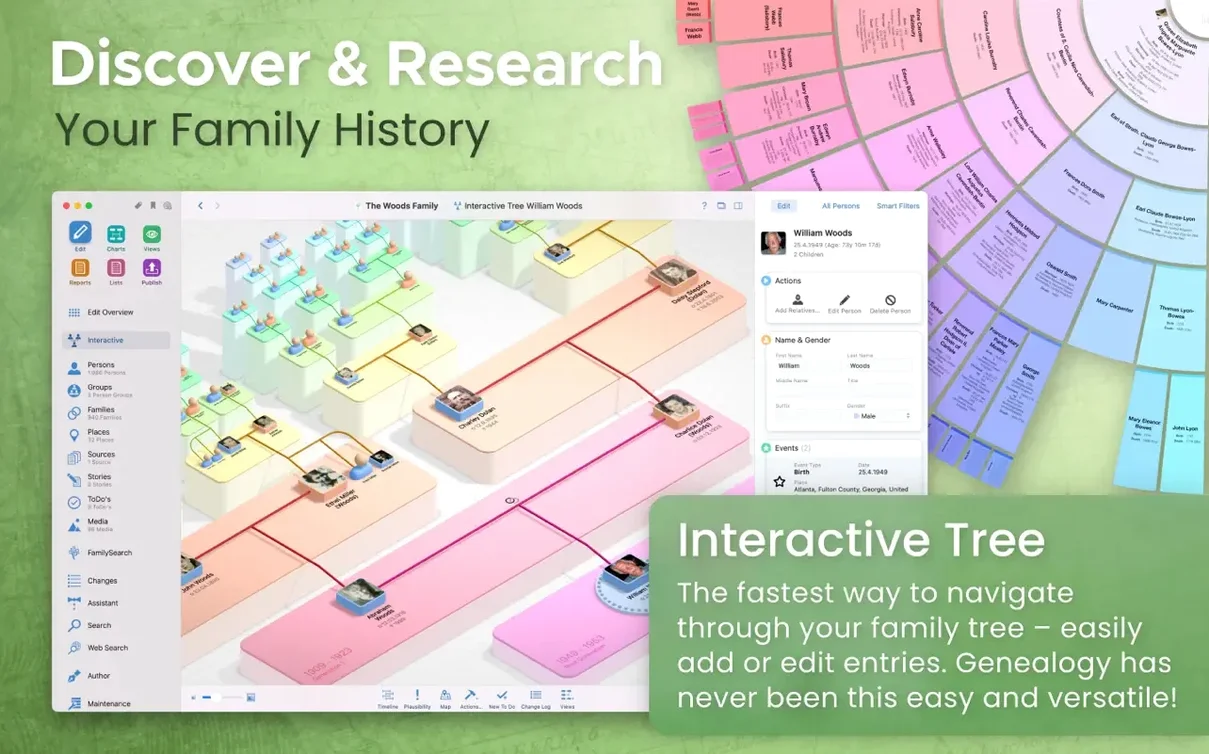
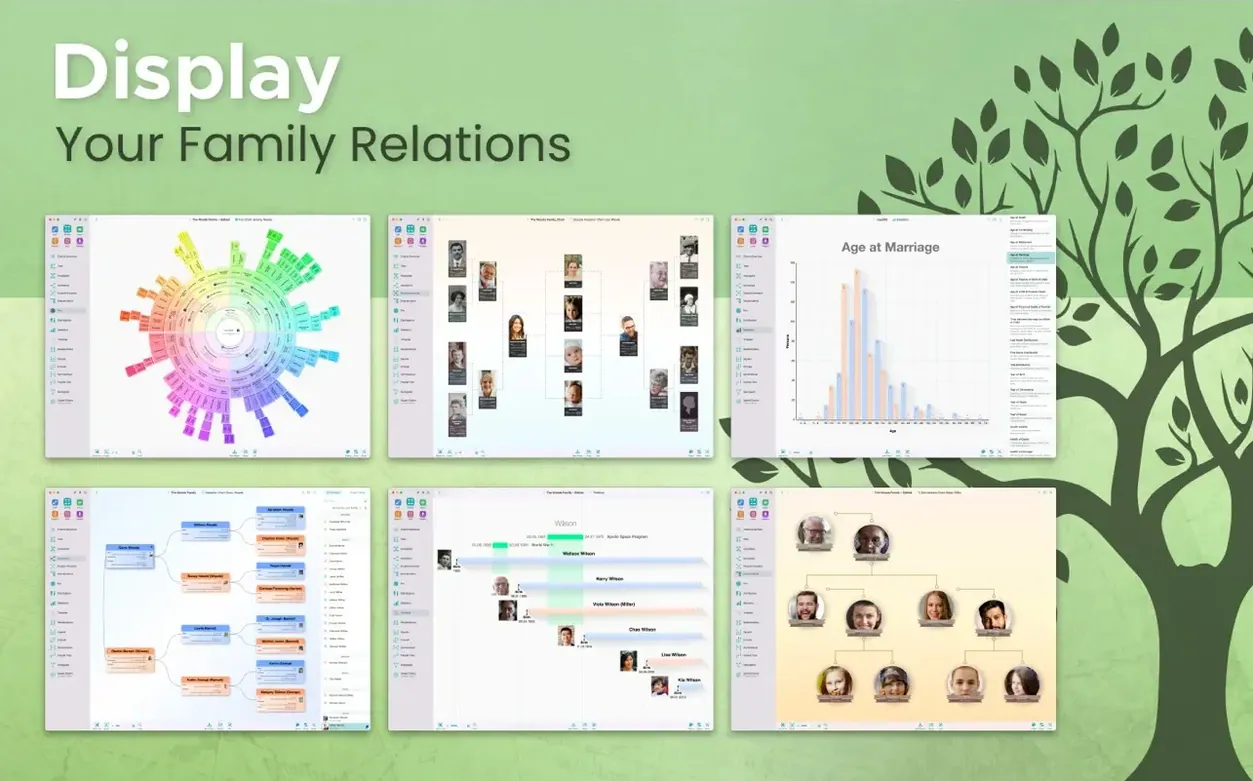
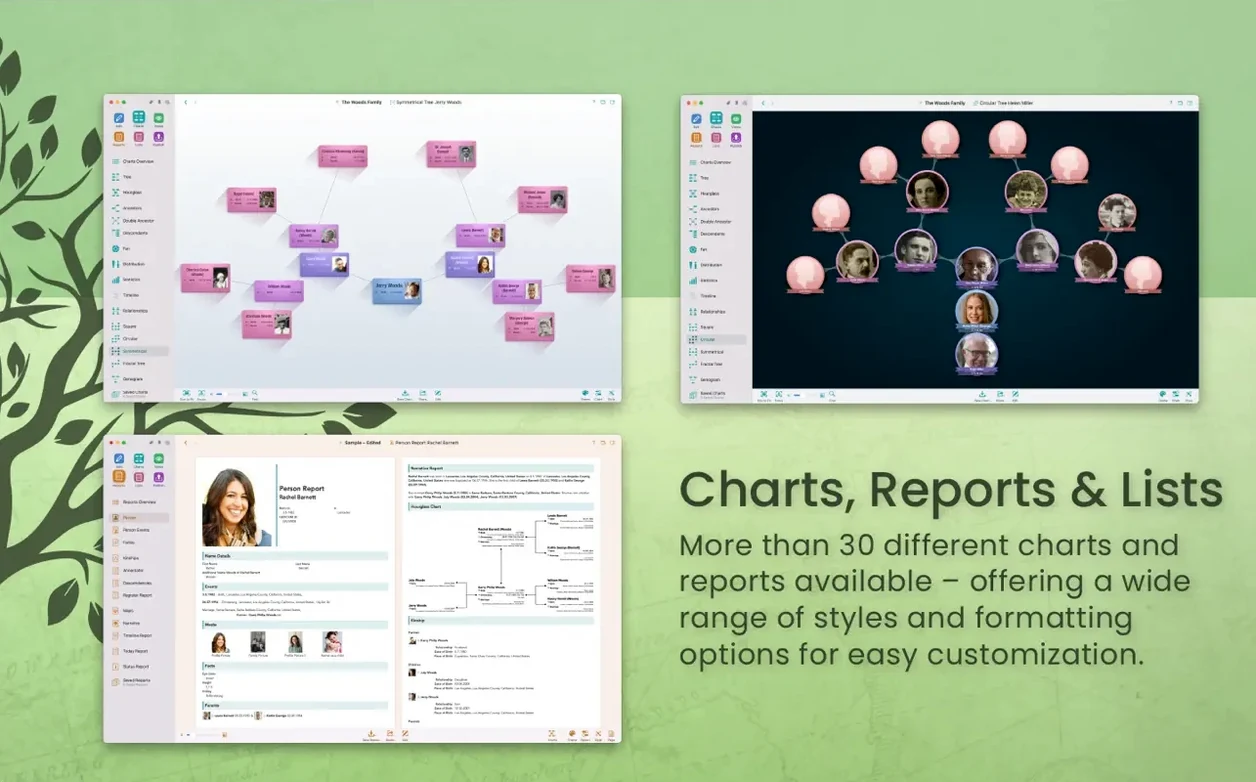
- View the structure — switch between a classic pedigree chart, a report, or the virtual 3D family tree view. Each view highlights different patterns in the data.
- Sync or share — store the tree locally or in iCloud. With CloudTree Sync & Share you can collaborate with family members on the same tree, provided everyone uses an iCloud account.
- Export or publish — generate charts, reports, or a full book. You can also create a website through MacFamilyTree.com. Sensitive records can be hidden before export.
MacFamilyTree 11 runs natively on Apple Silicon and Intel Macs. The interface is available in 16 languages. You can search genealogy portals from inside the app, and all data can be stored encrypted in iCloud if you prefer not to keep it locally.
FamilySearch record lookup without leaving the app
A few features in MacFamilyTree 11 don't announce themselves loudly but save time once you know they exist. The app can search FamilySearch genealogy records directly from within its own interface — no separate browser tab, no re-typing names. If you work with European or American lines, that cuts out a fair bit of copy-paste.
The virtual globe chart is another quiet addition worth a look. It plots your ancestors on a spinning globe, colour-coded by generation or location. It is not a gimmick: if your family moved between continents, the visual pattern shows migration routes faster than any list of places.
Password protection exists for the website feature, not for the app itself. That matters if you publish a tree online and want to keep it behind a family-only gate. You can also hide specific people and records from export — useful for living relatives whose details should not appear in a PDF you hand out at a reunion.
Statistical maps and name distribution charts are tucked into the charts menu. They aggregate your data and show surname density by region. If you are trying to figure out whether every "Kowalski" in your tree came from the same voivodeship, this answers it in one click.
Fewer hangs when switching to the 3D tree
Version 11.3.2 is described as a stability improvement release. In practice, that means fewer hangs when you switch between the 3D tree and a large report. Earlier 11.x updates introduced the optimised Apple Silicon build, which made the virtual globe and 3D views noticeably more responsive on M-series Macs.
The real-time sync through CloudTree Sync & Share also got incremental fixes. Conflicts between two people editing the same person card used to produce duplicate entries; that behaviour has been tightened. You still need an iCloud account for syncing, and the companion MobileFamilyTree app on iPhone or iPad mirrors the same tree without extra setup.
GEDCOM import and export have not changed radically, but the import parser handles newer GEDCOM 5.5.1 files more cleanly. If you receive a file from a cousin who uses a Windows program, you are less likely to see garbled diacritics or missing notes.
System requirements and compatibility details
Runs on Intel Macs with macOS Monterey or later
Yes. MacFamilyTree 11 runs on both Apple Silicon and Intel 64-bit Macs, as long as you are on macOS 12 Monterey or later. The app is a universal binary, so it takes advantage of the M-series efficiency cores on Apple Silicon but works fine on an Intel machine. No Rosetta trickery needed either way.
Core functions work offline; only searches need the internet
Not for the core functions. You can enter data, create charts, and print reports entirely offline. An internet connection is required only when you search FamilySearch records, use CloudTree Sync & Share, or publish a website through MacFamilyTree.com.
Import GEDCOM data from other genealogy apps
Export your data as a GEDCOM file from the other program, then import it into MacFamilyTree. Most genealogy applications support GEDCOM export. The import will bring in people, relationships, dates, places, and sources. Media files (photos, scanned documents) are not embedded in GEDCOM, so you will need to link those manually after import.
Is my data private when I use iCloud sync?
Data stored in iCloud is encrypted by Apple's standard encryption. MacFamilyTree also supports encrypted iCloud storage as an option. If you choose that, the app encrypts the tree file before it leaves your Mac, so even Apple cannot read it. The trade-off is that you cannot access the tree from the web — only from MacFamilyTree or MobileFamilyTree.
Self-contained except for iCloud Drive and FamilySearch
It integrates with iCloud Drive for storage and sync, and with FamilySearch for record lookup. Beyond that, it is fairly self-contained — it does not hook into Contacts or Photos, which keeps your genealogical data separate from your everyday address book.
The app can export charts and reports in multiple formats, including PDF, PNG, and SVG. That means you can drag a pedigree chart into a Pages document or a Keynote presentation without re-saving as an image. The narrative report produces a formatted text file that you can open in any word processor and edit further.
For users who also run MobileFamilyTree on an iPhone or iPad, the workflow is simple: enable CloudTree sync on both devices, and changes made on one appear on the other within seconds. The mobile app is not a stripped-down viewer — you can add people, edit facts, and attach photos. The Mac version remains the primary tool for creating complex charts and reports.
Documenting a Polish grandmother with notes, scans, and a GEDCOM file
Consider a user who is documenting their maternal grandmother's Polish family. They have a stack of handwritten notes, a few scanned parish records from the 1800s, and a GEDCOM file from a cousin who uses a Windows program. They start by importing the GEDCOM into MacFamilyTree. The import brings in about 200 people, but some dates are in the European day-month-year format and get misinterpreted. They correct those manually in the person cards, then link the scanned parish records as sources.
They then switch to the virtual globe view to see where the family lived. The globe shows a cluster in southeastern Poland and a scatter of descendants who emigrated to Chicago and Detroit. That visual confirms a hunch that the family stayed in one region for four generations before the migration wave. They export a name distribution chart as a PNG and drop it into an email to their cousin to confirm the surnames match. Later, they enable CloudTree Sync & Share and invite two siblings to view the tree. One sibling adds photos from a recent trip to the family village; those photos appear on the Mac without any file-transfer hassle.
The whole process — import, clean-up, visual exploration, sync — takes an evening. The data stays local with an encrypted iCloud backup, and the website feature is left off because the living relatives prefer privacy. This is the kind of session MacFamilyTree is built for: methodical, collaborative, and focused on the record rather than the interface.
Changes in this build
- Stability improvements.
Before it goes on the Mac
- macOS 12 Monterey or later
- Intel or Apple Silicon Mac
- iCloud account required for syncing between devices
Questions from the room
Does MacFamilyTree require an iCloud account to sync between devices?
Yes. The developer states that syncing between devices requires an iCloud account. Data can be stored locally or encrypted in iCloud.
Installing it on the Mac
- Open the downloaded disk image.
- Drag the app into the Applications folder alias.
- After copying finishes, launch the app from Launchpad.
Notes from the control room
Sign in or open a catalogue account to leave a note.
No notes from the room yet. If you have used this build for a week, a short note helps the next person.