Home › Mac Apps › Complete Anatomy

Complete Anatomy 12.6.0 (Mac)
Updated
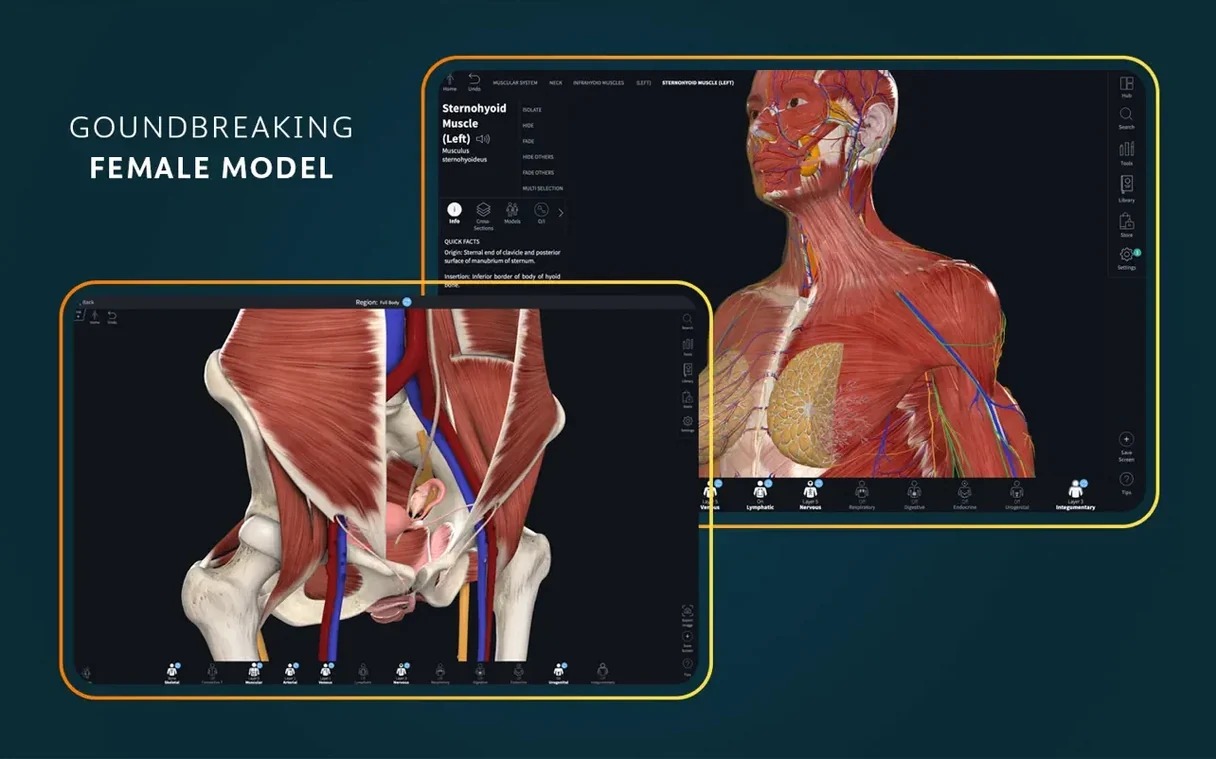
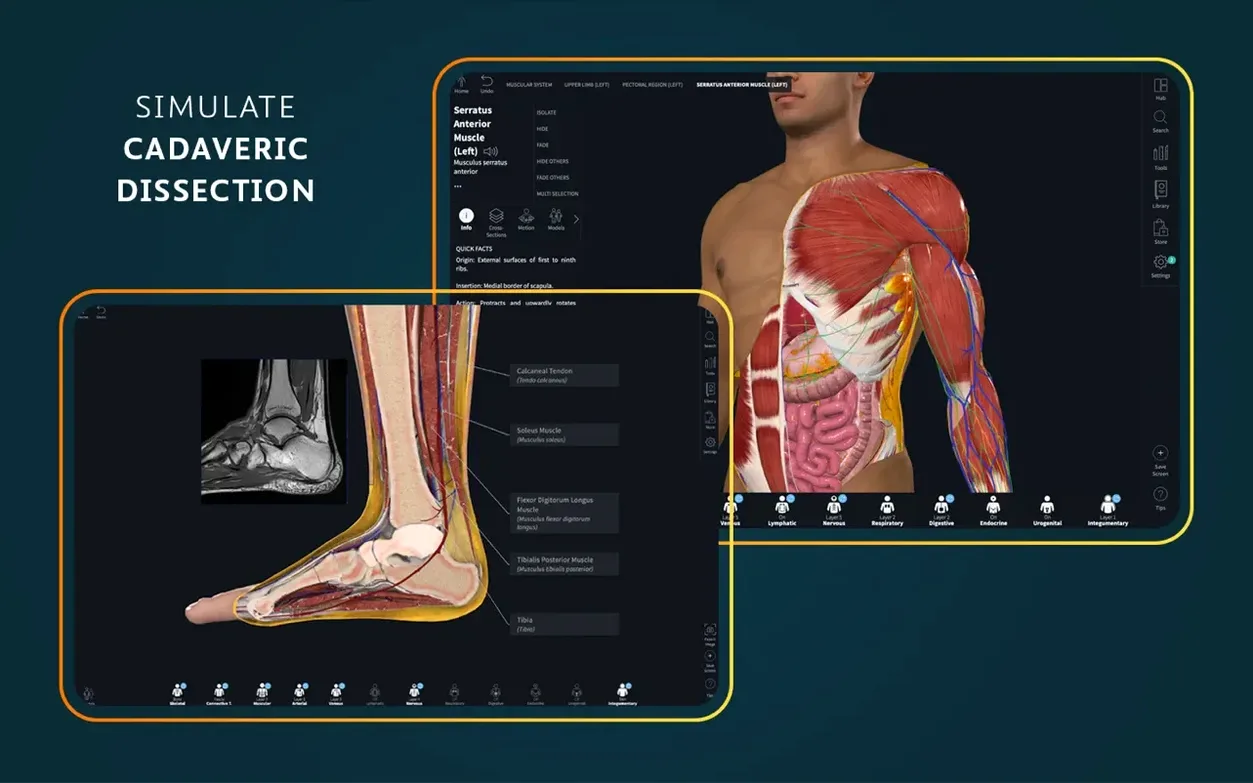
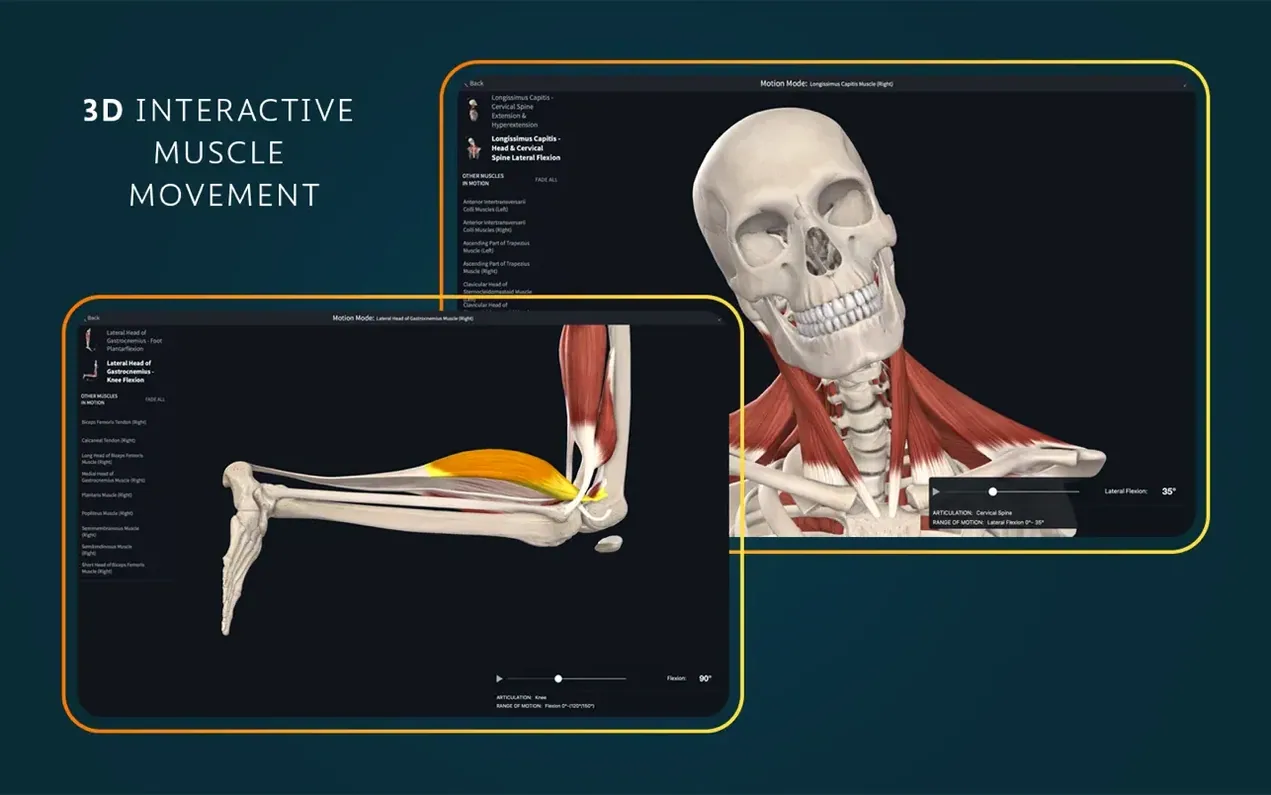
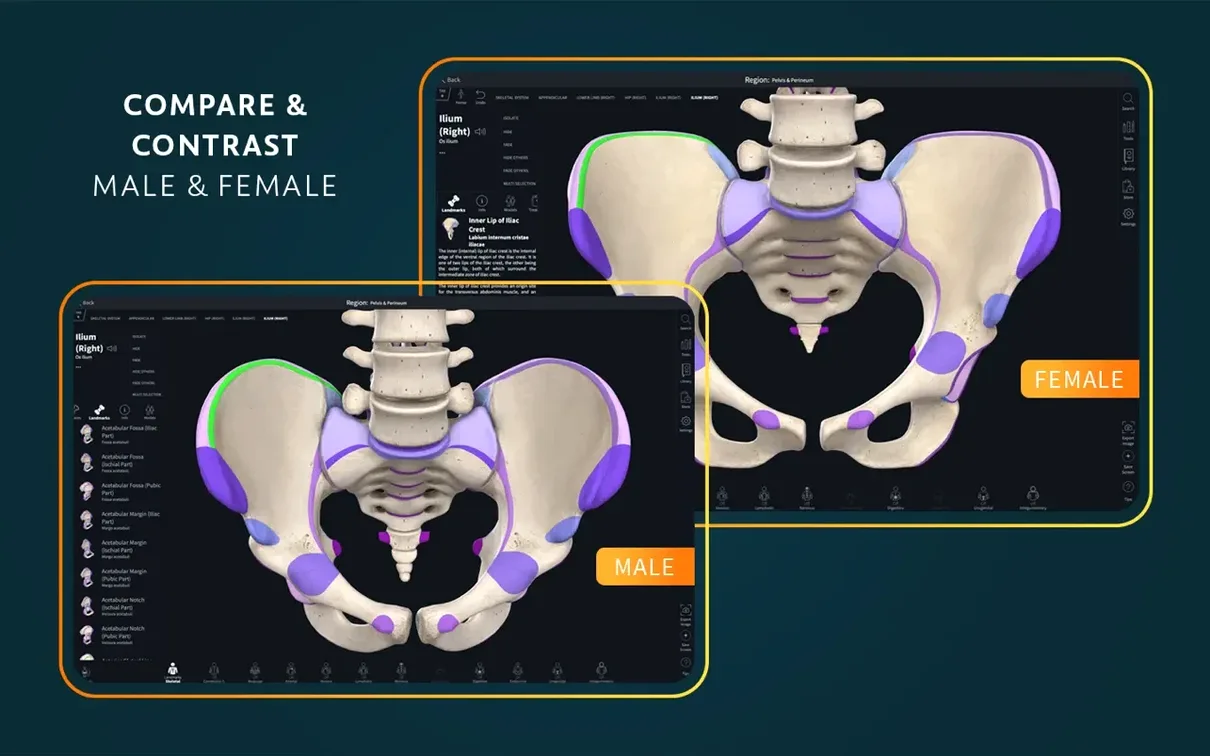
The catalogue note
Version 11.5 of Complete Anatomy brings one notable change: optimized support for iOS 26. If you're working across a Mac and an iPad, that means the 3D models and clinical content stay in step on both devices.
What does the app include beyond the 3D models?
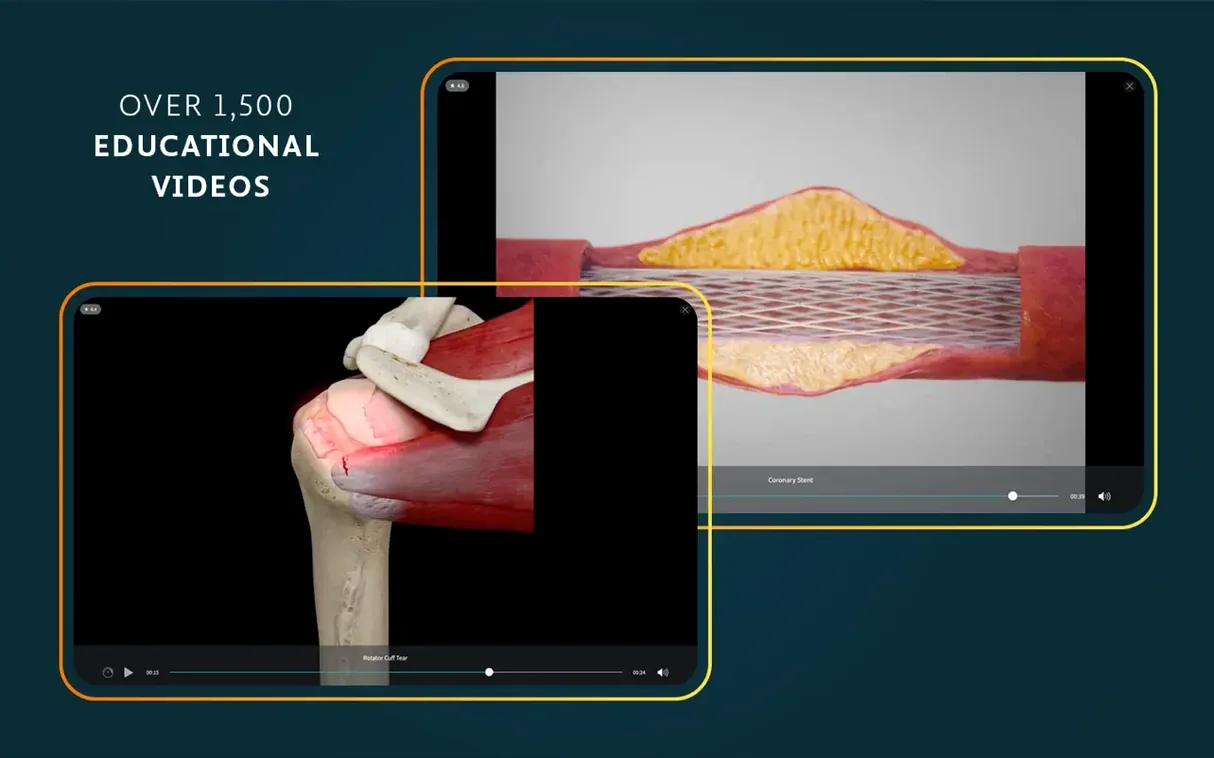
Alongside interactive 3D anatomy, Complete Anatomy serves up more than 1,500 clinical videos, a radiology view, dynamic cross-sections, and real-time muscle movement. There's also an AR mode for when you want to place a heart on the desk in front of you.
What kind of content is covered?
The library spans female anatomy, dissection courses, human anatomy, point-of-care ultrasound, and clinical correlations. It's a broad spread, useful for both medical students and clinicians brushing up on a specific system.
Download, drag, and sign in
You download the disk image, drag the app into your Applications folder, then launch it from Launchpad. That's it. Keep in mind you'll need to sign in for full functionality.
The 700-plus atlas screens save time
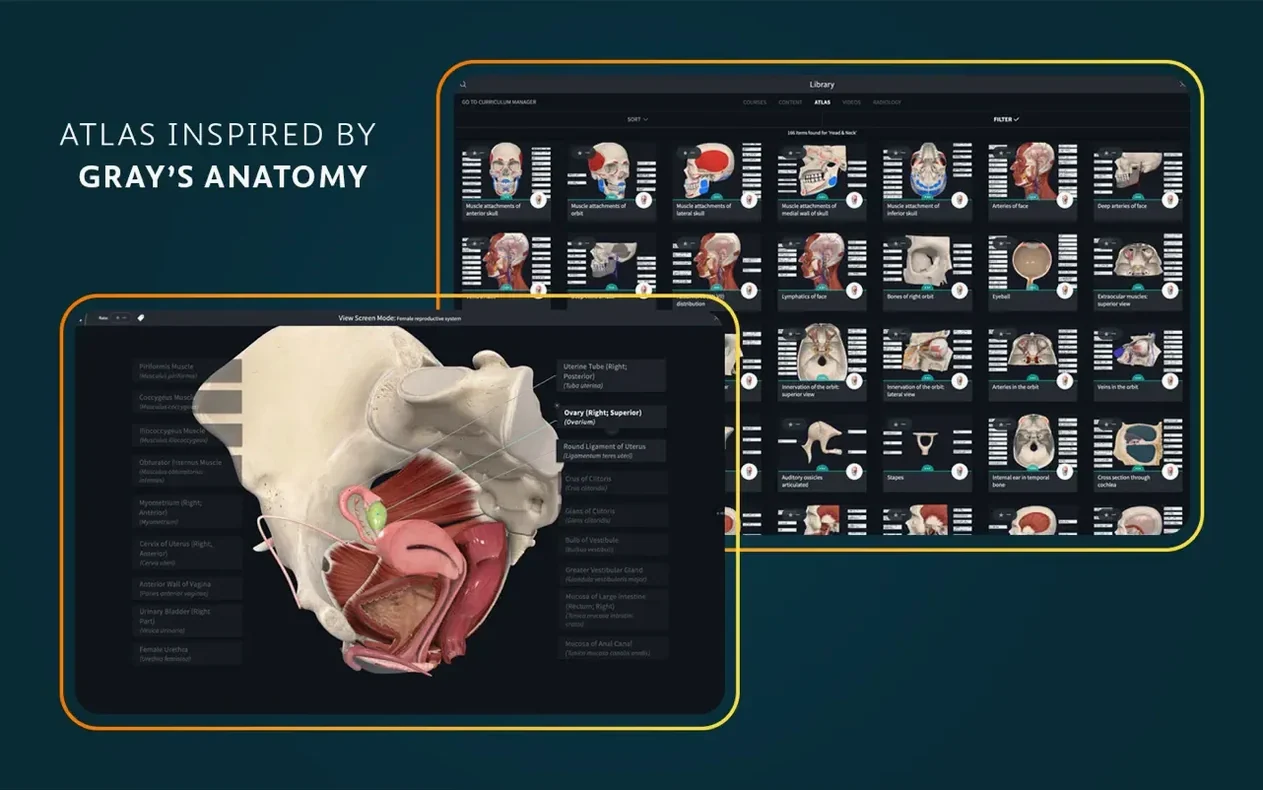
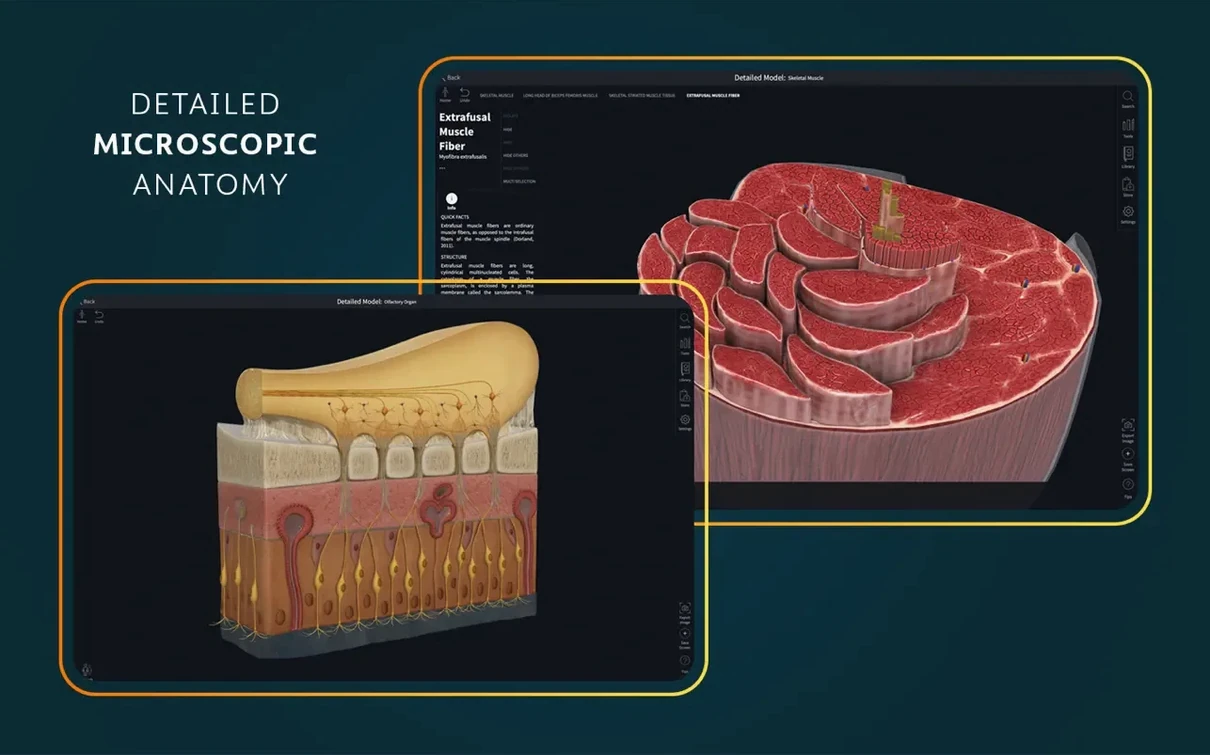
The 3D models get the attention, but Complete Anatomy tucks several practical touches into the interface that save time once you know they exist. The atlas of more than 700 screens, for instance, is not just a static gallery — each screen can be used as a quick-reference overlay while you explore the 3D view. The 39 microscopic anatomy models sit alongside the gross anatomy structures, so you can toggle between macro and micro views without switching apps or opening separate windows.
The dynamic cross-sections update in real time as you rotate or cut through a model. That sounds obvious until you need to trace a nerve path through multiple planes and realise you're not losing your spatial bearings. The real-time muscle movement visualisation also works silently in the background: when you move a joint, the associated muscle groups highlight their action without you having to trigger a separate animation.
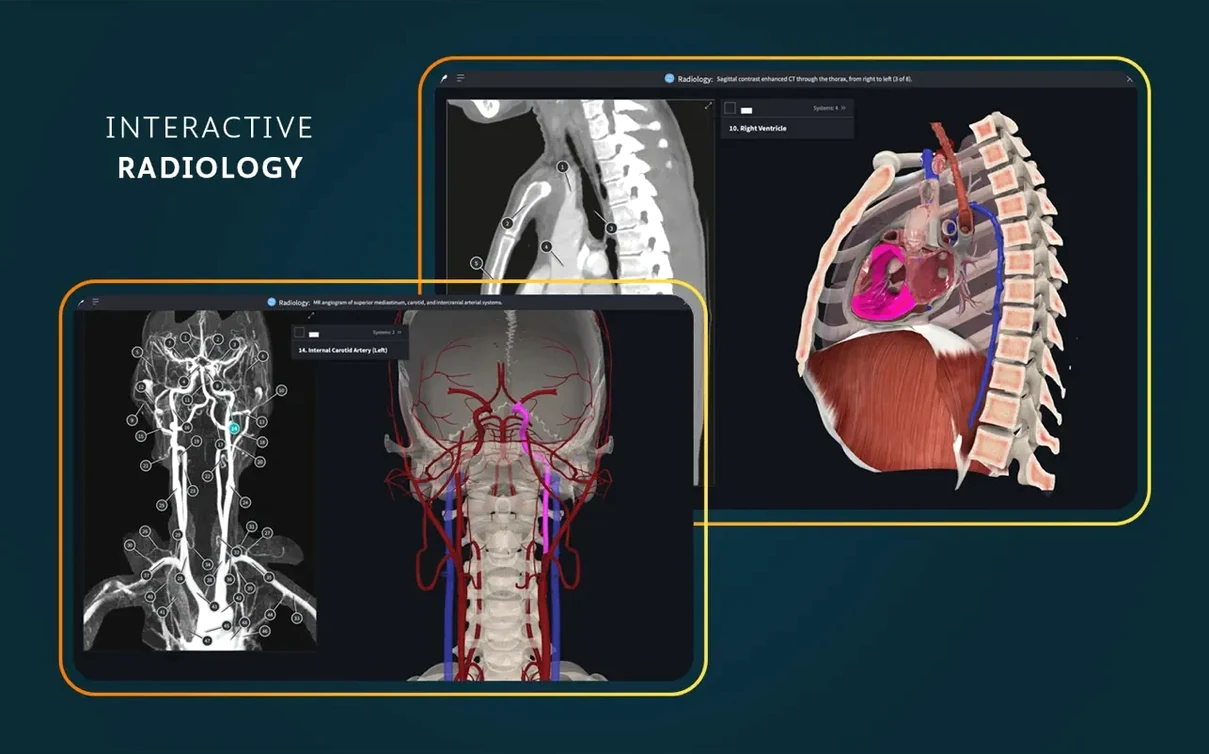
The radiology view is another feature that rewards a quick look. You can place a CT or MRI slice next to the same 3D structure and scroll through both simultaneously. It bridges the gap between textbook diagrams and the images you'll actually see in a clinical setting.
Rotate, zoom, and strip down the cardiovascular system
I open the app and sign in. The interface loads to the main 3D model — a full human figure that I can rotate, zoom, or strip down layer by layer. For this session I'm revisiting the cardiovascular system, so I select the heart from the structure list.
I switch to the live, beating, dissectible heart model. It pulses in real time, and I can peel back the pericardium, slice into the chambers, or isolate the coronary arteries. The view responds without lag, and the cross-section tool lets me cut through any plane I choose.
Next, I pull up the clinical correlations panel. There is a short video on mitral valve prolapse — one of the 1,500 clinical videos — that runs alongside the 3D model. The video shows an ultrasound clip while the 3D heart highlights the affected valve. I pause the video and rotate the model to see the valve from the surgeon's angle.
After that, I switch to the AR mode. I point the Mac's camera at my desk, and the heart appears as a holographic object I can walk around. It is a quick way to test spatial relationships before a practical exam. I finish the session by marking a few structures in the atlas screens for later review, then sign out.
Medical students replace printed atlases and videos
Medical students are the obvious fit. The combination of 3D models, dissection courses, and clinical videos replaces several printed atlases and video resources. For anatomy instructors, the ability to pull up a specific structure and annotate it on the fly during a lecture is useful — no need to juggle slides and a separate image viewer.
Healthcare learners who are not in medical school, such as nursing or physiotherapy students, benefit from the female anatomy models and point-of-care ultrasound content. These are often underrepresented in general anatomy apps. Clinicians returning to anatomy after a few years will find the clinical correlations and radiology view useful for refreshing knowledge before a new rotation.
The app supports both ARM and x86 64-bit Macs running macOS 11 or later, so it covers Intel-based machines as well as Apple Silicon ones. Interface languages include English, German, Spanish, Simplified Chinese, and French, which broadens its reach beyond English-first classrooms.
An internet connection is needed for sign-in
Do I need an internet connection to use it?
You need to sign in with an account for full functionality, so an initial connection is required. Once the content is loaded, some features may work offline, but the account check happens at launch.
Can I use it alongside other anatomy apps?
There is no technical restriction. The app installs as a standard Mac application, and it coexists with any other software on your machine. You might find you rely on it more heavily once you get used to the 3D models and the cross-section tool.
Is the content suitable for someone who is not a medical student?
Yes. The dissection courses and clinical videos are structured for learners at different levels. The microscopic anatomy models and the atlas screens work well for anyone who needs a visual reference for human anatomy, including artists or fitness professionals who study musculoskeletal structure.
What happens if I skip signing in?
You can launch the app, but core features such as the 3D models, clinical videos, and AR mode will not be accessible. The app is designed around a signed-in experience.
Does it work on older Macs?
It requires macOS 11.0 or later and supports both Intel and Apple Silicon architectures. That covers most Macs from late 2015 onward, provided they can run Big Sur or newer.
Changes in this build
- Optimized support for iOS 26.
Before it goes on the Mac
- macOS 11 or later
- Apple Silicon or Intel
- A signed-in account is required for full functionality
Questions from the room
Does Complete Anatomy require an account?
Yes, a signed-in account is required for full functionality. Without it, some features and content may be limited.
Which languages does the app support?
The interface is available in English, German, Spanish, Simplified Chinese, and French.
Installing it on the Mac
- Open the downloaded disk image.
- Drag the app into the Applications folder.
- After copying finishes, launch it from Launchpad.
Notes from the control room
Sign in or open a catalogue account to leave a note.
No notes from the room yet. If you have used this build for a week, a short note helps the next person.