Home › Mac Apps › Bootstrap Studio
Bootstrap Studio 6.7.3 (Mac)
Updated
The catalogue note
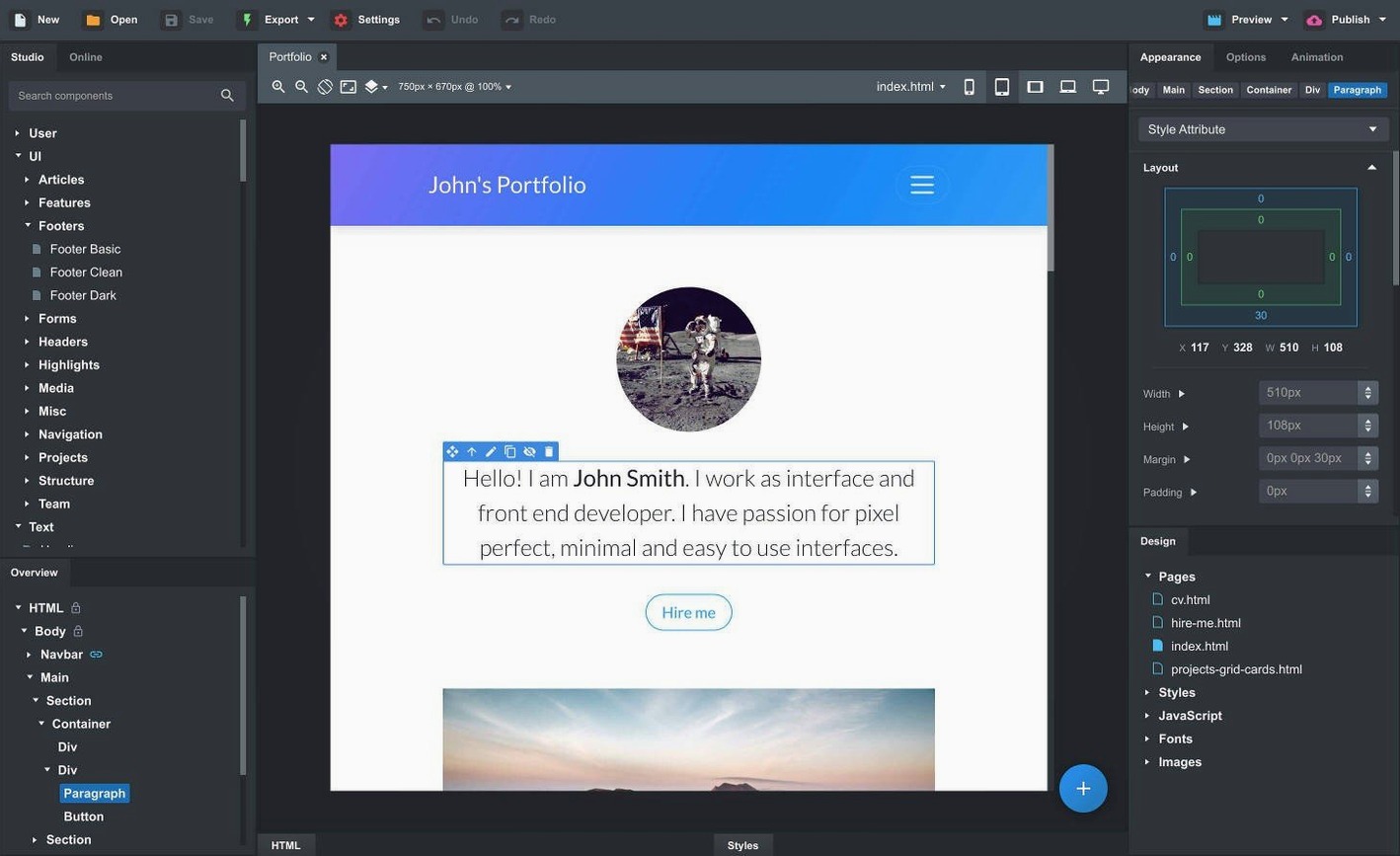
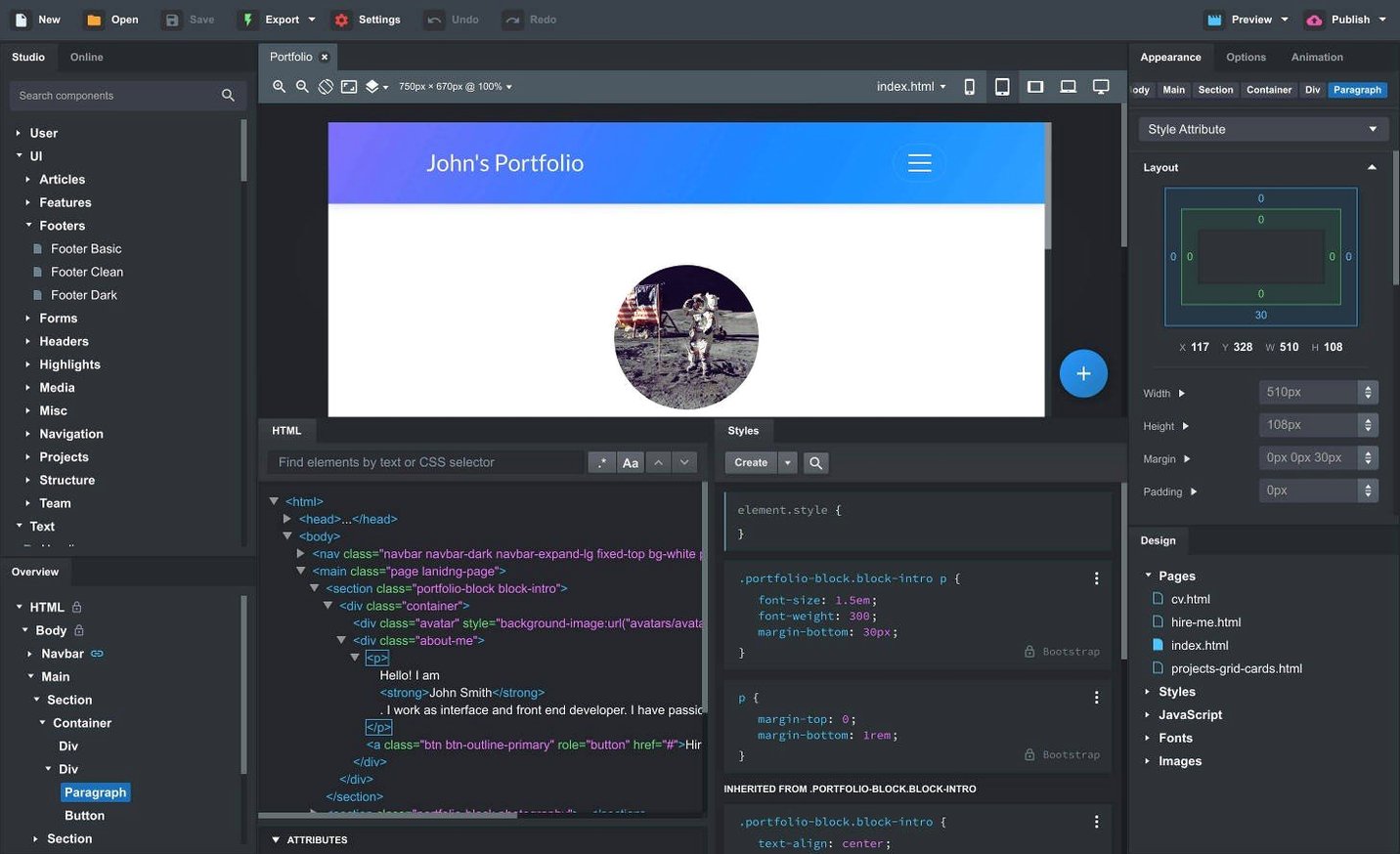
Bootstrap Studio is a desktop application for creating websites, built specifically around the Bootstrap framework.
How does Bootstrap Studio fit into a Mac workflow?
It sits alongside your other tools as a dedicated site builder rather than a code editor. The application creates the underlying code when you drop in preinstalled elements like headers, footers, galleries, slideshows, spacers, and divs.
Import an existing site by dragging in files
You can import an existing website by dragging in HTML, CSS, JS, and image files. The app keeps the structure intact, so you can rebuild or extend a project without starting from scratch.
What about previewing and maintaining consistency?
Live preview runs across multiple browsers and devices at once, which helps when you are tweaking responsiveness. Linked components stay in sync across pages, and the export is clean, semantic HTML.
Sticky navbars and click-outside modal closing
The most recent revisions introduce a Sticky On setting for sticky navigation bars, a Click Outside to Close feature for Bootstrap modals, and rectify the OpenAI API key entry window.
Drag-and-drop fix for nested Bootstrap components
The most frequent issue newcomers report is the drag-and-drop behaviour for nested Bootstrap components. A column inside a row inside a container will sometimes refuse to land where you want it. The fix is to pause over the parent container until its highlight border appears, then drop. Rushing the placement often puts the component at the wrong nesting level, breaking the grid.
Another snag involves linked components not updating across pages. This usually happens when you rename a linked component after creating it. The link holds onto the original name; renaming breaks the connection. The safer approach is to duplicate the component and set the new name before linking it to other pages.
Importing an existing site can also cause confusion. If the import drags in a folder with subdirectories, the app may not recognise relative paths for images and stylesheets straight away. Manually reassigning the asset paths in the Design view resolves this, and the site will preview correctly once you have pointed the links to the right files.
Icon Dialog lists icon count and type per set
For each icon set, the Icon Dialog now displays the icon count and its type. This saves you from scrolling through a set to see whether it contains the style you need. If you work with icon-heavy layouts, it is worth checking this dialog before inserting any icon component.
Bootstrap modals' Click Outside to Close setting is simple to miss. By default, a modal stays open until the user clicks the close button. Enabling this option lets the modal dismiss when someone clicks the backdrop, which matches user expectations for modern interfaces. It lives in the modal component settings.
The Sticky On option for sticky navbars lets you define the breakpoint at which the navbar becomes sticky. This is useful when you want the navigation to behave differently on mobile versus desktop. The option appears in the navbar component properties.
The AI Assistant now includes gpt-4o-mini and gpt-4o models. If you use the assistant for generating content or code snippets, you can switch between models depending on the complexity of the task. The option is in the AI Assistant settings panel.
Setting up grid structure before dragging content
New users often start building a page without setting up the grid structure first. They drag a header onto an empty canvas, then try to add a row of content below it, only to find the spacing and alignment are off. Bootstrap relies on a container > row > column hierarchy. Starting with a container component and nesting rows and columns inside it saves time later.
Another common mistake is editing the generated HTML directly in the code view, then wondering why changes do not appear in the visual editor. The visual editor and the code view are not fully synchronised—changes made in the code view can overwrite the visual layout. It is better to use the visual editor for layout and the code view only for CSS and JavaScript tweaks.
Beginners also tend to ignore the Bootstrap version selector. Bootstrap Studio is compatible with Bootstrap versions 3.4, 4.6, and 5.3. If you start a project with the default version and later switch, existing components may not render correctly. It is worth picking the right version at the start, or testing a small section before committing to a switch.
Finally, people often forget about custom components. After building a design with several nested components, they recreate the same structure on another page instead of saving it as a custom component. You can craft custom components from parts of a design using the app, and the online library also stores community-made components that may save hours of work.
Visual tool for Mac users who prefer drag-and-drop over HTML
Web designers who prefer visual tools over writing HTML by hand will find Bootstrap Studio a practical fit. The drag-and-drop interface and live preview across devices reduce the back-and-forth between browser and editor. Prototype builders benefit from the speed of assembling a layout with built-in components and then exporting clean HTML for further development.
Frontend groups that have adopted Bootstrap as their standard can leverage the linked components functionality to keep headers, footers, and navigation consistent on a site with multiple pages. Changes to a linked component propagate to every page that uses it, which cuts down on repetitive edits.
Developers who maintain legacy sites built on Bootstrap 3.4 or 4.6 will appreciate the ability to open and edit those projects without upgrading the framework. The app supports all three Bootstrap versions, so you can work on older sites alongside newer ones.
For someone learning Bootstrap, the app provides a sandbox where you can experiment with components and see how the framework structures a page. The export gives you the source code to study, which helps bridge the gap between visual design and understanding the underlying markup.
Changes in this build
- Fixed an issue with the OpenAI API key entry dialog not accepting some keys.
- The Icon Dialog now lists the number of icons and type for each icon set.
- Added a Sticky On option for sticky navbars.
- Added a Click Outside to Close option for Bootstrap modals.
- Added gpt-4o-mini and gpt-4o to the AI Assistant.
Before it goes on the Mac
- macOS 10.13 or later
- Intel or Apple Silicon
- Interface language: English
Questions from the room
Can Bootstrap Studio import an existing website?
Yes. Drag in HTML, CSS, JS, and image files, and the app will bring the site in for editing.
Installing it on the Mac
- Use the included installation and activation instructions.
Notes from the control room
Sign in or open a catalogue account to leave a note.
No notes from the room yet. If you have used this build for a week, a short note helps the next person.