
Updated
The catalogue note
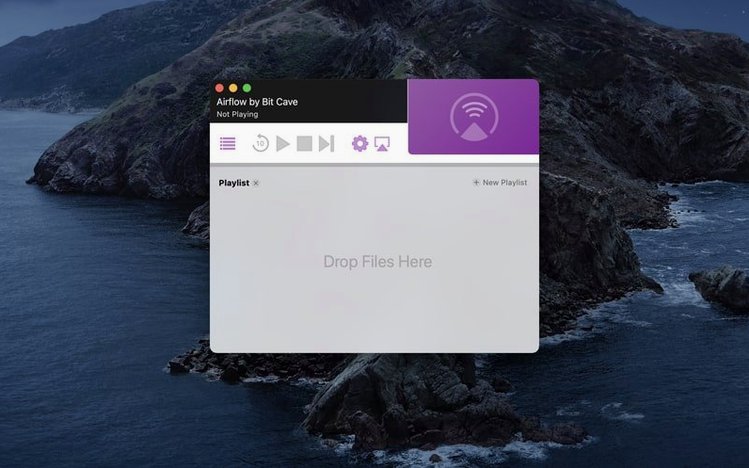
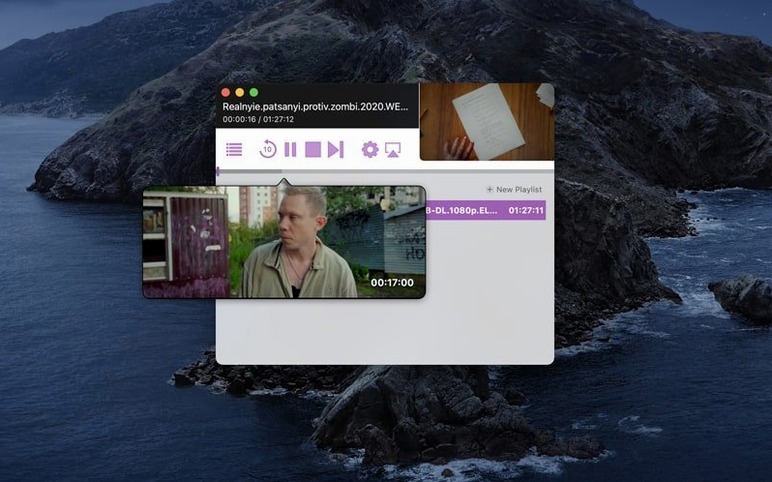
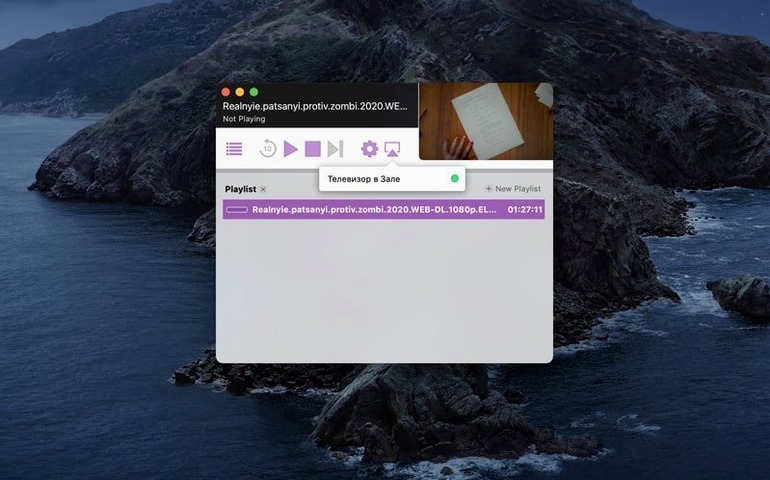
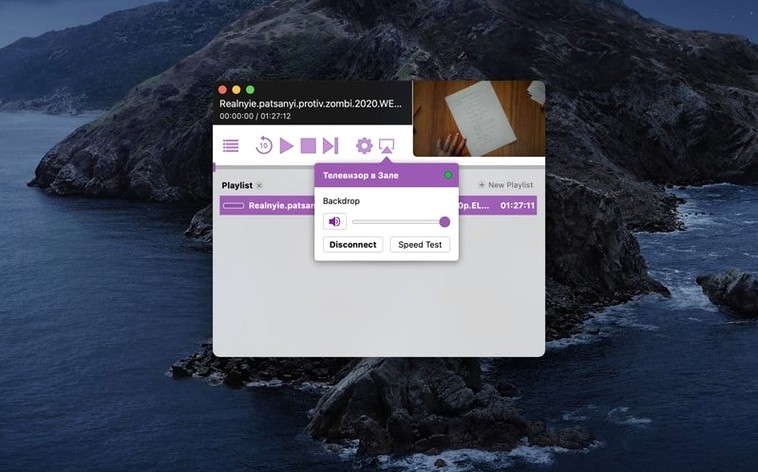
Select a Chromecast device, then drag a video file into the window — that is essentially the whole workflow of Airflow. It does not transcode, it does not manage libraries, it just hands the file off to the dongle and lets it play. For a Mac user who already keeps videos in folders or on a NAS, this is a cleaner alternative to opening a full media server just to cast a single episode.
- Drag and drop video files directly into the app window to start playback — no import step, no library scan.
- Device selection is manual: pick the Chromecast you want from a list inside the app.
- Runs on macOS 10.12 and later, Intel only.
- Interface is deliberately minimal: a player window and a device list, nothing else.
- Version 3.3.10 is the current release from BitCave Ltd.
- Works alongside your existing workflow — Finder, Quick Look, Plex, VLC — without interfering.
If you already have a Mac and a Chromecast, Airflow fills a narrow slot: getting local video onto the TV without ripping your media setup apart.
Adjust the streaming buffer before your first cast
Airflow does not bury its preferences. Open the app, then go to the menu bar and find the settings. Two items are worth adjusting before you cast anything.
The first is the streaming buffer. By default, the app uses a moderate buffer size that works for most local network setups. If your Wi-Fi is crowded or your Chromecast is far from the router, increase the buffer. You will see the option in the streaming section of preferences. A larger buffer means playback starts a few seconds later, but it reduces the chance of stuttering during longer files.
The second is the automatic device discovery interval. Airflow scans for Chromecast devices on the network at a regular interval. If you only have one Chromecast and it stays on the same network, you can lower the scan frequency. This frees a negligible amount of bandwidth, but more importantly, it keeps the device list from refreshing while you are trying to click on it. Set it to manual discovery if you prefer, and trigger a scan only when you need it.
The app remembers your last used device. That is helpful if you cast from the same Mac to the same TV every evening. You will not need to re-select the Chromecast each time you launch Airflow.
Works with newer Chromecast with Google TV on the same network
Does Airflow work with the newer Chromecast with Google TV?
Yes, it does. The app communicates with the Chromecast protocol itself, not with a specific hardware generation. As long as your Chromecast device is on the same local network as your Mac, Airflow can see it and stream to it. This includes the Chromecast Ultra, the third-generation model, and the Chromecast with Google TV. The interface on the TV will show the standard Chromecast receiver screen, not a custom Airflow interface.
Can I cast subtitles?
Airflow supports embedded subtitle tracks inside the video container, provided the Chromecast itself supports the subtitle format. For external subtitle files, the app does not have a dedicated upload field. You can try placing the subtitle file in the same folder as the video with the same filename — the Chromecast may pick it up during playback, but this depends on the file format and the Chromecast firmware. It is not guaranteed.
Will Airflow transcode video that my Chromecast cannot play natively?
No. The app sends the file as-is to the Chromecast. If the Chromecast does not support the video codec or container, playback will either fail or show a black screen. Common unsupported formats include some MKV files with DTS audio and high-bitrate 4K H.265 content on older Chromecast models. The solution is to convert the file beforehand or use a different streaming method. Airflow is not a transcoder.
Does the app require an internet connection?
Only for the initial device discovery and protocol handshake. Once the Chromecast has received the stream URL from Airflow, the actual video data travels over your local network. If your internet goes down during playback, the video keeps playing as long as the local network stays up. The app itself does not phone home to BitCave servers for any feature.
Can I cast from a Mac that is connected via Ethernet while the Chromecast is on Wi-Fi?
Yes. Both devices just need to be on the same subnet. A mixed wired/wireless setup works fine, and the buffer setting mentioned earlier helps if the Wi-Fi signal is weak.
Updated protocol library fixes Chromecast discovery failures
- Version 3.3.10 updated the underlying Chromecast protocol library to support newer firmware revisions. Older versions of Airflow would sometimes fail to discover a Chromecast that had been updated to the latest firmware. That is now handled.
- The drag-and-drop area now accepts files from any Finder window, including files on network volumes and external drives. Earlier builds had a bug where dragging from a SMB-mounted drive would show the file as unreadable.
- The app no longer requires a full relaunch after the Mac wakes from sleep. It reconnects to the Chromecast automatically within a few seconds. This was a common complaint in version 3.3.8 and earlier.
- The preferences window now remembers its position between launches. A minor thing, but it stopped the window from resetting to the centre of the screen every time you opened it.
- The version history also notes that the app icon was updated to match the Big Sur visual style, though the interface inside the app remained unchanged. For users on macOS 10.12 through 10.14, the icon appears flat.
Streams 1080p concert recordings from a Mac Mini home server
A friend of mine runs a small home server on a Mac Mini that holds a collection of concert recordings — mostly 1080p H.264 files in MP4 containers. He used to keep Plex running on that machine, but Plex would transcode the audio for his older Chromecast, adding latency and occasionally dropping the stream. He switched to Airflow.
His workflow now is this: he opens Airflow on the Mac Mini, selects the Chromecast in the living room from the device list, then drags the concert file directly from a Finder window into the Airflow window. No library scan, no transcoding, no waiting for Plex to analyse the file. The Chromecast starts playing within a few seconds. He controls volume and playback from the Chromecast remote or from his phone, not from Airflow. The app just sits in the background, showing the file name and a progress bar.
He keeps the buffer setting at its default because the Mac Mini is wired to the same switch as the Chromecast. The simplicity means he never has to explain the setup to guests — they just see the video on the TV and assume it is a normal Chromecast cast from a phone.
For anyone running a headless Mac as a media source, Airflow replaces a web interface or a remote desktop session with a single window. That is the use case it solves best.
Before it goes on the Mac
- macOS 10.12 or later
- Intel processor
- English interface
Questions from the room
What macOS versions does Airflow support?
Airflow requires macOS 10.12 or later.
How do I add videos to Airflow?
You can drag and drop video files directly into the application window.
Does Airflow work on Apple Silicon Macs?
No, Airflow is Intel-only according to the listed system requirements.
Installing it on the Mac
- Mount the disk image and run
Open Gatekeeper friendly. - Press Enter in Terminal to bypass Gatekeeper.
- Drag the app into the Applications folder.
- Open the app after installation.
Notes from the control room
Sign in or open a catalogue account to leave a note.
No notes from the room yet. If you have used this build for a week, a short note helps the next person.
Also filed under Utilities
The whole Utilities rack AirBuddy3.0 Utilities 49 MB
 Alcove1.7.9 Utilities 14 MB
 AlDente1.39.4 Utilities 12 MB
 AmpliTube5.8.2 Utilities 3.1 GB
 Antivirus Zap - Virus Scanner4.3.0 Utilities 49 MB Updated
 AnyTrans for iOS8.9.14 Utilities 398 MB
 Apeaksoft Screen Recorder2.2.16 Utilities 35 MB
 App Cleaner & Uninstaller10.0.3 Utilities 47 MB Updated