
Home › Logic Pro Plugins › Plug and Mix VIP Bundle
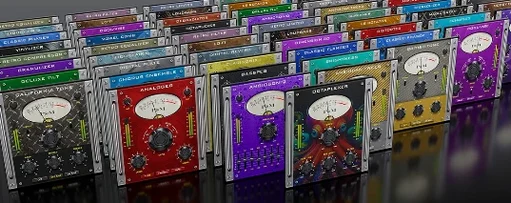
Plug and Mix VIP Bundle 4.0.0 (Mac)
Updated
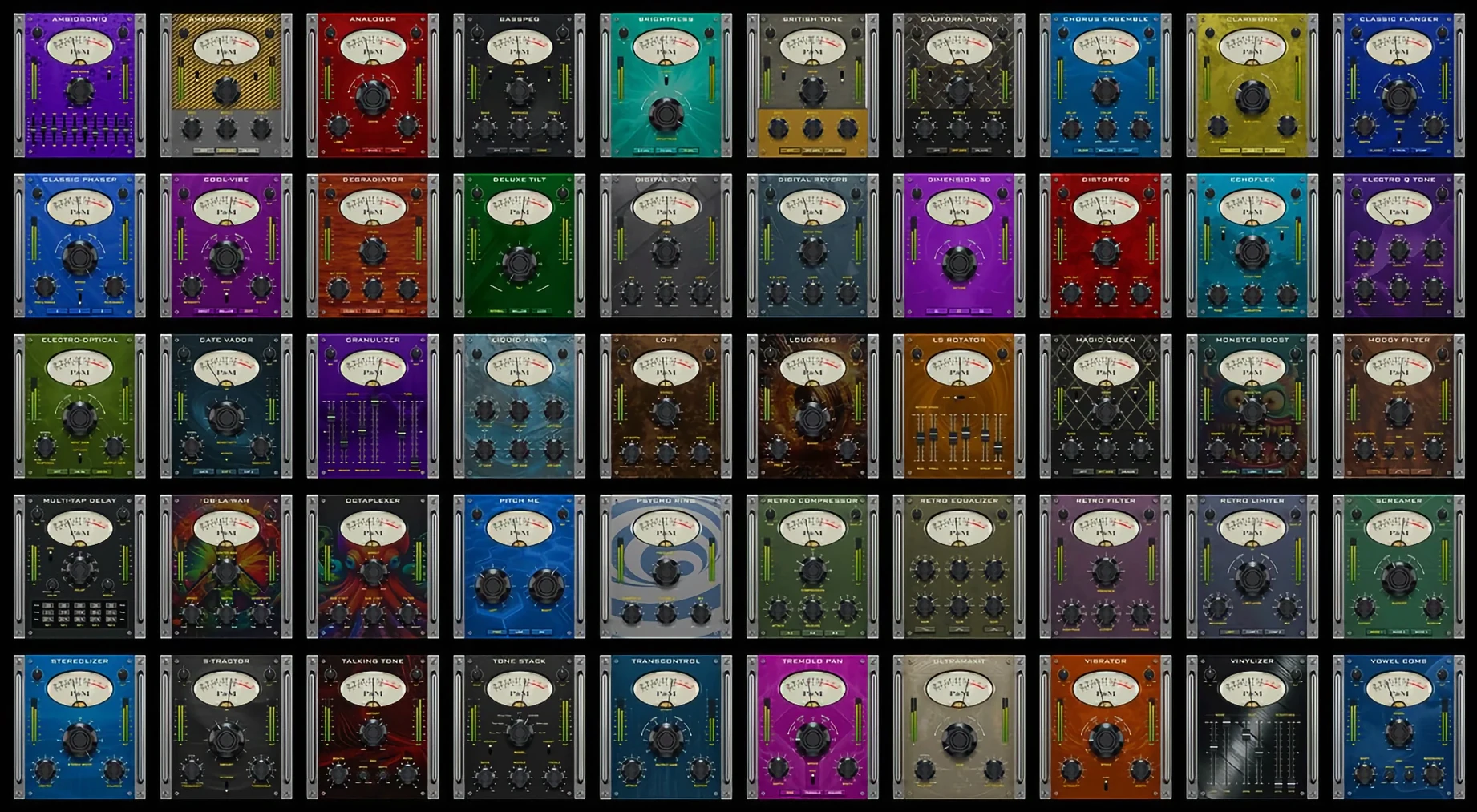
The catalogue note
Version 4.0.0 of the Plug and Mix VIP Bundle brings three practical changes: the DSP has been reworked for lower CPU draw, every plugin interface is now resizable, and the code runs natively on Apple Silicon. No wrapper, no Rosetta translation — just direct ARM64 execution on M-series Macs.
Start with one of 50 single-purpose presets
- Insert any of the 50 single-purpose plugins — equalisers, compressors, reverbs, delays, modulation, distortion, amp simulators or filters — directly onto a track.
- Load one of the bundled presets. Each plugin ships with a set of carefully selected starting points, so you are not dialling from zero.
- Tweak the controls. The GUI now scales freely, which helps on smaller laptop screens or when you want a larger view of a reverb tail.
- Bypass, compare, move on. The bundle is designed for speed: find the right colour quickly, then get back to arranging or tracking.
The plugins cover vocals, guitars, drums, synthesizers and master buss processing. None of them tries to do everything — each is a focused tool. With the updated DSP, you can stack several instances without the usual CPU worry, and the native Silicon support means the fans stay quiet on a MacBook Pro.
Home recordists who track and mix alone benefit most
Home recordists and project-studio engineers who work fast, often alone, get the most from the VIP Bundle. When you are both tracking and mixing, you do not have time to dig through complex multi-function plugins. Each of the 50 tools does one job — a compressor that only compresses, a reverb that only adds space — so you reach for what you need and move on. Sound engineers in commercial rooms will also find value: the low CPU load lets them insert multiple instances across a large session without freezing tracks.
Composers working to picture benefit from the preset-driven workflow. Need a quick room reverb on a voiceover? Load a preset, adjust the decay, done. The resizable interface helps when you are monitoring on a second, smaller screen in a mobile rig. Music producers who switch between genres will appreciate having a broad palette — the amp simulators for rock, the modulation effects for electronic, the filters for sound design — all in one installer.
Works as standard Audio Units and VST in any modern DAW
The bundle installs as standard Audio Units and VST plugins, so it appears in any modern DAW: Logic Pro, Ableton Live, Pro Tools, Cubase, Studio One, Reaper, and others. It also works in audio editing apps like Sound Forge or Audition for quick processing of audio files. The macOS system-wide audio unit host can run individual plugins for real-time monitoring outside a DAW, though this is a niche use.
Because each plugin uses a minimal set of controls, you can map hardware faders or MIDI controllers to parameters without scrolling through endless menus. The resizable GUI works well with macOS Stage Manager — keep the plugin window open while the DAW sits in another group. No deep system integration required; it behaves like any well-behaved plugin set.
Clean a vocal with a preset for rumble and sibilance
Suppose you have a vocal recorded in a less-than-ideal room, with a low rumble and a touch of sibilance. Start by inserting the equaliser plugin on the track. Pick the 'Vocal Clean' preset, then pull down the low shelf to cut the rumble. Switch to the de-esser plugin — one of the 50 single-purpose tools — and load its 'Soft Sibilance' preset. Adjust the threshold until the harsh S and T sounds are tamed.
Next, insert the compressor plugin. The 'Vocal Level' preset gives a good starting ratio; tweak the threshold so the louder phrases sit consistently. Finally, add the reverb plugin with a 'Small Room' preset for a touch of ambience. The whole chain takes under two minutes, and because each plugin does only one thing, you can bypass individual stages to compare the effect. No scrolling through tabs, no hidden parameters — just the controls you need.
Changes in this build
Before it goes on the Mac
- macOS 11 (Big Sur) or later
- Intel and Apple Silicon (native)
- Interface language: English
Installing it on the Mac
Notes from the control room
Sign in or open a catalogue account to leave a note.
No notes from the room yet. If you have used this build for a week, a short note helps the next person.
Also filed under Logic Pro Plugins
The whole Logic Pro Plugins rack Pulsar Audio IPA1.0.9 Logic Pro Plugins 75 MB
 Pulsar Audio Pulsar Massive1.4.4 Logic Pro Plugins 102 MB
 Pulsar Audio Pulsar Primavera1.2.4 Logic Pro Plugins 103 MB
 Output Portal1.2.1 Logic Pro Plugins 319 MB
 RC-20 Retro Color1.5.1 Logic Pro Plugins 170 MB
 Omnisphere3.0.2c Logic Pro Plugins 205 MB
 Revoice Pro5.1.30 Logic Pro Plugins 39 MB
 Roland Cloud Legendary Series2025.06.29 Logic Pro Plugins 1.3 GB