
Home › Logic Pro Plugins › Expressive E Soliste
Expressive E Soliste 1.0.3 (Mac)
Updated
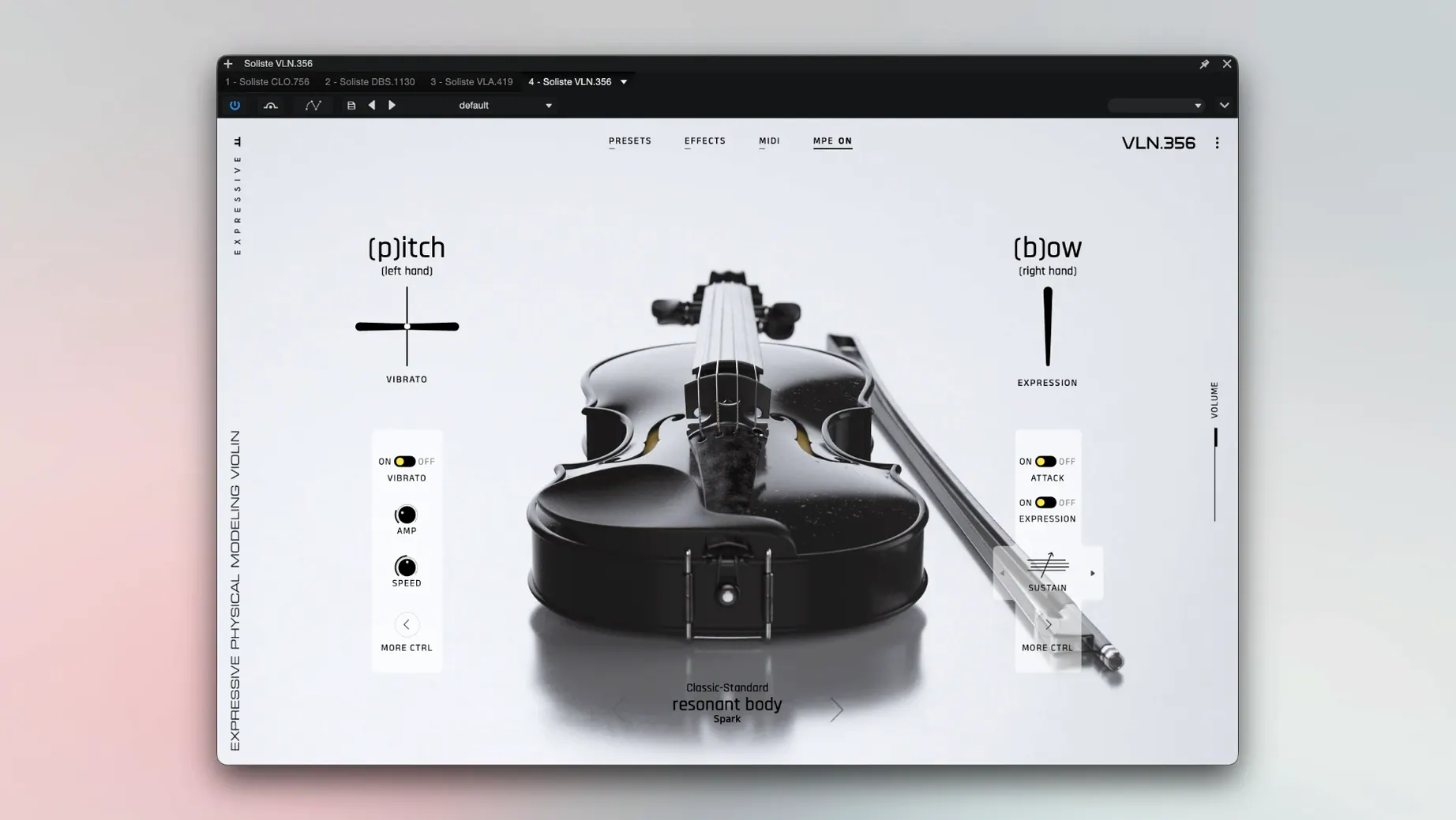
The catalogue note
Expressive E Soliste is a plug-in that puts a physically modelled solo string section inside your DAW.
Write string lines from a MIDI keyboard with real-time bowing control
- Writing string lines directly from a MIDI keyboard or MPE controller. The model responds to bow pressure, stroke character, vibrato speed and overall dynamics in real time.
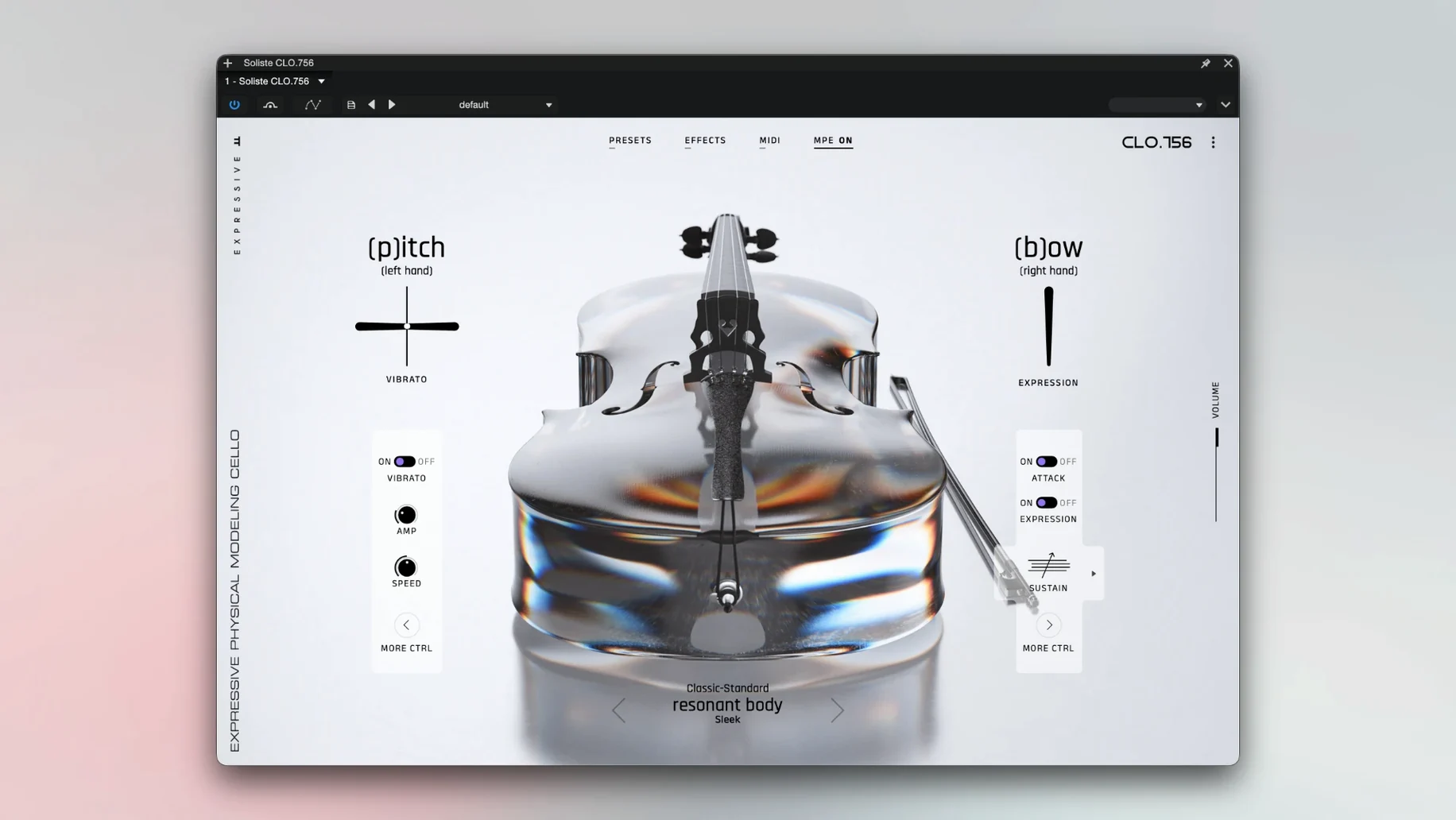
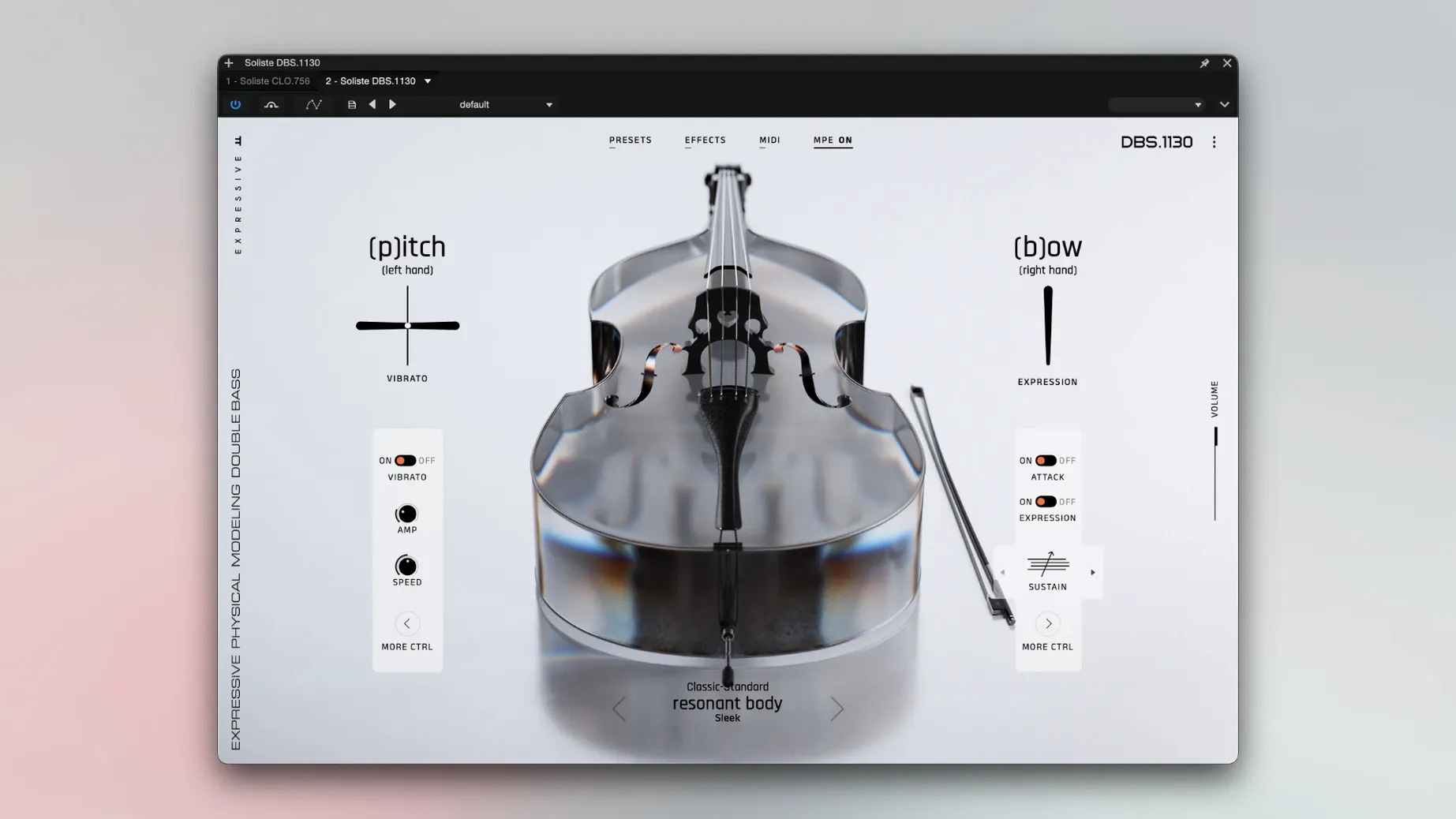
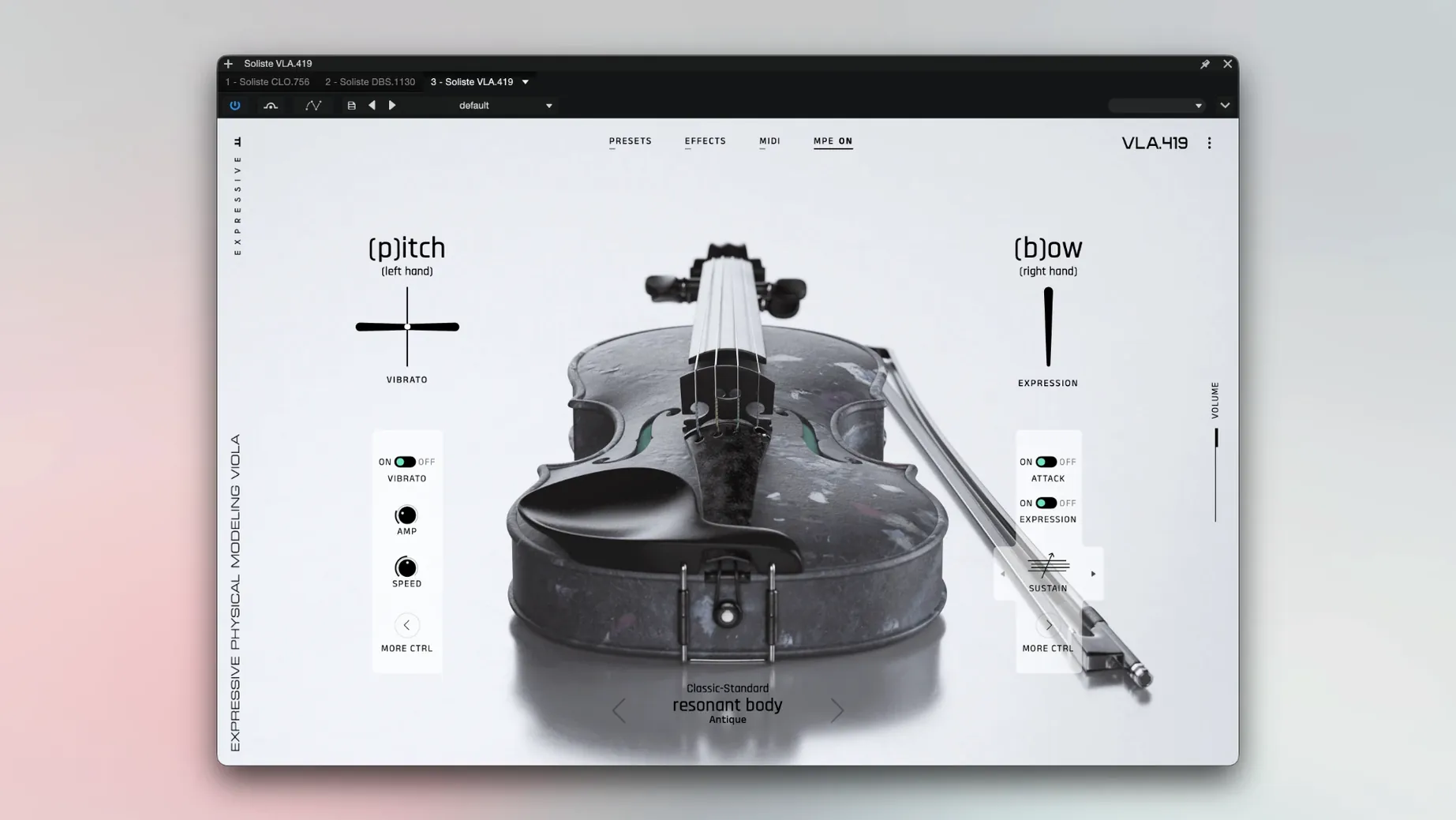
- Pop, film or electronic tracks where you need a single violin, viola, cello or double bass that sounds like a player, not a sample layer. The four instruments are labelled VLN 356, VLA 419, CLO 759 and DBS 1130.
- Buses or side-chain parts where you want an expressive line that cuts through without programming round-robin or velocity layers.
MPE unlocks realistic bowing and phrasing in real time
- It is a real-time performance instrument. You play it, you do not sequence it note by note and expect realistic phrasing without controller data.
- Works with classic MIDI controllers too, but MPE (MIDI Polyphonic Expression) unlocks the bowing and vibrato response.
- Runs on Apple Silicon and Intel 64-bit Macs under macOS 12 or later. Installation is a standard disk image and installer.
- The interface is in English.
Pick the VLN 356 violin and write a melodic line in Logic
I open a project in Logic, create a new instrument track and load Soliste. The first thing I do is pick the violin — VLN 356 — because I am writing a melodic line for a verse. I have an MPE controller connected, but I also keep a standard MIDI keyboard on the desk for quick note entry. The plug-in loads without any sample-waiting; physical modelling starts the instant you hit a key.
I play a slow C major scale, holding the sustain pedal and pressing harder into the keys. The bow pressure follows the velocity, so a firm press gives a thicker, more assertive attack. I let the last note ring and add vibrato by wiggling my finger on the MPE touchstrip. The pitch bends slightly and the sound warms up — it feels like a real hand on a bow.
For the chorus I switch to the cello, CLO 759, and write a descending bass line. I use the mod wheel to control bow stroke character, moving from legato to a slightly more marcato feel. The model catches the change without any audible seams. I record the part in one take, then nudge a few notes in the piano roll to tighten the timing. No crossfading, no round-robin editing.
The double bass, DBS 1130, goes on a separate track for a low ostinato. I keep the dynamics steady and let the model handle the natural bow changes. The whole session stays inside one project file, and I never touch a sample library browser.
Soften the attack by lowering bow pressure and vibrato speed first
When I first opened Soliste, I spent a few minutes with the bow pressure and vibrato speed controls. The defaults are sensible for general playing, but I prefer a softer attack for slower lines. I lowered the bow pressure slightly and increased the vibrato depth — the sound became more expressive without extra key velocity work.
I also adjusted the dynamics response curve. With a linear curve, my quiet playing was too soft for the mix. I set it to a gentle exponential shape, so the quiet notes still have presence and the loud notes do not peak harshly. This made a noticeable difference when playing with a standard MIDI keyboard rather than an MPE controller.
The stroke character control is worth mapping to a physical fader if you have one. I put it on my controller's slider and found I could switch between airy, delicate strokes and firm, aggressive ones during a single take. The model tracks the change smoothly, no glitching.
A real-world scenario: film composer sketching a string line
A composer working on a short film cue needs a solo violin melody that sounds human, not sampled. They have a deadline in two days and no time to tweak velocity layers or script legato transitions. They load Soliste, select VLN 356, and play the melody on an MPE keyboard. The bow pressure and vibrato are controlled live, so the line has natural swells and dips. They record it in one pass, add a touch of reverb, and move on to the next cue. The physical model delivers a performance, not a patch.
Before it goes on the Mac
- macOS 12 or later
- Apple Silicon or Intel 64-bit
Installing it on the Mac
- Open the downloaded disk image.
- Run the standard installation process.
Notes from the control room
Sign in or open a catalogue account to leave a note.
No notes from the room yet. If you have used this build for a week, a short note helps the next person.
Also filed under Logic Pro Plugins
The whole Logic Pro Plugins rack EZbass1.3.3 Logic Pro Plugins 81 MB
 FabFilter Total Bundle29.10.2026 Logic Pro Plugins 428 MB Updated
 Excite Audio Lifeline Expanse1.3.0 Logic Pro Plugins 352 MB
 elastiquePitch2.5.0 Logic Pro Plugins 17 MB
 Cymatics VOXITY1.0.0 Logic Pro Plugins 97 MB
 Cymatics QUAKE1.0.0 Logic Pro Plugins 1.6 GB
 Help Me Devvon HMD Uncompressor1.0.03 Logic Pro Plugins 38 MB
 iZotope Neutron5.2.0 Logic Pro Plugins 928 MB