
Home › Logic Pro Plugins › Excite Audio Lifeline Expanse

Updated
The catalogue note
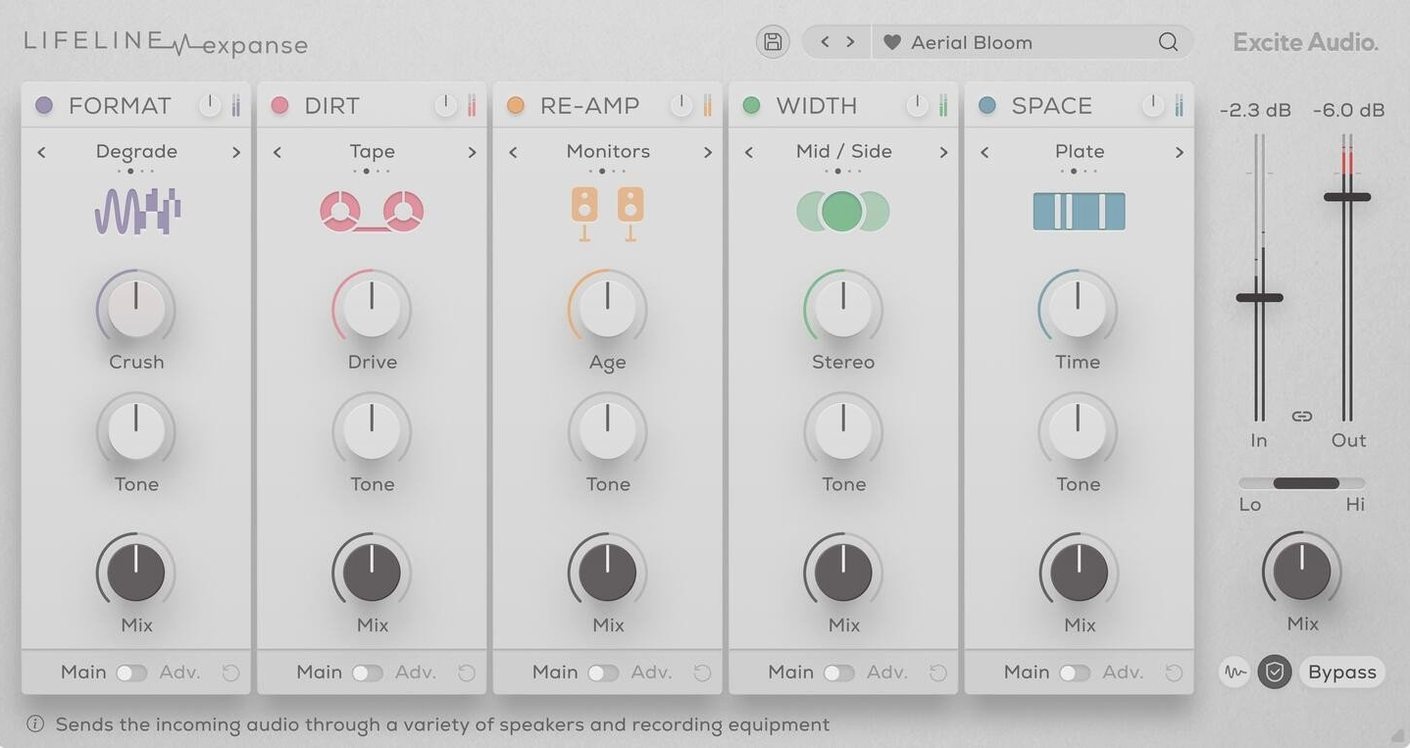
Think of Lifeline Expanse as a character pedal for your mix bus — the kind of box you patch across a dull synth line or a dry vocal and suddenly the part sits in its own room. It is a multi-effects plugin built around five modules: drive, filter, modulation, delay and reverb, each with its own set of algorithms. Twenty in total, so there is plenty of ground between a subtle Haas-style widening and a full washed-out texture.
Adds width to mono sources and glues parallel buses
- Adding width to mono sources — guitars, pianos, background vocals.
- Placing individual tracks into a shared space without reaching for a separate reverb send.
- Shaping parallel buses: a touch of drive and a short delay can glue a drum group quickly.
- Creative sound design, where the multiband section lets you process only the low end or the highs.
Zero latency for live tracking, resizable UI on macOS 10.15+
- Zero latency, so it is safe to insert on live-tracked inputs or during tracking.
- The interface is resizable and the whole thing runs on macOS 10.15 and later.
- It is part of the Lifeline series, so it shares the same visual and workflow language as its siblings.
- English interface only.
Version 1.3.0 streamlined Rent To Own activation
The update to version 1.3.0 brought an updated activation method for those using the Rent To Own route. For everyday use this means the authorisation process is now more straightforward when you first load the plugin or move it between machines. No changes were made to the sound engine or the module algorithms, so mixes that relied on version 1.2.0 remain identical when opened in 1.3.0.
Mixing engineer uses it to revive a DI bass track without re-amping
A mixing engineer working on a rock EP has a DI bass track that needs life. The bass was recorded clean through an interface with no amp. Instead of routing it out to a hardware re-amp box, the engineer inserts Lifeline Expanse on the track. The drive module adds a bit of grit, the filter trims the subsonic rumble below 40 Hz, and a short plate reverb from the reverb module places the bass in the same virtual room as the live drums. The multiband section lets the engineer keep the low end dry and apply the reverb only above 200 Hz. The whole chain stays at zero latency, so the session can be tracked further without delay compensation issues.
Reorder modules for different effects: modulation before drive or after reverb
- Module order — the module workflow is reorderable. Start with the default order, but try moving modulation before drive if you want the filter to sweep into distortion, or after reverb for a more subtle effect.
- Multiband assignment — not every track needs the full frequency range processed. Assign only the low or high band to the reverb module to keep the body of the sound solid while the edges spread out.
- Dry/wet mix — each module has its own mix control.
- Interface size — if you are on a smaller screen, resize the window so the module controls are readable without scrolling. The resizing does not affect CPU load.
Excite Audio Lifeline Expanse for Mac free download adds spacious, colorful reverb and delay effects to individual tracks. The current build is 1.3.0 and runs on macOS 10.15 or later on Intel hardware.
Before it goes on the Mac
- macOS 10.15 or later
- Intel architecture
- Interface language: English
Questions from the room
Does Lifeline Expanse work on older Macs?
Yes, it runs on macOS 10.15 and later, including Intel-based Macs.
Installing it on the Mac
- Mount the downloaded disk image.
- Run the standard installer and follow the on-screen steps.
Notes from the control room
Sign in or open a catalogue account to leave a note.
No notes from the room yet. If you have used this build for a week, a short note helps the next person.
Also filed under Logic Pro Plugins
The whole Logic Pro Plugins rack Expressive E Soliste1.0.3 Logic Pro Plugins 951 MB
 EZbass1.3.3 Logic Pro Plugins 81 MB
 FabFilter Total Bundle29.10.2026 Logic Pro Plugins 428 MB Updated
 elastiquePitch2.5.0 Logic Pro Plugins 17 MB
 Cymatics VOXITY1.0.0 Logic Pro Plugins 97 MB
 Cymatics QUAKE1.0.0 Logic Pro Plugins 1.6 GB
 Help Me Devvon HMD Uncompressor1.0.03 Logic Pro Plugins 38 MB
 iZotope Neutron5.2.0 Logic Pro Plugins 928 MB