
Home › Logic Pro Plugins › Cymatics QUAKE
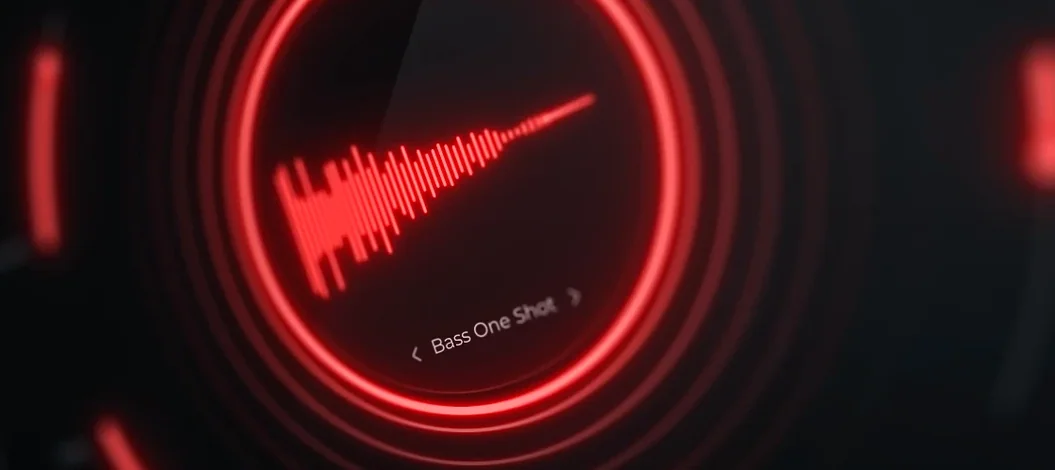
Cymatics QUAKE 1.0.0 (Mac)
Updated
The catalogue note
Version 1.0.0 of Cymatics QUAKE is the initial release, so there are no version changes to report. What matters is what the plugin does from the start: it bundles the tools you need for designing bass and 808 sounds into a single window, aiming to speed up your workflow.
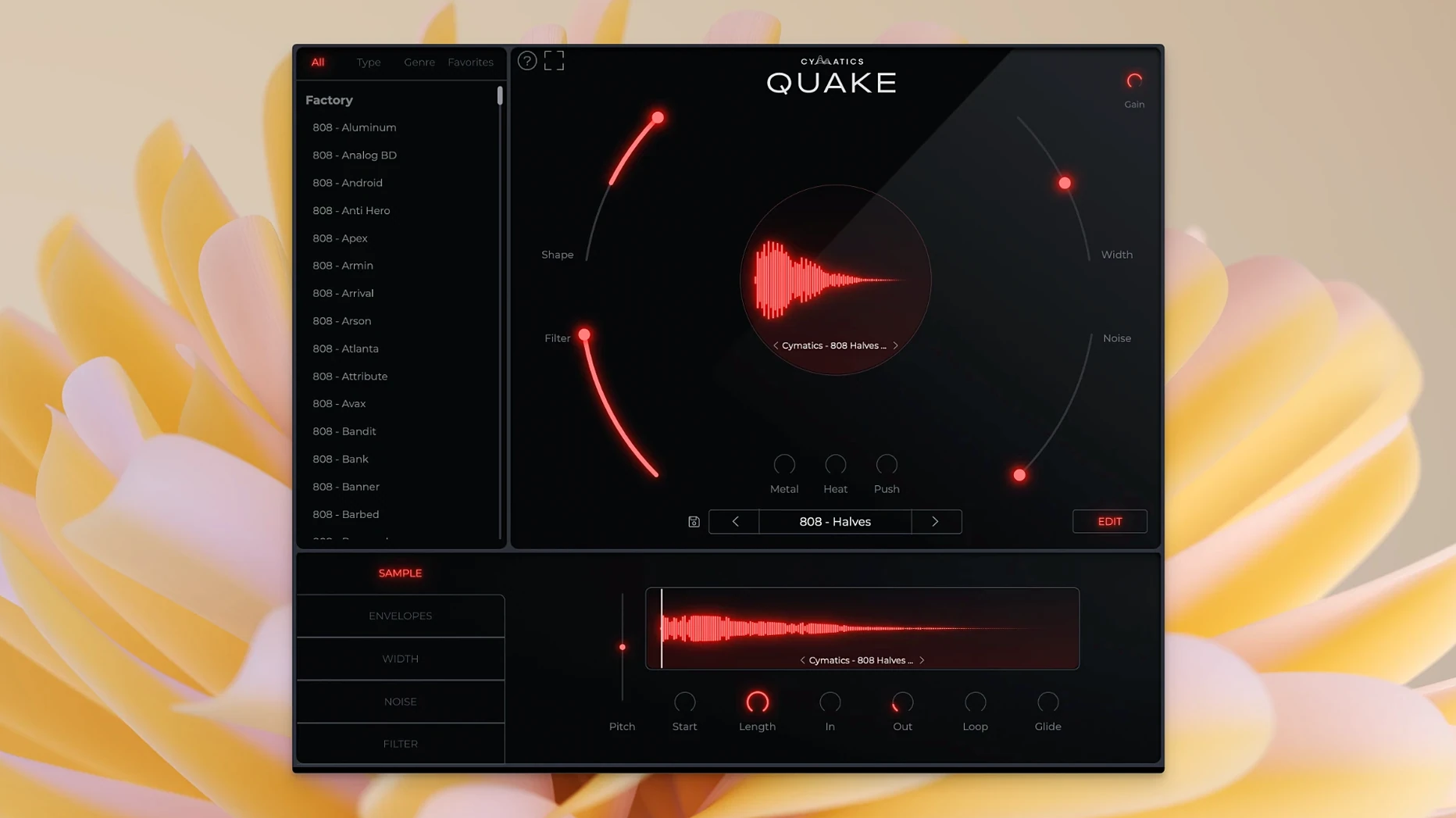
Width, Shape, and Filter reshape bass in one panel
- Width – Controls stereo width, letting you place the bass across the field without leaving the plugin.
- Shape – Alters both tone and envelope, so you can reshape a sample or synth bass quickly.
- Filter – Standard low-pass/high-pass shaping tailored for sub frequencies.
- Noise – Adds analog noise and texture to give digital sources some grit.
- Metal, Heat, Push – Three distinct saturation and distortion stages: Metal for aggressive harmonics, Heat for tube-style warmth, Push for extra drive.
- Preset library – Ships with a set of bass presets to get you started.
Three distortion flavours replace a chain of saturators and EQ
Rather than routing a bass patch through three different saturators and an EQ, QUAKE keeps Width, Shape, Filter, Noise, and three distortion flavours in one panel. The developer describes it as an extremely powerful bass engine for generating heavy hitting and unique bass. For anyone who regularly designs 808s or sub-bass layers, having these controls in one place means less tabbing between plugins and more time listening.
Start with the preset library to explore Trap, House, and Drill sounds
Once QUAKE is in your plugin folder, start with the preset library rather than building from scratch. The presets cover Trap, House, R&B, EDM, Drill and other genres, so scroll through them to hear what the engine can do. When you find a preset that sits close to what you need, use the Width knob to check how it behaves in mono — many bass presets are designed wide, but club systems collapse to mono, so dialling Width back early saves later fixes.
Spend a session adjusting Shape on a single preset. Shape changes both tone and envelope, which means you can turn a punchy pluck into a sustained sub without changing presets. Pair that with the Filter to carve out mud between 40 Hz and 100 Hz — the range where 808s and kick drums often fight. The Noise control is subtle at low settings; try it at higher values on a simple sine-wave bass to add movement before saturation.
Metal, Heat and Push are best tested in order. Push adds drive first, Heat warms the result, Metal adds upper harmonics. A common mistake is to push all three hard from the start — start with one, listen, then add the next.
Runs as a standard plugin in Logic Pro, Ableton Live, and FL Studio
QUAKE loads as a standard plugin in any DAW that supports the format your system uses. Because the plugin is self-contained, you can run it on a dedicated track in Logic Pro, Ableton Live, FL Studio or Cubase without extra routing. The controls map well to MIDI learn in most hosts, so assigning a hardware controller to Width, Filter or Push is straightforward — useful when you want to automate bass changes live rather than drawing them in.
On the macOS side, QUAKE runs on both Intel and Apple Silicon machines, so it works natively on M-series Macs without Rosetta overhead. If you use Audio Unit or VST3 formats, check your DAW's plugin manager after installation; the plugin should appear under the Cymatics folder. For users who rely on macOS shortcuts like Quick Look for sample previews, QUAKE replaces the need for external bass sample libraries — you generate the sound inside the session instead of hunting through folders.
Bass-central genres like Trap and Drill need no extra processing
Producers who work in genres where the bass is the central element — Trap, Drill, EDM, House, R&B — will find QUAKE useful because it removes the need to stack multiple processing plugins for a single bass sound. Beatmakers who start sessions with drum loops and a melody often leave the bass as an afterthought; QUAKE lets them sketch a bass part in minutes, keeping the creative flow moving.
Sound designers who build custom bass patches for sample packs or scoring also benefit. The combination of three distortion stages and a noise layer means you can create sounds that would normally require a chain of five or six plugins. For podcast or film post-production engineers who need occasional sub-bass elements, the preset library offers a quick starting point without deep synthesis knowledge. Less obvious: producers who collaborate with vocalists and need to adjust bass tone during a mix session can tweak Shape and Filter without opening a separate synth or sampler.
Pick a Drill preset, then tweak Width and Shape for the track
I open a new project in my DAW and create an instrument track. QUAKE loads as the insert. The first thing I do is pick a genre from the preset browser — I start with Drill because the track needs a heavy, short 808.
I play a simple pattern on the MIDI keyboard: root note, octave jump, root note again. The sub stays solid but the stereo spread narrows — better for a mono-compatible club playback. Next I adjust Shape: I turn it slightly to the left to shorten the decay, making each note punchier instead of ringing into the next one.
The bass still lacks presence on smaller speakers, so I push Heat up to about halfway. The sound gets warmer without losing the low end. I leave Push off for now; the drive is already enough.
I record the MIDI pattern, then duplicate the track and transpose the copy down an octave to test how QUAKE handles sub-bass layering. I route both tracks to a group bus with a gentle compressor, and the bass sits exactly where I need it.
The whole process takes under ten minutes. If I had used separate plugins for saturation, EQ and stereo imaging, I would have spent half that time just opening and closing windows. QUAKE keeps everything in view, so the next time I need to adjust the bass during the mix, I can do it without breaking the listening flow.
Before it goes on the Mac
- macOS 10.14 or later
- Intel or Apple Silicon processor
- Interface language: English
Questions from the room
Does QUAKE work on both Intel and Apple Silicon Macs?
Yes, QUAKE 1.0.0 runs natively on both Intel and Apple Silicon Macs, with macOS 10.14 as the minimum requirement.
What kind of distortion controls does QUAKE offer?
QUAKE provides three saturation/distortion stages: Metal, Heat, and Push. Each adds a different character, from aggressive harmonic distortion to tube warmth and extra drive.
Installing it on the Mac
- Follow the standard installation procedure for the plugin.
Notes from the control room
Sign in or open a catalogue account to leave a note.
No notes from the room yet. If you have used this build for a week, a short note helps the next person.
Also filed under Logic Pro Plugins
The whole Logic Pro Plugins rack Cymatics VOXITY1.0.0 Logic Pro Plugins 97 MB
 Cableguys Snapback1.1 Logic Pro Plugins 37 MB
 Bulldog Samples Bulldog Tuned1.1.2 Logic Pro Plugins 29 MB
 elastiquePitch2.5.0 Logic Pro Plugins 17 MB
 Bogren Digital Ampknob BH41.0.138 Logic Pro Plugins 280 MB
 Excite Audio Lifeline Expanse1.3.0 Logic Pro Plugins 352 MB
 Bogren Digital Ampknob BDH 66o6 Plus1.2.118 Logic Pro Plugins 253 MB
 Bogren Digital Ampknob BDE 1201.0.246 Logic Pro Plugins 325 MB