Ableton Live 12.4.16 (Mac)
Updated
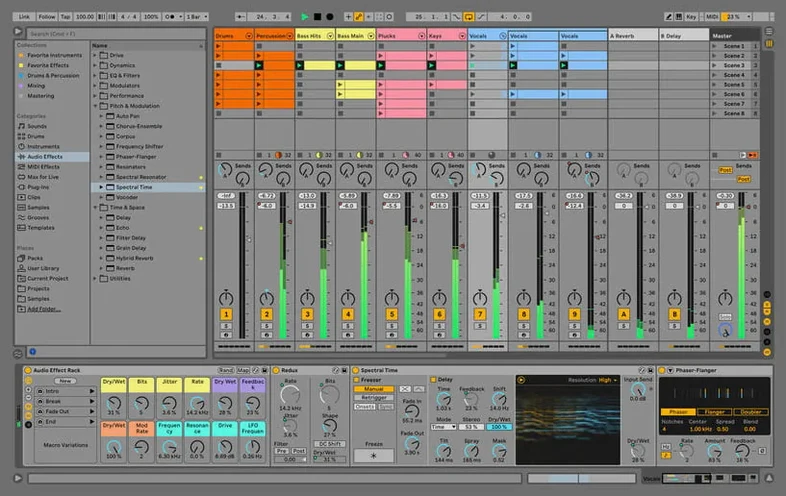
The catalogue note
Live 12.4.6 runs natively on both Apple Silicon and Intel 64-bit Macs, and it fits neatly into a studio that already juggles a few apps. It is not just another editor: the same session view that works for arranging tracks also drives live performance, so you can sketch an idea and then play it out without switching tools.
Builds tracks from included instruments and loops on any modern Mac
- Building tracks from the included instruments, sounds, kits, and loops.
- Switching between arrangement and session views for production or on-stage work.
- Running on any modern Mac, from an M2 MacBook to an older Intel iMac.
Interface available in six languages with recent fixes for render hangs
- The interface is available in six languages, including English and Japanese.
- Version 12.4.6 fixes a hang during render or bounce in large sets with Beats Warp Mode and Transients Granular Resolution.
- Live 12 Suite is the top edition, but the core workflow is the same across versions.
Building a track from scratch — a typical session
You open Live and see the session view. The browser on the left lists the included instruments, drums, samples and loops that ship with the Suite edition. You drag a kick loop from the Core Library onto an audio track, then a hi-hat loop onto another. Both clips play in sync immediately because Live's warping engine analyses audio on import and matches the project tempo by default.
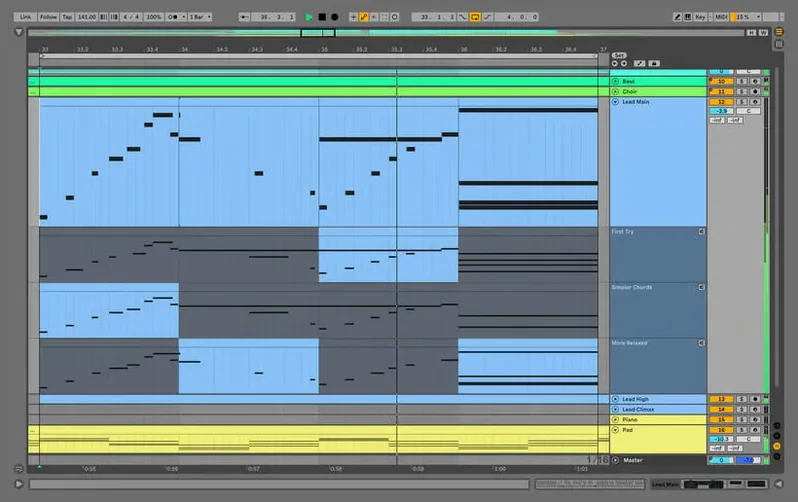
Next you load a software instrument — say, Wavetable — onto a MIDI track. You draw a simple bass line in the clip view, using the pencil tool to place a few notes. The sound is clean but dry, so you drop an Auto Filter from the device browser onto the track and tweak the cutoff until the bass sits behind the kick without muddying it.
You switch to arrangement view to lay out a structure. The session clips you played are still there, but you record your scene launches into the arrangement timeline by hitting the record button and triggering scenes in real time. This is where Live differs from linear DAWs: you can perform the arrangement as a series of clips and capture the performance, rather than drawing every region by hand.
You add return tracks with reverb and delay, then send the snare and the synth pad to those returns. The mix starts to feel like a rough sketch of a track. You save the project — AbletonAutoSave is already running in the menu bar, saving at the interval you set, so even if you forget to hit save manually, the last few minutes of work are covered.
Working with other apps and macOS features
Live integrates with the operating system in a few practical ways. You can route audio from another application — a synth plugin running standalone, or Safari playing a reference track — into Live using a utility like BlackHole or Soundflower, then record that audio onto a new track. This is useful when you want to sample a YouTube video or capture a sound from a game.
MIDI routing works similarly. With the IAC Driver enabled in Audio MIDI Setup, you can send MIDI from Live to another app like Logic Pro or MainStage, or receive MIDI from a hardware controller that is already configured in macOS. Live sees all active MIDI ports in its preferences without extra configuration.
The system Audio Units plugin format is supported alongside Live's own devices and VST3. If you have a third-party reverb or compressor that only ships as an Audio Unit, Live loads it without a wrapper. On Apple Silicon Macs, Live runs natively, and any Intel-only plugins are bridged through Apple's Rosetta 2 translation layer — Live handles this automatically per plugin.
You can also use macOS shortcuts like Mission Control to switch between Live and other windows, or drag audio files from Finder directly into a track. Live accepts WAV, AIFF, FLAC, Ogg Vorbis and MP3 files from the file system without importing them into the browser first.
Troubleshooting common Ableton Live issues on macOS
The project hangs during render or bounce
This was the specific fix in 12.4.6. If you have a large set with many audio tracks, and clips that use Beats Warp Mode with Transients Granular Resolution, a render or bounce could freeze Live. The update addresses that exact scenario. If you still hit a hang, check that all your clips are set to a warp mode other than Beats if granular resolution is not essential — switching to the Texture or Tones mode often resolves the issue without changing the sound noticeably.
Audio crackles or drops out
Live's audio buffer size is set in the preferences under Audio. If you hear crackles during playback, increase the buffer size. For recording, lower the buffer size to reduce latency. On Macs with Apple Silicon, the built-in audio hardware works well at 128 samples, but if you are running many instruments, 256 or 512 samples may be necessary. This is normal behaviour, not a bug.
Plugins do not appear in the browser
Live rescans plugins on launch, but only if the option to rescan is enabled in preferences. If you installed a new VST or Audio Unit and it does not show up, quit Live, open the preferences file (found in ~/Library/Preferences/Ableton/Live x.x.x/), delete the PluginDatabase file, and relaunch Live. It will rebuild the database and include the new plugin.
AbletonAutoSave is not saving
This helper runs in the menu bar and saves projects at the interval you choose. If it stops saving, check that it is running — look for its icon in the menu bar. If it is missing, launch it manually from the Live application bundle (Ableton Live 12 Suite.app/Contents/Resources/AbletonAutoSave.app). It starts and quits with Live by default, but a permissions change in macOS can prevent it from launching. Grant it accessibility access in System Settings if prompted.
Browser search filters by file type, drag devices between tracks
- The browser search field accepts keywords and also filters by file type. Type
kickand only kick drums appear; type.wavand only WAV files show, regardless of name. - You can drag a device from one track to another by holding Cmd and dragging the device title bar. This copies the device instead of moving it.
- The Info View (the small text panel at the bottom left of the interface) updates automatically to explain whatever your mouse is hovering over. If you are unsure what a knob or button does, hover and read the description.
- Live 12 Suite includes a scale and chord feature in the MIDI editor. When enabled, it highlights the notes that fit the selected scale and locks incoming MIDI notes to that scale. This is useful if you are not confident with music theory.
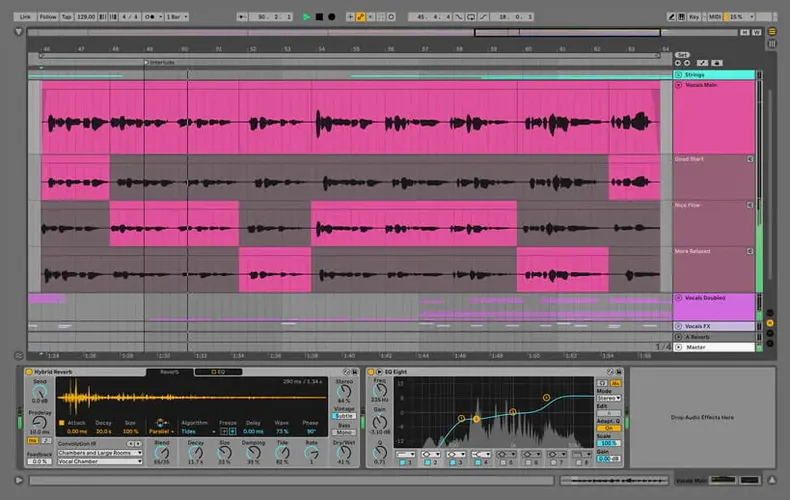
- The Comping tool, introduced in Live 12, lets you record multiple takes of an audio part and then combine the best sections from each take into a single composite track. The takes appear stacked, and you click to select which section of each take is active.
Podcast editor switches to music production using session view
Maria edits a weekly interview podcast. She uses Live because she already knows the session view from experimenting with electronic music at home. For the podcast, she imports the raw interview recording — a 45-minute WAV file — onto one track, and a stereo music bed onto another. She uses the Clip Gain envelope to lower the bed during speech, and the Fade handles on the audio clips to smooth transitions between edited sections.
When she wants to add a short musical sting between segments, she opens the Core Library drum kits, picks a simple kick and snare pattern, and plays it live using her MIDI keyboard. The performance is recorded as a MIDI clip, which she then converts to audio by freezing and flattening the track. The whole sting takes three minutes to create, without leaving Live.
For export, she selects the arrangement length, chooses WAV at 44.1 kHz, and renders the mix. The hang fix in 12.4.6 matters here because her session contains 30 audio tracks, many with Beats Warp Mode clips — the exact scenario that caused the freeze in earlier versions.
Changes in this build
Version 12.4.16 is available now. The full list of changes lives over at ableton.com, as always — this point release brings the usual round of refinements rather than a feature drop.
Before it goes on the Mac
- macOS 12 (Monterey) or later
- Apple Silicon or Intel 64-bit processor
Questions from the room
Does Ableton Live run on Apple Silicon Macs?
Yes, Live 12.4.6 supports both Apple Silicon and Intel 64-bit Macs.
What languages is Ableton Live available in?
The interface is offered in English, German, Spanish, Italian, French, and Japanese.
What does Live 12.4.6 fix?
It fixes a hang that could occur when rendering, bouncing, or consolidating in sets with many audio tracks and clips in Beats Warp Mode with Transients Granular Resolution.
Installing it on the Mac
The 5.1 GB download runs fine over wi-fi if you are not in a hurry—just make sure the target Mac runs macOS 12 or later on Intel or Apple Silicon.
- Mount the downloaded disk image and copy Ableton Live to your Applications folder.
- Launch the application. Drag the Authorize.auz file onto the program window to complete activation.
- If activation fails, block Ableton Live's internet access and double-check the version number — the app can update itself silently in the background.
Notes from the control room
Sign in or open a catalogue account to leave a note.
No notes from the room yet. If you have used this build for a week, a short note helps the next person.