Home › Mac Apps › OmniGraffle Pro
OmniGraffle Pro 7.26 (Mac)
Updated
The catalogue note
You are mid-way through mapping a network topology, and the client asks for a Visio file. OmniGraffle Pro handles that without breaking stride.
OmniGraffle Pro at a Glance
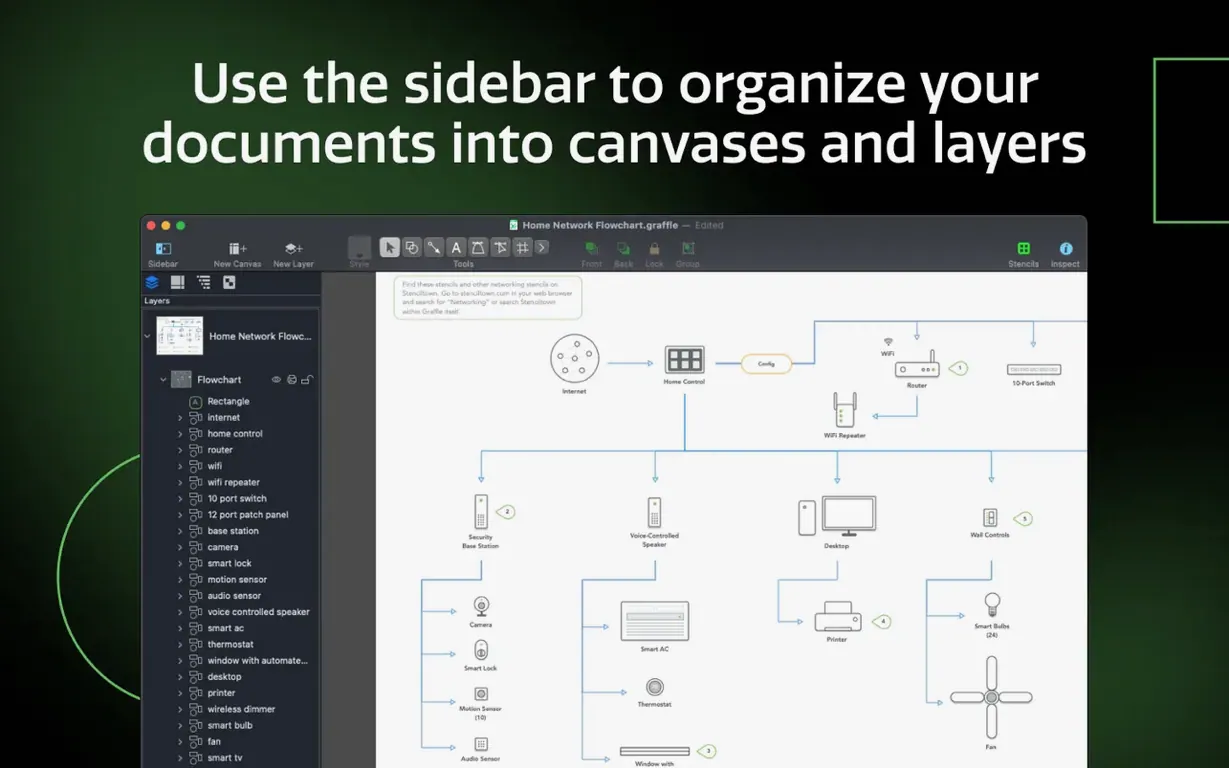
Shared layers — layers you can reuse across canvases, so headers, footers, or logos stay consistent without duplication.
Canvas management — a sidebar and inspectors keep multiple canvases organised, each with its own grid, zoom, and appearance.
Visio compatibility — import VSS stencils and VST templates, export documents as VDX, and work with files from Microsoft Visio users.
Photoshop integration — export to Adobe Photoshop formats, useful when diagrams feed into larger visual work.
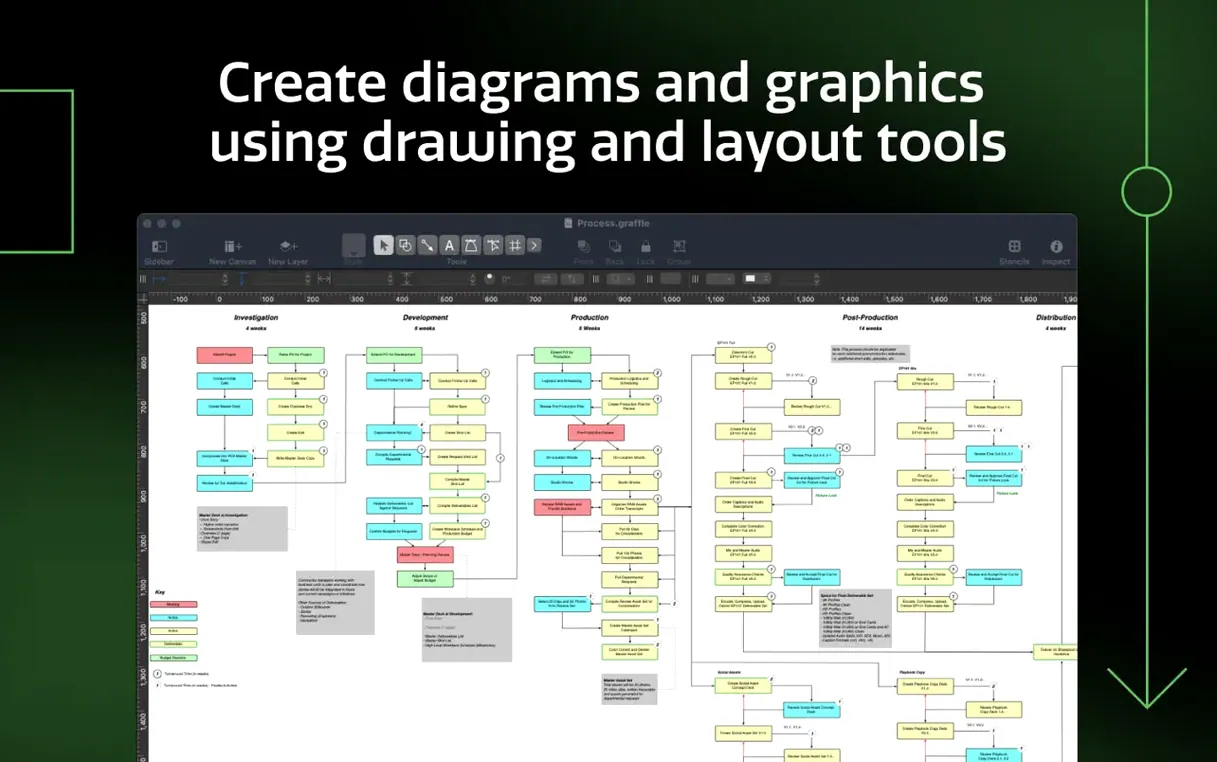
Table tool — create tables to group shapes and add rows and columns, handy for org charts or matrix layouts.
Text to shapes — convert text into editable shapes, a quick route to custom labels and badges.
Xcode diagrams — automatically generate project diagrams from Xcode, saving time when documenting code structure.
Pro also adds advanced drawing, text handling, and note features. It runs on both Apple Silicon and Intel Macs, and the interface is available in eleven languages.
Imports Visio VSD, VDX, VSS, and VST files
One of the first concerns is whether OmniGraffle Pro works with files from colleagues who use Visio. It does — import VSD and VDX documents, and also bring in VSS stencils and VST templates. When you need to send something back, export to VDX format. The round-trip is not perfect for every Visio-specific object, but for the majority of diagrams and process charts it works well enough to avoid converting everything manually.
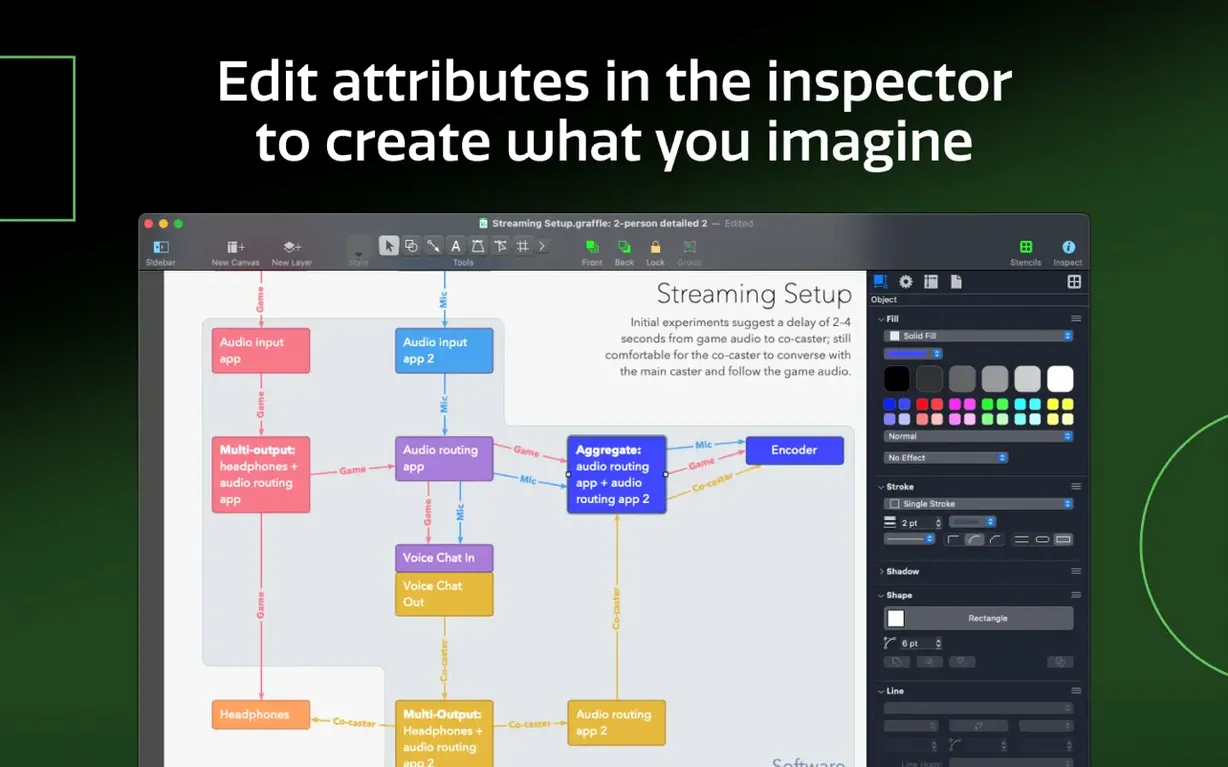
Another common question is about the learning curve. OmniGraffle Pro has a lot of features, but the core workflow is straightforward: create a canvas, drag shapes, connect them. The inspectors and sidebar give you control over each element without hunting through menus. If you have used any diagramming tool before, you will find the basics familiar within an hour. The advanced features — shared layers, table tool, text-to-shape conversion — are there when you need them, not forced on you.
People also ask whether the Pro edition is overkill for simple diagrams. It depends on your long-term needs. If you only draw the occasional flowchart, the standard edition might suffice. But the Pro features for layers, exporting, and Visio compatibility become valuable the moment a client sends a stencil or asks for a layered Photoshop export. The ability to share keyboard shortcut sets across machines also matters if you work on multiple Macs or with a team.
Master canvas for wiring layouts with twelve components
A technical illustrator at a hardware company needs to document the wiring layout for a new device. The device has twelve components, each with its own pin assignments and signal paths. Using OmniGraffle Pro, they set up a master canvas with shared layers for the company logo, revision block, and page numbering. Each component gets its own artboard with a consistent grid and zoom level. The table tool groups the pin assignments into rows and columns that stay aligned when text is updated. When the engineering team revises the pinout, the illustrator converts the revised text labels into shapes to create exact connector diagrams. Exporting to Visio VDX lets the manufacturing partner open the file directly. The entire workflow stays inside one document, and the sidebar keeps all canvases accessible without switching windows.
Best for process modelers using table tool and shared layers
OmniGraffle Pro suits several types of Mac users, but some benefit more than others.
- Process modelers and business analysts — anyone who maps workflows, decision trees, or organisational structures will appreciate the table tool and shared layers. Keeping consistent headers across dozens of process pages saves time when the client asks for a revision.
- UI and wireframe designers — the ability to create precise, pixel-aligned layouts on artboards, combined with the text-to-shape and line-to-shape conversion, makes it a solid choice for early-stage wireframing before moving to dedicated prototyping tools.
- Technical illustrators and documentation teams — the Visio import and export, Photoshop layer export, and automatic Xcode diagram generation cover the most common hand-off formats in engineering and documentation.
- Users working in multilingual environments — with eleven interface languages, teams where not everyone works in English can share the same tool without language barriers.
Casual users who only need a quick flowchart once a month may find the feature set larger than necessary. For anyone who regularly produces diagrams for clients or colleagues, the Pro features pay off in reduced rework and better compatibility with other tools.
Deeper layer control than Draw.io on macOS
OmniGraffle Pro is not the only diagramming application on macOS. Here is how it compares with a few alternatives.
Draw.io (diagrams.net) — free and cross-platform, with a large library of shapes and good export options. It lacks the deep layer management, shared layers, and Visio stencil import that OmniGraffle Pro offers. For quick diagrams it works well, but for documents that need to match corporate templates or integrate with Visio-heavy workflows, OmniGraffle Pro is more capable.
Sketch — primarily a vector design tool for UI and web work. It has artboards and symbols that function similarly to OmniGraffle's canvases and shared layers, but its focus is screen design rather than diagramming and process mapping. OmniGraffle Pro handles connectors, flow charts, and Visio compatibility in ways Sketch does not. If your work is purely interface design, Sketch may be a better fit. If you need diagrams that feed into or alongside design work, OmniGraffle Pro covers both areas.
Microsoft Visio (via Parallels or Windows) — the standard in many corporate environments. Running Visio on a Mac requires either a Windows VM or a remote desktop session, which adds complexity and resource overhead. OmniGraffle Pro runs natively on macOS, supports Apple Silicon, and can open and export Visio files. For Mac users who need Visio compatibility without leaving the macOS ecosystem, it is the most practical option.
Each of these tools has its strengths, but OmniGraffle Pro occupies a specific niche: native macOS diagramming with professional-grade layer control, format compatibility, and a feature set that scales from simple charts to complex technical documentation.
Changes in this build
- Improves compatibility with macOS Golden Gate 27.
- Requires macOS 14 or newer.
Before it goes on the Mac
- macOS 14 or newer
- Apple Silicon or Intel
Questions from the room
Can OmniGraffle Pro open Visio files?
Yes. It imports VSS stencils and VST templates, and exports documents as VDX for Visio compatibility.
Does OmniGraffle Pro work on Apple Silicon?
It supports both Apple Silicon and Intel Macs, so it runs natively on current and older hardware.
What are shared layers used for?
Shared layers let you reuse content across canvases, so a logo or title block appears on multiple pages without copying it each time.
Installing it on the Mac
- Mount the disk image and run Open Gatekeeper friendly.
- Press Enter in Terminal to bypass Gatekeeper.
- Drag the app to the Applications folder.
- Launch the app when installation is complete.
Notes from the control room
Sign in or open a catalogue account to leave a note.
No notes from the room yet. If you have used this build for a week, a short note helps the next person.