Updated
The catalogue note
Version 2.7.9 of DoubleTake, released on 2026-03-10, is a 5.8 MB download that runs on any Mac with macOS 10.15.7 or newer. The developer lists x86 (64-bit) architecture, but the app works on both Intel and Apple Silicon models.
Stitches photos from OS X 10.11 through macOS 10.15.7
DoubleTake — a macOS app for stitching photos into panoramas. It is the 'nano' of stitching software: small, focused, and quick.
OS X 10.11 and newer — the original stated minimum, though the current release requires macOS 10.15.7 or later.
Both architectures — no separate Apple Silicon build needed; Rosetta 2 handles it if you are on an M-series Mac.
English and Russian — the two interface languages listed on the product page, though the system also lists German, Danish, Italian, Simplified Chinese, Dutch, Polish, Portuguese, French, Swedish, and Japanese.
Copies finished panoramas straight into Apple Photos
When one photo cannot capture the whole scene and you cannot back up far enough, DoubleTake stitches compact-camera shots into a wide-angle result. The finished panorama can be copied straight into Apple Photos.
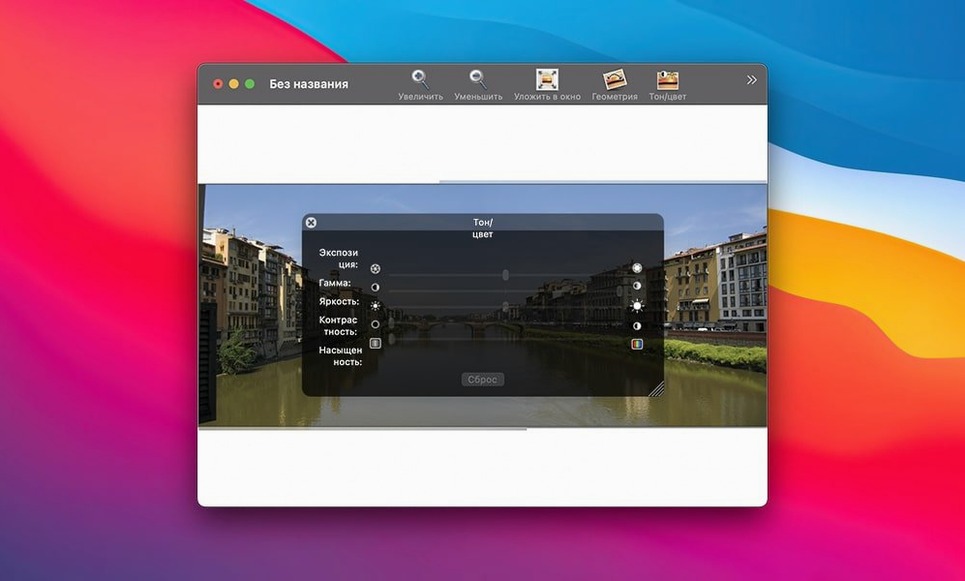
It is a utility for a specific job, not a full editor. If you shoot regularly and need a quick stitch without opening a heavyweight app, this fits.
A typical stitching workflow
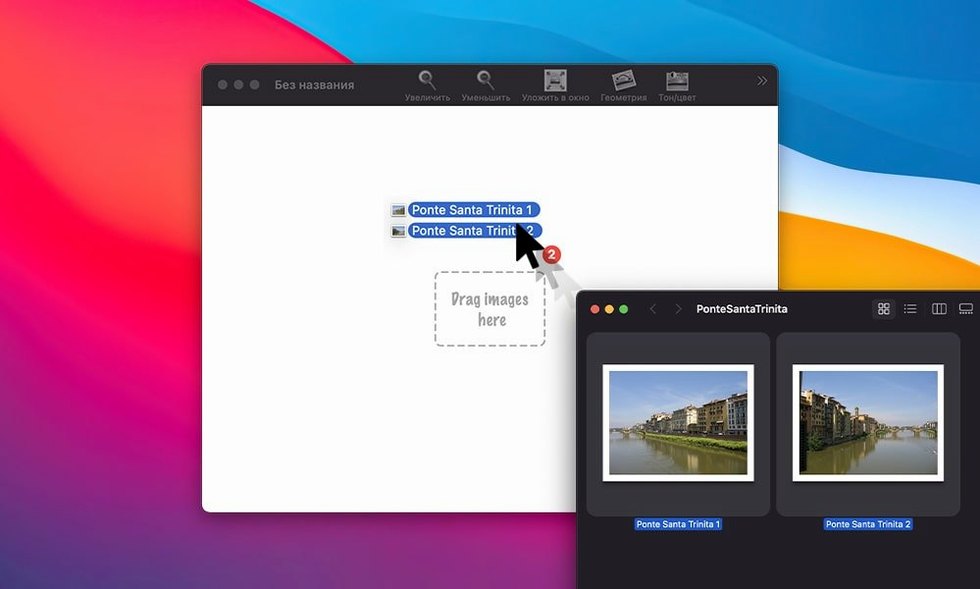
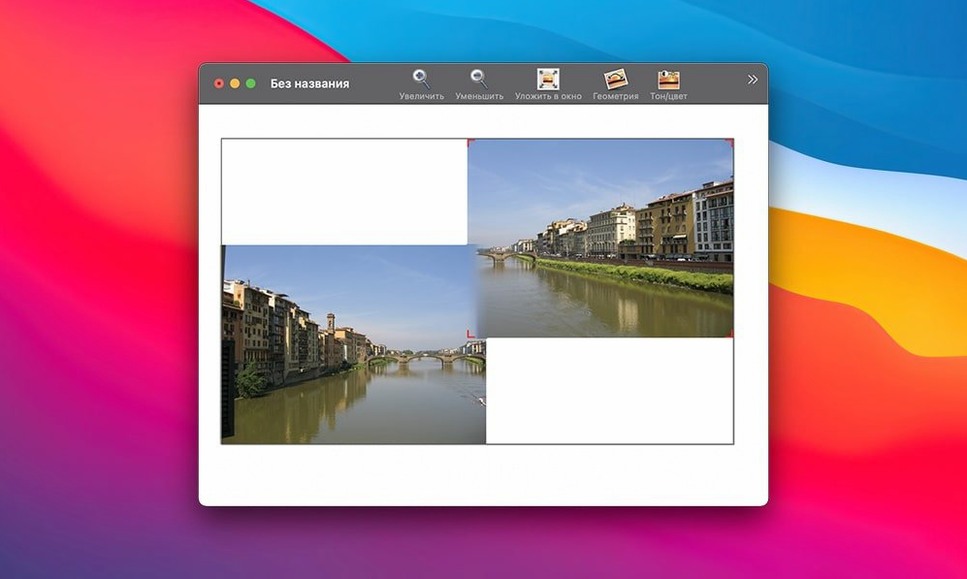
You have a set of overlapping photos taken from the same spot — maybe a mountain range or a city skyline. Open DoubleTake, then drag the images from Finder into the app window. They appear as thumbnails that you can arrange manually by clicking and dragging them into the correct left-to-right order. The app does not assume any sequence, so you have full control over alignment.
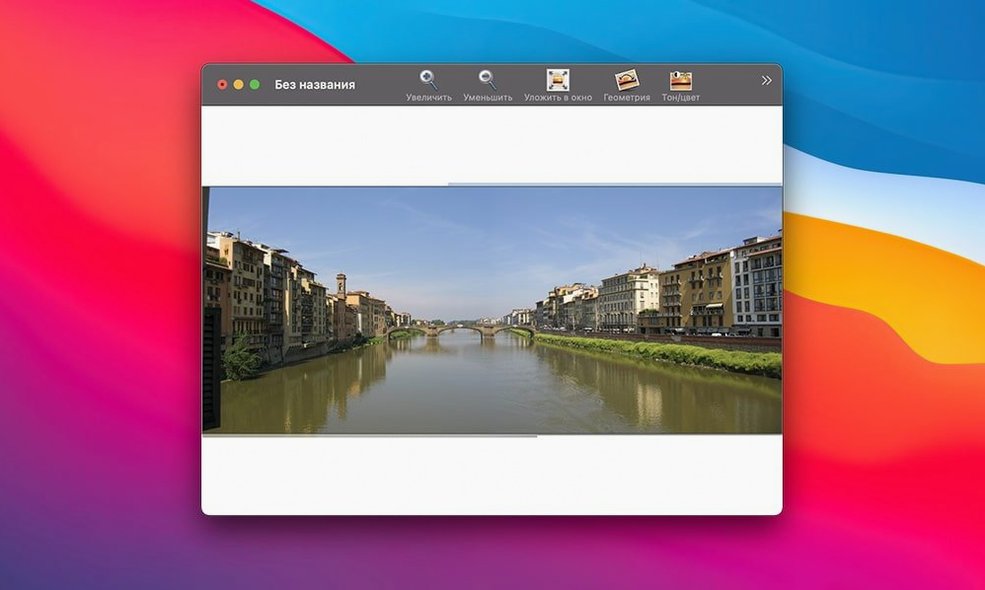
Once the images are in the right positions, the stitching process runs. The result appears as a single panoramic image. If the alignment looks off, you can rearrange the source images and stitch again. When you are satisfied, you have two options: save the project for later adjustment, or copy the stitched result and paste it directly into Apple Photos. The copy-and-paste route keeps the workflow short — no exporting to disk, no intermediate file management.
This approach suits photographers who shoot with compact cameras or phones and want a panorama without launching a larger image editor. The manual arrangement step is a deliberate choice: it gives you control when the automatic stitching of other tools misplaces a frame.
Version 2.7.9 raised the minimum to macOS 10.15.7
The 2.7.9 release from March 2026 is a maintenance update. The most noticeable change for existing users is the raised minimum macOS requirement — from OS X 10.11 to macOS 10.15.7. If you were running DoubleTake on an older system like El Capitan or Sierra, that setup no longer works. For anyone already on Catalina or newer, the update is transparent; the app behaves identically.
No new stitching algorithms, no interface redesign, no added export formats. The core workflow — drag, arrange, stitch, copy — is unchanged. The value of 2.7.9 is in keeping the app compatible with current macOS versions and Apple Silicon Macs running through Rosetta 2.
No hard limit on how many photos you can stitch
Can I stitch more than two photos? Yes. There is no hard limit stated; you can drag as many images as you need and arrange them in sequence.
Does it work with RAW files? The product description does not mention RAW support specifically. It refers to photos from compact cameras and images dragged from Finder or iPhoto. If you shoot RAW, you may need to convert to a standard format like JPEG or TIFF first.
Will it run on my Intel Mac from 2015? Likely yes, provided the Mac is running macOS 10.15.7 or later. The architecture requirement is x86 (64-bit), which covers all Intel Macs from 2011 onward that can run Catalina.
Can I stitch vertical panoramas? The app is designed for horizontal wide-angle results, but you can arrange images top-to-bottom manually if you want a vertical stitch. The manual arrangement gives you that flexibility.
What happens if the images are different sizes? DoubleTake does not resize or crop source images automatically. You arrange them as they are, and the stitched result reflects the combined dimensions. If the heights differ noticeably, the final panorama may have uneven edges.
Downloads at 5.8 MB with no background services
The download is 5.8 MB — smaller than many single-plugin installers. The app itself, once installed from the Applications folder, occupies a similar amount of disk space. It does not install background services, launch agents, or additional frameworks. The installer is a disk image that you mount, then drag the application file manually.
Because the app is listed as x86 (64-bit), it runs natively on Intel Macs and through Rosetta 2 on Apple Silicon. No separate M-series build exists. The interface languages include twelve options: Russian, English, German, Danish, Italian, Simplified Chinese, Dutch, Polish, Portuguese, French, Swedish, and Japanese. You set the language in the app, not through system preferences.
On systems with macOS 10.15.7 or later, Gatekeeper will block the app on first launch because it is signed by the developer but not notarised. The installation steps include a workaround: pressing Enter in Terminal to bypass the block, then dragging the app to Applications. After that, it launches normally.
DoubleTake lets you mirror your Mac screen to another display, and the doubletake mac free download is available as a disk image.
Before it goes on the Mac
- macOS 10.15.7 or newer
- Intel or Apple Silicon (both architectures supported)
- 5.8 MB download size
Questions from the room
Does DoubleTake run on Apple Silicon Macs?
Yes. Although the listed architecture is x86 (64-bit), the requirements say both architectures are supported, so it runs on Intel and Apple Silicon via Rosetta 2.
Installing it on the Mac
- Mount the disk image.
- Run Open Gatekeeper friendly — press Enter in Terminal to bypass Gatekeeper.
- Drag the app to the Applications folder.
- Launch DoubleTake.
Notes from the control room
Sign in or open a catalogue account to leave a note.
No notes from the room yet. If you have used this build for a week, a short note helps the next person.