
AutoFill v2 2.0.2 (Mac)
Updated

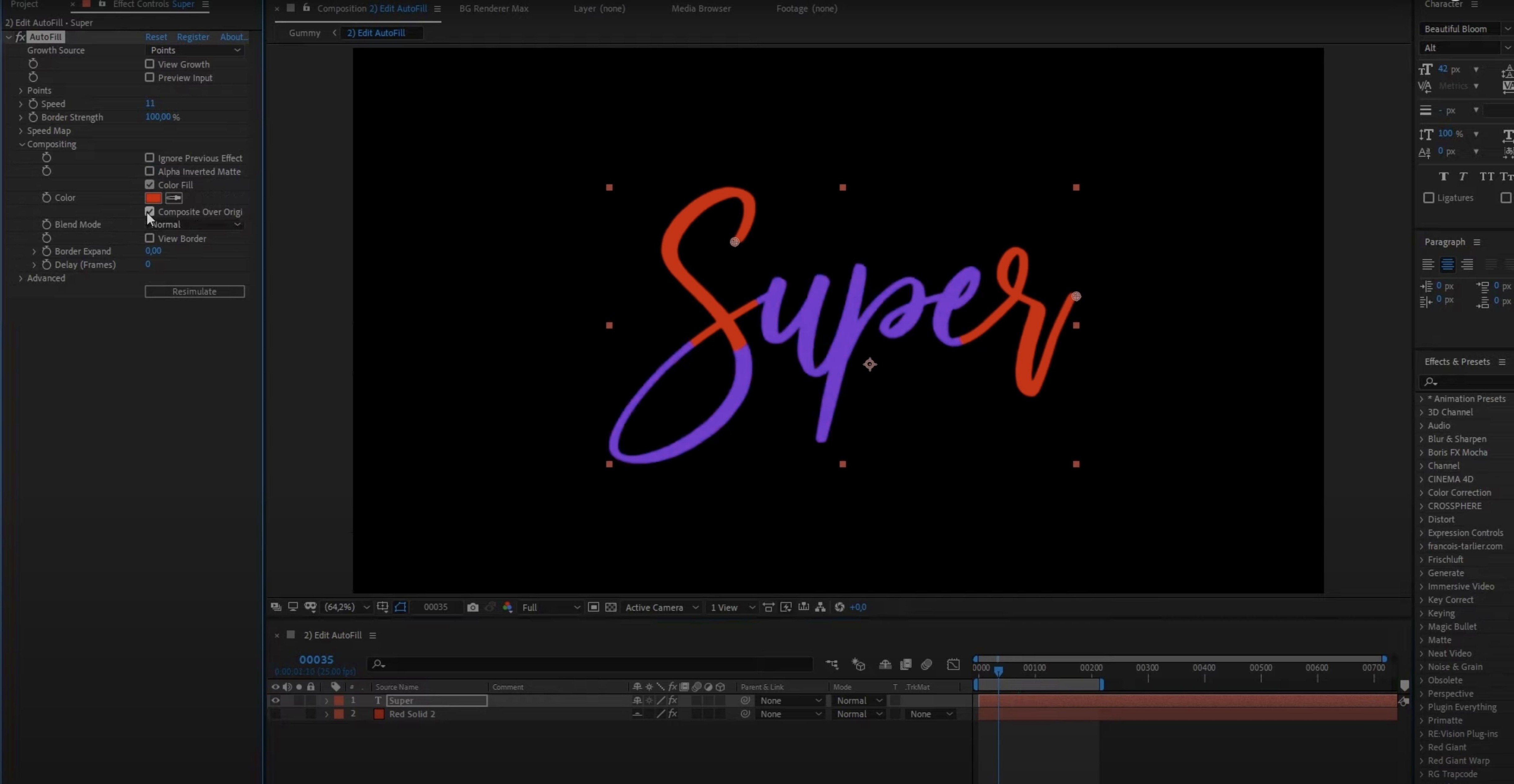
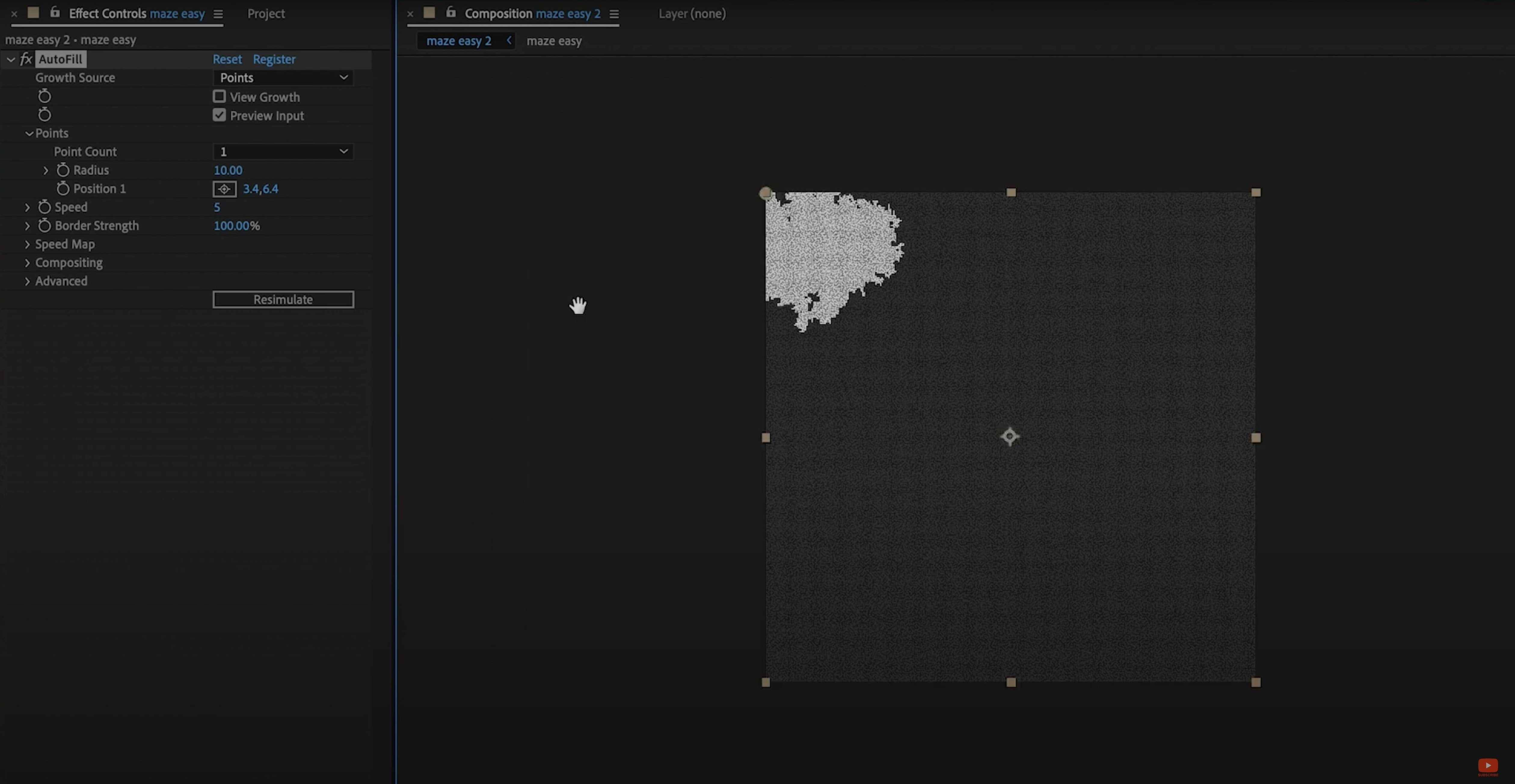

The catalogue note
If you already rely on After Effects for motion graphics, you know the drill: keyframes for every fill reveal, every handwriting stroke, every draw-on effect. AutoFill v2 steps in to skip that manual work. It fills the bounds of a layer with a controllable animation, no keyframes required.
Good for
- Animated handwriting — draw-on reveals that follow the stroke order.
- Drawing-style animations where a shape fills itself over time.
- Quick reveals on text or vector layers without setting start/end keyframes.
- Multi-Frame Rendering and modern compute caching to keep render times in check.
Keep in mind
- After Effects 2021 through 2026 are supported; older versions are not.
- Apple Silicon native — runs without Rosetta on M-series Macs.
- 25 presets ship with the plugin, enough to get started quickly.
- Interface is English only.
- This is a full re-engineer from the ground up, not a minor update to the original AutoFill.
Mistakes beginners make
The most common error I see is expecting AutoFill v2 to work like a simple fill effect without understanding its relationship to layer bounds. New users often apply it to a layer and wonder why nothing animates — the plugin fills the bounds of the layer, not the layer content itself. If your layer is a single shape that already fills its entire comp, there's nothing for AutoFill to reveal. You need content with empty space around it, or a mask that defines the area to fill.
Another frequent slip: forgetting that AutoFill v2 respects layer order and blending modes. People apply it, see no result, and assume the plugin is broken. In reality, the fill effect may be hidden behind another layer, or the blend mode is set to something that cancels the fill. Check that your layer sits above the background and that the blend mode is set to normal until you're confident the animation works as expected.
Beginners also tend to jump straight into the speed control map without first dialling in a preset. The built-in speed map is powerful, but starting from scratch with it can lead to jerky, unpredictable results. Pick one of the 25 presets first, then tweak the speed map to taste. It saves time and gives you a baseline that's already smooth.
Finally, I see people trying to keyframe the fill progress manually, which defeats the purpose. AutoFill v2 is designed to eliminate keyframes. If you find yourself adding keyframes to the plugin's parameters, step back and ask whether the built-in controls or presets can achieve what you want. They almost always can.
Common snags and how to sort them out
Caching errors after rendering upstream vector layers
Version 2.0.2 fixed a caching bug that occurred when a vector layer was rendered upstream and the upstream comp was continuously rasterized. If you're on an earlier build and see previews that don't update correctly after changing a vector layer, update to 2.0.2. The fix addresses exactly this scenario.
Adobe Media Encoder crashes on startup
An error in earlier versions could cause Media Encoder to crash at launch. This was also resolved in 2.0.2. If you're still on a prior release and encounter this, updating is the straightforward fix.
Preview stutter despite Multi-Frame Rendering
AutoFill v2 supports Multi-Frame Rendering and uses a new caching system intended to deliver smooth real-time previews without resimulating. If previews still stutter, check that MFR is enabled in your After Effects project settings. Also confirm that you're not running other CPU-heavy plugins on the same layer — some older effects don't play well with MFR and can bottleneck the cache.
Fill animation doesn't match the stroke order
Animated handwriting requires the source layer to have a defined stroke path. If AutoFill v2 doesn't follow the intended stroke order, the issue is usually in the source vector file — the paths need to be properly ordered in Illustrator or your vector editor. The plugin reads the path order; it can't guess it.
Which Mac users get the most out of it
AutoFill v2 is Apple Silicon native, so M-series Mac users will see the best performance, particularly when using Multi-Frame Rendering. The caching system takes advantage of the unified memory architecture, meaning previews update quickly even with complex vector layers.
Motion designers who work with logo reveals, icon animations, or handwriting sequences will find the most value. If your daily After Effects work involves masking text or shapes to create draw-on effects, AutoFill v2 replaces a repetitive manual process with a single plugin application.
Animators who deliver in tight deadlines benefit from the 25 presets — they cut setup time to near zero for common reveal styles. The speed control map also helps when you need custom timing without digging into the expression editor.
Users on Intel Macs will still get the plugin working natively (x86 64-bit is supported), but they won't see the same preview speed improvements that Apple Silicon users do. The caching system helps on both architectures, though.
Small conveniences that are easy to miss
- The speed control map is built directly into the plugin — no need for separate layers or expressions to control fill speed over time.
- 25 presets ship with AutoFill v2, covering common reveal styles. These aren't just starting points; they're fully functional animations you can drop onto a layer and tweak.
- The caching system means you don't have to resimulate the fill every time you change a parameter — once cached, previews update in real time.
- Multi-Frame Rendering support means the plugin doesn't bottleneck After Effects' rendering pipeline when you're exporting or working in a team project.
- AutoFill v2 is a complete re-engineer, not a patch on the original. The caching, architecture support, and MFR compatibility were built from scratch rather than retrofitted.
Changes in this build
Before it goes on the Mac
- macOS (architecture: Intel and Apple Silicon)
- After Effects 2026, 2025, 2024, 2023, 2022, 2021
- Interface language: English
Questions from the room
Does AutoFill v2 work with Adobe Media Encoder?
Version 2.0.2 fixes a crash that could occur when Adobe Media Encoder starts up with the plugin loaded.
Installing it on the Mac
Notes from the control room
Sign in or open a catalogue account to leave a note.
No notes from the room yet. If you have used this build for a week, a short note helps the next person.